 KitGuru KitGuru.net – Tech News | Hardware News | Hardware Reviews | IOS | Mobile | Gaming | Graphics Cards


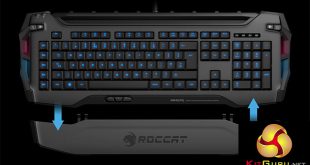
Although we are big fans of mechanical keyboards here at KitGuru, there is no denying that there are some rather fancy membrane boards in existence too. Roccat's Skeltr, though, is looking to become the undisputed king of membrane boards, with a host of high-end features, and a price tag to match.
Although you may balk at spending £150 on a membrane keyboard, Roccat hopes that with the inclusion of segregated switches, advanced Bluetooth functionality, smartphone connectivity, a smartphone/tablet stand and of course RGB lighting, that there will be enough to tempt you to pony up the cash.
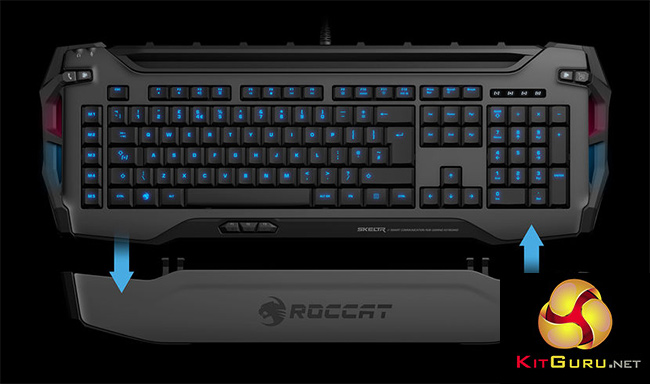
There are a number of lighting points across the keyboard, as well as a detachable wrist rest, specific macro keys and Roccat's ever popular Easy Shift function, which essentially doubles the programmable keys on the board. Its Swarm software is impressive too, letting you get a good look at your system details on your smartphone.
Features
- Universal Docking Device Slot: holds all smartphones/tablets + charge via USB.
- Manage Audio: quickly toggle between mobile device and PC audio
- Call Button: take smartphone calls through connected headset.
- Type to Device: toggle between PC & device typing via Bluetooth.
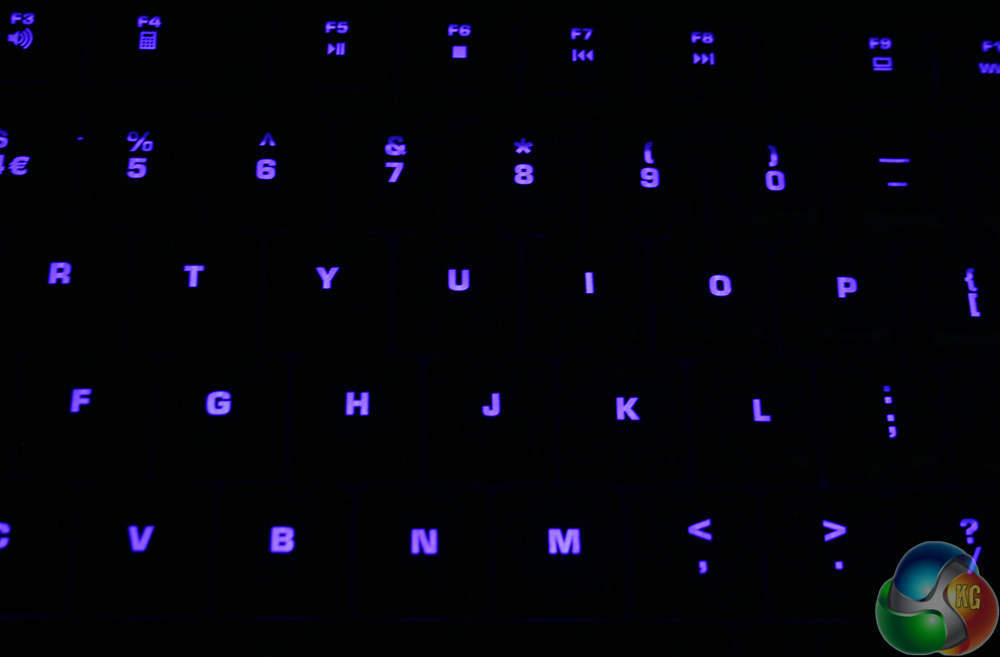
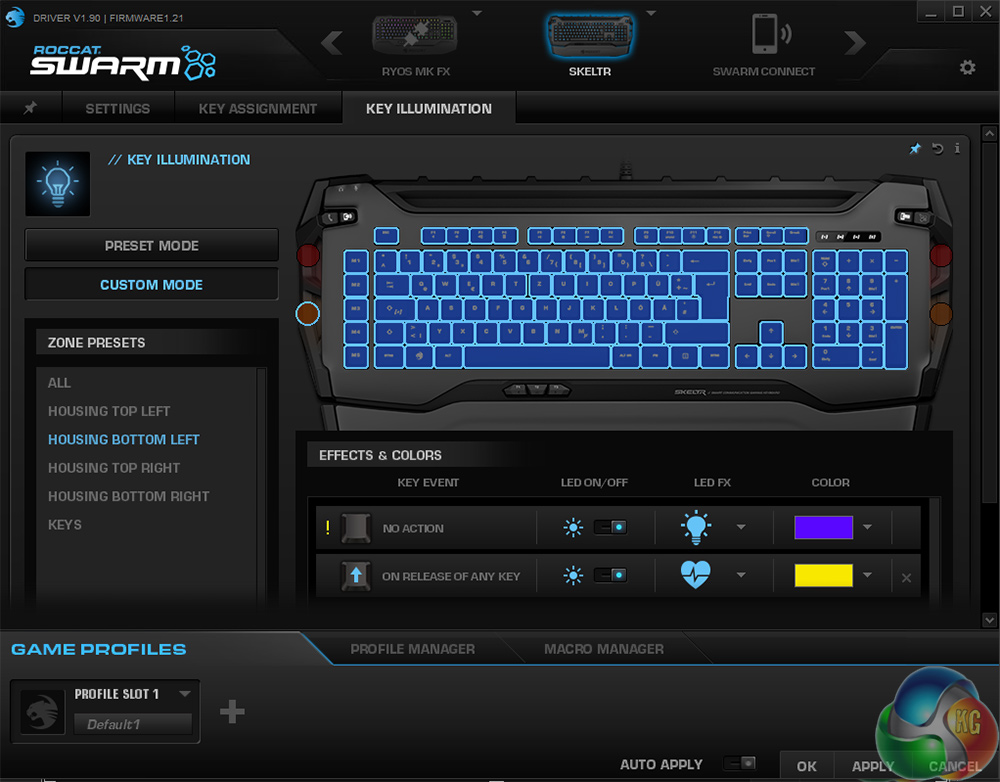
- RGB Illumination: five configurable illumination zones in 16.8m colors.
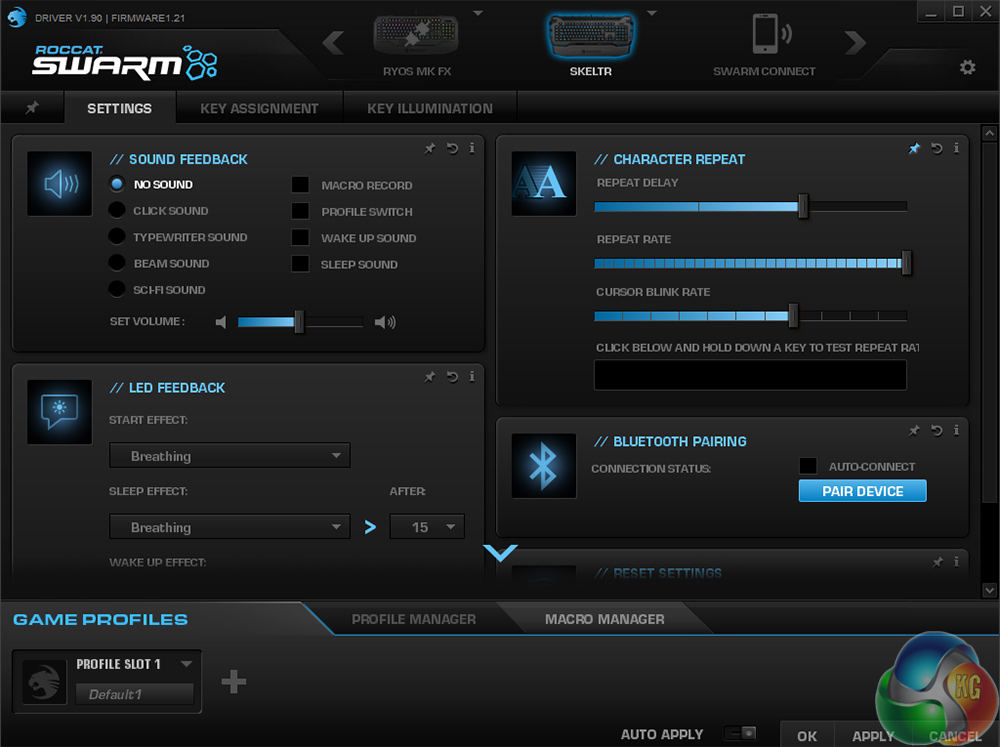
- ROCCAT® SWARM app: control Skeltr; monitor APM, CPU, GPU, RAM etc.
- POWER-GRID™ and Companion app: ideal for use with computer & game companion apps.
- Detachable wrist rest: easy to add/remove, suits all gaming styles.
- TALK® FX + ALIENFX™ Support: lighting effects for your favorite games.
- Silent and precise typing: with improved rubber dome technology.
- 20-KEY EASY-SHIFT[+]™ zone: for easy key duplication.
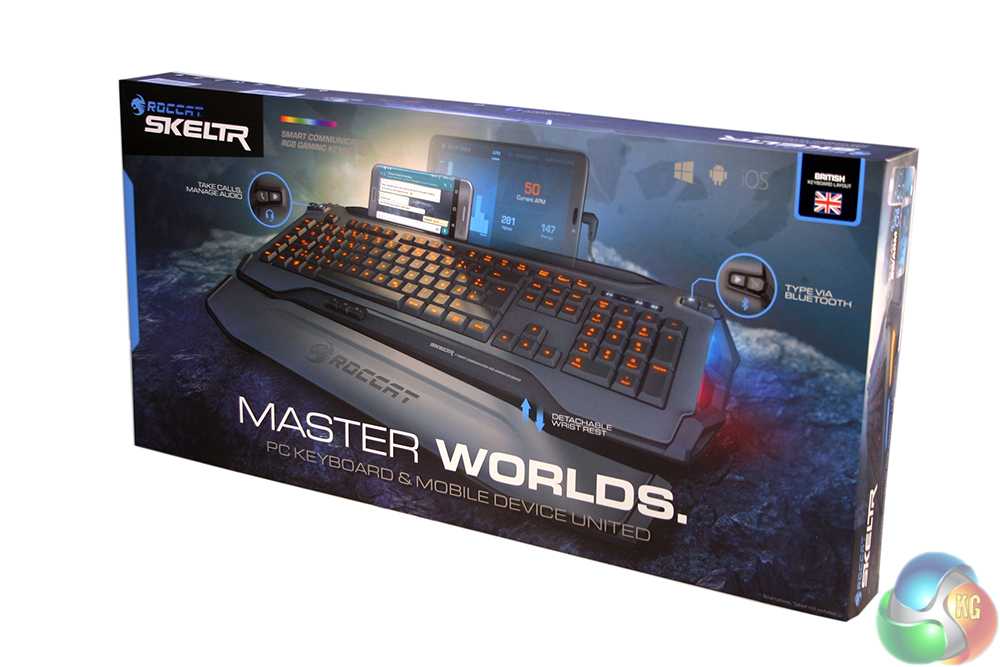
The packaging for the Roccat Skeltr keyboard is much more typical than the oddly shaped box of the Ryos MK FX RGB that we looked at earlier this year. It is highly informative, giving you a large picture of the keyboard on the front (tablet not included) and the whole box is built to a high standard.
As much as we like to save a few pounds on less impressive packaging, when you are spending £150 on a keyboard, you cannot help but want it to come in a nice box.
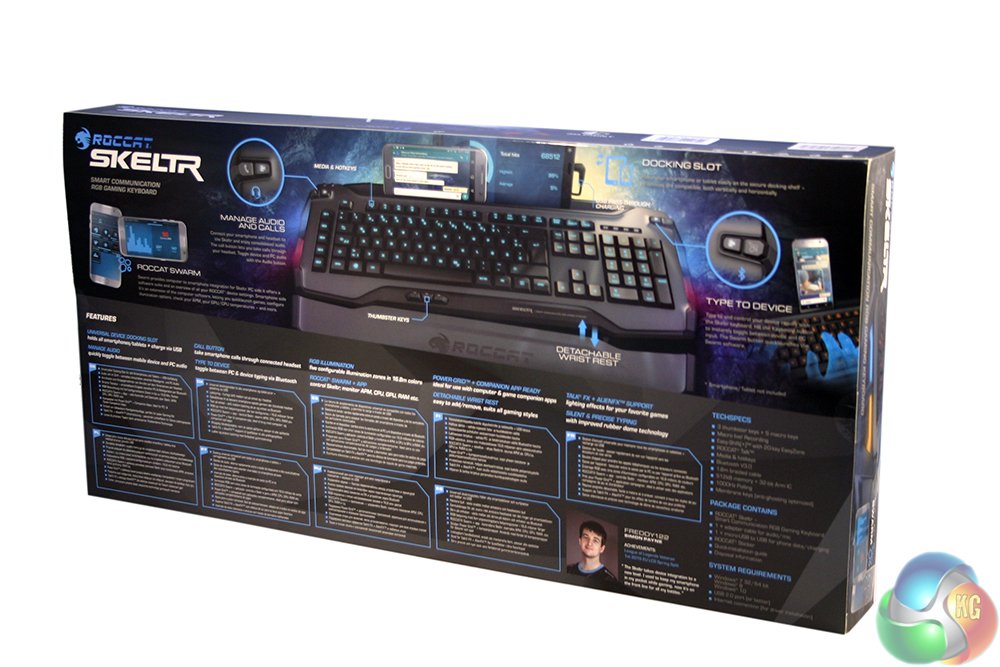
The back is even more iformative, breaking down many of the major features in a multitude of languages, as well as an endorsement by Pro League of Legends player “Freddy122,” who said that he always has his phone in front of him now that he uses a Skeltr.
While I would be surprised to find any pro-gamers using membrane boards, Skeltr's phone cradle system is quite neat. More on that later.
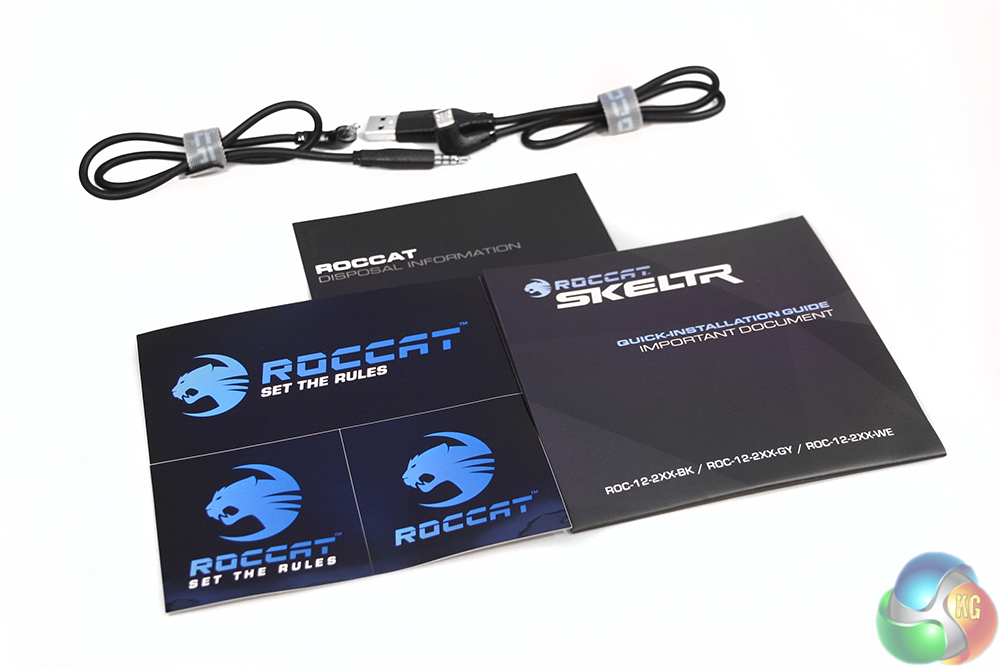
Along with the keyboard there are some stickers, a quick start document and a warranty leaflet, as well as some additional micro-USB and 3.5mm cables for pass through purposes.
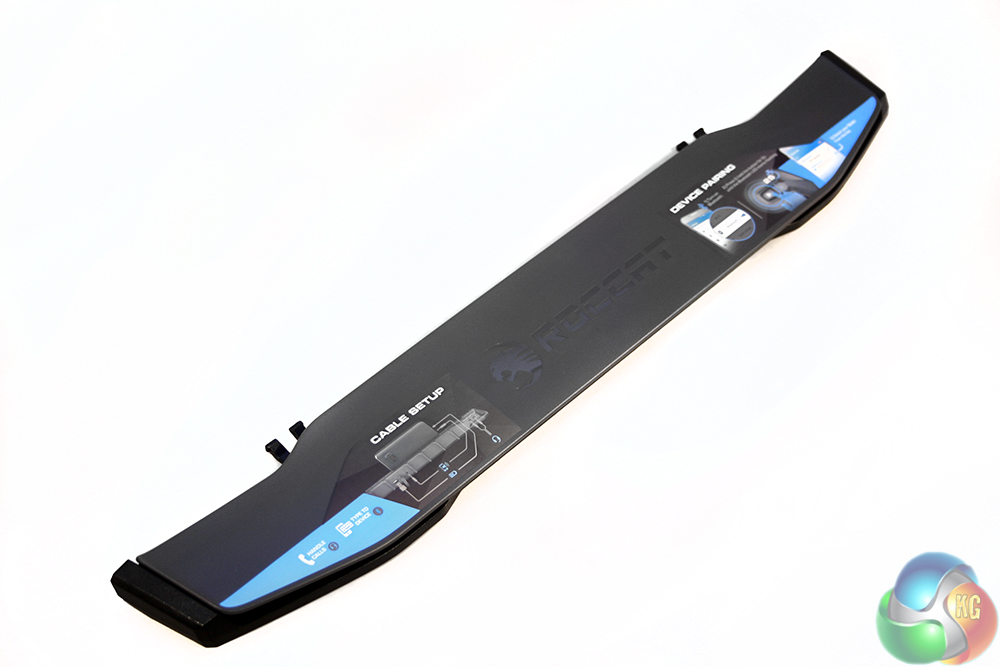
The wrist rest is detachable, but clips on easily to the underside of the board. It is made of the same plastic as the rest of the keyboard and features a Roccat logo in its centre. There are also a couple of informative stickers on its left and right hand sides, helping you out with some of the more interesting features of the Roccat Skeltr.
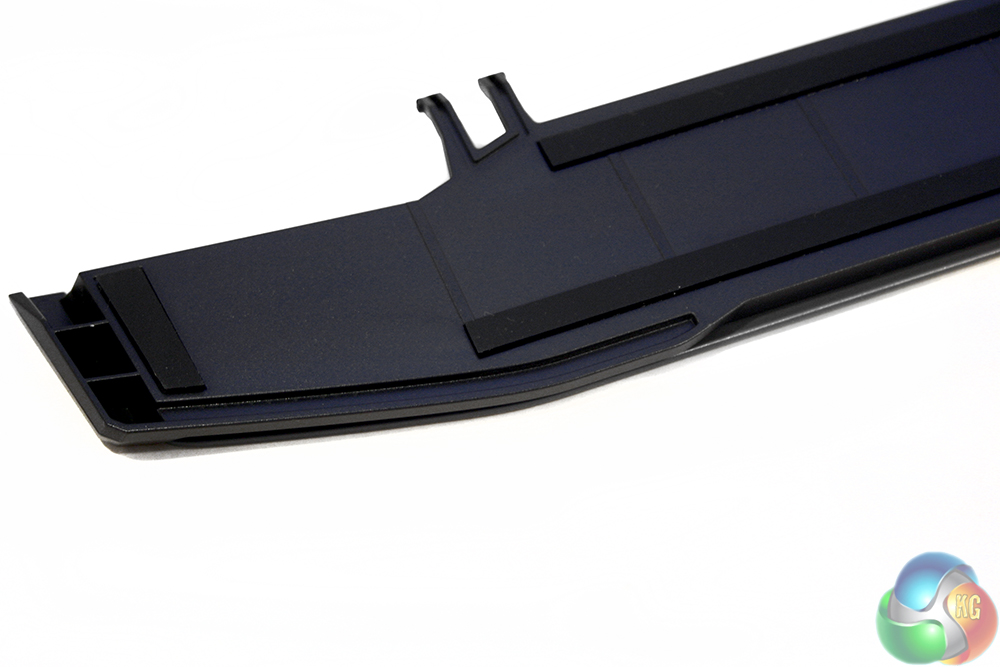
On the underside, it has rubber strips to further improve the grip strength of the keyboard so that it will not slide around during use.
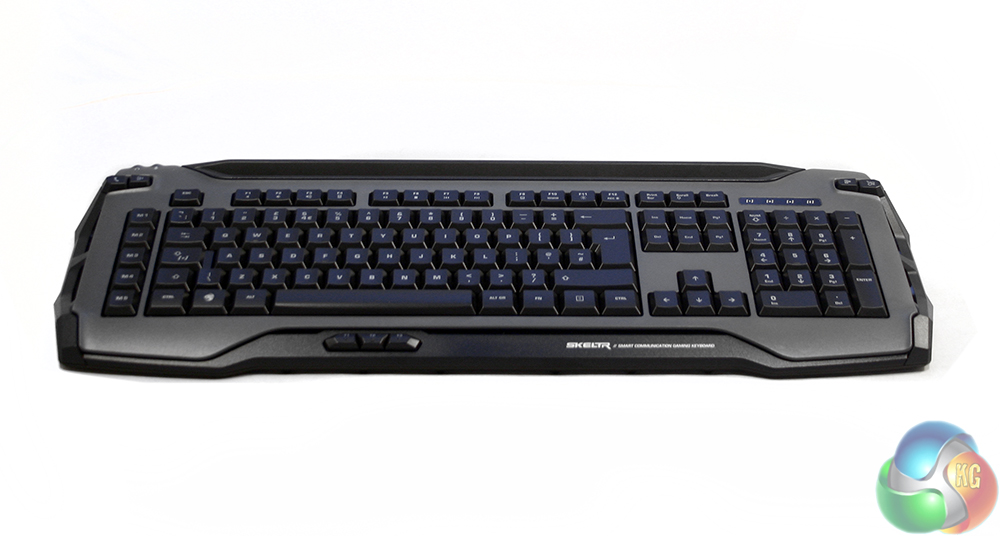
The Roccat Skeltr is a very smart and neat looking keyboard. The contrast of grey (in this model, also available in black and lighter grey) with the black keys looks clean and professional, but there are a few gamer-centric ridges and extremities which keep it from looking understated.
It is made entirely of plastic, so is light and portable in that respect. It is not the strongest of frames in the world and can flex when bent, but unless you are really battering your board it is strong enough that you should not have to worry about long term wear.
Keys are a little more low profile compared to those seen on mechanical boards, thanks to the less height required for the switch mechanism. Practically this does not make much of a difference.
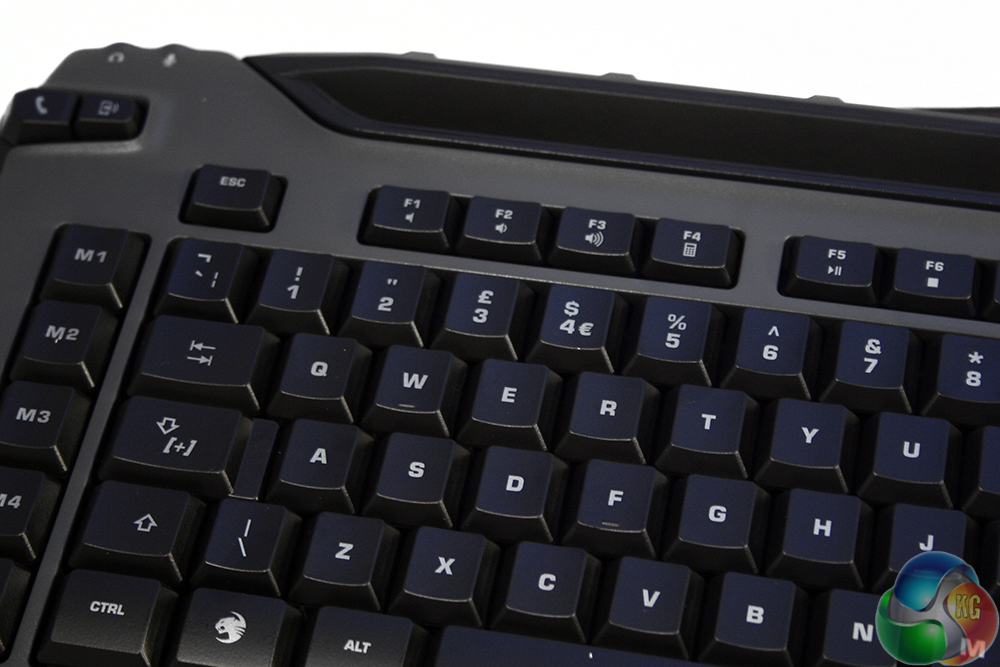
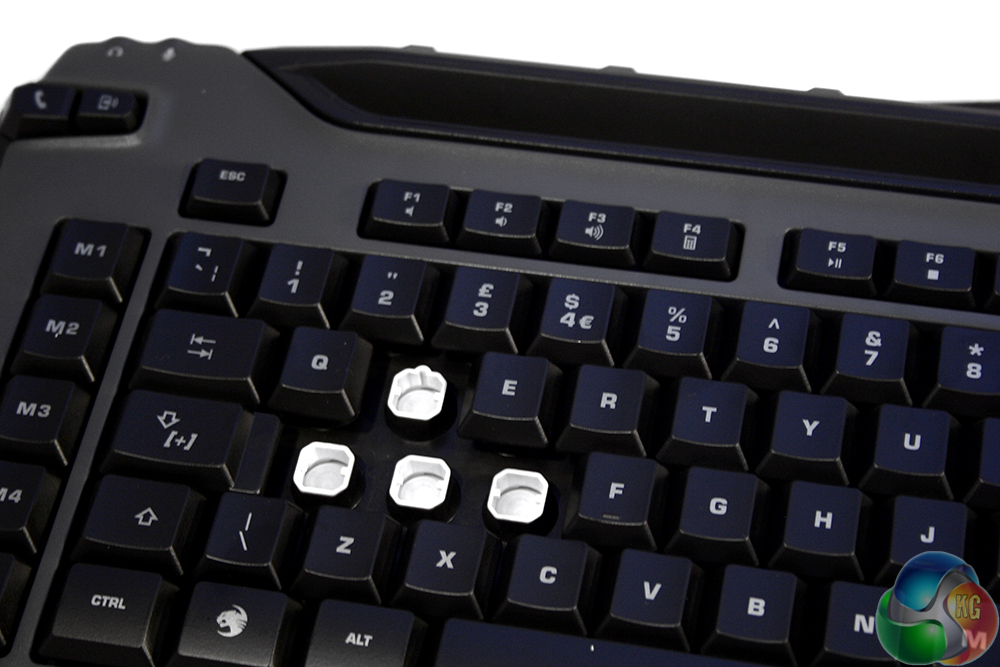
The key caps are easily removed and replaced for cleaning purposes. You can see that underneath the caps, the switch housing is bright white to help with LED light dispersal.
You can also see the rubber domes, which are of course part of a singular membrane interface underneath the plastic shell.
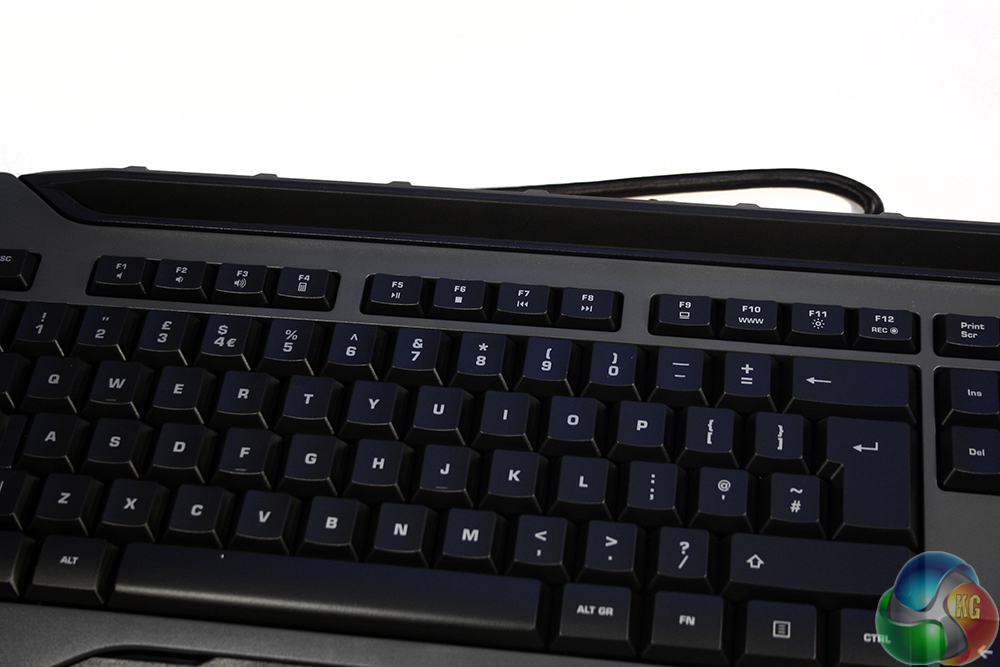
Media keys on this board are secondary functions of the F keys, with volume, play/pause, skip tracks and stop commands all available. These are alongside quick shortcuts for the calculator, browser and controls for the brightness. The F12 key also has a quick function for recording macros on the fly.
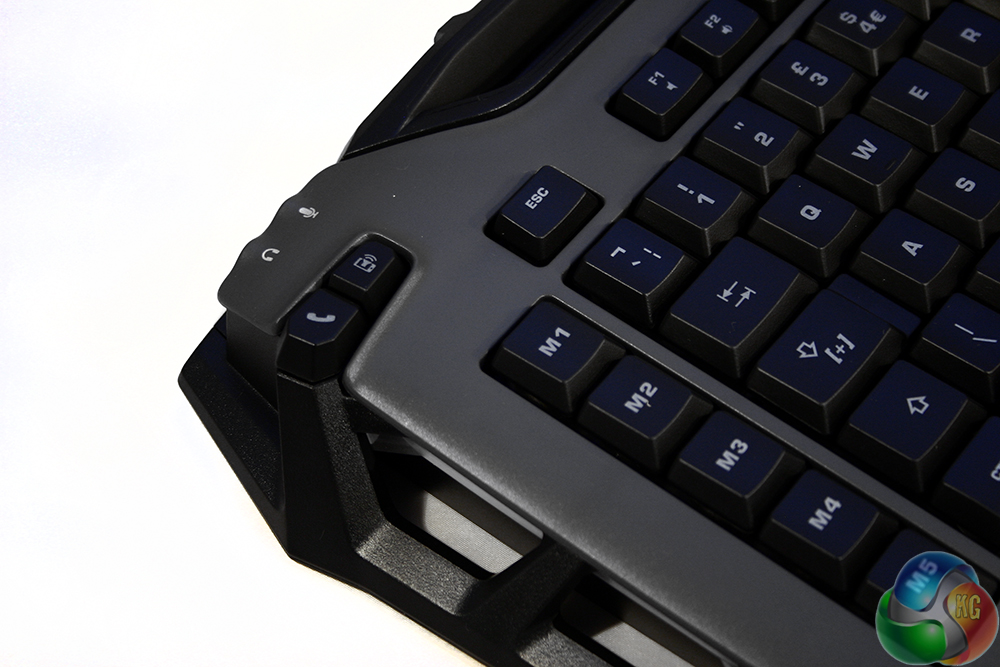
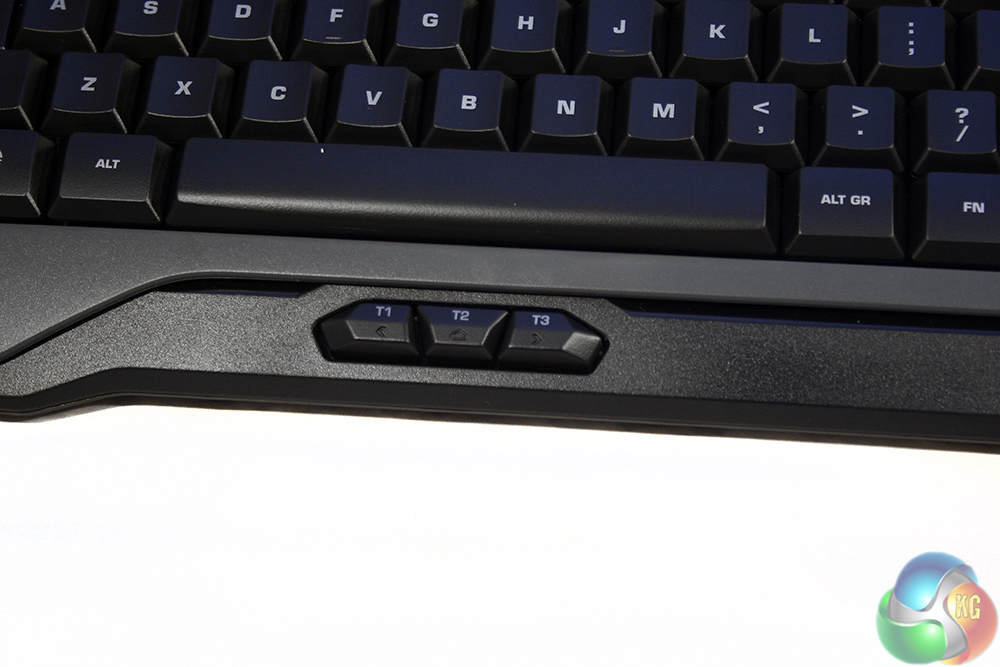
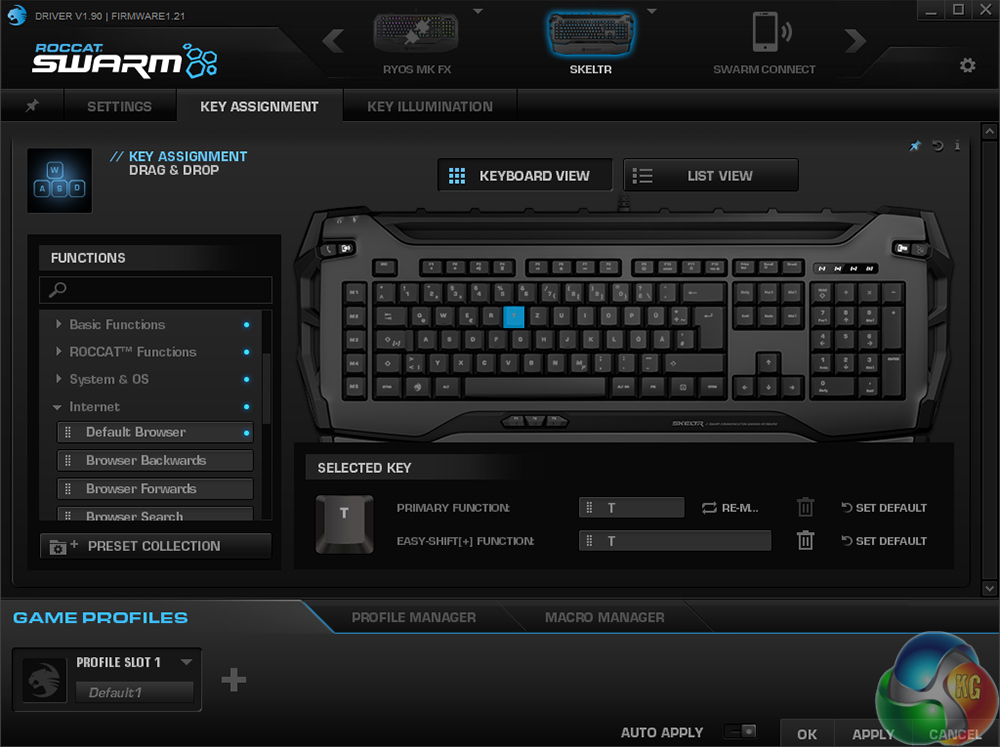
Although every key on the Skeltr is re-mappable and has dual functions thanks to the EasyShift capabilities, there are some dedicated macro switches too. Just beyond the left hand border of the keyboard are the M1-5 macro switches. Using a very different, super-short-travel switch system, are a trio of T1-3 macro switches just south of the space bar too.
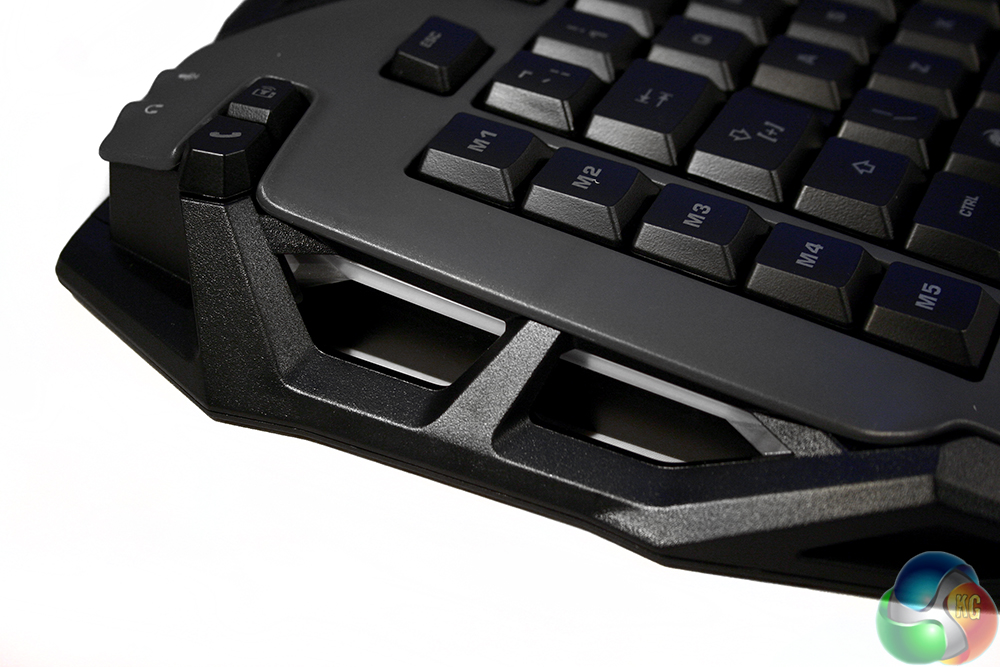
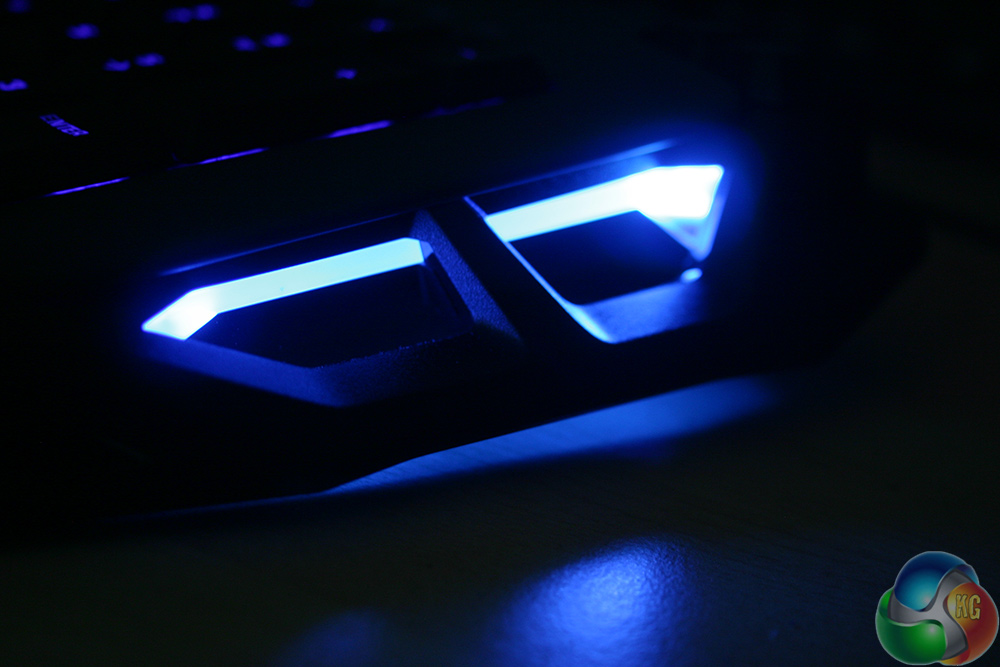
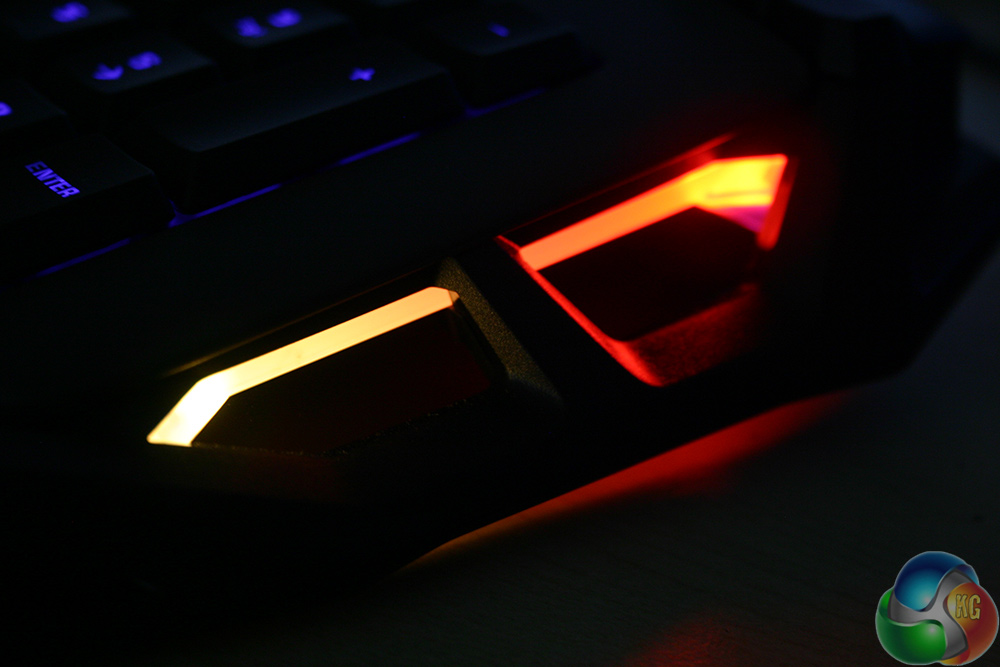
The underside of the left and right edges have lighting zones of their own (see next page for pictures) as well as a couple of extra buttons which let you control smartphone calls through the keyboard or your headset.
The other end has a couple of little switches too, which offer a quick shortcut to the SWARM software and smartphone on-screen keyboard.
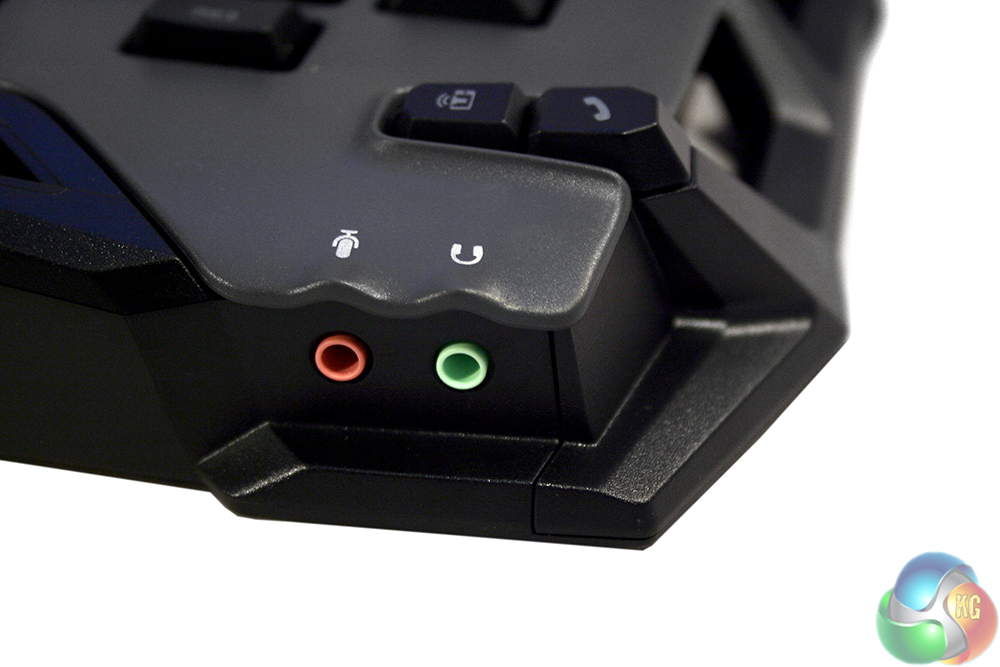
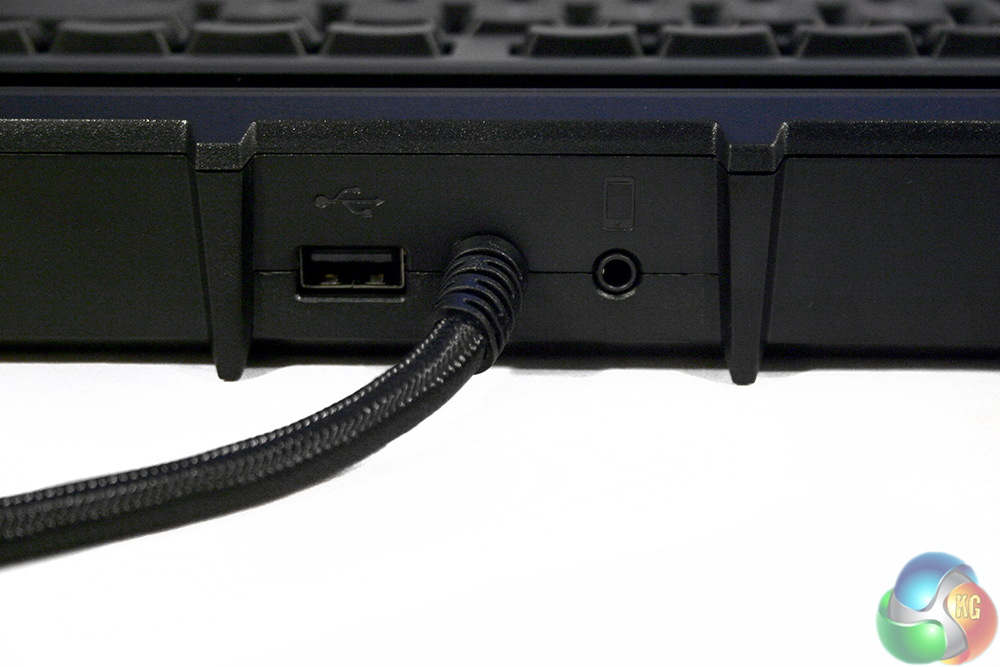
There are a few pass through ports on this keyboard, including a USB and headphone jack on the back, and a microphone and headphone port on the left hand side too.
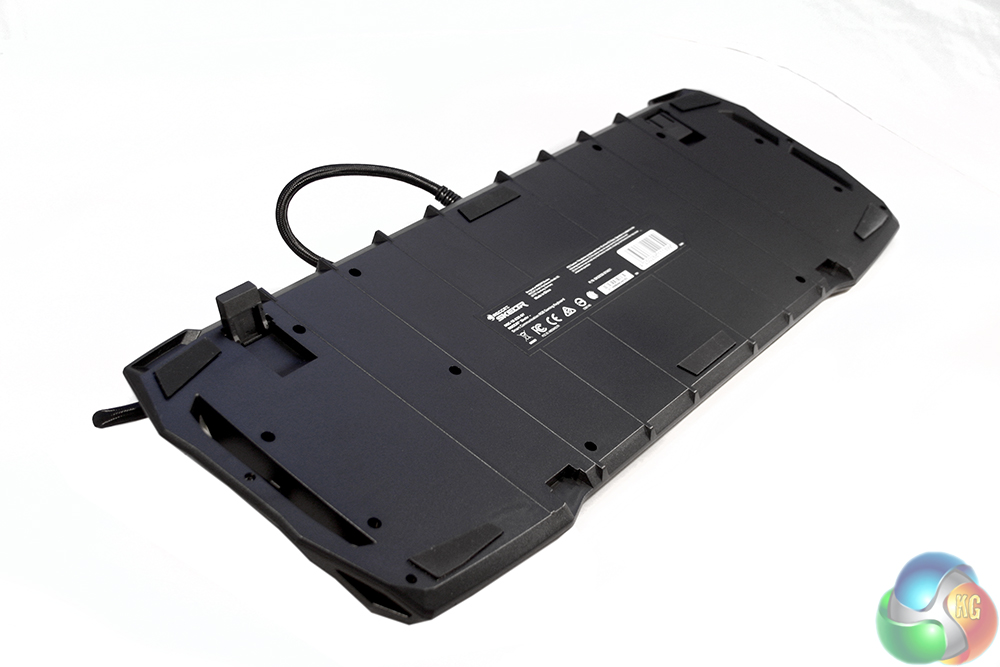
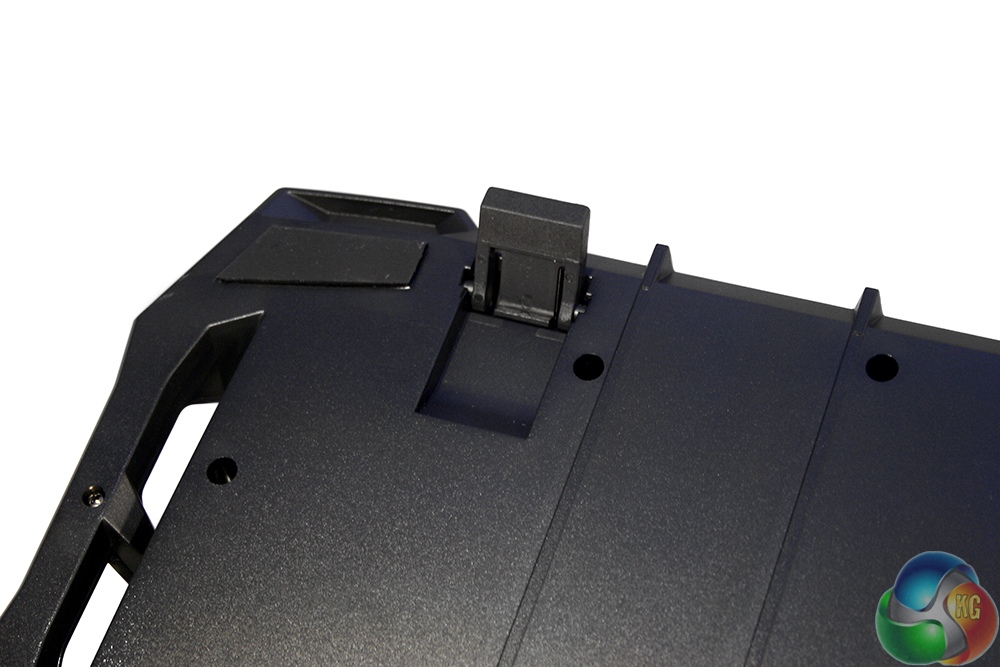
The underside features several large, rubber feet for grip, as well a rubberised extender legs for angling.
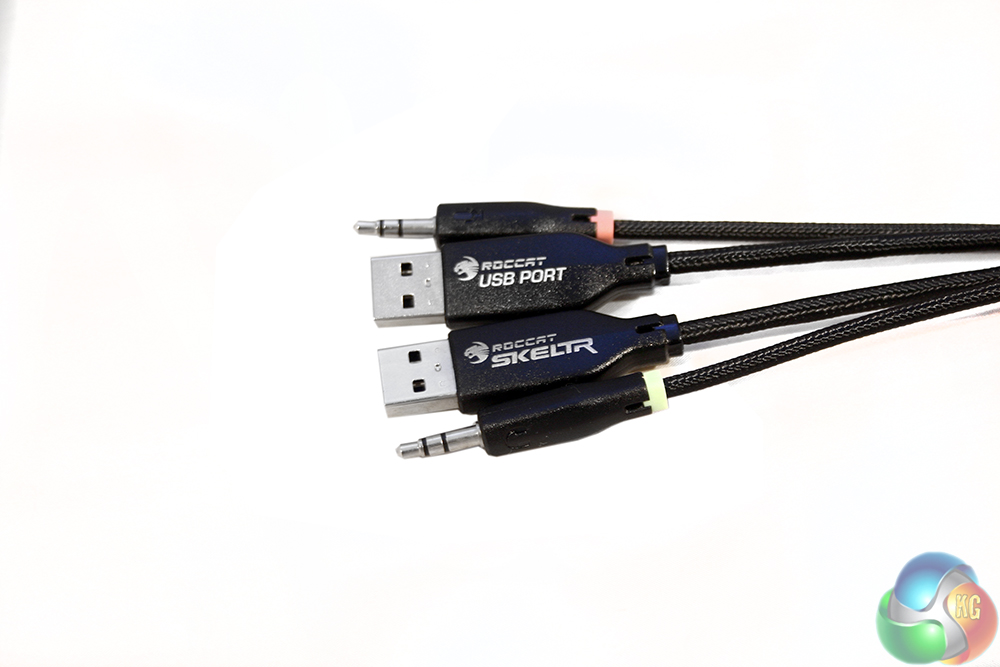
The cable for this board is dual USB due to the pass-through port, but also splits off into 3.5mm microphone and headphone connectors. They are nickel plated and the cable is braided to a high quality.
Methodology
To test the Roccat Skeltr keyboard, I put it through its pages using a number of different games, typed on it for eight+ hours a day and tested the limits of its back end software. All the while I factored in its comfort and ease of use, as well as typing and gaming abilities when used for intense and extended periods of time.
It often feels unfair to compare membrane boards to mechanical alternatives, because the latter are often far more expensive and therefore of course not exactly comparable. However when you have a keyboard like the Skeltr with a price tag that is well in excess of many mechanical options, it seems very fair to pit them head to head.
Gaming
When it comes to gaming, be it a fast paced shooter or RTS, or something like a relaxing puzzler, I found it a very capable piece of kit. Perhaps not quite as snappy as a mechanical board, perhaps not quite as responsive or precise, but it does a good job.
The Skeltr is surprisingly accurate for a membrane board, possibly because each of the keys has a segregated track for the press to move through. There is not much wobble at the bottom – though it is still present. Keys feel pretty sturdy as you press them and though sometimes it feels easier to bottom the key out, you do not necessarily need to, meaning you can feather your in-game actions a little if needed.
Macro key locations are well placed and give you easy access to some quick commands, especially the T1-3 buttons which I thought were really well placed. They do not feel particularly nice to press, but unless you are a big MMO gamer, then macros are not something you are going to make a tonne of use of.
If you do not like those, of course you can always just remap anything you want and use EasyShift to give you quick access to it. This remains one of the better features of Roccat keyboards, especially considering it ditches the near useless CAPSLOCK key in the process.
Typing
As much as a number of membrane boards can feel pretty good during gaming, typing is often where they fall down for me. The quick key presses make the problems of membrane more apparent and though they do rear their ugly head with the Skeltr, they are far less pronounced.
Whatever Roccat has done under the hood to make the membrane feel more precise is very noticeable when typing. The keys feel good under your fingers as you tap away and though they do not have that really obvious actuation point like a good brown switch, or that satisfying click as you bottom them out, they feel pretty good.
Surprisingly good, really. I would go so far as to say that the Roccat Skeltr is the best feeling membrane board I have ever come across.
Of course, at this price point we are comparing it directly with mechanical boards. In short, there is very little chance of me switching over from mechanical to a design like this, but if I had to, the Skeltr would likely be the board I would pick. The keys are accurate and responsive enough for me to not have too many gripes while typing day to day and they have one big advantage: they are much quieter.
That is not to say they are silent though. Although muted, they still have a reasonably satisfying thud as they bottom out and – more annoying than satisfying – the space bar developed a short squeek half way through the review.
Comfort
The Roccat Skeltr is a very comfortable keyboard. The keys as stated, are nice to press on and thanks to the membrane underbelly have a decent amount of cushioning to them. The wrist rest, although not padded, is long and angled well to provide adequate support for the wrist and some part of the forearm too.
The whole board feels well put together and there are no sharp edges to catch yourself on. The T-Macro switches are perhaps the least fun to press and are of a cheap construction compared to the rest of the board, but that does not really take away from the overall experience.
Connected Features
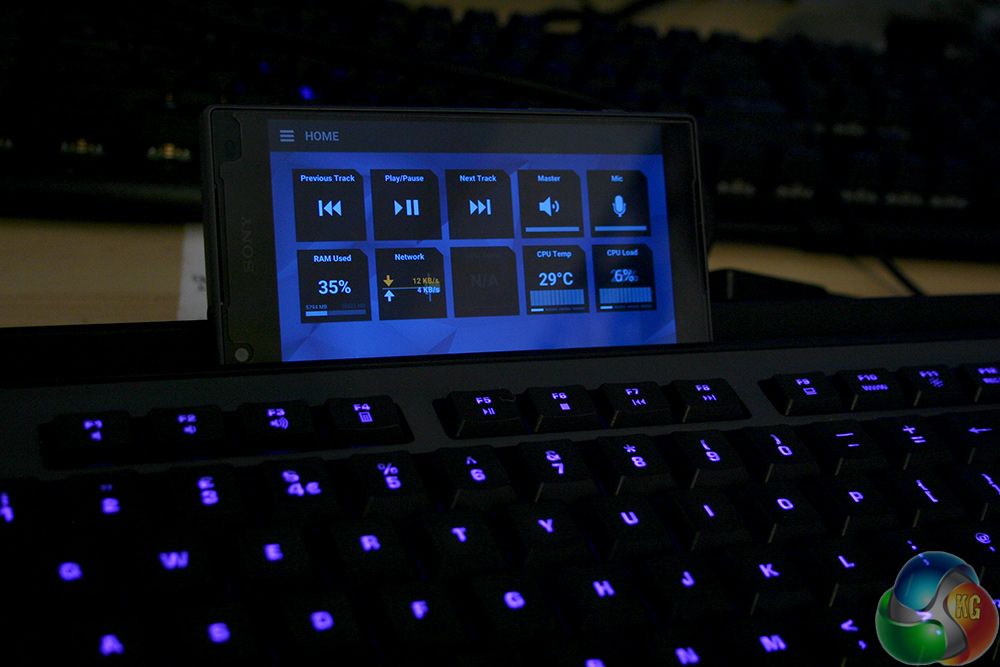
Arguably the biggest selling point of the Skeltr is not its switches or overall comfort though, but its additional connected features. With this keyboard you can connect up your phone for taking calls, use the Swarm app to keep track of important functions of your PC, and have it resting just in front of you on the handy smartphone shelf at the back of the keyboard.
Although I think these are all useful additions to a gamer's peripheral arsenal, I found them a little more of a mixed bag than the standard features of the Skeltr.
The shelf idea is brilliant. It is something I think just about every gaming keyboard should have, since everyone has a smartphone and if it is not in your pocket, it is on the desk next to you. Far handier to place it where it can be easily reached, seen and is out of the way of anything else if not in use.
The Swarm app too was a neat feature. Although it occasionally had trouble connecting, with some perseverance it was up and running and it is handy to have RAM allocation and CPU temperature so close to hand. It feels like a natural place to put fan-controller-like controls and readouts rather than a drive bay in 2016.
For RTS players, you can even keep track of your actions per minute and have it on that handy display right in front of your fingers.
The feature that I was less impressed with on the Skeltr's connectivity was its phone call pass through. It works by having you take calls through your keyboard, straight to your headset, letting you switch from one audio stream to the other with the touch of a button. Great for gamers that do not wish to take their headset off while mid-game and still take a phone call.
In practice, however, the audio quality is quite poor and is very quiet, at both ends. While that may be ironed out in future updates though, the cabling is where I felt it really fell down. To make it work, you not only have to have the keyboard's two USB headers and twin 3.5mm cables plugged into your PC, you need a 3.5mm headset plugged into the keyboard and the included USB and 3.5mm cable connecting your phone and keyboard.
As well as an active Bluetooth connection.
Why the latter two above cables could not be supplanted for the Bluetooth connection I do not know. While there is of course the ability to charge your phone using the USB cable, it makes the desk feel very messy for a tool that feels like it was designed to make things easier.
It is a nice feature to have and I can see what Roccat was going for, but the execution was not quite as strong as I had hoped.
For a dyed-in-the-wool mechanical keyboard user, I was very impressed with the Roccat Skeltr and may even go so far as to say that it is the best membrane keyboard I have ever used. It types well and games well, two of the most important aspects of a gaming keyboard.
It also looks rather pretty with RGB backlighting, a comfortable wrist rest and a nice colour scheme across the ‘board.' The included Swarm software shows excellent potential and offers some really fun features through the companion smartphone application which keeps you in the loop.
And that smartphone shelf really is something I want to see on every keyboard from now on. There is little excuse not to.
There are a couple of hiccups of course. As good as these membrane switches are (and they really are the best I have ever used) they still do not measure up to a mechanical alternative. They are quieter yes, but less precise feeling and I really miss that obvious, tactile actuation point of a good brown or blue switch.
They also cannot offer per-key backlighting, which is a shame and full n-key rollover is also not possible on membrane.
Some of the connected features, specifically the phone pairing and call pass-through system are great, but a little finicky and the audio quality needs improvement. The cabling is also a complete mess when all plugged in. Surely a Bluetooth connection is enough?
But that is enough griping about this keyboard, because if you sat me down and forced me to use a membrane keyboard for the rest of its life or mine (whichever ended first) I would pick the Skeltr. If you asked me to pay for it, I might balk though, as at this price point it becomes really hard to recommend this over its mechanical counterparts.
In reality, this is the board for the die hard membrane fans. If for reasons of noise, or you just do not like the feel of a mechanical switch and you prefer membrane, this is absolutely the board you should buy. In fact, if Roccat put quality mechanical switches in this board and priced at £200+, I would still recommend it to you. It is that good.

You can buy the Roccat Skeltr Gaming Keyboard from Overclockers UK for £149.99.
Discuss on our Facebook page HERE.
Pros
- Best feeling membrane switches I have ever come across.
- Neat look, with attached comfortable wrist rest.
- Smartphone shelf is a genius addition.
- RGB (not per-key) backlighting.
- Swarm software is solid and companion app adds great connected features.
- Macro switches are within easy reach and easily programmable.
Cons
- Very expensive for a membrane board.
- No per-key backlighting.
- Mechanical switches are still better in a number of ways.
- Some audio issues on smartphone call pass-through.
KitGuru Says: All hail king of the membrane boards. While that still does not make the Roccat Skeltr better than some mechanical boards out there, especially at this price point, it is still the king of the rubber dome hill and that is an impressive feat in and of itself.


http://www.kitguru.net/peripherals/keyboards/jon-martindale/roccat-ryos-mk-fx-rgb-mechanical-gaming-keyboard/
http://www.ikea.com/gb/en/products/small-storage-organisers/paper-media-organisers/sigfinn-holder-for-mobile-phone-bamboo-veneer-art-20348943/
£123 you can thank me below (if you’re patient and wait for one of PCWorlds many many sales the keyboard is often £109).