KitGuru KitGuru.net – Tech News | Hardware News | Hardware Reviews | IOS | Mobile | Gaming | Graphics Cards



ASUS has been a serious contender for the “best ultraportable that isn't made by Apple” for some years now. Its ZenBook range has regularly impressed with its looks, features, performance and value. The UX331UN is the latest 13in model in the “Classic” range, which means it doesn't flip into tablet mode or incorporate a touch screen. Yet, despite weighing just 1.12kg, it still comes with discrete graphics.
The ASUS ZenBook 13 UX331UN comes in two colours – grey or blue. You can also specify it with either an Intel Core i5 or i7 from the eighth generation (Kaby Lake R). Our sample used the Core i5-8250U, with the Core i7-8550U the other option, although both are quad-core. There's a reasonable 8GB of RAM, but the really surprising inclusion is discrete NVIDIA GeForce MX150 graphics, which comes with its own 2GB complement of GDDR5 memory.
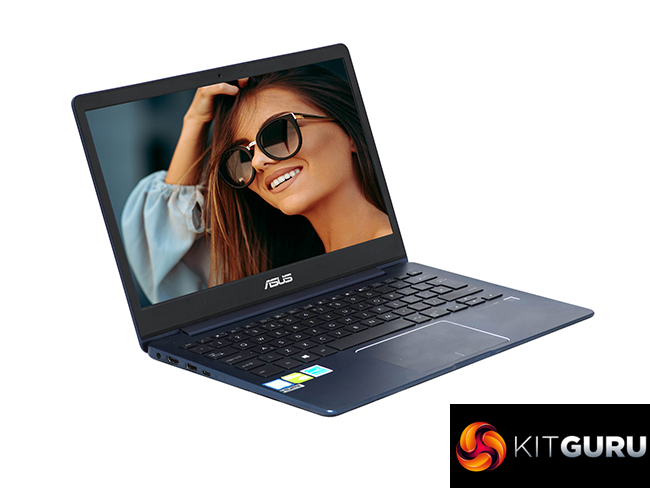
Storage is reasonable, with either 256GB or 512GB of M.2 SSD. So you get a very useful amount of computing hardware in a package that weighs just over a kilogram, sports a Full HD screen, and boasts up to 14 hours of battery life.
It's also reasonably priced, costing just £999 from some vendors, making this cheaper than the equivalent Apple Macbook Air. Let's find out if this is the perfect “go anywhere” notebook companion.
Specification
- Processor: Intel Core i5-8250U 1.6GHz, Turbo Boost up to 3.4 GHz
- Memory: 8GB LPDDR3 2133MHz
- Hard drive: 256GB Micron 1100 M.2 SATA3 SSD
- Operating System: Windows 10 Home
- Display: 13in (16:9) 1,920 x 1,080 LED backlit 60Hz IPS
- Graphics: Integrated Intel® HD 620 Graphics and NVIDIA GeForce MX150 with 2GB GDDR5 Memory
- Audio: 1W Harmon Kardon speakers
- Networking: Integrated 802.11 AC (2×2)
- Power Supply: 3 Cells 50 Whrs Polymer Battery, 65W power brick
- Dimensions: Width 310 mm, Depth 216 mm, Height 13.9 mm
- Weight: 1.12 kg with Battery
- Interfaces: 1 x combined headphone/microphone audio jack, 1 x USB 3.1 Gen2 Type C, 2 x USB 3.1 Gen1 Type A, 1 x HDMI, 1 x Micro SD card reader
- Adapters included: USB 3 to Ethernet
Price: £999.95
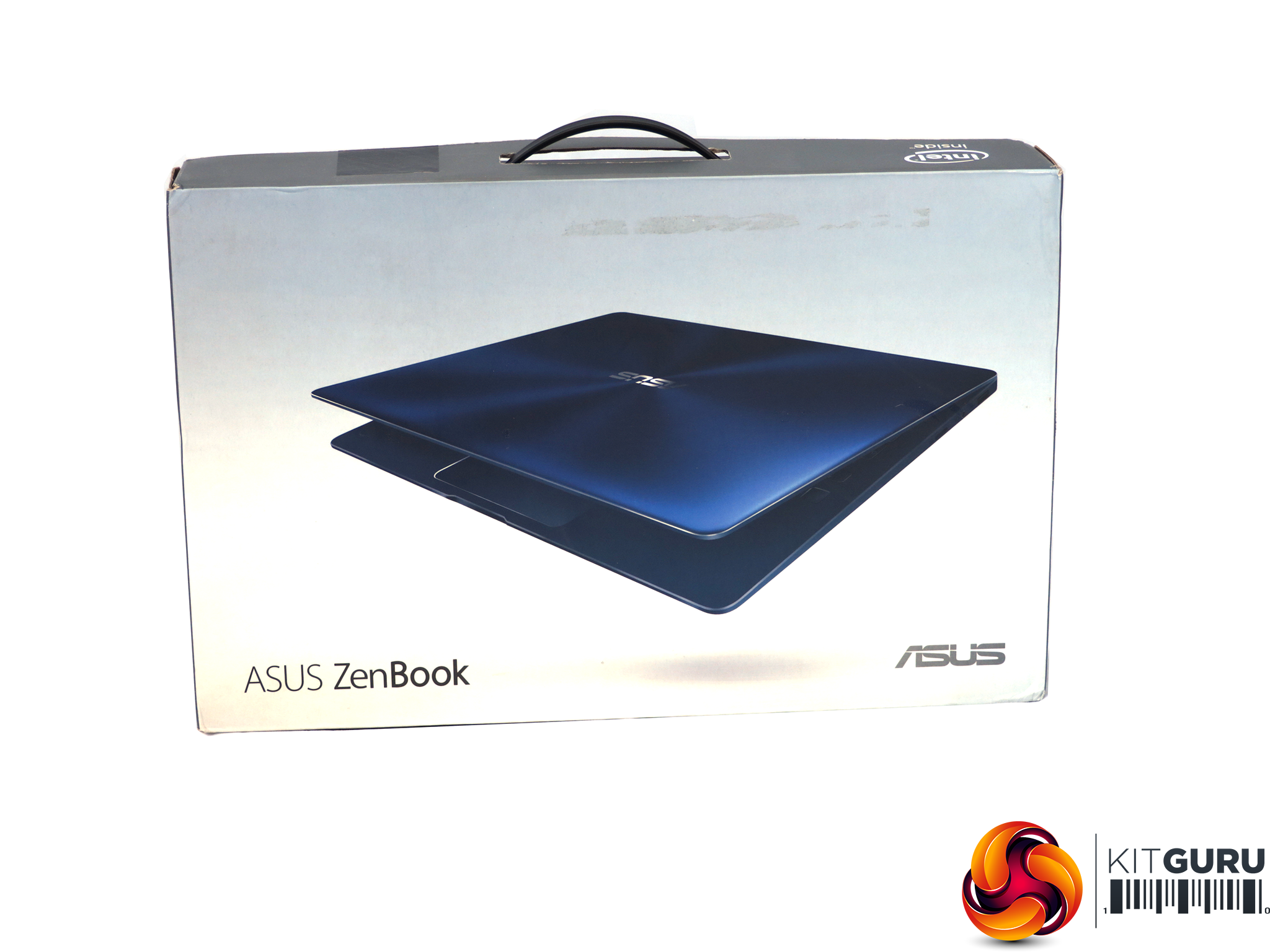
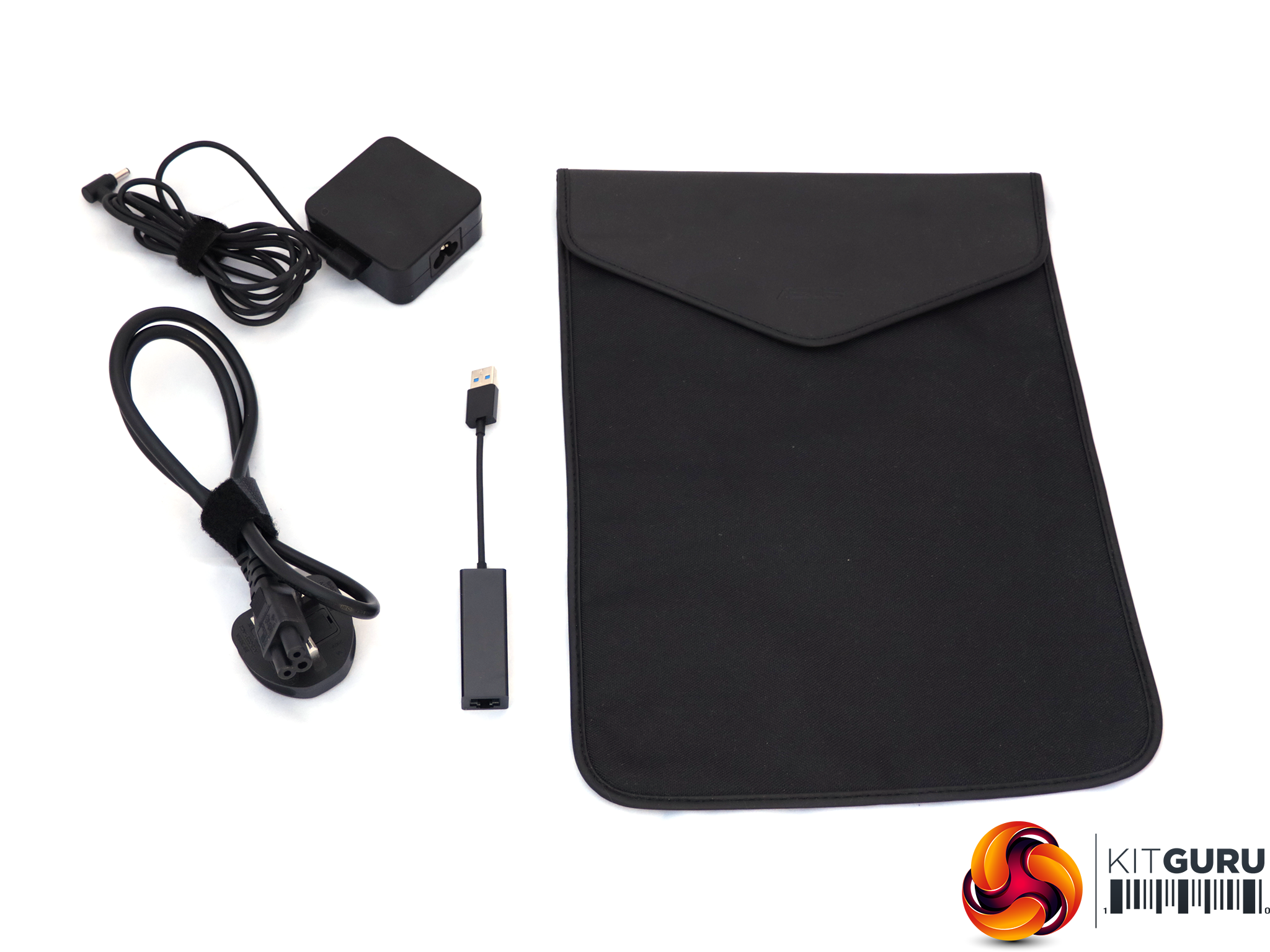
The ASUS ZenBook 13 UX331UN arrives in a reasonably well-presented box. You don't get a huge range of extras inside, apart from the external power supply. There's a woven protective pouch and USB 3.0 Ethernet adapter, because the notebook doesn't have an Ethernet port built in due to its svelte chassis.
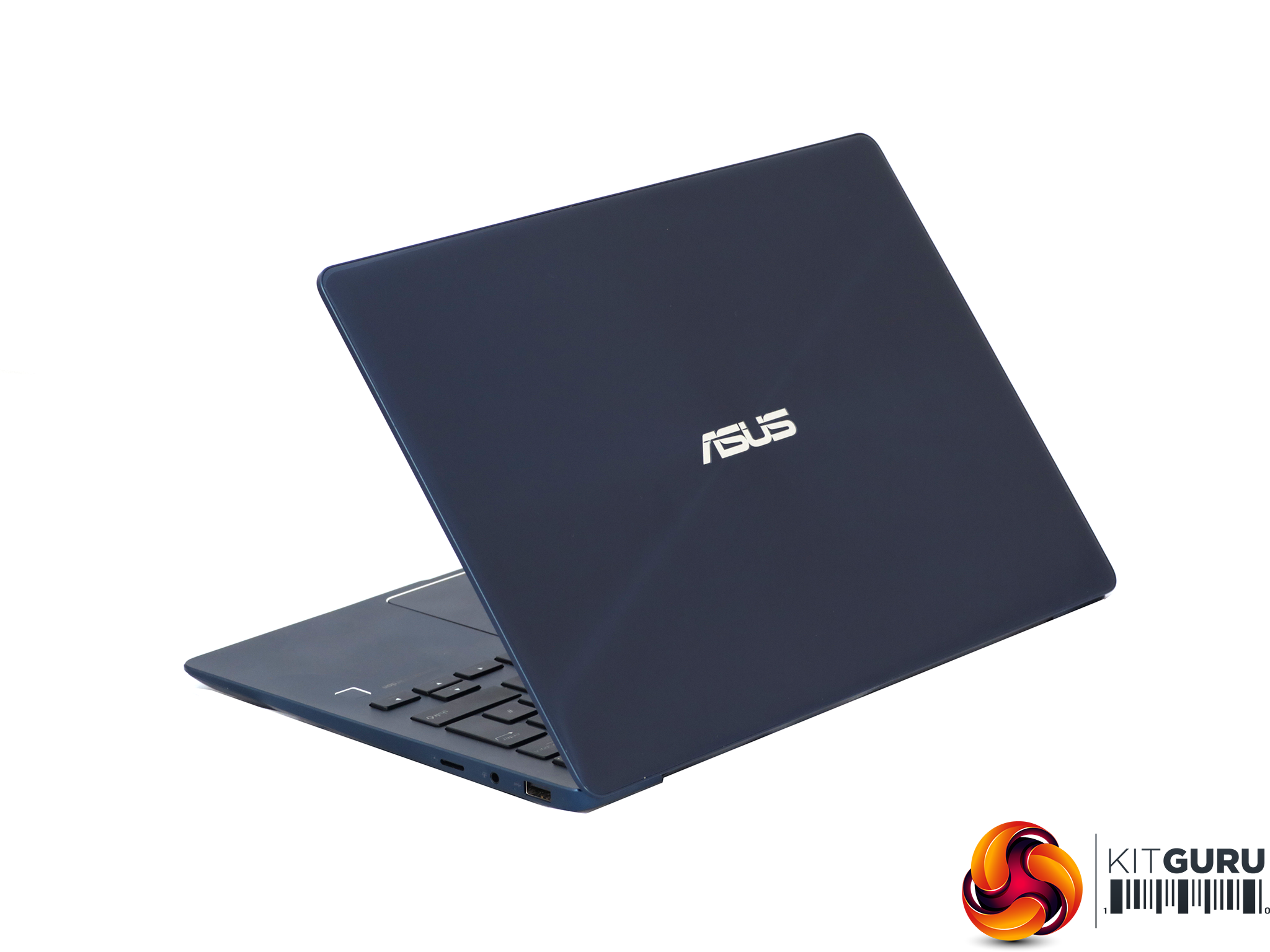
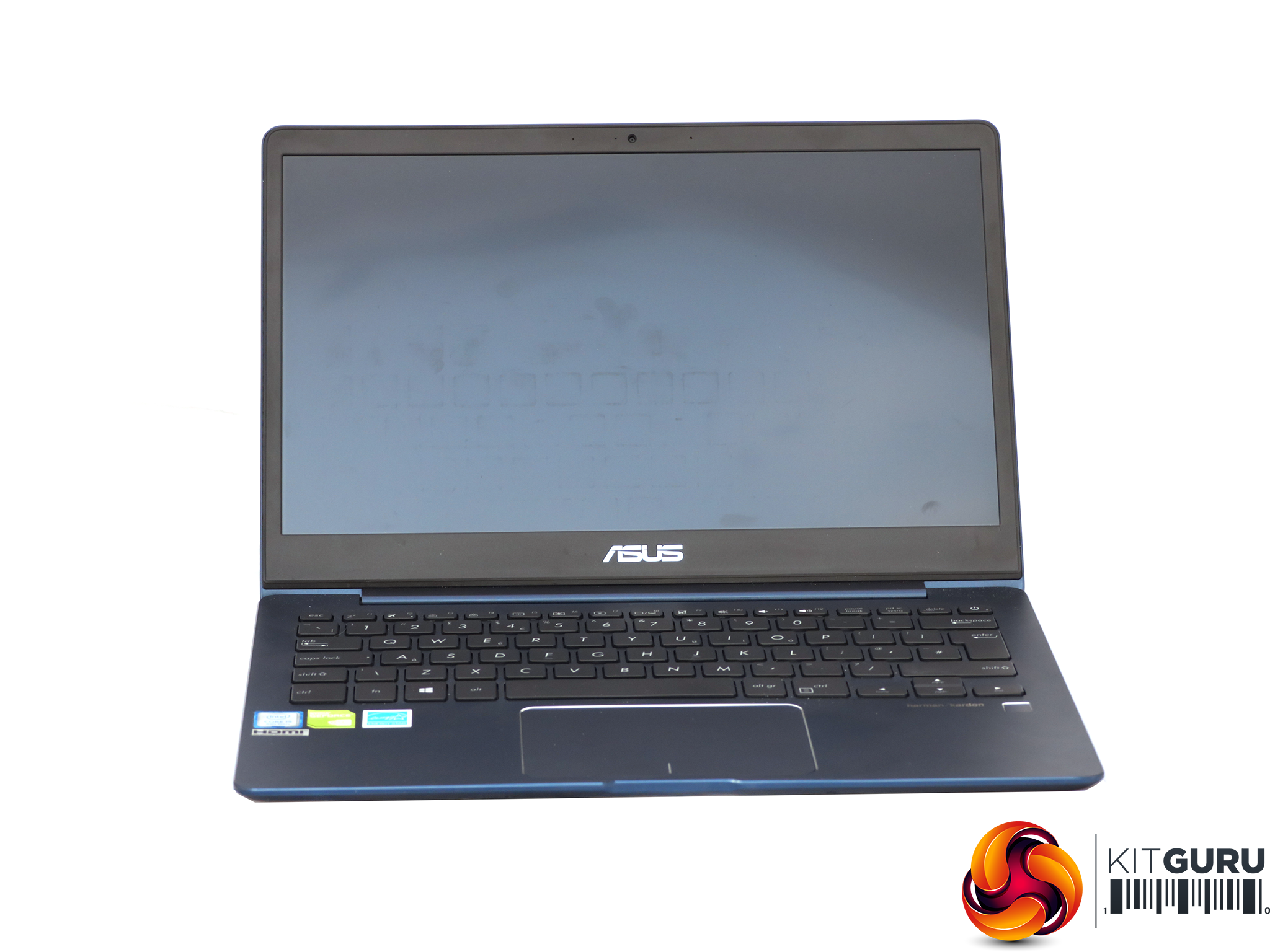
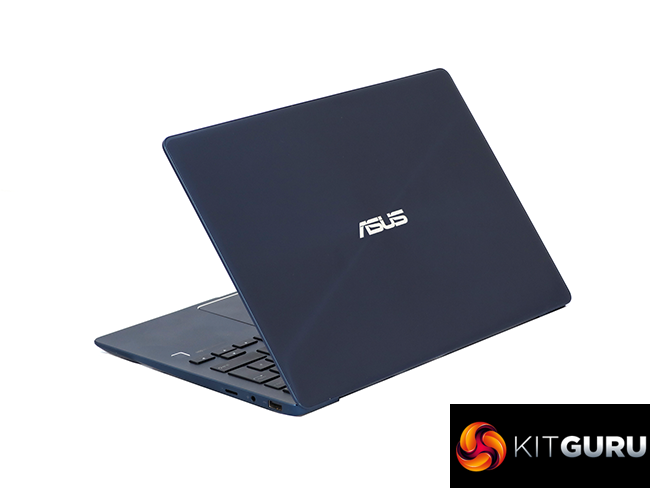
We have generally felt quite favourable towards how ASUS's ZenBooks look; in fact, we consider them to be some of the most attractive ultraportables on the market, vying with Apple for appearance. There are two colours available – Royal Blue and Slate Grey. We were sent a Royal Blue version, and it seems that only this colour is currently available in the UK.
The shiny blue brushed-metal finish on the lid is offset by a matte interior. It's a stylish combination and the black keys further enhance a sense of mature design.
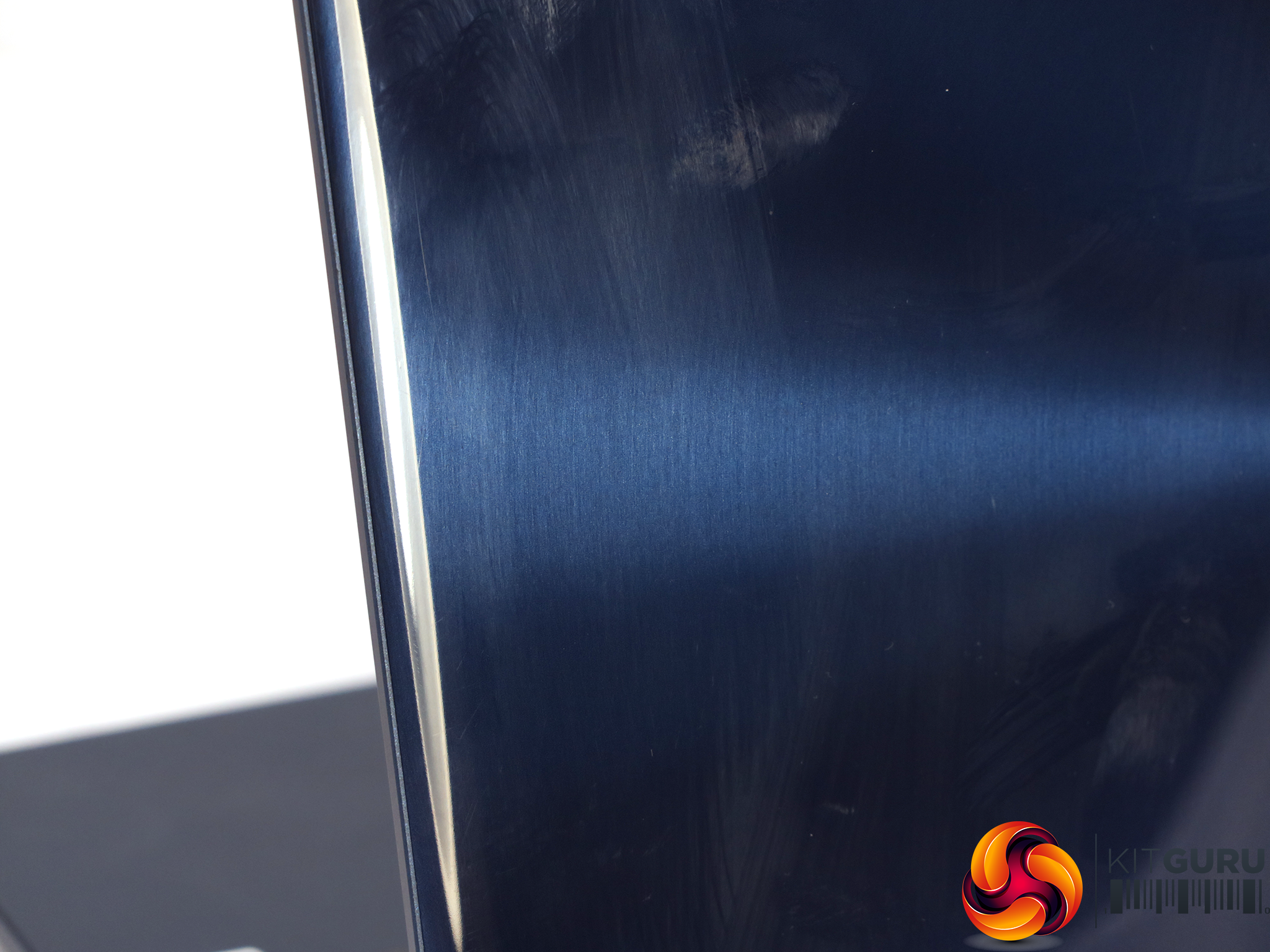
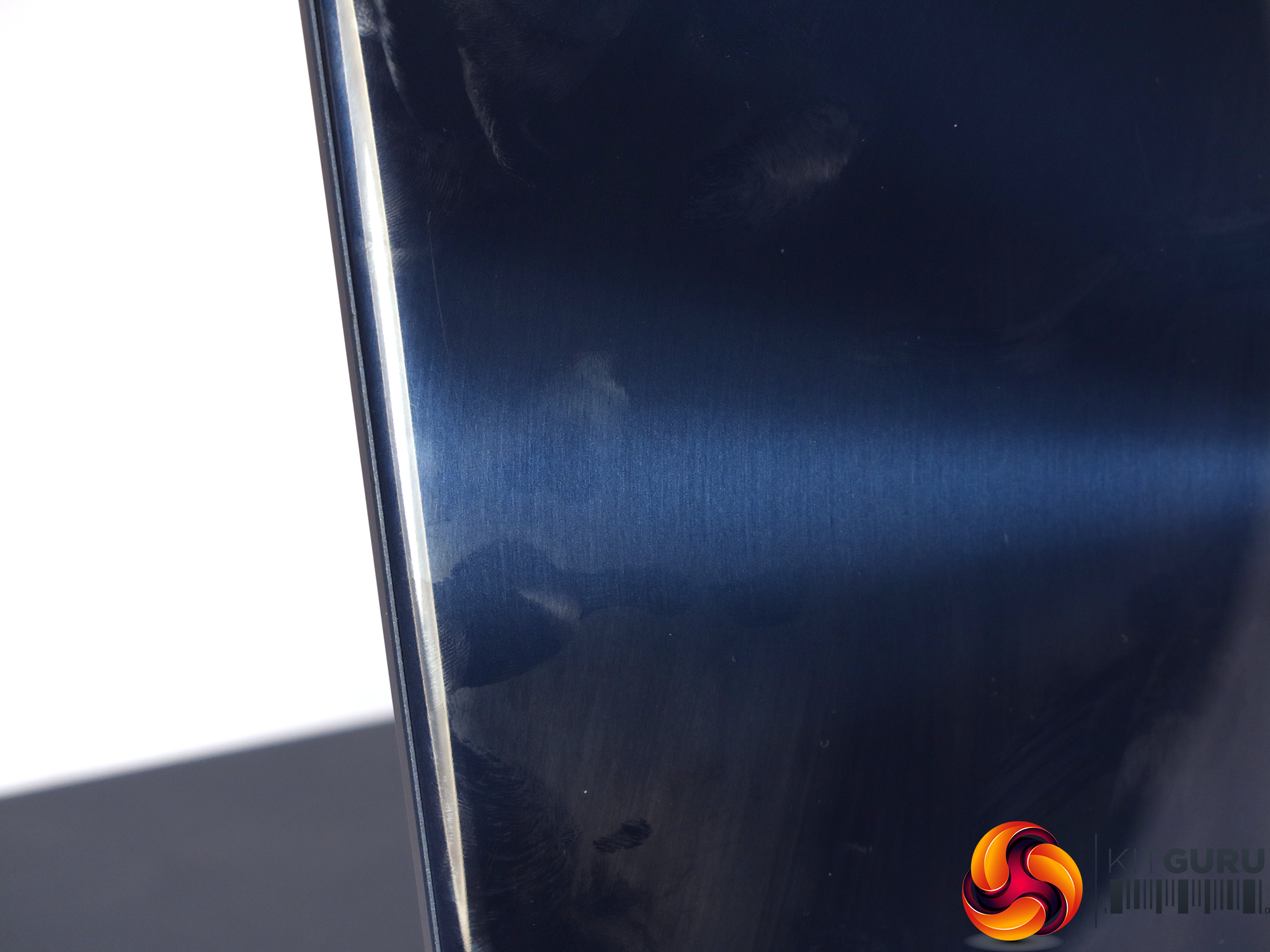
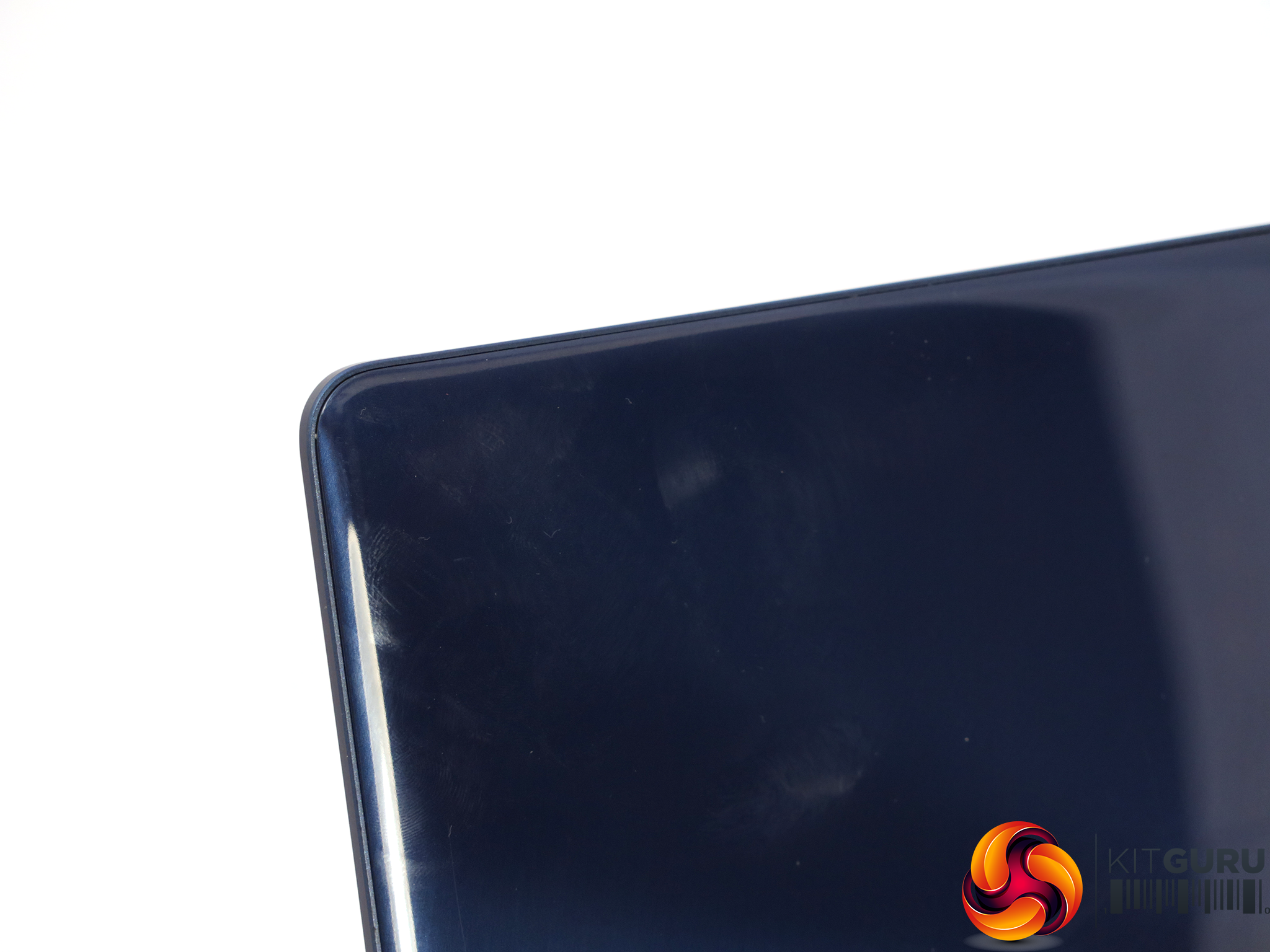
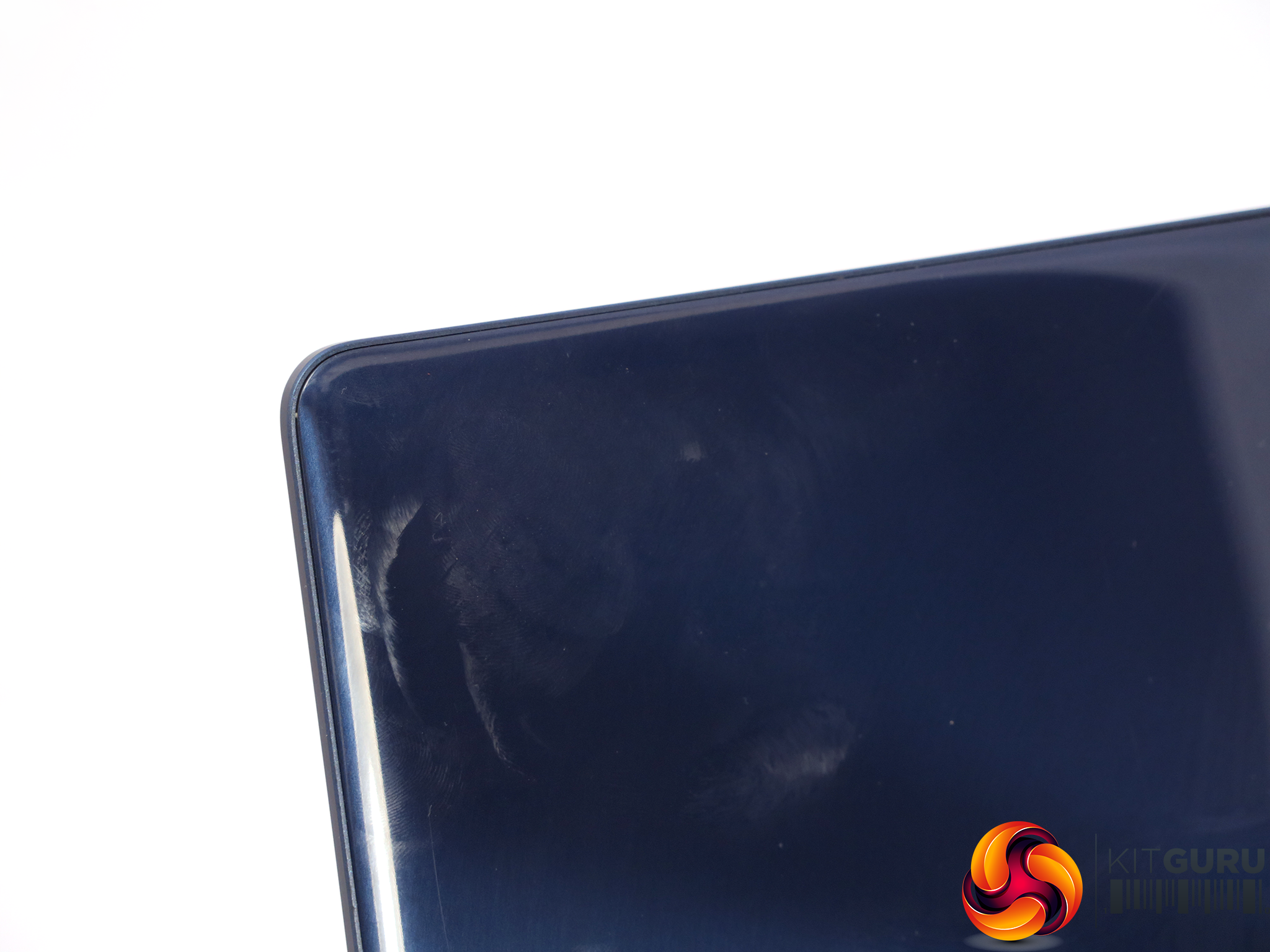
Although the glossy brushed metal-look lid is rather classy, the usual issue with this kind of finish is as evident as ever. It's a fingerprint magnet, and even if you regularly wipe the lid down with a cloth, fingerprints rapidly reappear.
In the pictures above, one of each picture has been polished and it's not that easy to tell which.
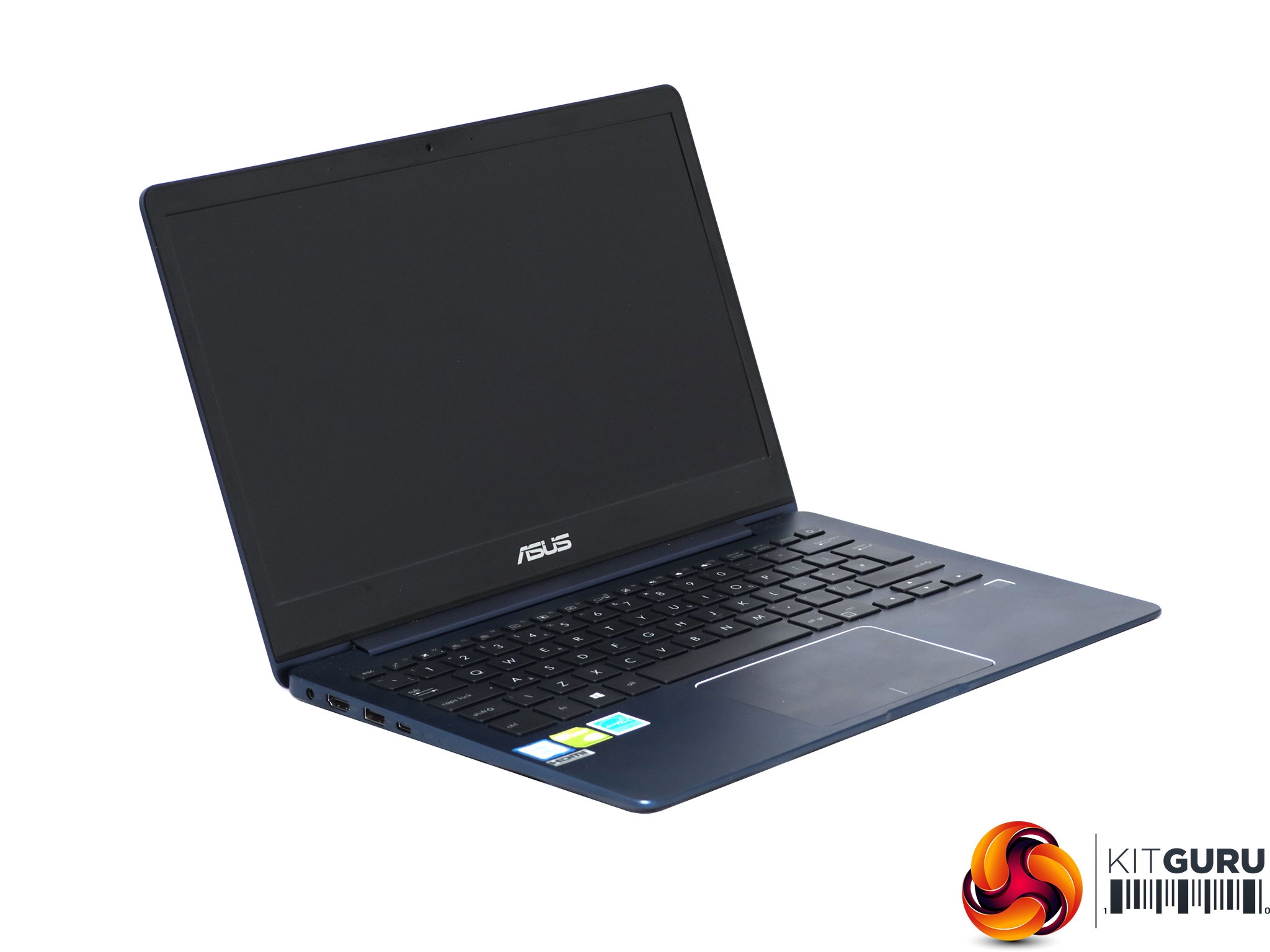
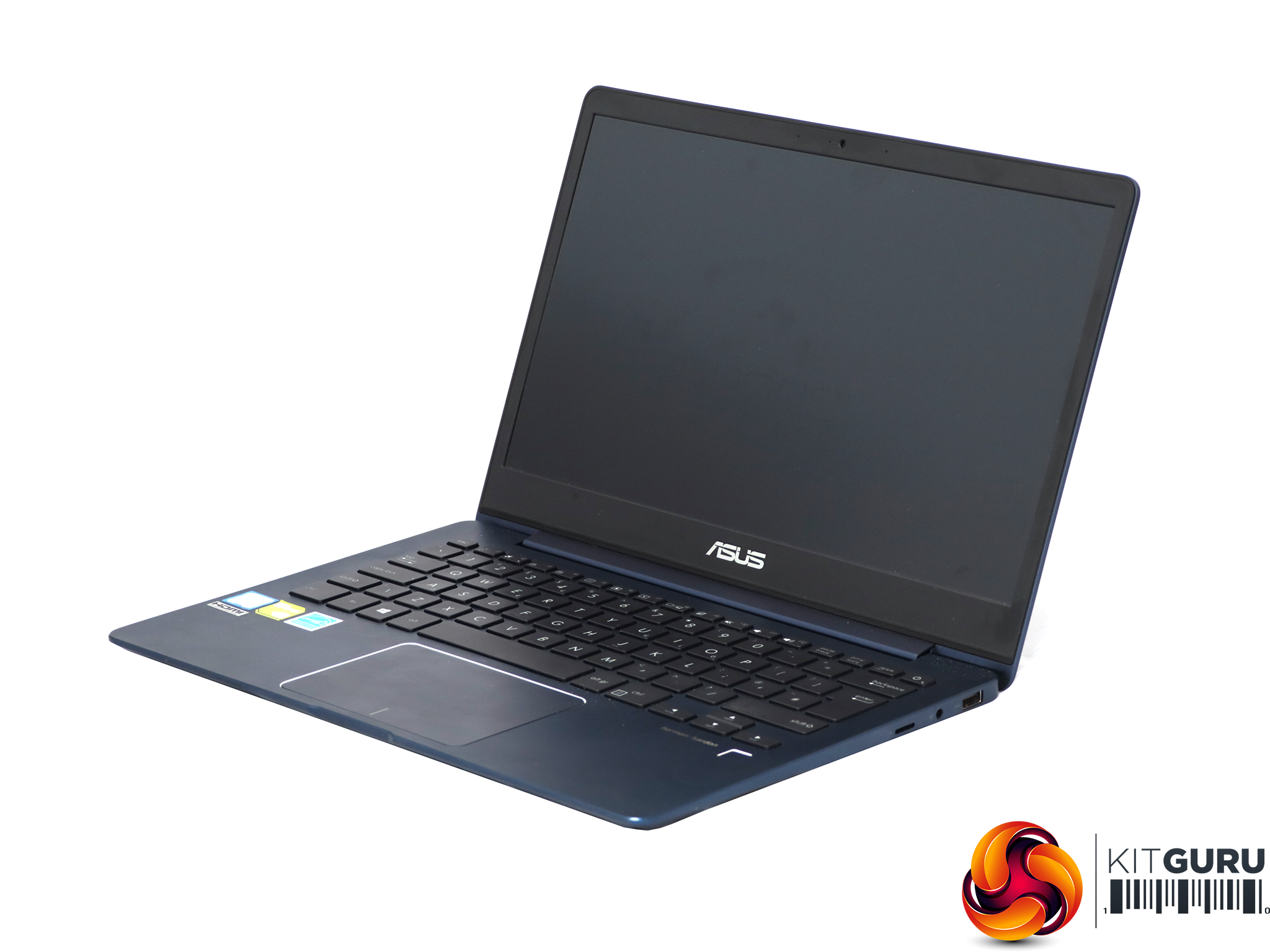
The ZenBook 13 sports a 13in screen (the clue is in the name), and there is only one panel option – Full HD (1,920 x 1,080). The display fills most of the lid, with only a small bezel, so the chassis size is kept to a minimum. ASUS doesn't state what panel technology is used, but we are led to believe it's IPS, because viewing angles are good. The claim in this respect is 178 degrees, and in practice visibility does stretch this far without much aberration.
The matte finish also means that the screen is not that badly affected by bright lighting, so you can read its contents even in direct sunlight at 50 percent brightness or above. In less illuminated conditions, even zero percent brightness is acceptable, so if you want to turn the screen right down for maximum battery life during a lengthy journey, this is possible.
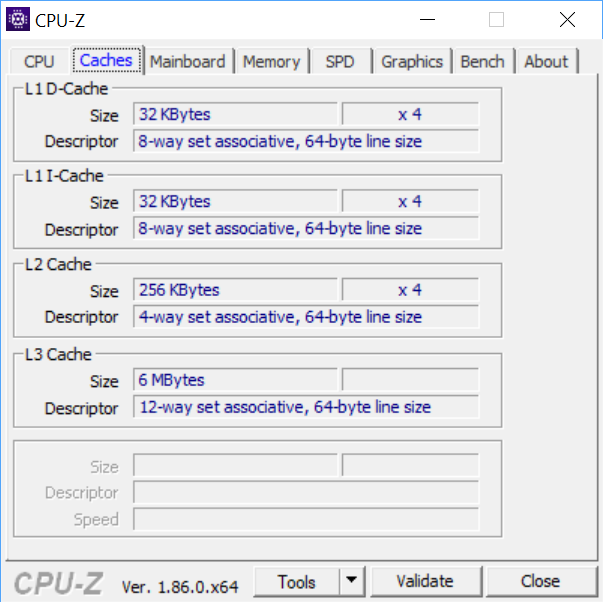
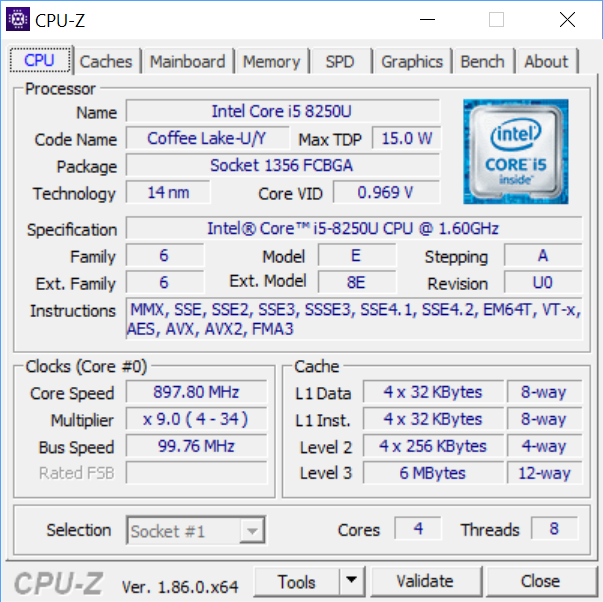
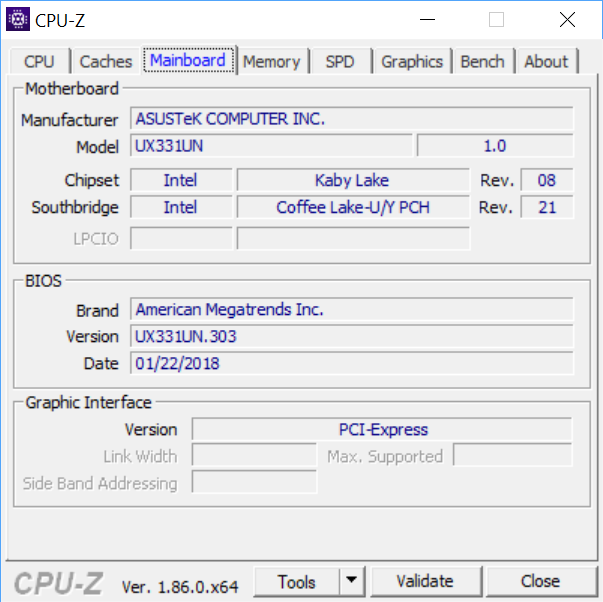
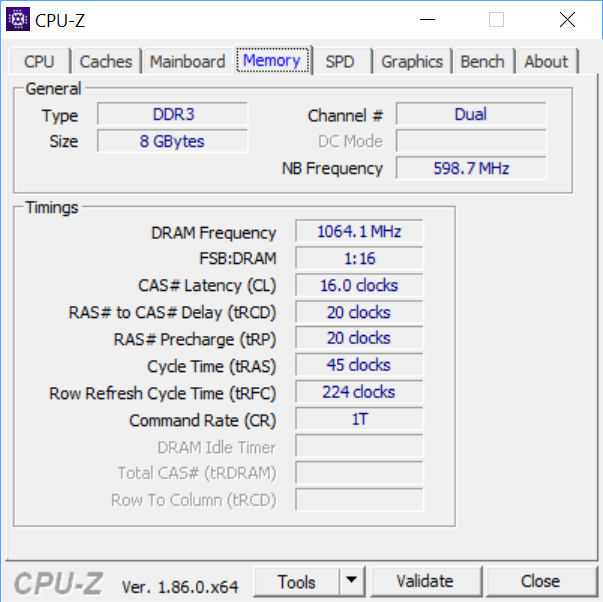
The Core i5-8250U in our sample is from Intel's Kaby Lake R generation, which arrived about a year ago. Despite being a Core i5 from the low-power U series, this CPU still boasts four physical cores with Hyper-Threading, so presents eight virtual cores. Nominally, this is a 1.6GHz processor, but a single core can run at 3.4GHz, and two, three or four cores will be able to operate somewhere in between the two, but Intel doesn't seem to have made these frequencies public knowledge. During testing the limit seemed to be 2.2GHz for all four cores.
Being low power,the 8250U has a base 15W TDP, but can power down to just 10W and up to 25W. The processor has been partnered with 8GB of 2,133MHz DDR3 SDRAM. It's a slight disappointment this is DDR3 rather than DDR4, and not 16GB, but 8GB will be fine for an ultraportable.
On paper at least, the CPU looks like a real Swiss Army Knife – miserly on power when you need it, but with lots of grunt available when required as well.
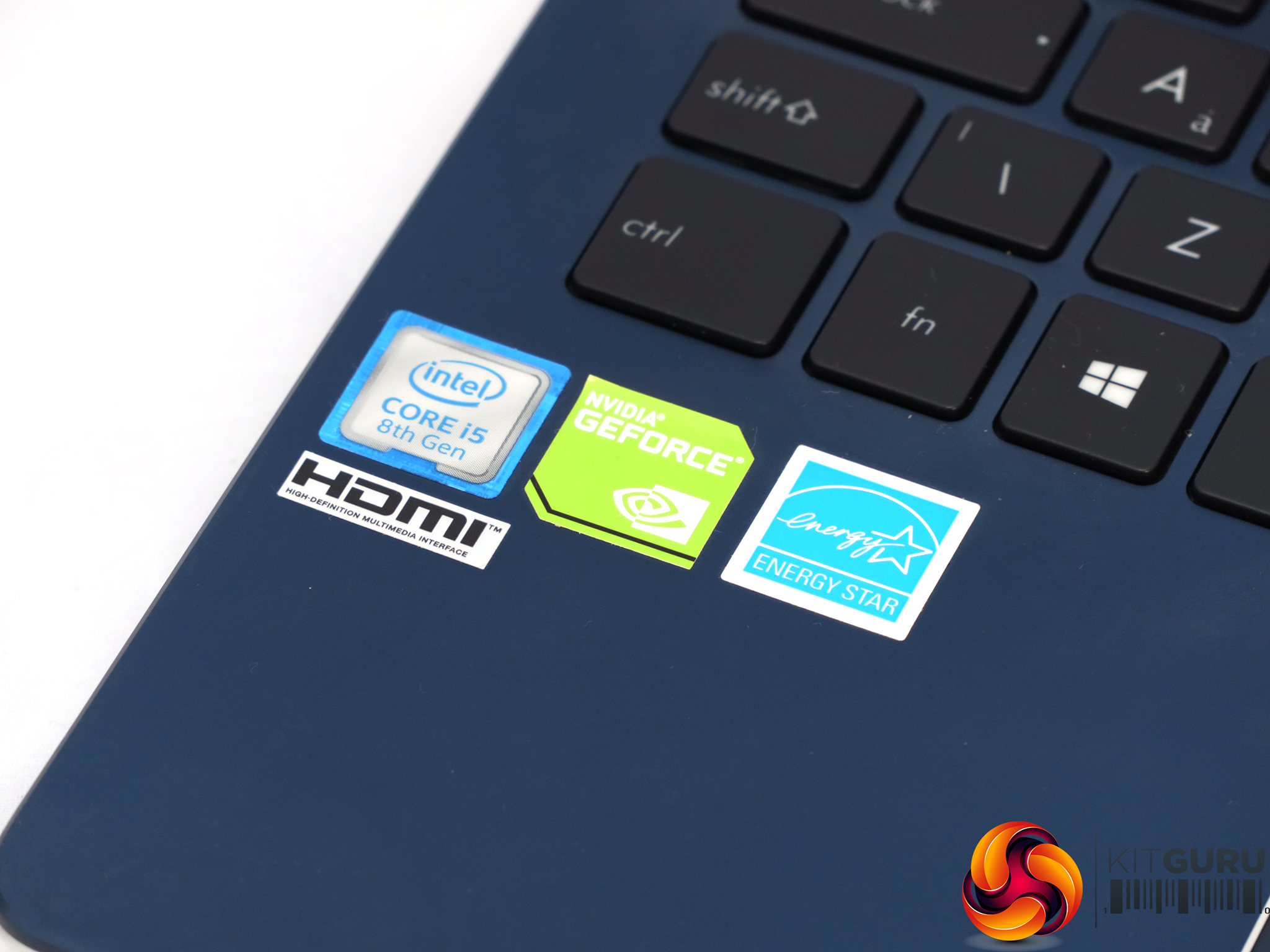
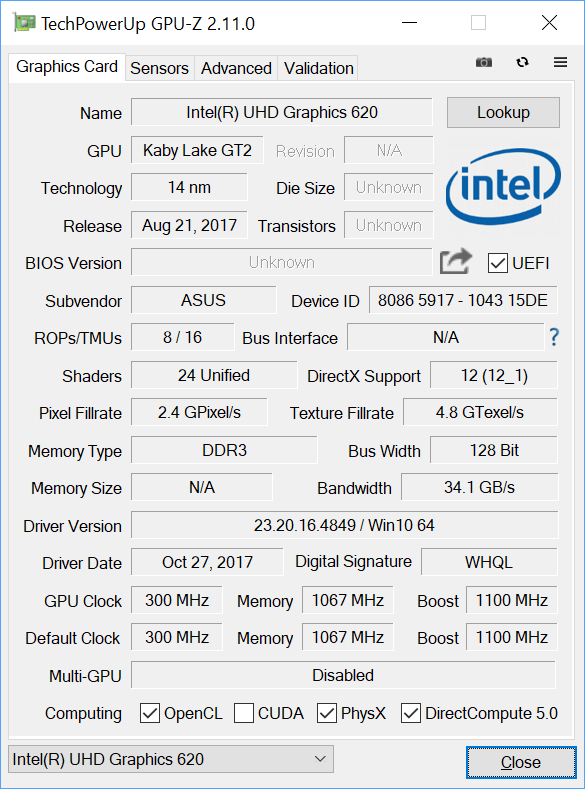
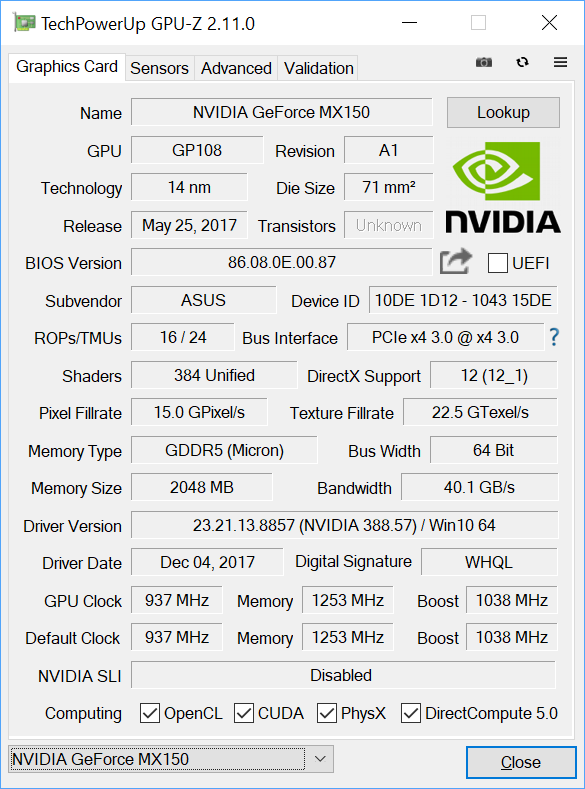
This brings us to the UX331UN's party trick – its discrete graphics. Although you get Intel UHD 620 graphics built into the CPU, which is reasonably competent, there's also a separate NVIDIA GeForce MX150 GPU on board. This is a Pascal-generation graphics chip using the GP108 silicon. It's essentially the mobile version of the GeForce GT 1030, and the successor to the 940MX.
So we're not talking mobile gaming powerhouse, here, but this will be significantly ahead of what the integrated Intel graphics can muster. It comes with a healthy 384 CUDA cores running at 937MHz, with a 1,038MHz Boost mode. These are considerably lower than the maximum possible for MX150, presumably due to cooling and power consumption constraints.
The GPU also comes with its own dedicated 1,253MHz GDDR5 memory. However, you only get 2GB and only on a 64-bit bus, giving just 40.1Gbits/sec of bandwidth. Nevertheless, if you're running on full power, particularly with the AC adapter plugged in, you should be able to play less stressful games quite comfortably.
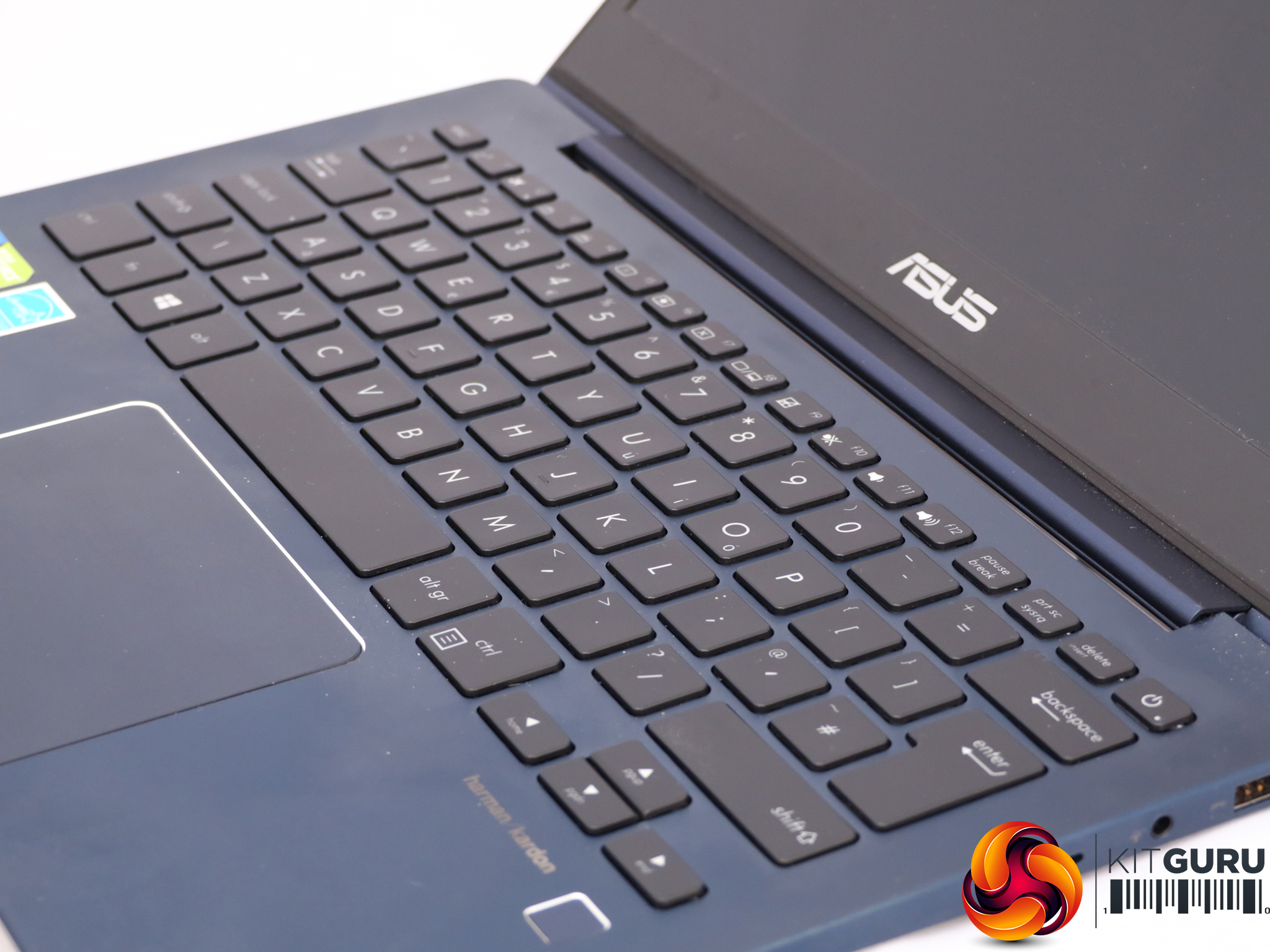
The Chiclet-style keyboard looks good, but the travel is quite shallow. You do get used to this, and this seems to be a frequent design even on non-mechanical desktop keyboards these days. But touch-typists will find they can get up to speed and bang out text at a high words-per-minute rate.
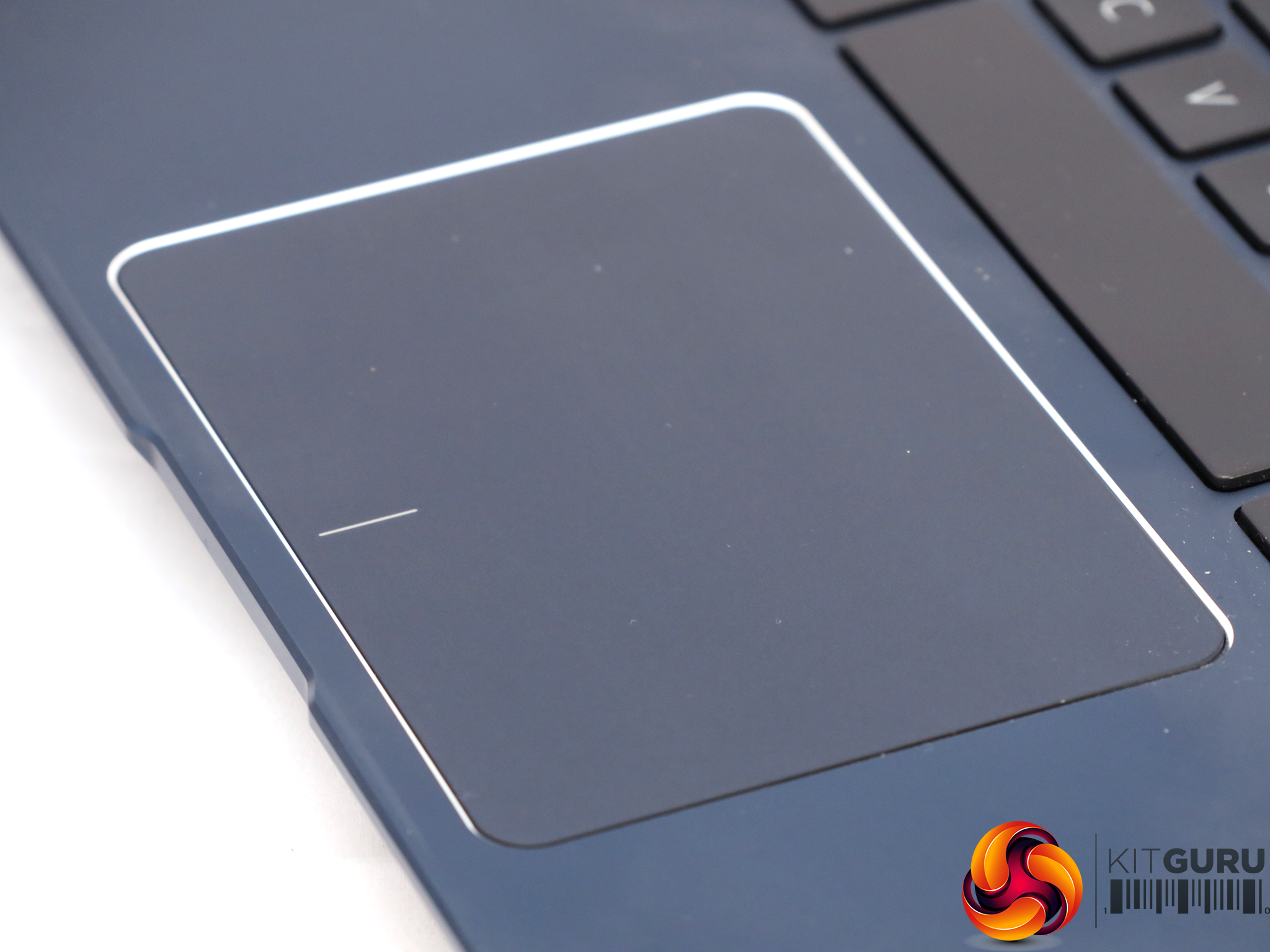
The large trackpad displays our universal niggle with ZenBooks, however. It's large and sensitive, but for aesthetic reasons ASUS has placed it centrally rather than directly beneath the space bar. So, when you're touch-typing, the heel of your right hand will frequently brush it accidentally.
This means the pointer will jump around the screen, but at least the touch algorithm doesn't register a click, so the typing cursor doesn't move. In other words, it's a niggle but not a massive frustration.
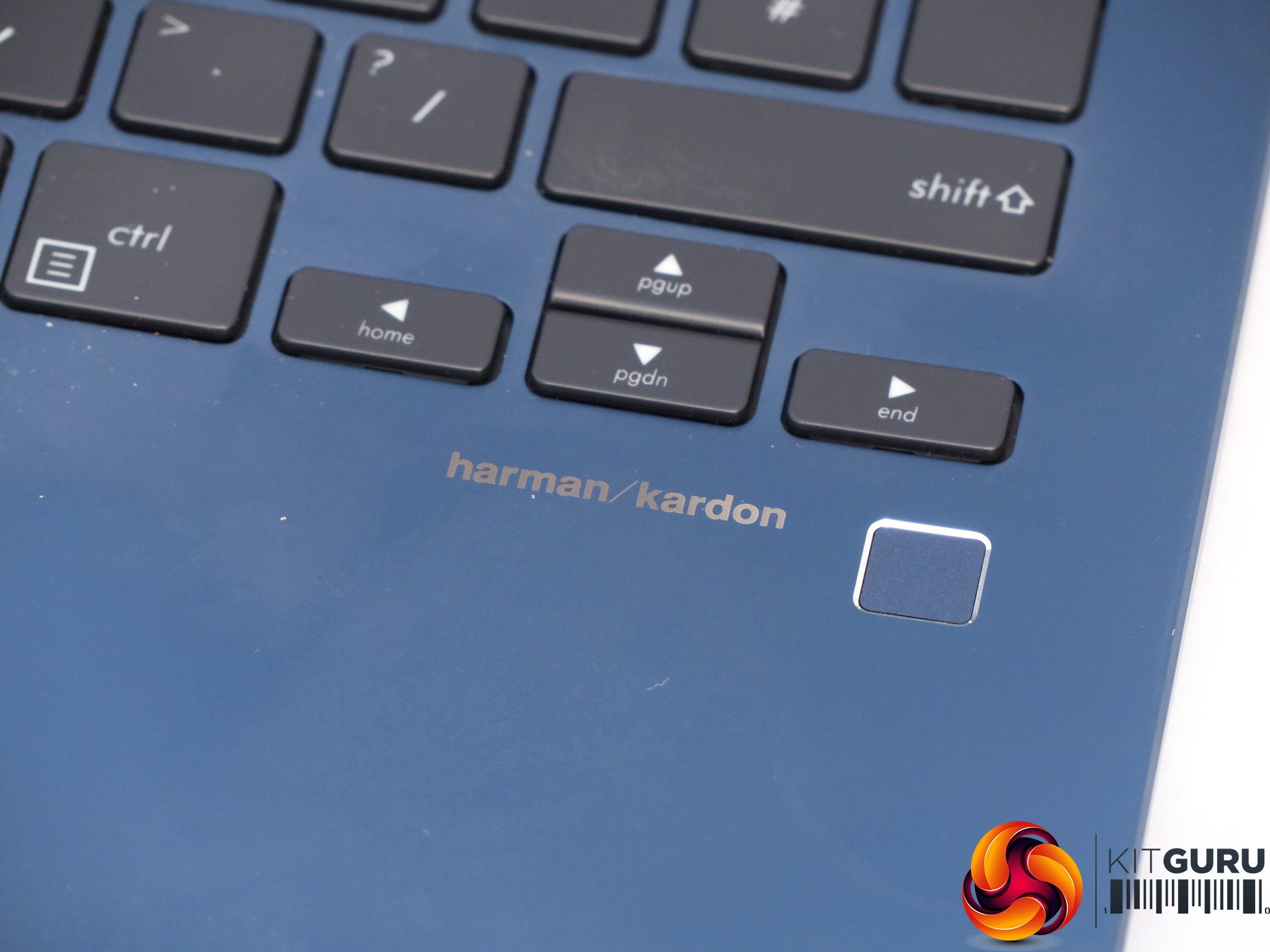
Unlike many recent ZenBooks the fingerprint reader is not integrated into the trackpad, but placed separately to the right. It's very quick to log you into Windows.
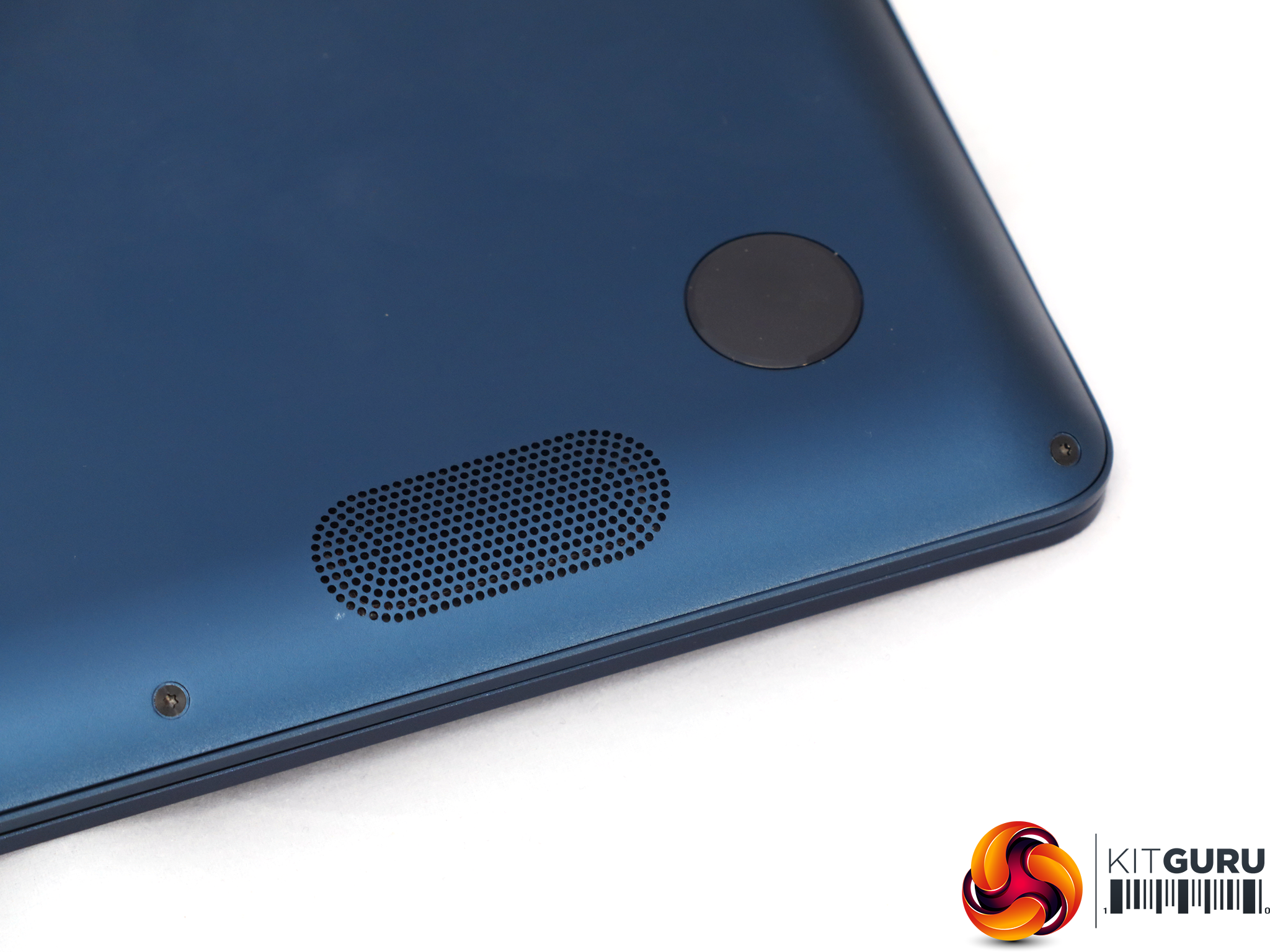
The fingerprint reader sits next to the branding for the speakers – Harmon Kardon. This is a good heritage, and the sound does have a bit more bass and body than with many ultraportable notebooks. If you don't have headphones handy, the UX331UN's audio is decent enough.
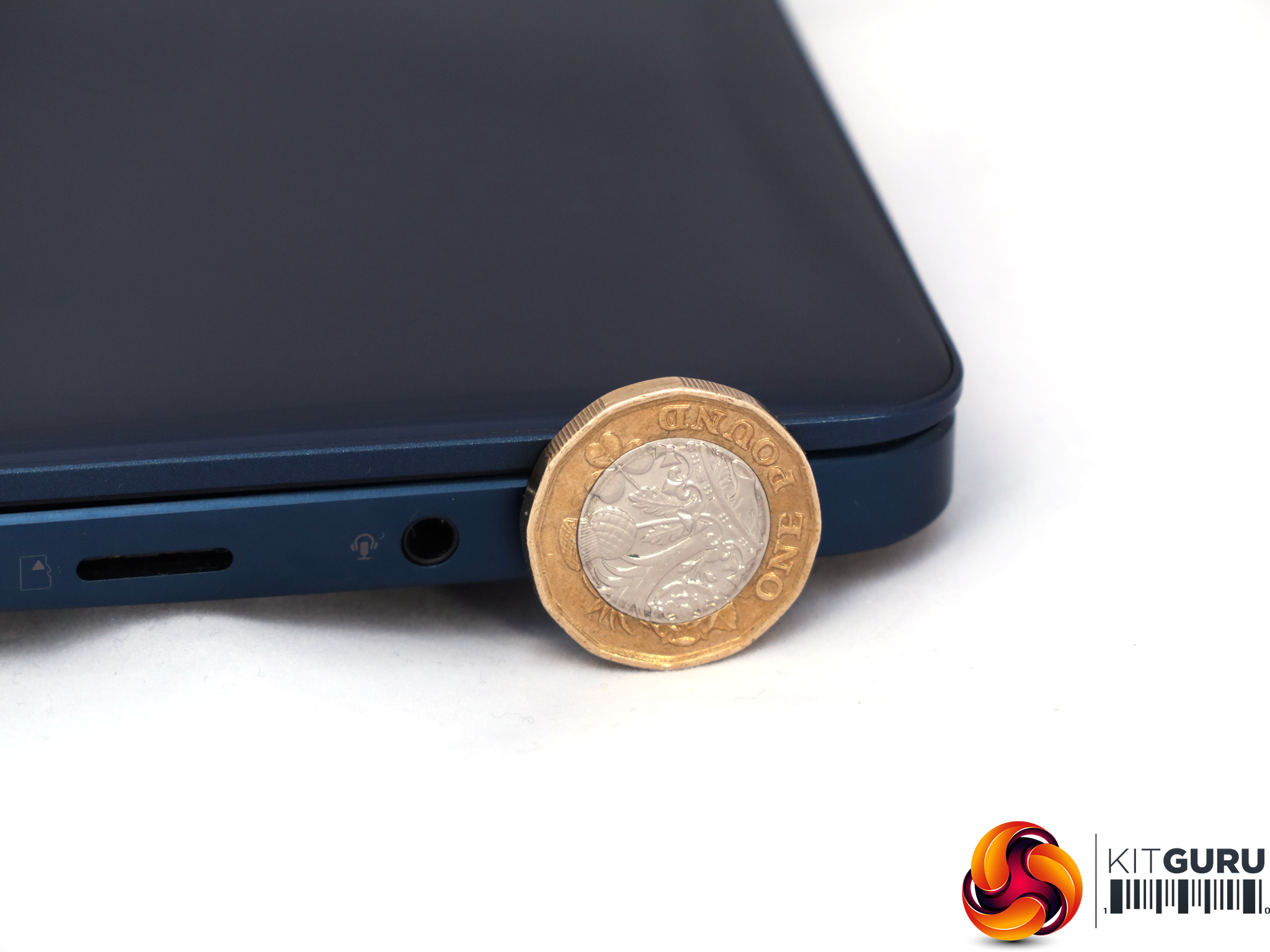
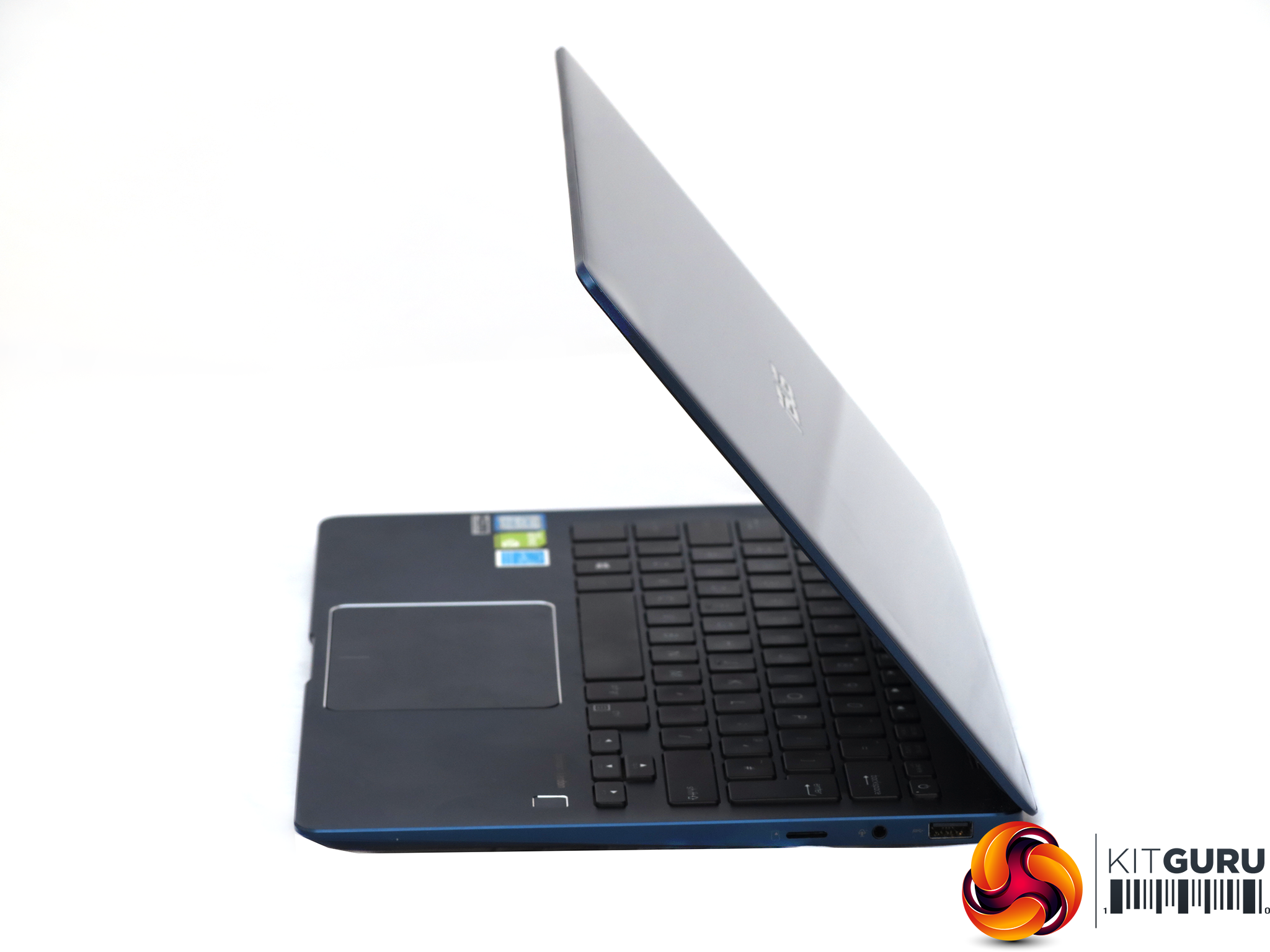
This is a pretty slim and light notebook. It measures just 13.9mm at its widest point and weights just 1.12kg. You can slip the UX331UN into most bags and scarcely notice it's there.
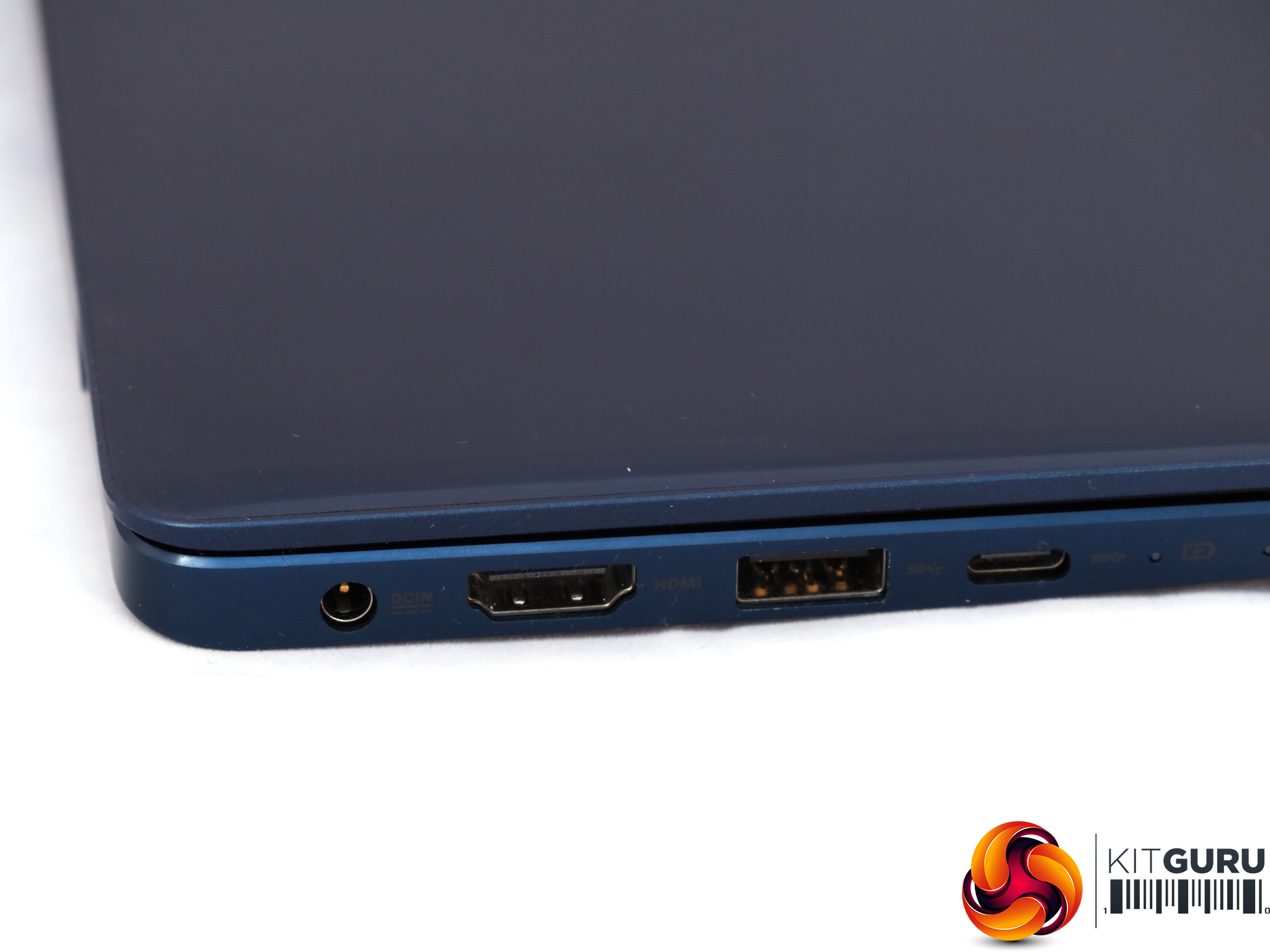
The port allocation will always be a compromise on a notebook this small, due to the sheer lack of space. But ASUS has been sensible with its inclusions. There's full-sized HDMI on the left, next to USB 3.1 Gen 1 Type A, and USB 3.1 Gen 2 Type C.
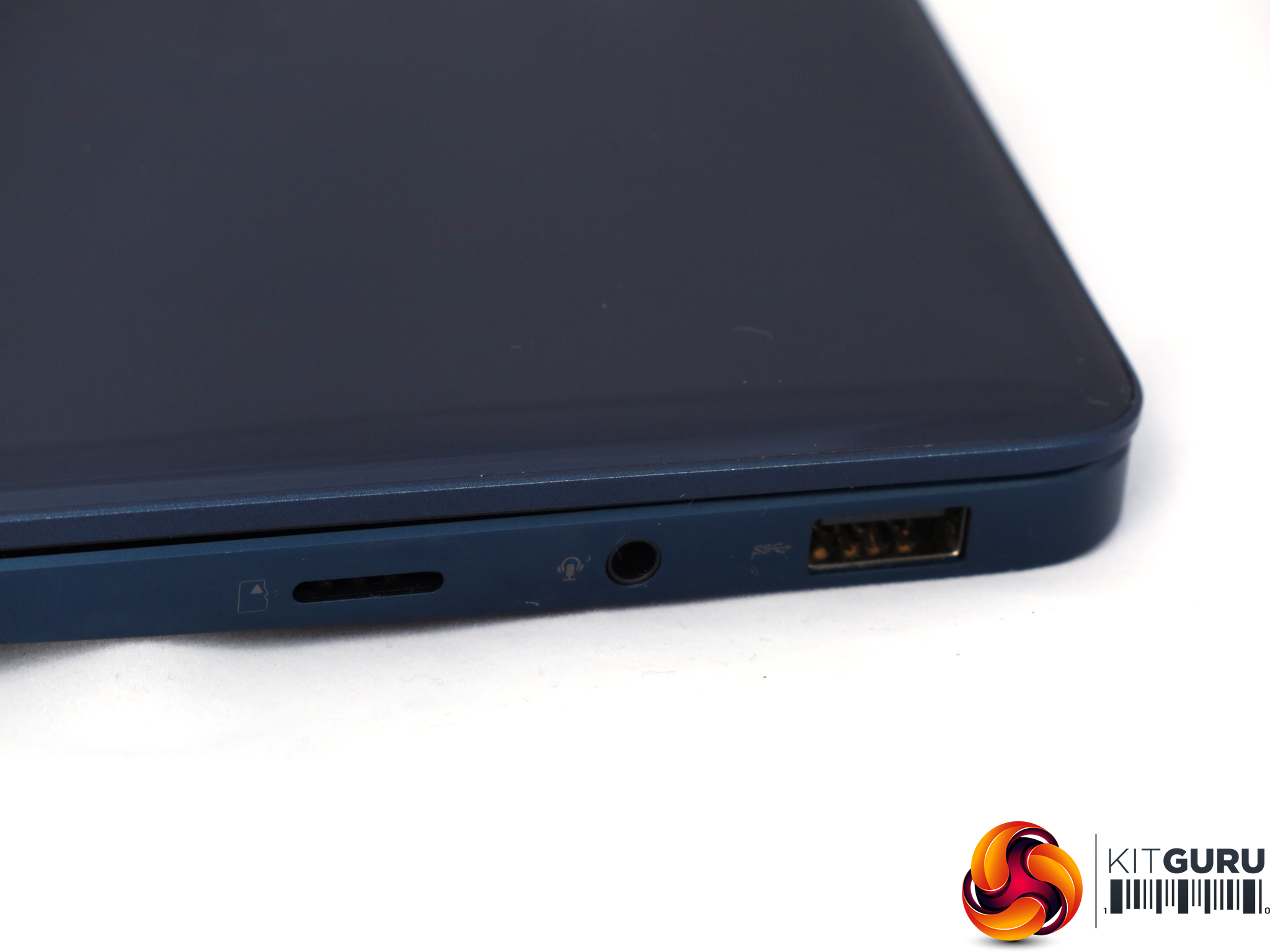
On the right is another USB 3.1 Gen 1 Type A, a combo headphone and microphone analog audio minijack, but only a MicroSD memory card reader, not full-sized SDXC. So it will be great for your Android smartphone or action camera, but not so useful if your DSLR takes full-sized SD cards.
There's no Ethernet port built in, but with the adapter supplied in the box you've got the bases covered. We doubt you will encounter many situations where you run out of expansion ports for your external peripherals.
A selection of our usual application suspects have been called in for testing the ASUS ZenBook 13 UX331UN, with a range of comparison systems. These include the ASUS ZenBook UX430UA, ZenBook 3 UX390UA, and the Dell XPS 13 9360, which is widely considered the gold standard for performance and battery life in an ultraportable.
The HP Envy x360 15 is included as an example of a highly portable notebook with the previous generation of GeForce discrete graphics, to show how the new GPU compares.
Test software
- SiSoft Sandra
- Cinebench R15
- CrystalDiskMark 6.0.0
- 3DMark
- PC Mark 8
- CPUID CPU-Z and HWMonitor
- Intel Core i7-7500U
- Intel® HD 620 Graphics
- 8GB LPDDR4 2,133MHz
- 256GB SSD
- Intel i7-7500U
- Intel HD Graphics 620
- 8GB 1866MHz LPDDR3 SDRAM
- 256GB PCIe SSD
- Intel i5-7200U
- Intel HD Graphics 620
- 8GB 2,133MHz LPDDR3 SDRAM
- 256GB PCIe SSD
- Intel i5-7500U
- NVIDIA GeForce GTX 940MX
- 8GB 2,133MHz DDR4 SDRAM
- 128GB PCIe SSD + 1TB 7,200rpm HDD
Maxon Cinebench R15
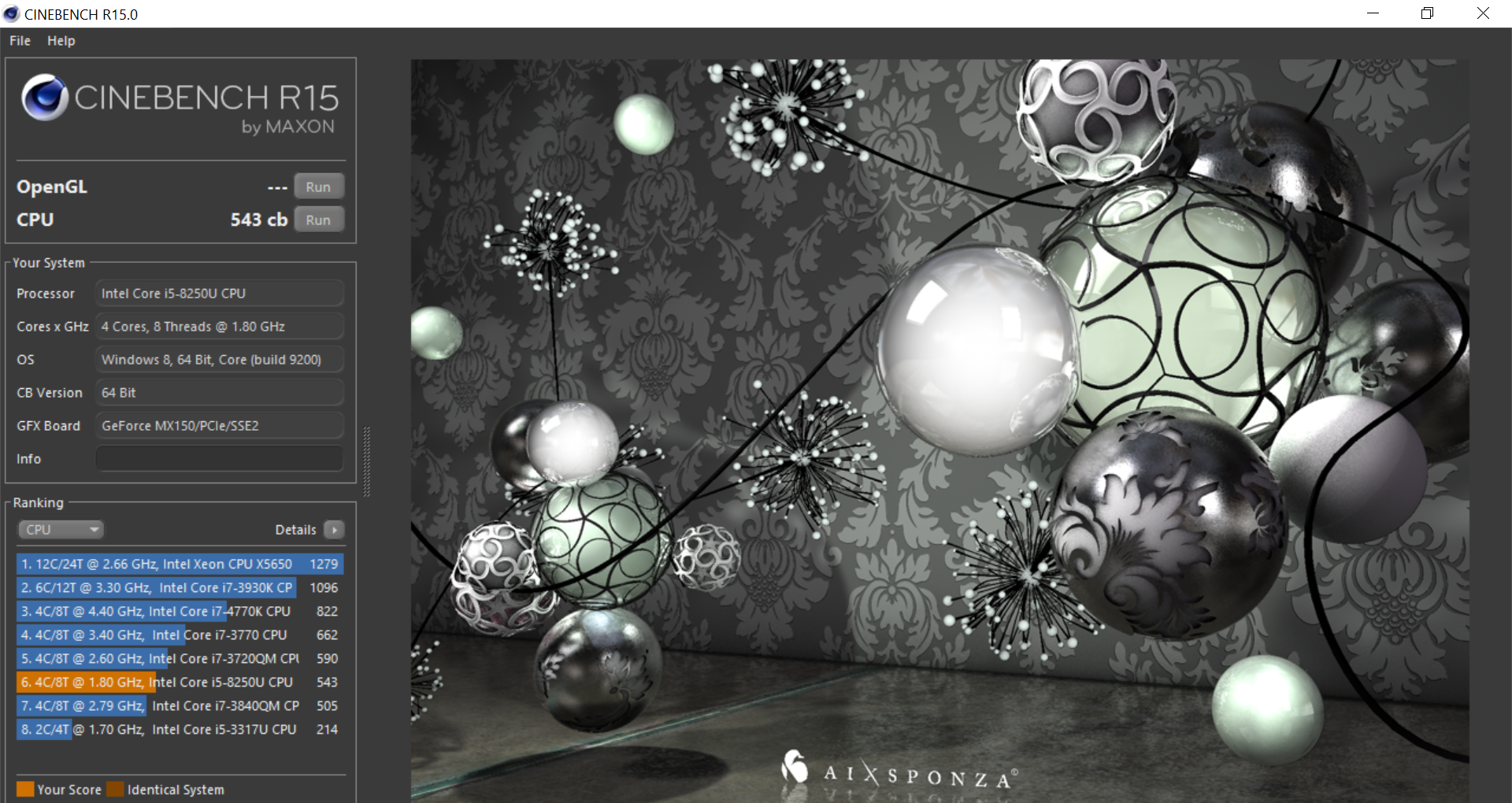
To test the processor, we first ran the CPU test from Maxon's Cinebench R15. This is a great way of assessing general processor abilities as there are loads of comparison results available, although here we focus on the specific systems we chose as direct competitors.
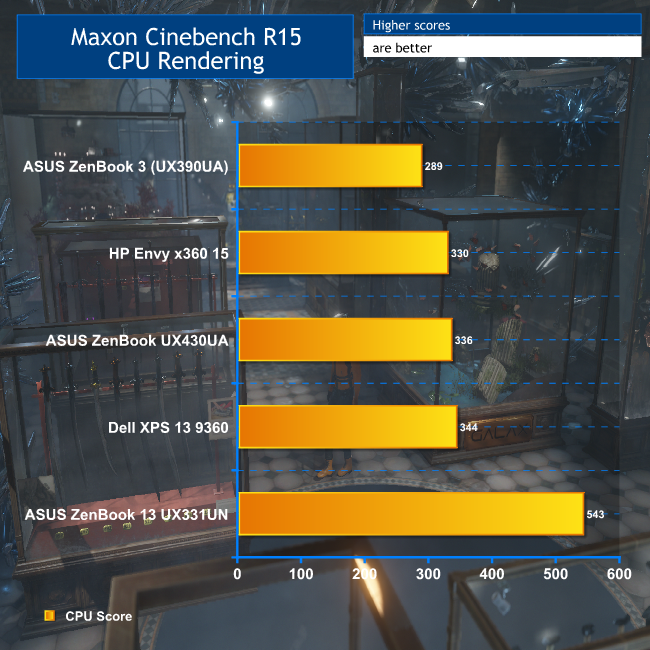
Things get off to a flying start with the render. The ZenBook 13 benefits from having four physical cores and eight virtual ones. This is an almost desktop-level of multi-threaded potency, and blows our comparative ultraportables with previous-generation CPUs out of the water.
This also bodes extremely well for multi-tasking. With eight threads available, you won't be waiting around for one thing to finish off before you can start the next.
SiSoft Sandra Arithmetic
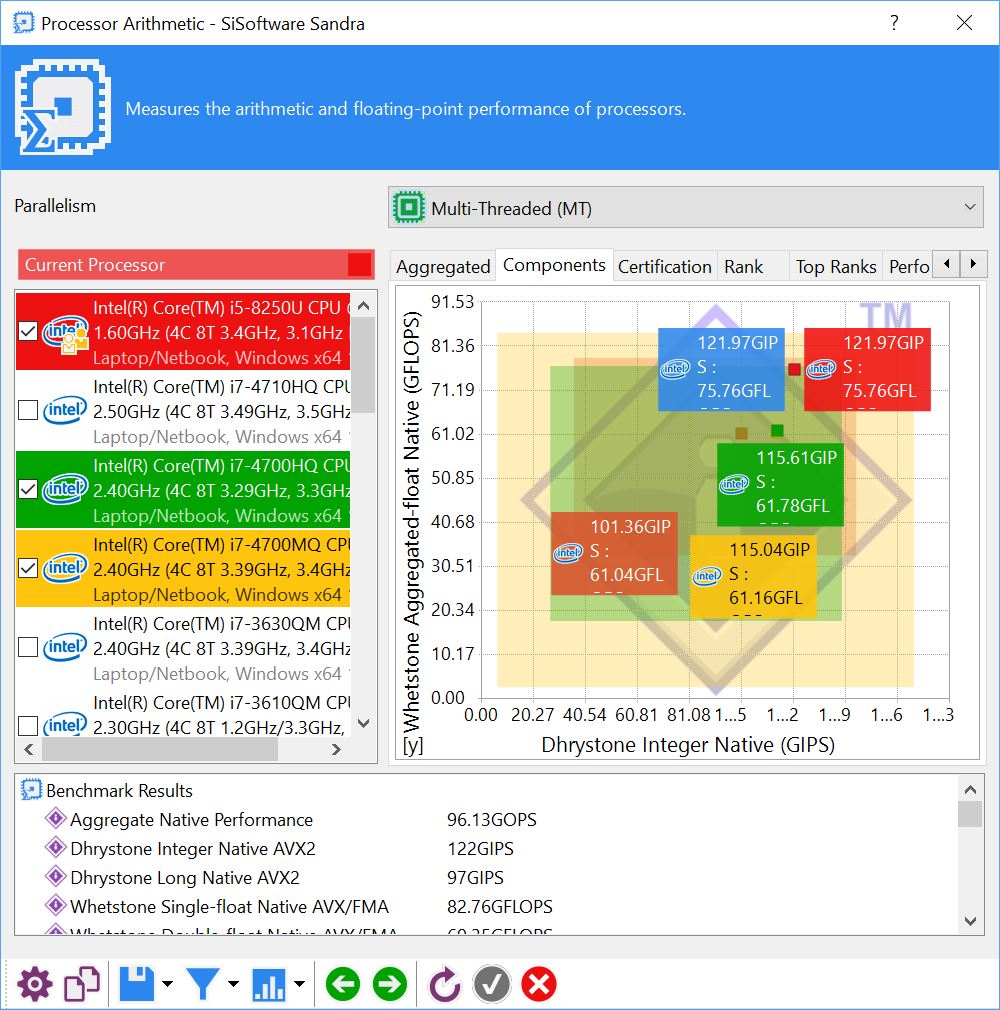
For the second test for the CPU, we ran SiSoft Sandra’s arithmetic test – a synthetic benchmark.

The incredible performance in Cinebench is paralleled with Sandra. The UX331UN blows the comparison ultraportables away.
Sandra Memory Bandwidth
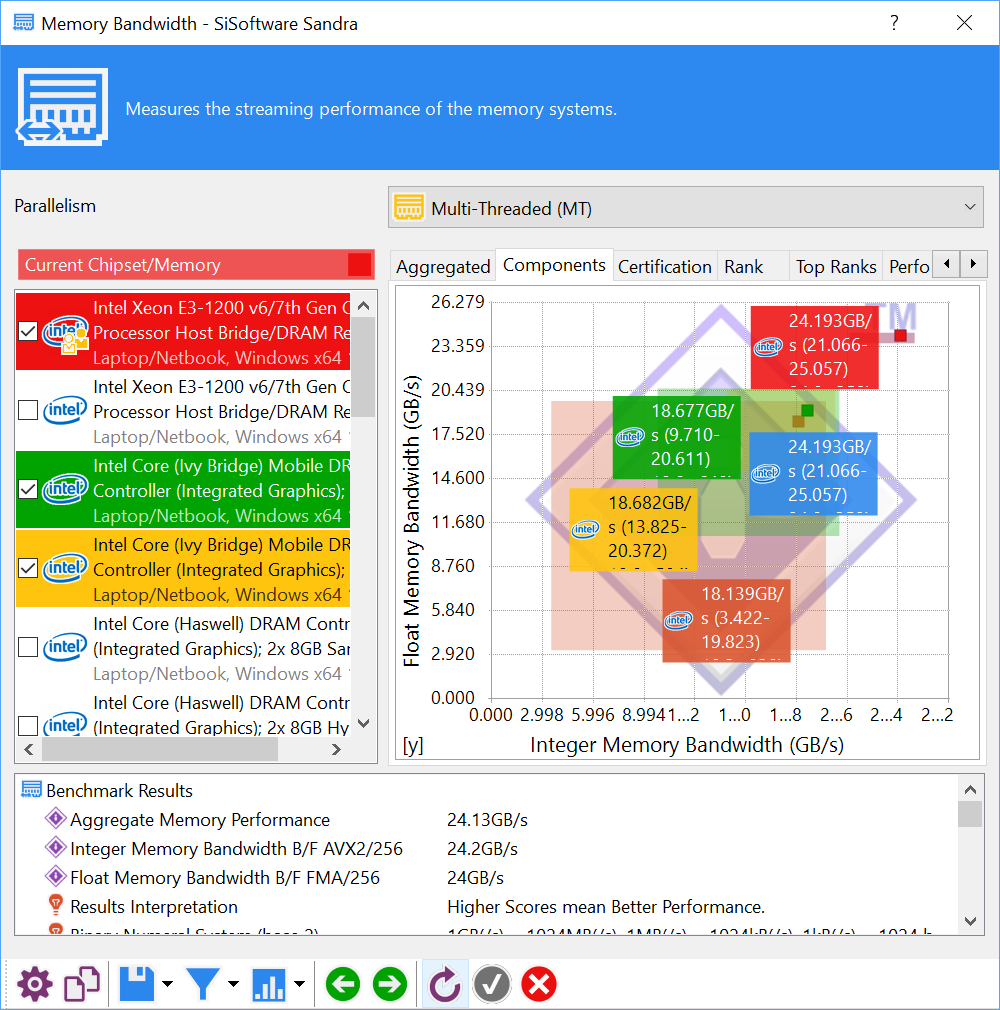
To test the memory bandwidth of the 8GB, 2133MHz DDR3 RAM that comes with the ZenBook, we ran SiSoft Sandra’s memory bandwidth benchmark.
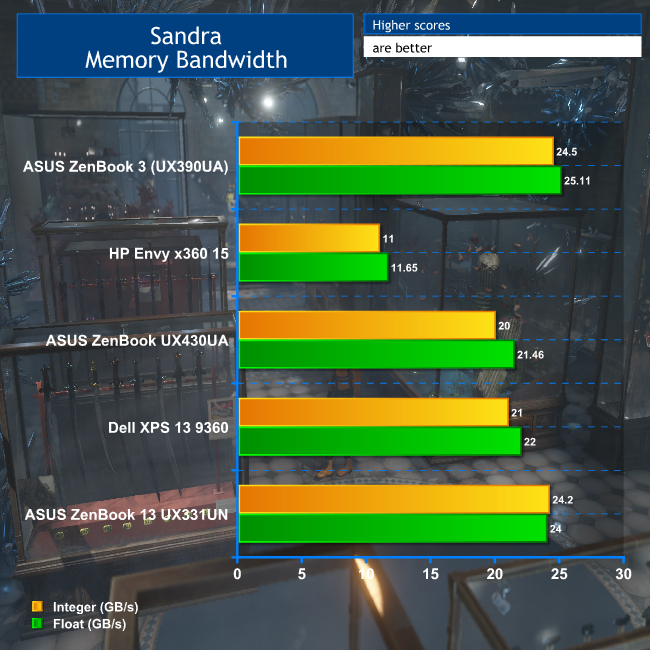
Although the UX331UN only has DDR3 memory, it is a reasonably fast 2,133MHz variety, and this gives it decent bandwidth, even better than the UX430UA, which has DDR4 running at the same speed.
But these are synthetic benchmarks, and it's the performance in the real world that counts, so let's turn to some more application-orientated tests next.
Futuremark PCMark 8
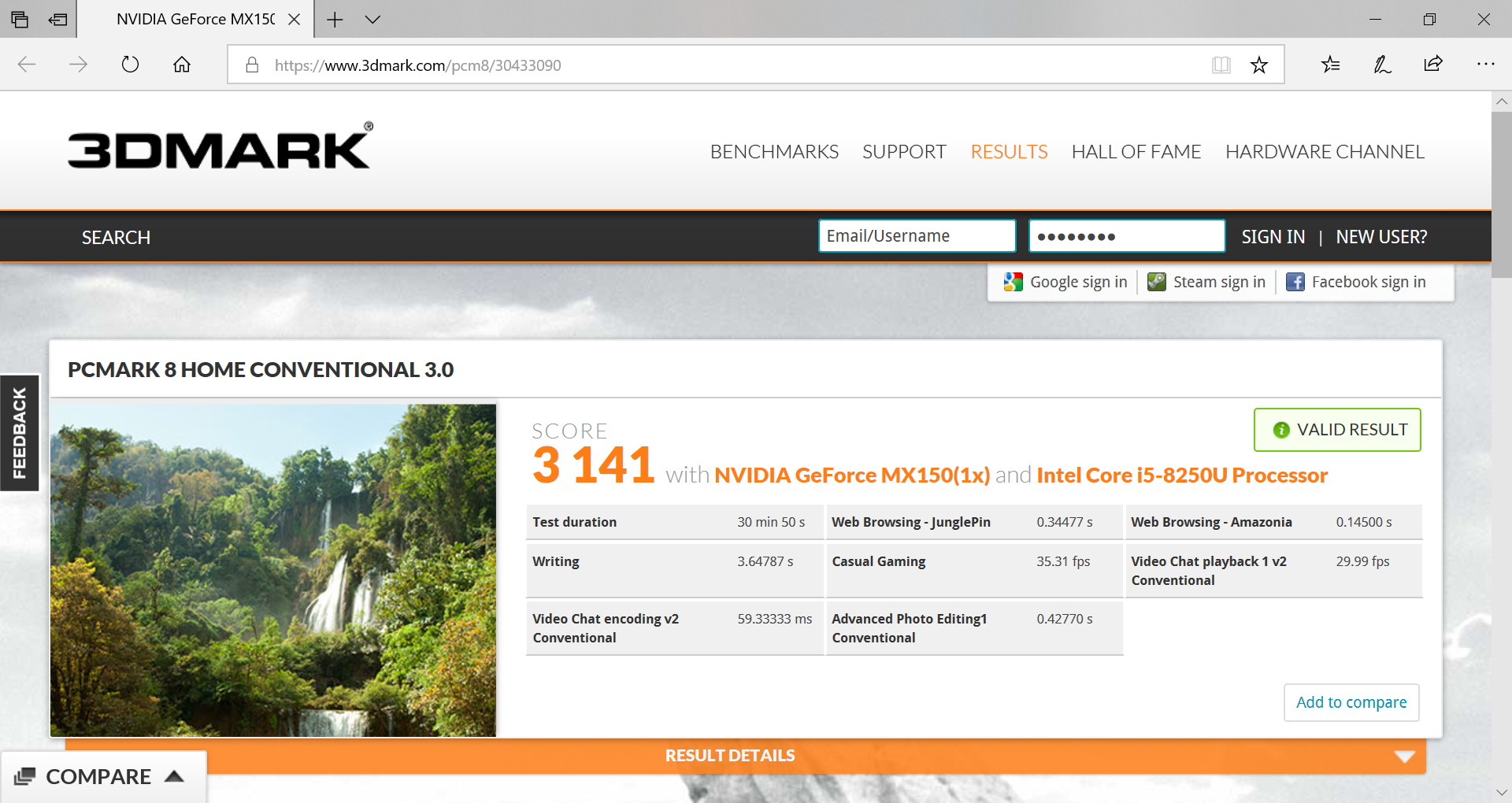
To give a general, overall score of the ZenBook's everyday application performance, we ran Futuremark PCMark 8’s ‘Home Conventional’ test.
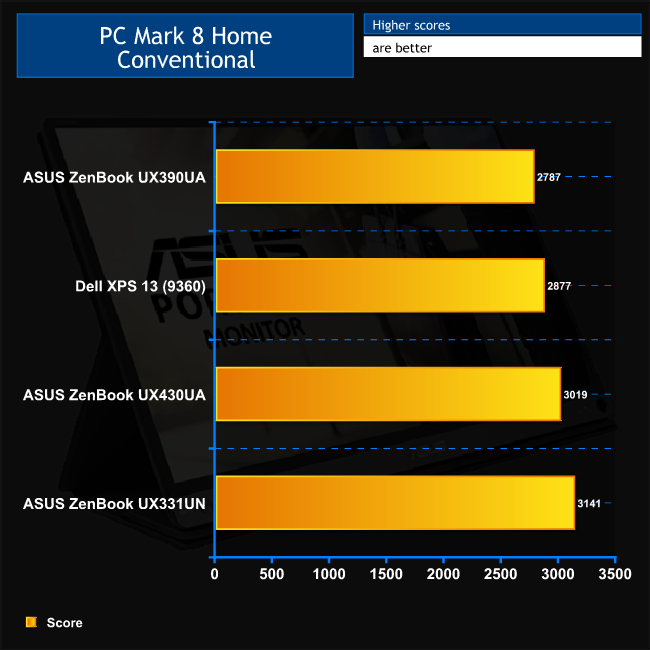
The quad-core processor doesn't reign quite so supreme in PC Mark 8 Home, although it's still quicker than any of our comparisons. This is a commendable score, and shows that the UX331UN will handle everyday computing tasks with aplomb.
3DMark Fire Strike
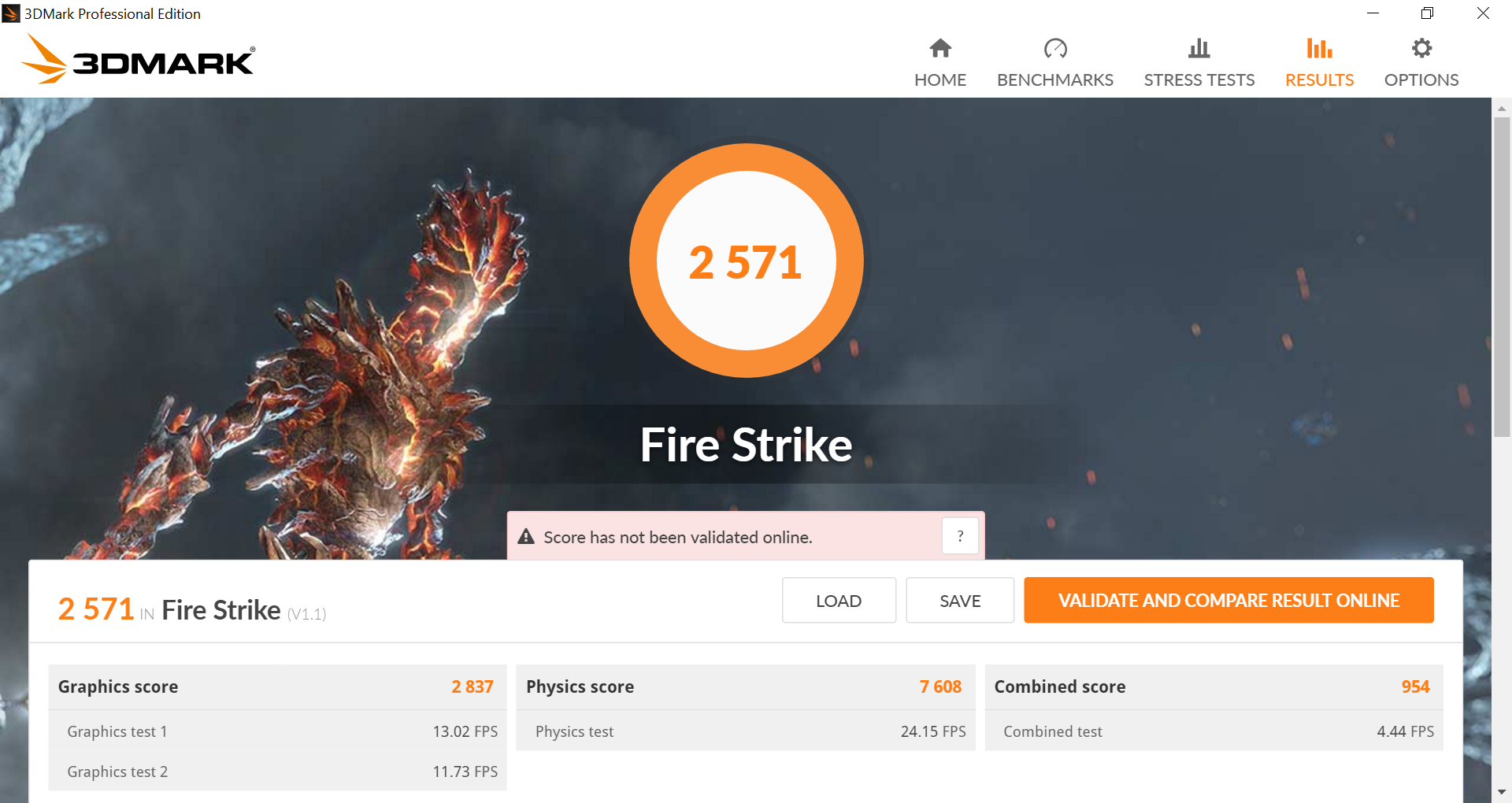
To test the NVIDIA GeForce MX150 graphics, we ran 3DMark Fire Strike. Note that the score shown below is the Overall result.
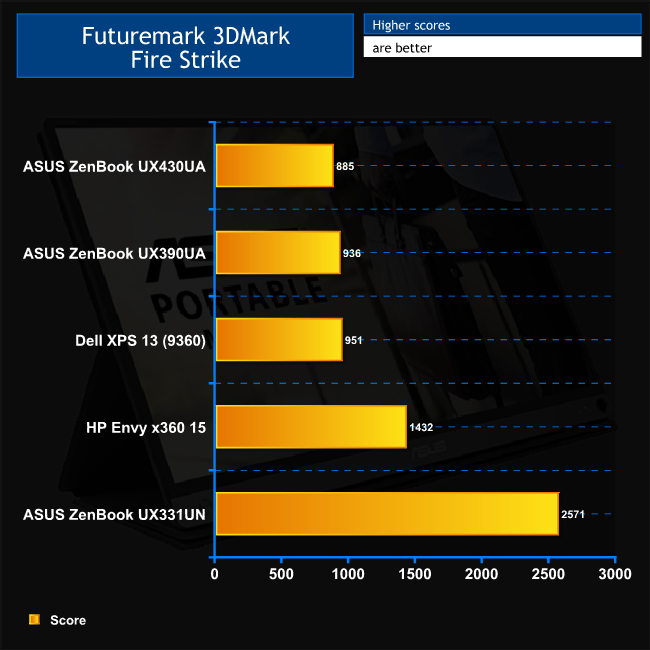
With the discrete GeForce MX150 graphics, this should be the UX331UN's party trick, despite the cut-down clock speeds of the GPU – and it is. The FireStrike score is a cool 80 per cent quicker than the HP Envy x360 15, which has the previous-generation GeForce 940MX graphics. This score is also at least 2.7 times as fast as integrated Intel graphics.
So this really will be an ultraportable that you can play games on. Maybe not Battlefield 5, but if you fancy a bit of Minecraft or CS:GO, the UX331UN will be up to the task. We tried the latter and with High quality settings at Full HD resolution and it was perfectly smooth.
SSD Performance
To test the speeds of the 256GB M.2 SSD that ships with the ZenBook, we ran CrystalDiskMark 6.0.0.
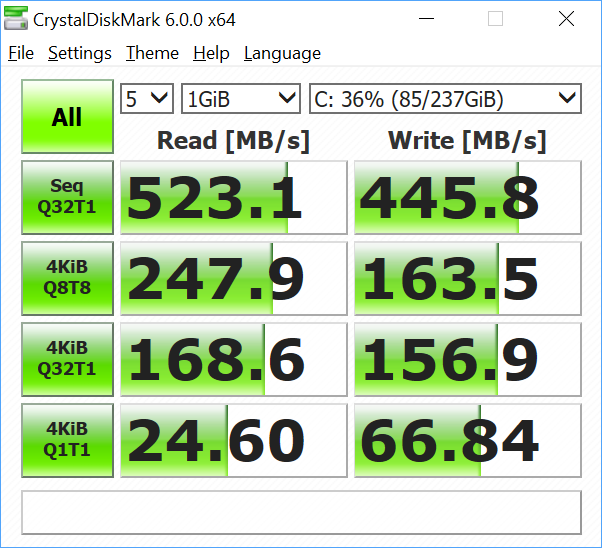
The Micron 1100 M.2 drive only uses a SATA interface, so read and write speeds are held back to 523.1MB/sec and 445.8MB/sec. This is decent enough performance for SATA, but NVMe would have been five or six times quicker.
USB 3.0
The UX331UN has USB 3.1 Gen 1 ports. We plugged a 32GB SanDisk Ultra USB 3.0 thumb drive into the one on the left next to the USB C port.
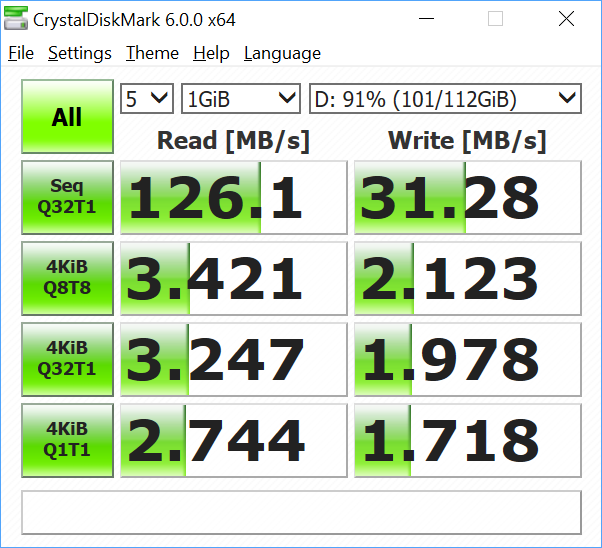
The read performance of 126.1MB/sec is about what we expect for this thumb drive, whilst the write speed of 31.28MB/sec is relatively quick.Thermal Dynamics
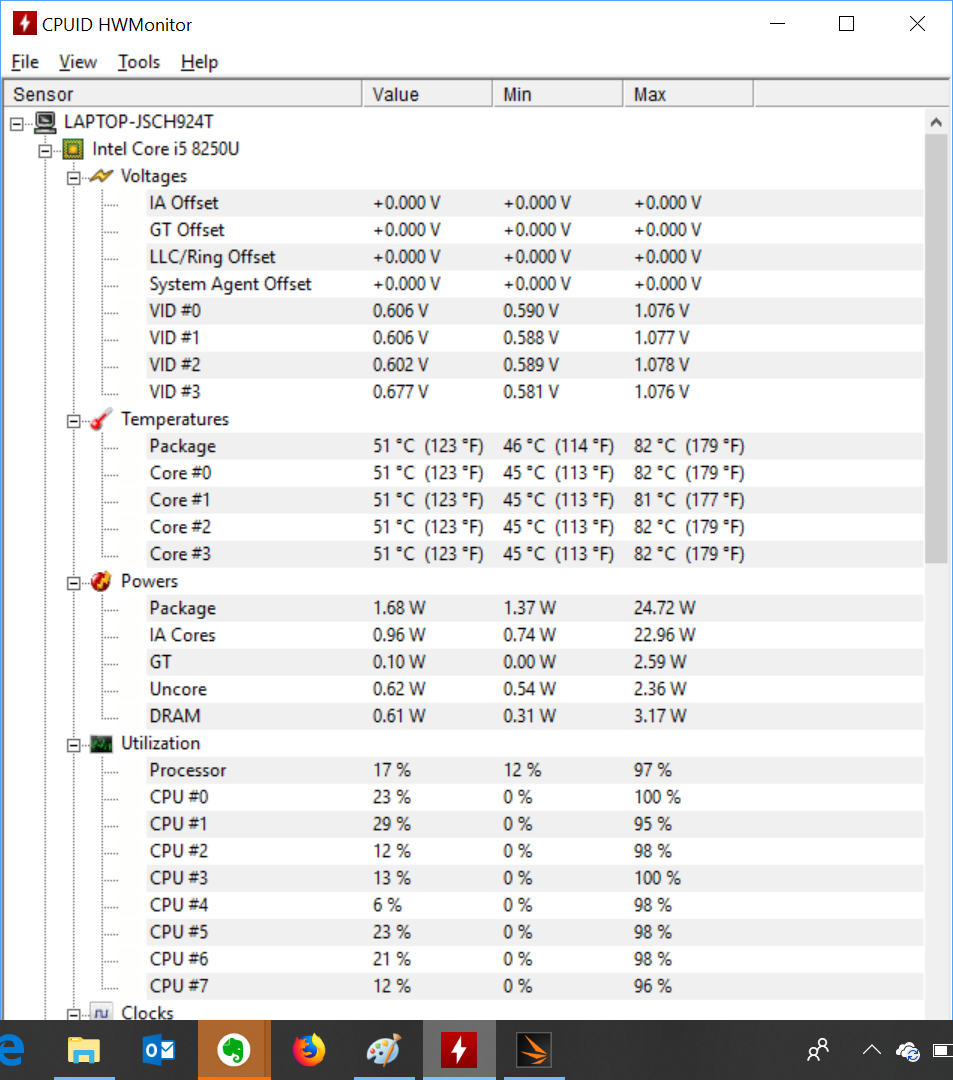
To find the UX331UN's idle temperature, we left Windows on the desktop for 30 minutes. The ‘load’ temperature reading comes from running 3DMark Fire Strike.
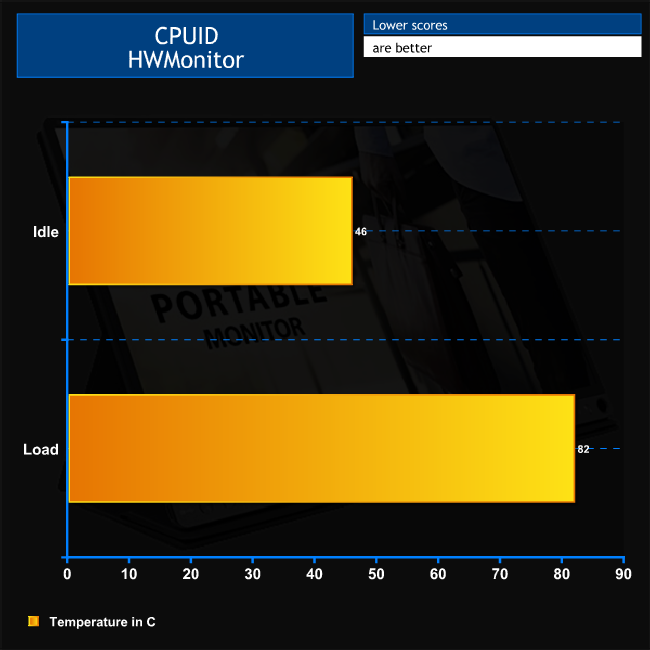
The UX331UN runs a little hot when idle, although 46C for the CPU is nothing to be too worried about. The 82C temperature at full pelt is also quite toasty, but just about on the right side of acceptable. We didn't see any signs of throttling when we were gaming on this laptop.
Acoustics
The UX331UN is essentially inaudible when idle or performing only moderate tasks. When the fan spins up, it's evident in a silent room but if there is any other background noise it won't be noticeable. This is the plus side of the lower clock speeds than possible for the NVIDIA GeForce MX150 graphics.
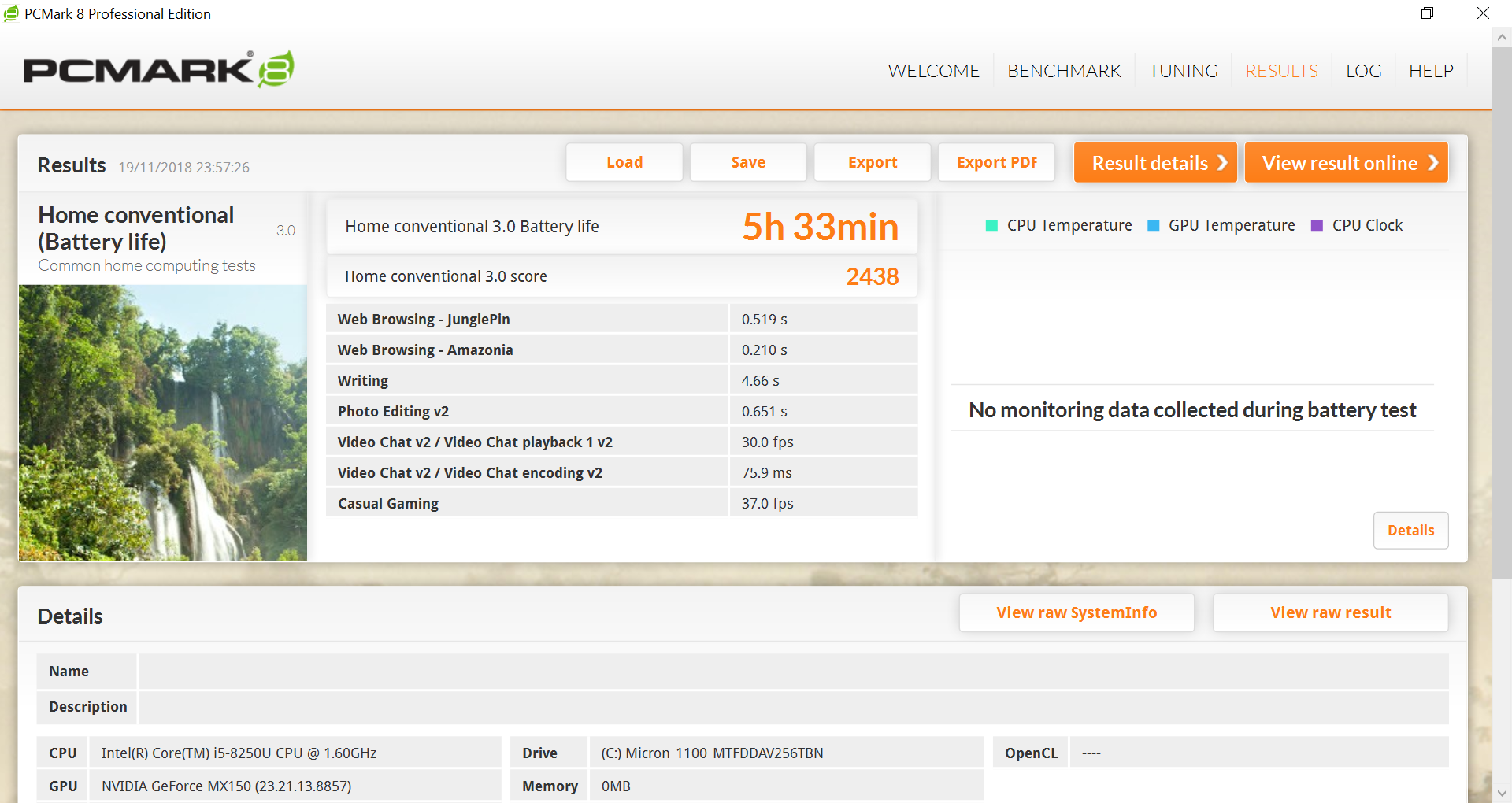
To test the battery life of a laptop, we use PCMark 8’s in-built battery benchmark – which loops its ‘Home’ benchmark until the battery fails. We do this with the screen brightness set at 50 per cent and the power mode slider all the way to the left to Battery Saver.
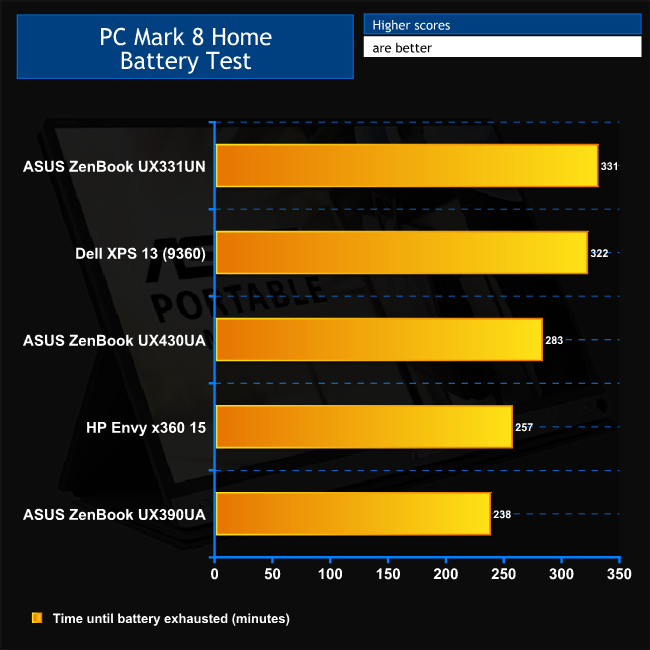
The ZenBook 13 UX331UN provides quite a bit more endurance than previous ZenBooks we have tested, and even beats the excellent Dell XPS 13. Although ASUS claims ten hours, and this test is just five and a half, it should be noted that this test is continually running workloads without a break.
In reality, you probably won't work like that, and the screen brightness is also perfectly acceptable at 25 per cent. We took this notebook to an all-day event, using it for six hours straight to take notes, browse the Web, and participate in social media. By the end of the day there was still allegedly a few hours left.
In other words, if you need to work on a transatlantic flight or sit in a coffee shop all day writing, the UX331UN will deliver without you having to scrabble for the AC power adapter. Assuming you fully charged the battery before heading out…
The ASUS ZenBook UX331UN is a phenomenally good ultraportable. It has class-leading battery life when you need it, but also very respectable processor and graphics capabilities when you need those too. It's also extremely light and thin, and it looks great too.
There are a few niggles. The trackpad, as always, could do with being a centimetre to the left to minimise stray pointer movement, and the keyboard takes a little getting used to if you're a fast touch-typist. It would also have been useful to have a full-sized SDXC memory card reader.
But when you consider the total package, these are very far from being deal breakers. The screen is also bright, clear, and not as badly affected by bright conditions as some. Best or all, you can pick the ZenBook 13 UX331UN up for £999.
If you're after super-light notebook that can last all day on battery, then do some serious processing work and gaming when you get back home to the AC power, this ZenBook comes highly recommended.
You can buy the ASUS ZenBook 13 UX331UN for £999.95 inc. VAT from John Lewis HERE.
Pros
- Excellent battery life.
- Great graphics performance for an ultraportable.
- Great multi-threaded CPU performance for an ultraportable.
- Thin and light.
- Good looking (fingerprints aside)
- Crisp IPS display.
- Decent array of ports for the size, including full-sized HDMI.
- Harman Kardon speakers a cut above the average for thin and light format.
Cons
- MicroSD memory cards only.
- SATA 3 SSD, not NVMe.
- Trackpad prone to accidental pointer movement when touch typing.
- Keyboard needs getting used to.
- Chassis lid finish attracts fingerprints.
KitGuru says: The ASUS ZenBook 13 UX331UN is one of the best 13in ultraportables on the market. It has great battery life and excellent performance, with particularly potent graphics for the form factor.