KitGuru KitGuru.net – Tech News | Hardware News | Hardware Reviews | IOS | Mobile | Gaming | Graphics Cards


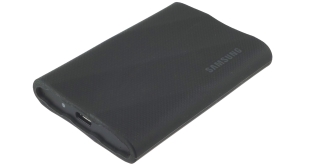
Samsung's latest external SSD is the Portable SSD T9, the long-awaited successor to the popular T7. With a USB 3.2 Gen 2 x2 interface it offers twice the performance of the old T7. We review the 4TB model, coming in at just over £360 here in the UK.
At launch, the T9 range consists of three capacities; 1TB, 2TB and the flagship 4TB model we are reviewing here. What's inside the T9 is anybody's guess as Samsung hasn't released any details regarding the controller or the VNAND.
Thanks to its USB 3.2 Gen 2×2 interface, Samsung quotes performance figures for the range as up to 2,000MB/s for reads across the range while the 1TB and 2TB drives get an up to 1,950MB/s rating for writes. The 4TB drive is a little faster at up to 2,000MB/s.
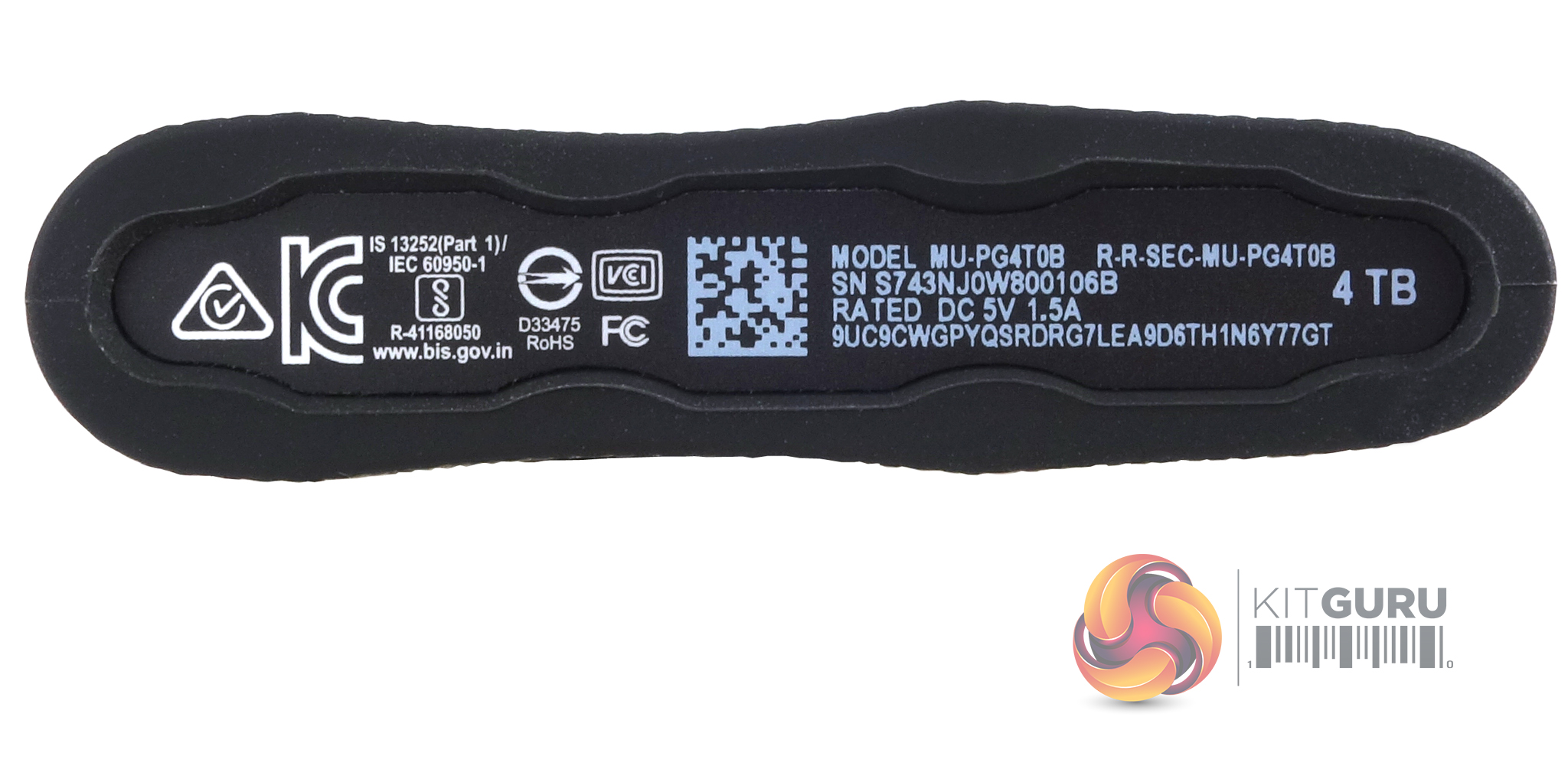
The drive supports AES 256-bit hardware encryption and is drop-resistant to 3m. Samsung quote power figures for the 4TB T9 as 0.67W idle power and up to 7.3W peak power
Samsung backs the drive with a 5-year warranty which is an improvement over the T7 which only got three years.
Physical Specifications:
- Usable Capacities: 4TB.
- NAND Components: n/s.
- NAND Controller: n/s.
- Interface: USB 3.2 Gen 2×2.
- Form Factor: external.
- Dimensions: 88 x 60 x 14mm.
- Drive Weight: 122g.
Firmware Version: FXL71P2Q.
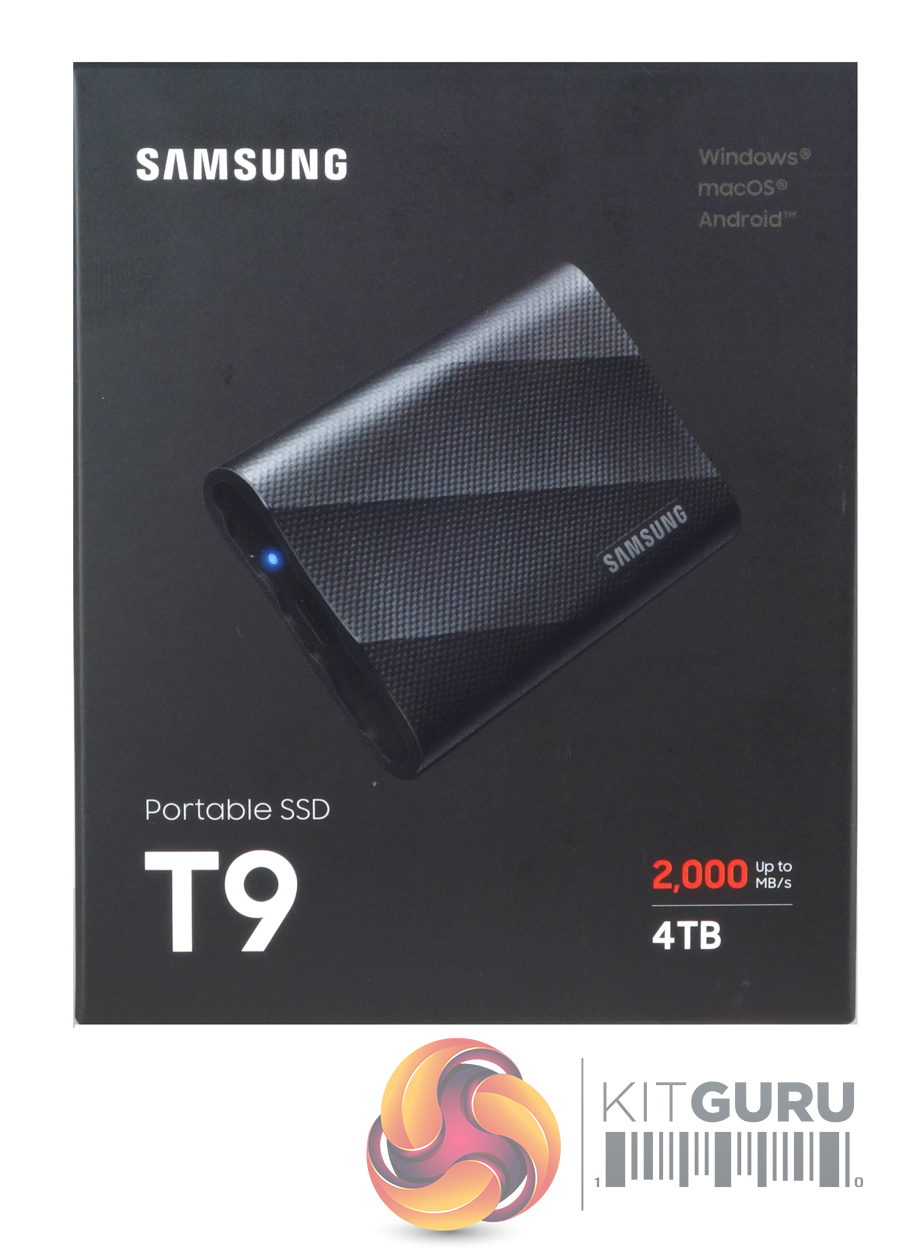
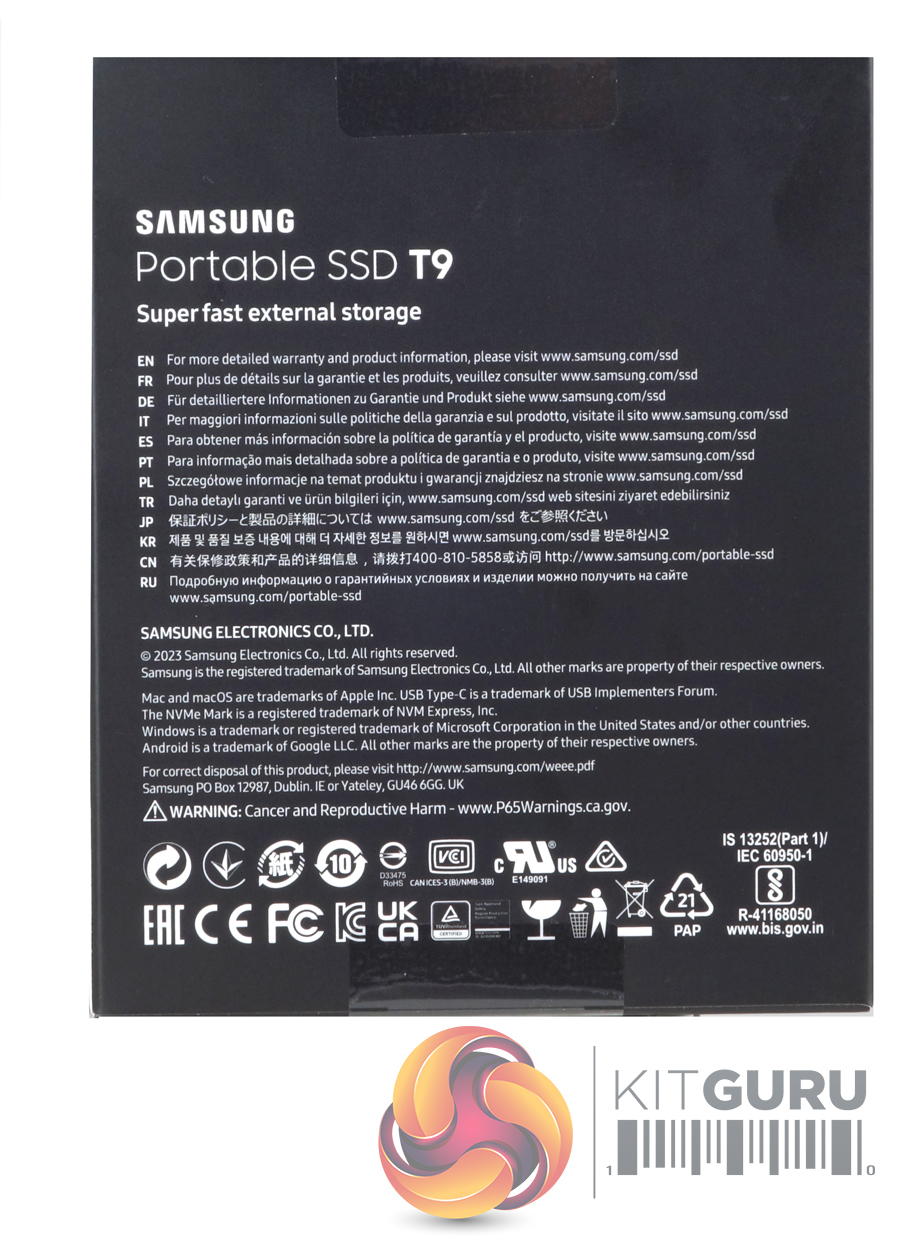
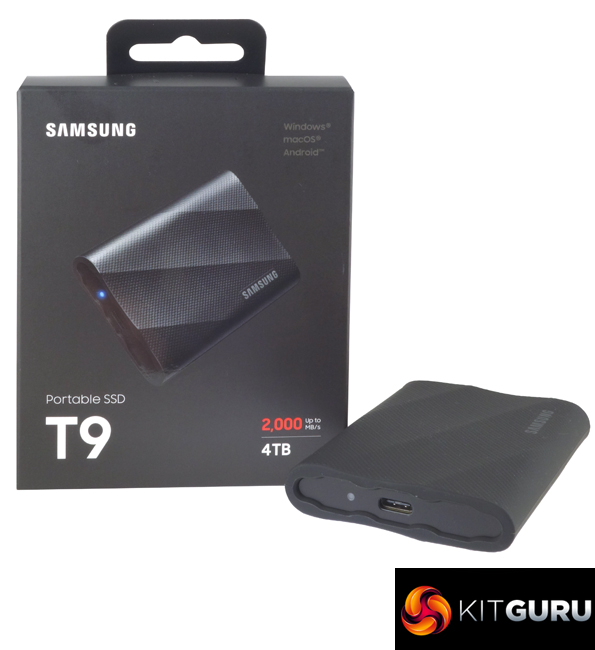
The T9 comes in a small, chunky box. The front of the box has an image of the drive above which is a list of OS that the drive is compatible with; Windows, Mac and Android. Under the image to the right is the drives speed and capacity. The rear of the box has a multilingual address list for more product information and warranty details.
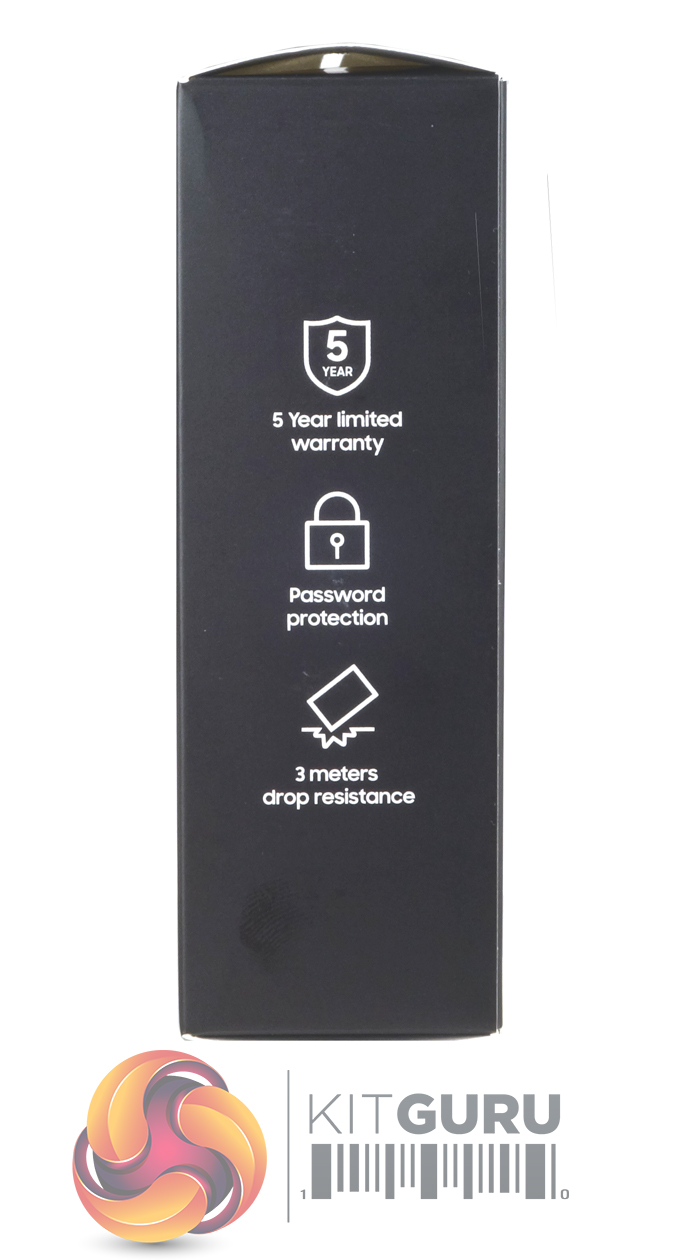
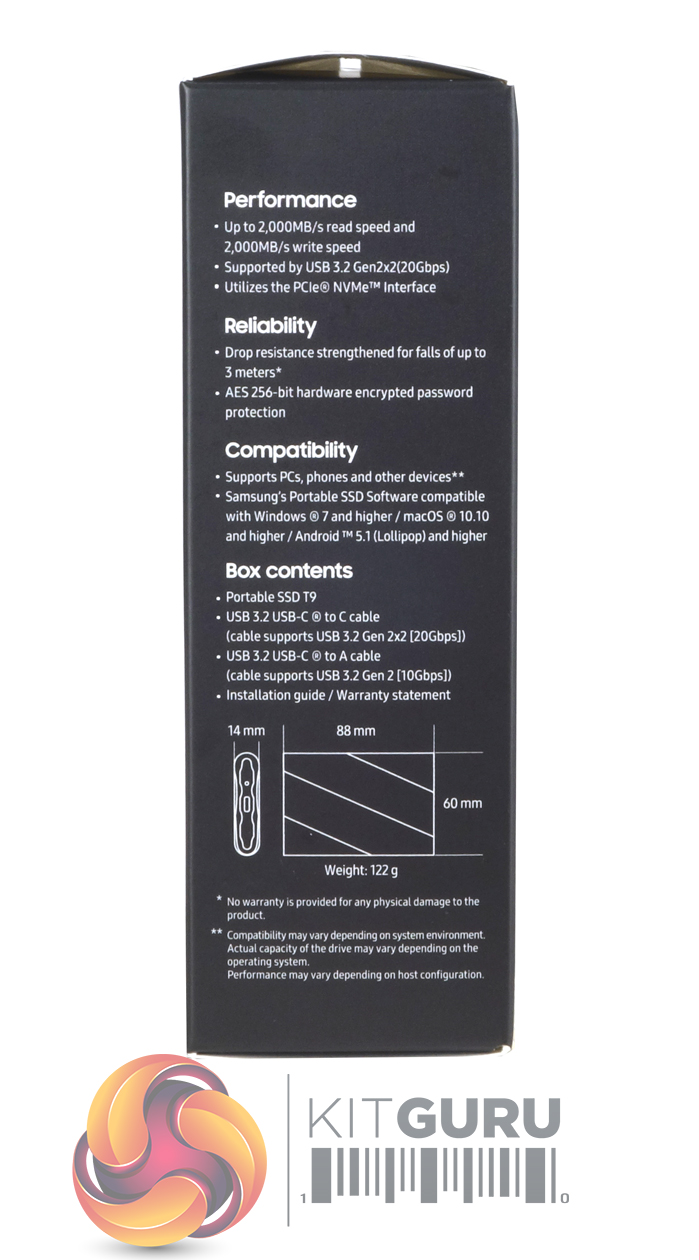
One side of the box has icons for warranty length, password protection and the fact that the drive can survive a 3m drop. The other side of the box has notes about the drive's performance, durability, reliability and compatibility along with a diagram of the drive with dimensions and a list of the box contents.
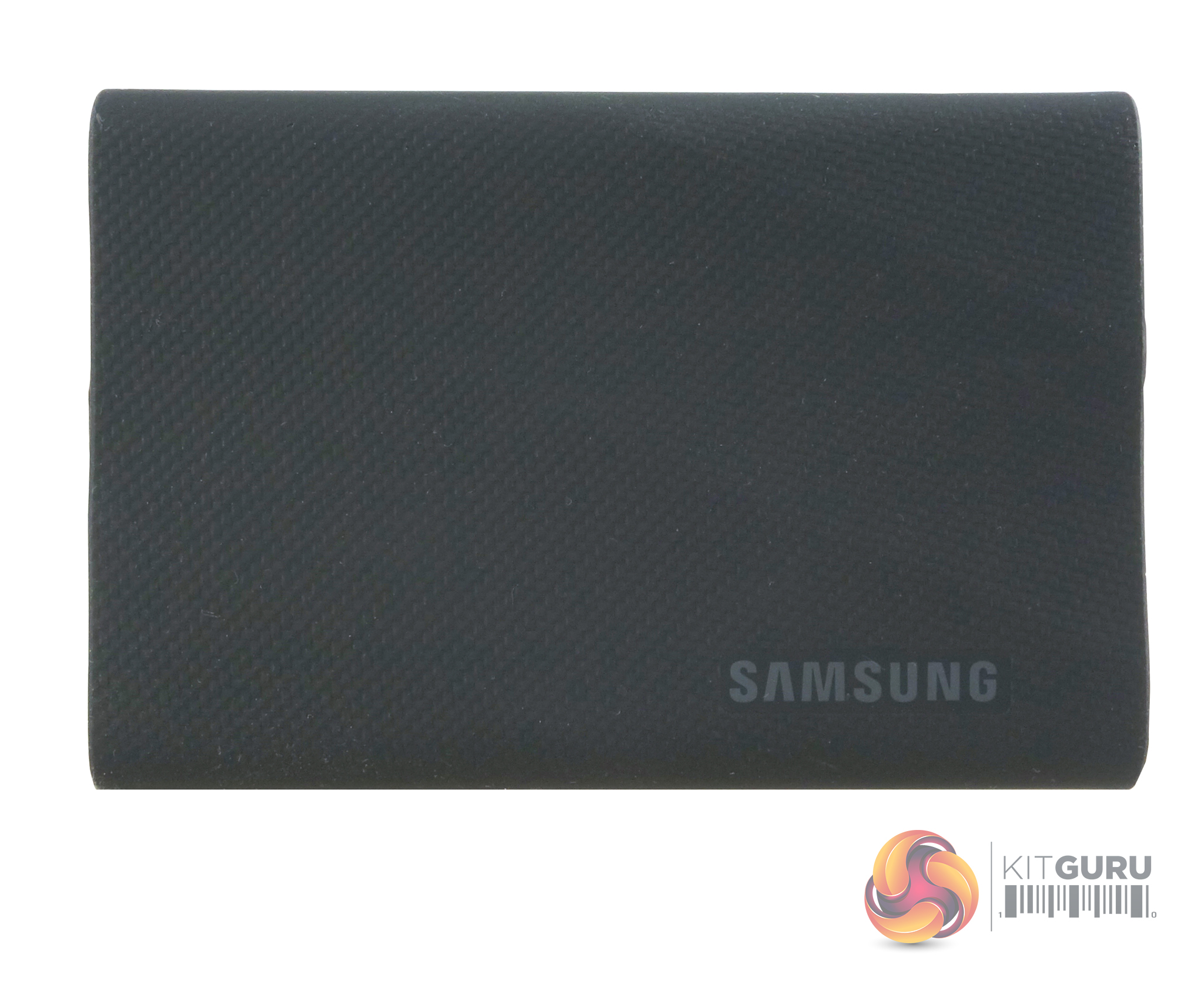
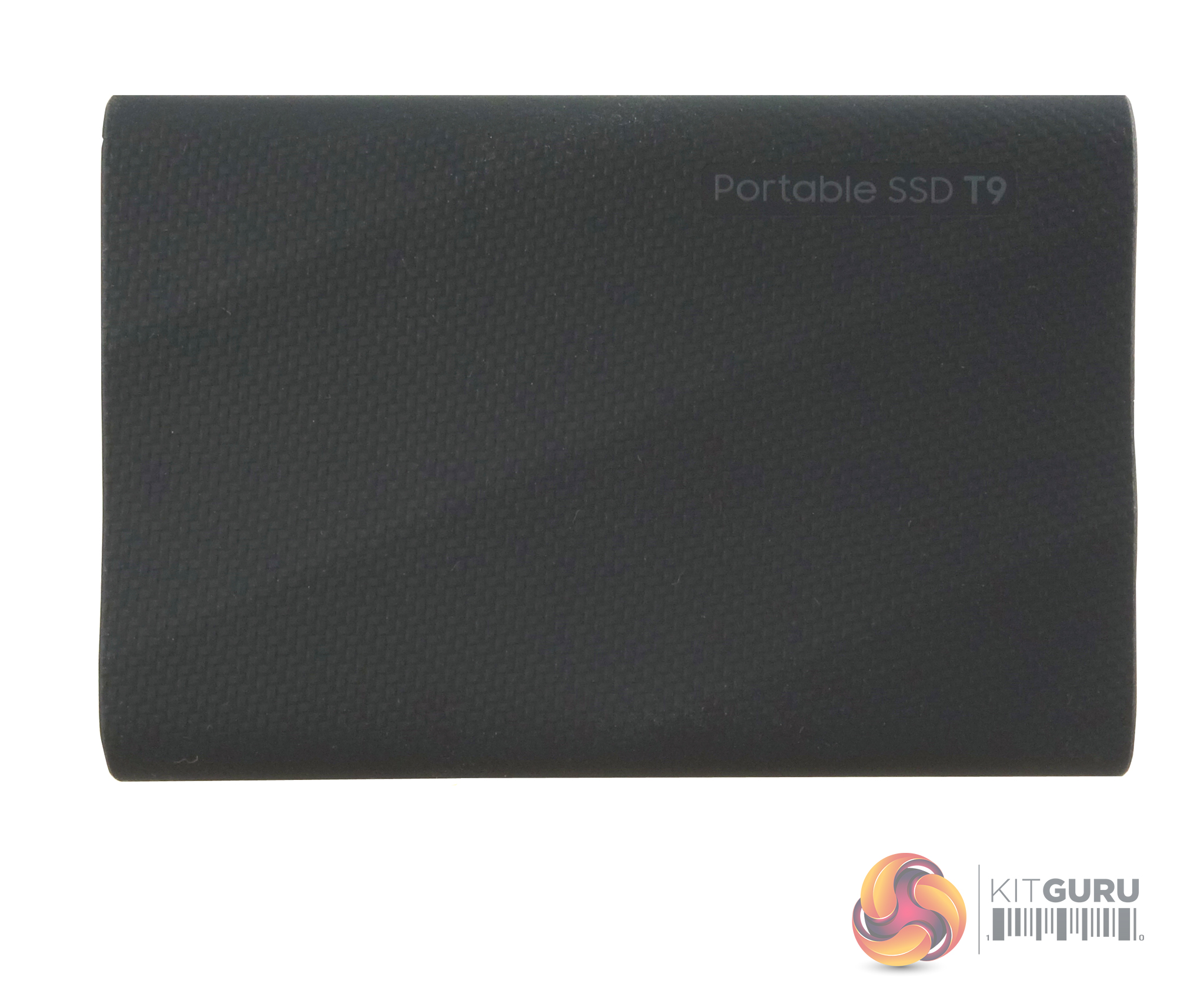
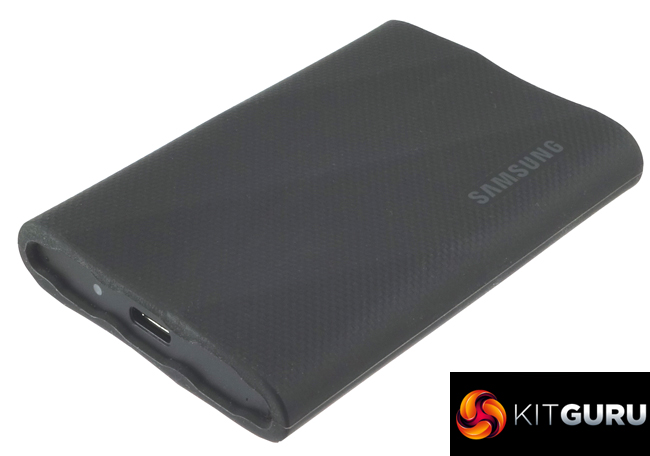
The T9 measures 88 x 60 x 14mm and weighs in at a fairly hefty 122g. The drive uses an aluminium body and the additional weight may come from any heatsink that the drive uses to keep the temps down especially when it is being pushed hard. Samsung has gone for a “Luxury added to ruggedness” design for the T9. The outside of the drive has a rubber material to help protect it but this material has a carbon pattern design which looks and feels rather nice but a word to the wise, it turns out to be a bit of a dust magnet.
At the time of writing, Samsung hasn't released any details about the NAND/controller combination in the T9 but what is known is that the drive has a dedicated PCB design rather than based on an M.2 SSD.
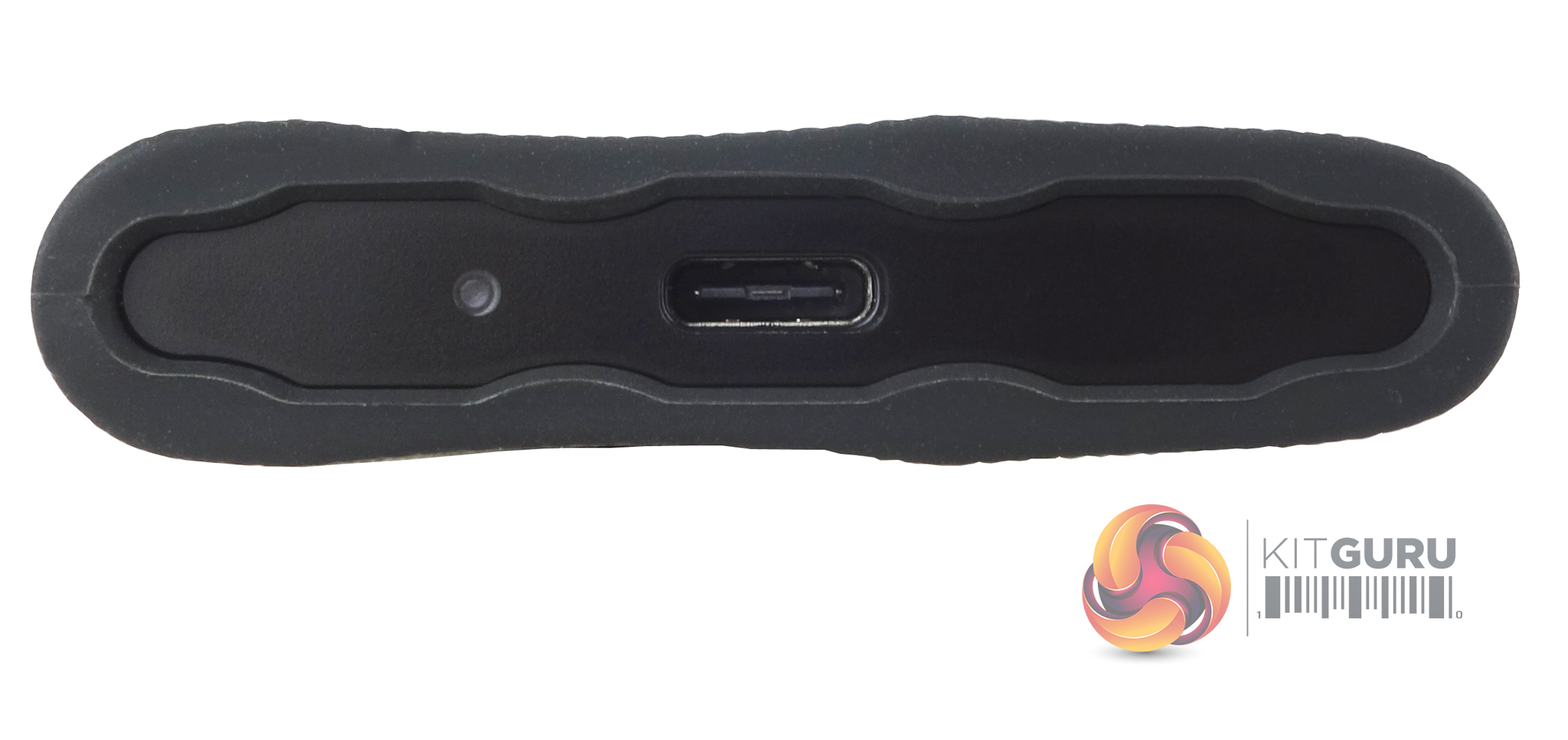
The drive uses a USB 3.2 Gen 2 x2 Type C interface supporting 20Gbps transfer speeds.
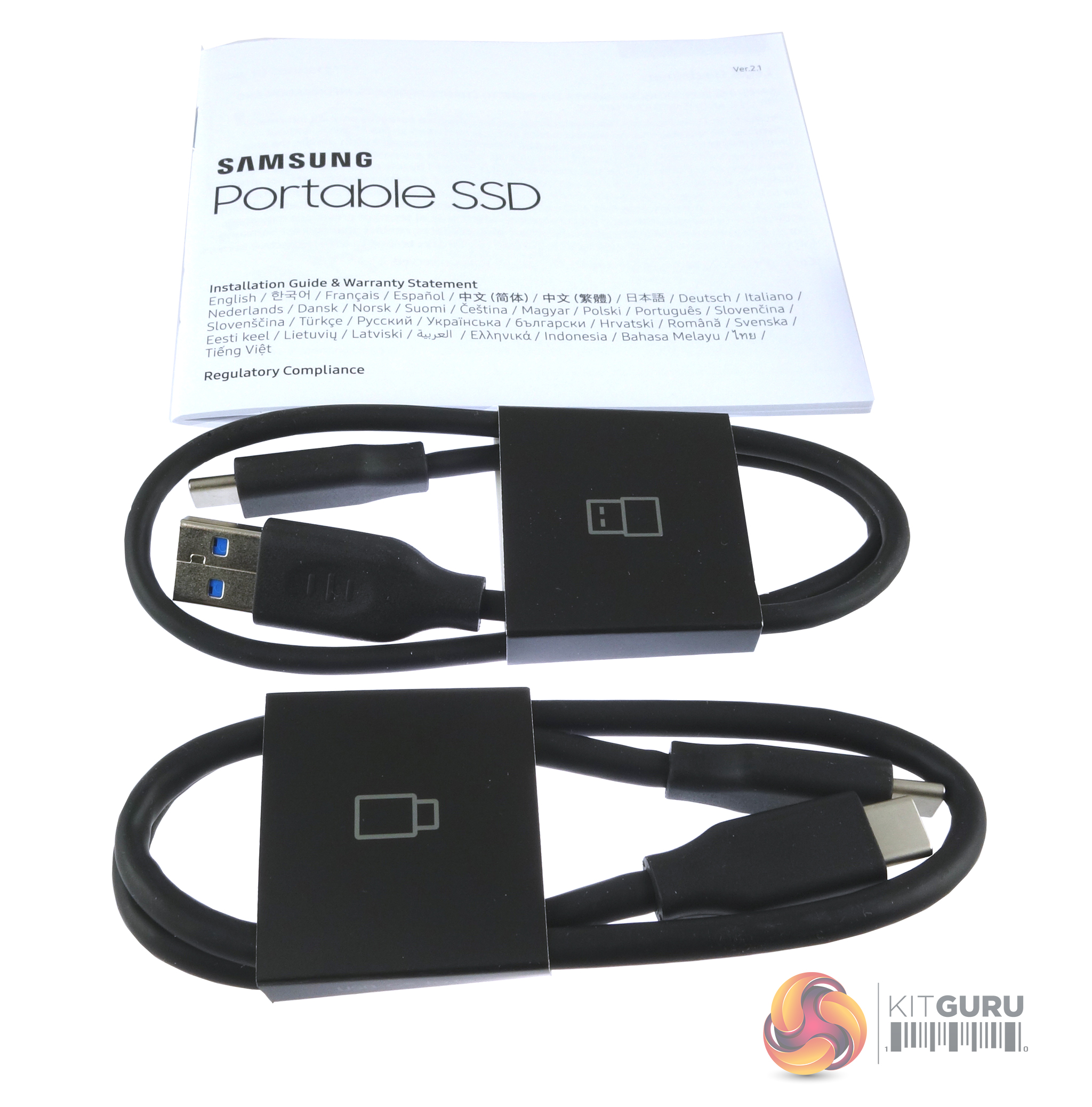
Bundled with the drive are USB 3.2 USB-C to C (USB 3.2 Gen 2 x2) and USB-C to A (USB 3.2 Gen 2 x1) cables. There’s also a quick start guide/warranty booklet.
The T9 is supported by Samsung's Magician SSD utility software and the dedicated Samsung Portable SSD software.
Samsung Magician
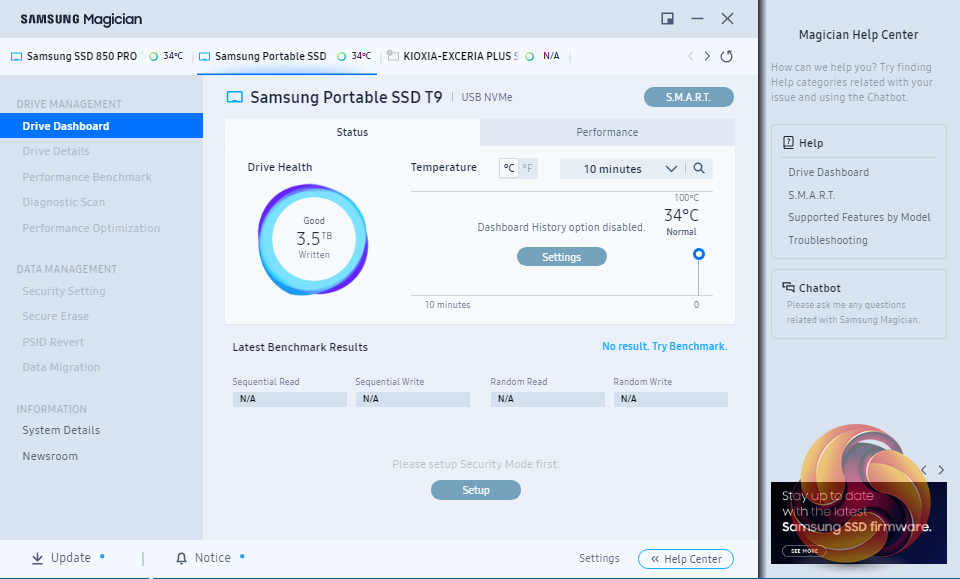
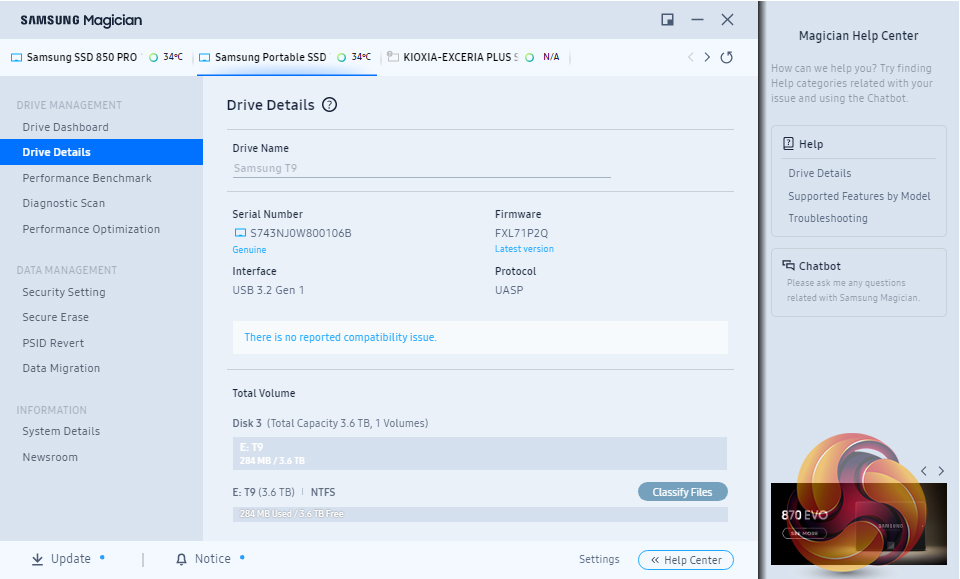
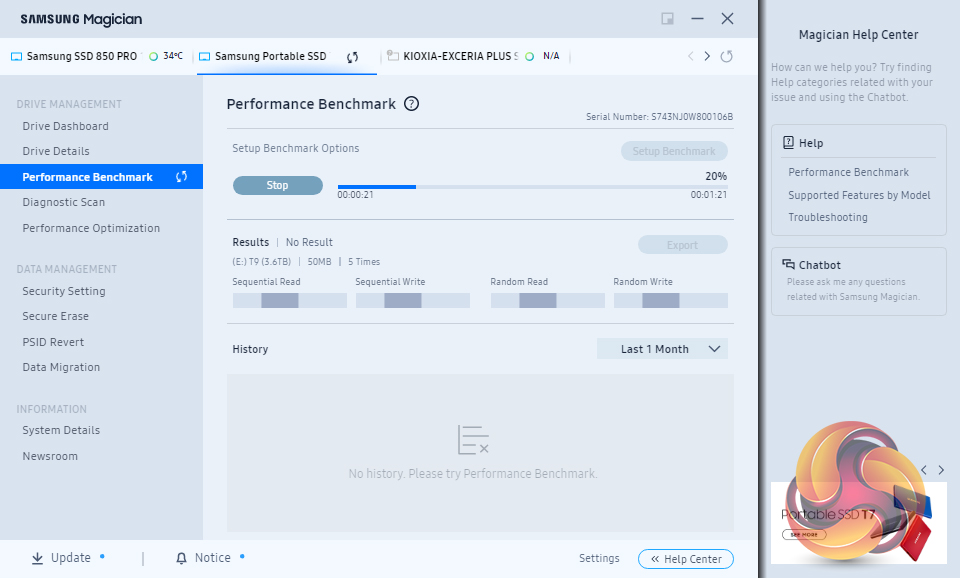
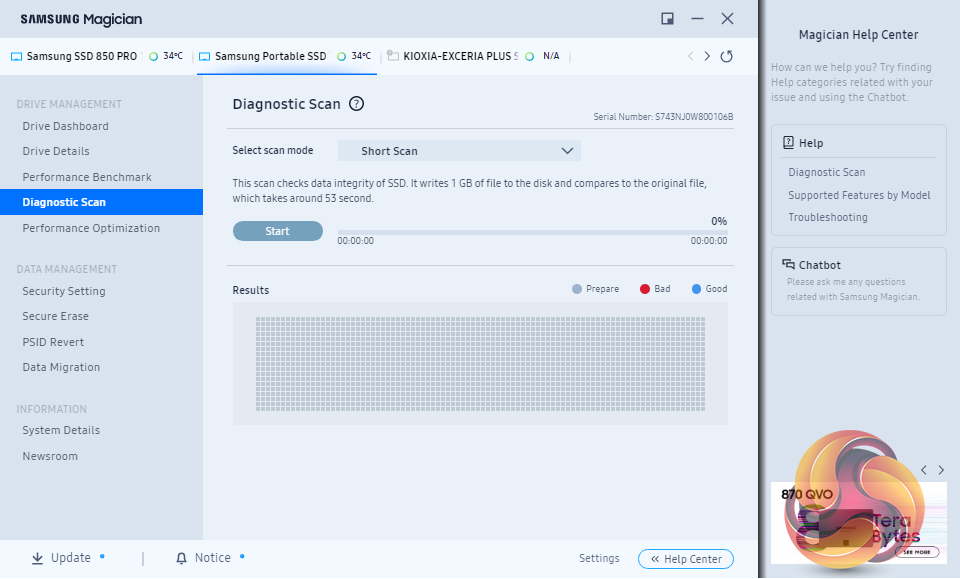
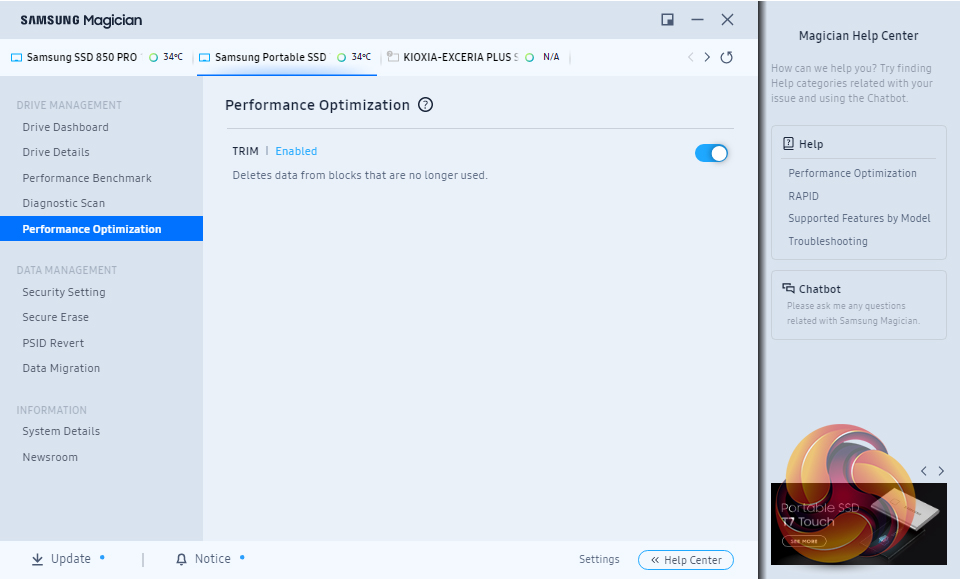
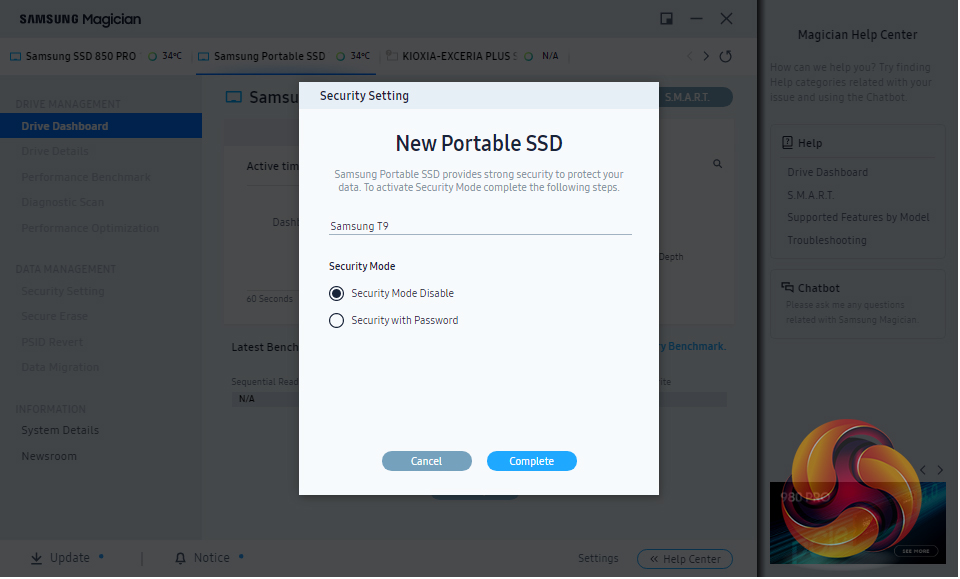
Samsung’s SSD management utility goes by the name of Magician and can be downloaded from Samsung’s website. The latest v8.0 version brings support for the T9. Magician allows you to do most maintenance jobs you may need to do with an SSD and lists them under two headings; Drive Management and Data Management.
Magician 8.0 brings with it some important new features. First up the software now supports Mac and Android as well as Windows but the major change is the software integration. Now all Samsung software including data migration software, PSSD software and card authentication tool, will be integrated into Magician. The system details menu has been given an update to include more details and there are changes to the look and feel of Magician with a choice of Light or Dark modes.
Samsung Portable SSD
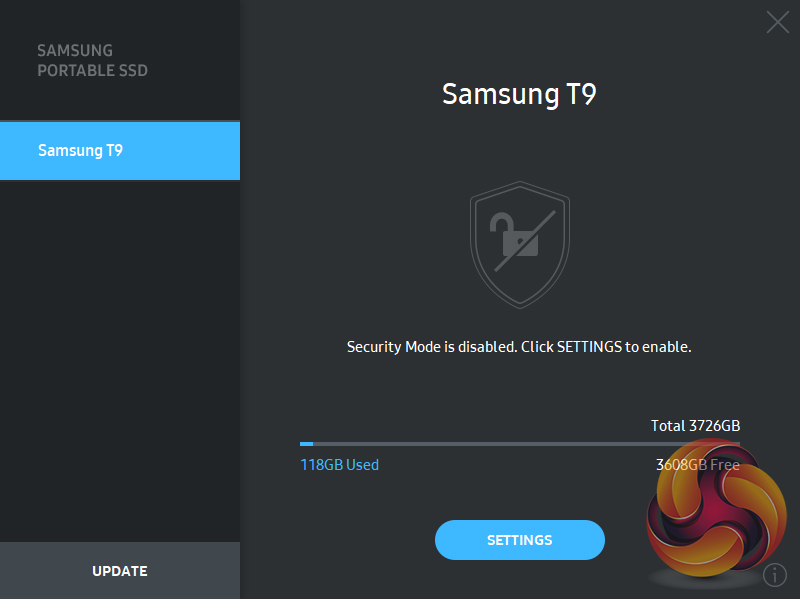
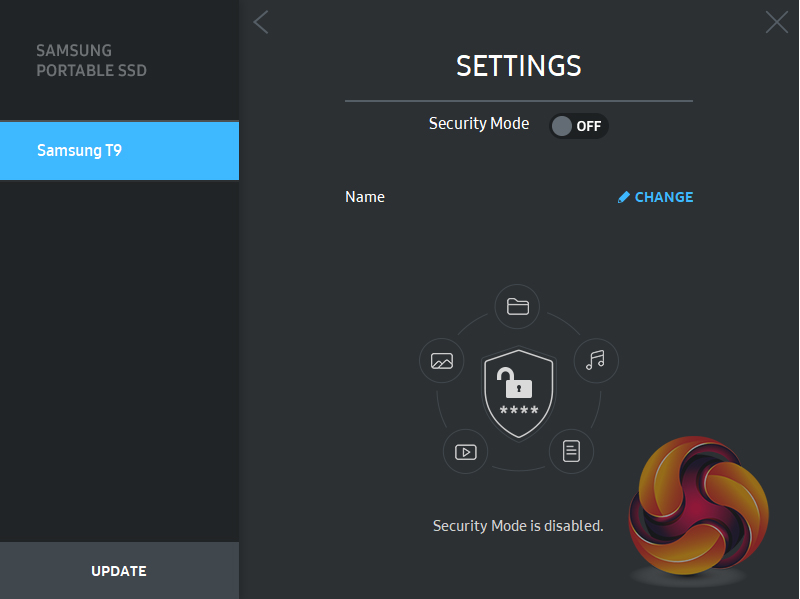
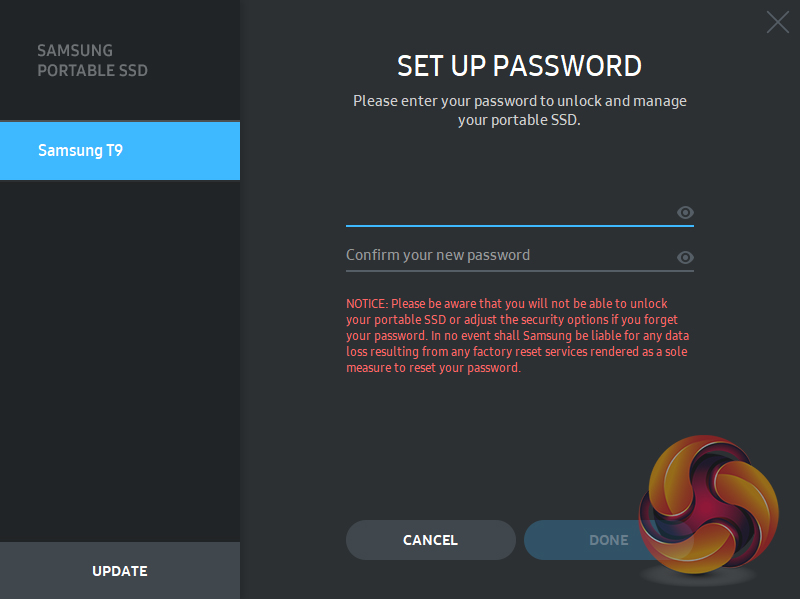
Samsung’s Portable SSD utility simply allows the enabling of encryption protection of the drive. The software is supported by Windows (7 or higher), MAC OS (OS X 10.10 or higher) and Android (Lollipop or higher) devices.
To test the drive we re-formatted it to NTFS so we could run all our benchmarks. To test the drive at its full USB 3.2 Gen2 x 2 speed we used a Gigabyte GC-USB 3.2 GEN2X2 (rev1.1) expansion card. Many thanks to Gigabyte for supplying us with the card.
CrystalDiskMark is a useful benchmark to measure the theoretical performance levels of hard drives and SSDs. We are using V7.
The ATTO Disk Benchmark performance measurement tool is compatible with Microsoft Windows. Measure your storage systems performance with various transfer sizes and test lengths for reads and writes. Several options are available to customize your performance measurement including queue depth, overlapped I/O and even a comparison mode with the option to run continuously. Use ATTO Disk Benchmark to test any manufacturer's RAID controllers, storage controllers, host adapters, hard drives and SSD drives and notice that ATTO products will consistently provide the highest level of performance to your storage.
AS SSD is a great free tool designed just for benching Solid State Drives. It performs an array of sequential read and write tests, as well as random read and write tests with sequential access times over a portion of the drive. AS SSD includes a sub suite of benchmarks with various file pattern algorithms but this is difficult in trying to judge accurate performance figures.
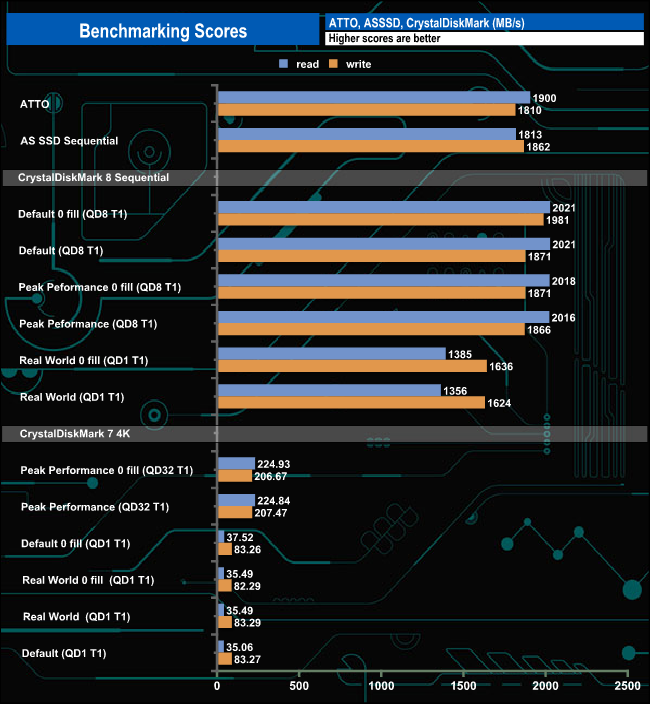
The official quoted transfer rates for the 4TB T9 are up to 2,000MB/s for both reads and writes. When tested with the ATTO and AS SSD benchmarks the review drive fell a little short of both of these maximums producing figures of 1,900MB/s and 1,810MB/s for read and writes respectively under ATTO and 1,813MB/s for reads and 1,862MB/s for writes using AS SSD.
However using CrystalDiskMark default Sequential tests we got a read result of 2,021MB/s, 21MB/s faster than the official figure, while the write result came in at 1,871MB/s, a little short of the official maximum.
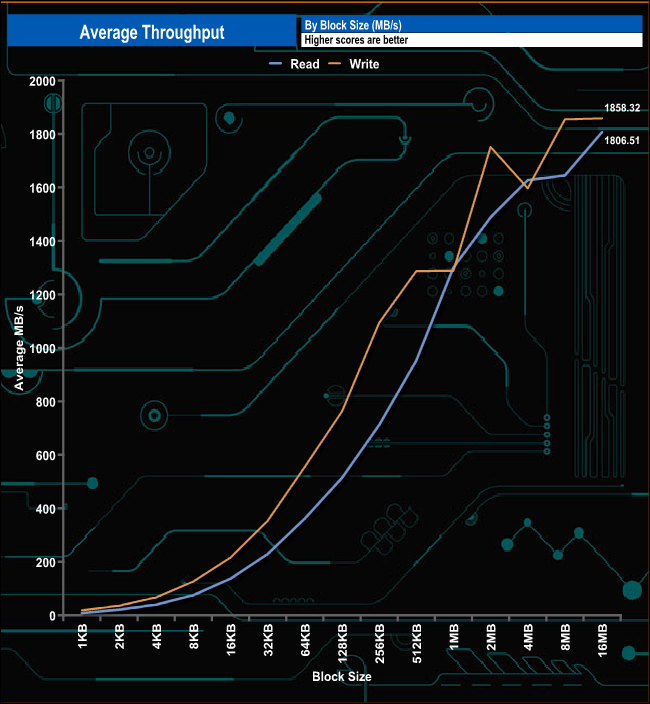
In our throughput tests, both peak average reads and writes performance came at the 16MB block mark with a read result of 1,806.51MB/s with writes a little faster at 1,858.32MB/s.
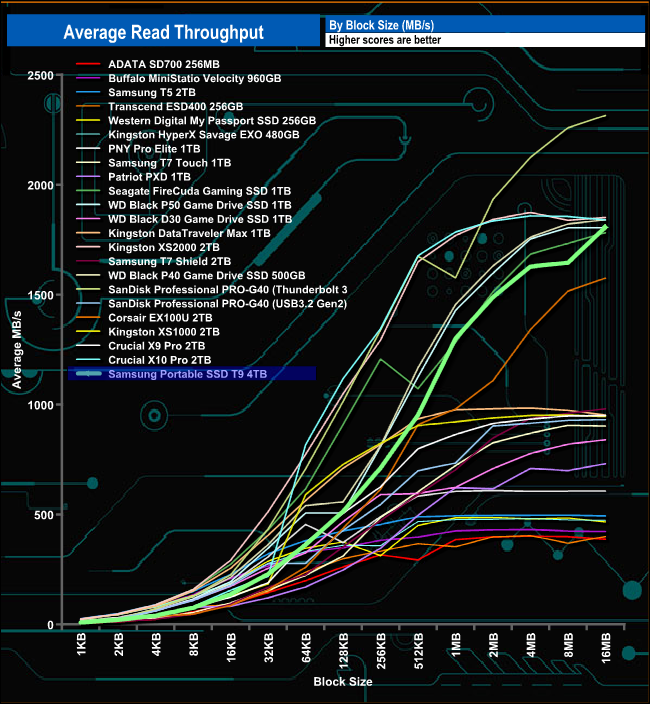
In the read throughput test, the T9 produced its fastest speed at the end of the test with a figure of 1,806.51MB/s, a bit shy of the official maximum of 2,000MB/s.
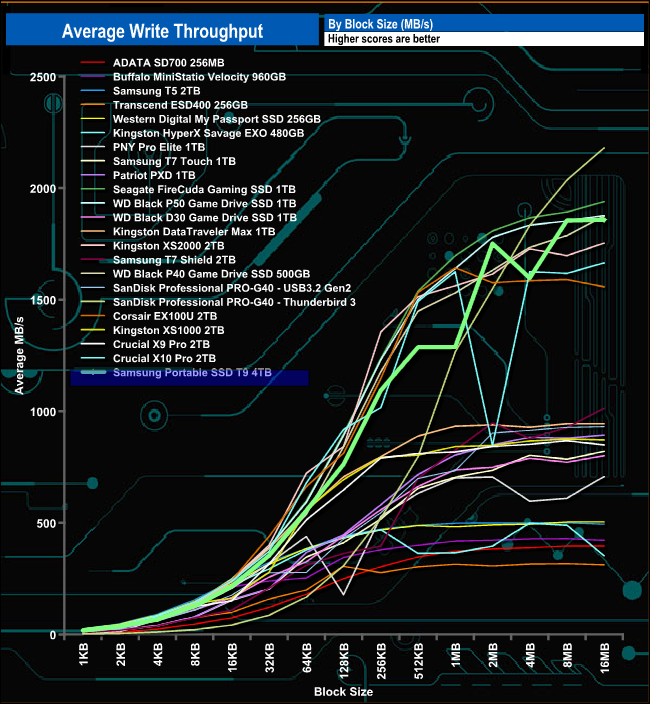
When it came to the write throughput test, just like the read test, the drive was fastest at the end of the test run. The peak figure of 1,858.32MB/s is, like the read result, slower than the official maximum but closer to it than the read end figure.
The PCMark 10 Data Drive Benchmark has been designed to test drives that are used for storing files rather than applications. You can also use this test with NAS drives, USB sticks, memory cards, and other external storage devices.
The Data Drive Benchmark uses 3 traces, running 3 passes with each trace.
Trace 1. Copying 339 JPEG files, 2.37 GB in total, in to the target drive (write test).
Trace 2. Making a copy of the JPEG files (read-write test).
Trace 3. Copying the JPEG files to another drive (read test)
Here we show the total bandwidth performance for each of the individual traces.
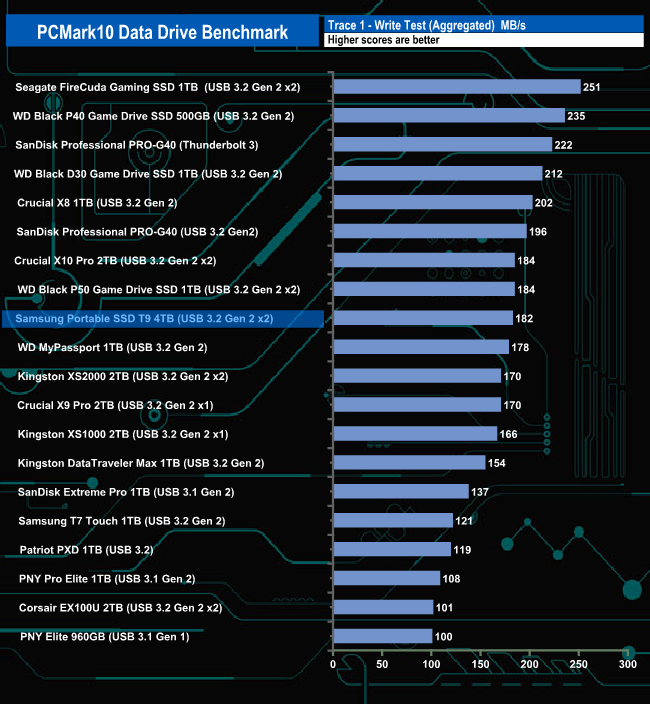
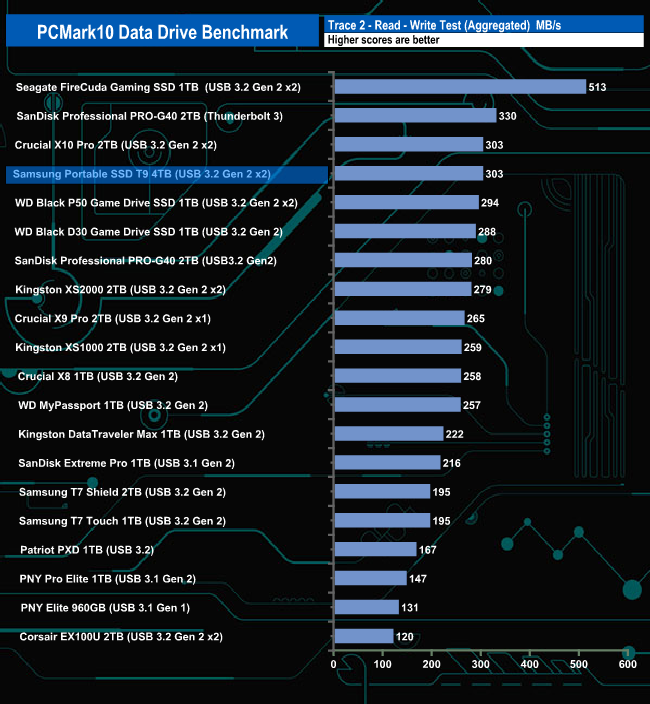
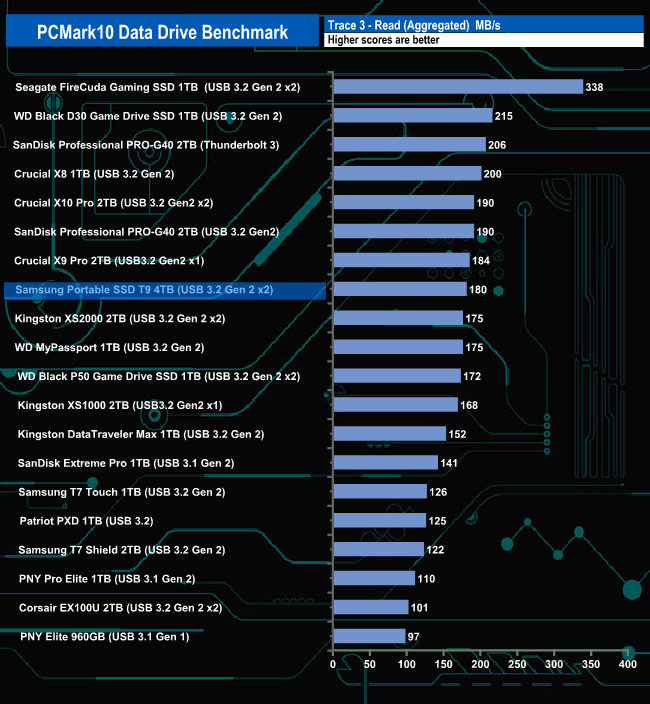
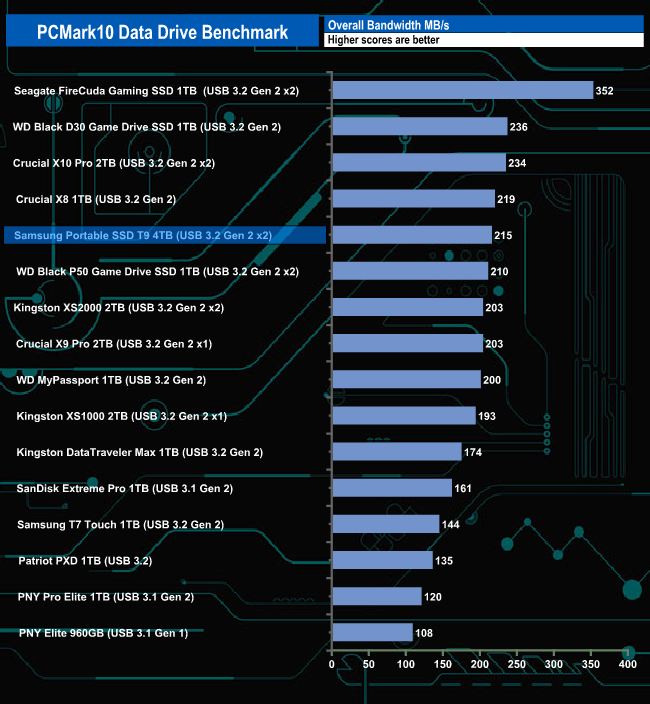
The 4TB T9 handles the PCMark 10 Data Drive Benchmark pretty well. Out of the three tests, the drive does best in the read-write test where it sits in the top 5 of drives tested. It doesn't seem to handle either the read test or the write test anywhere near as well. But even so, it still makes it into the top 5 drives for overall bandwidth.
We also tested the time it took to import and export a mix of files from/to the Samsung T9 into various programs.
The programmes we used were:
Microsoft Office (Word, Excel and PowerPoint).
Adobe Acrobat Reader.
Adobe Photoshop.
VideoPad.
Audacity.
The Witcher – Enhanced Edition.
We also timed moving a Win 10 backup file to and from the drive and launching a game from the T9.
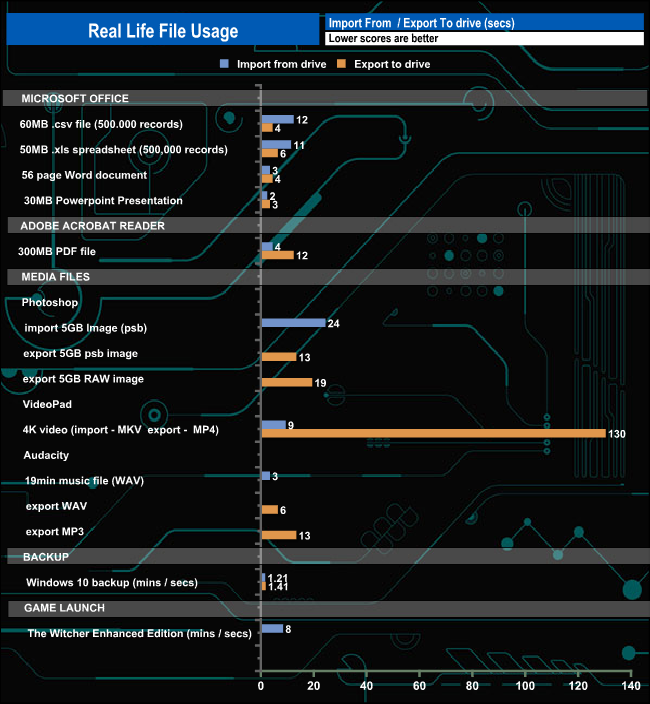
The 4TB Samsung T9 takes 81 secs to write a Windows 10 backup file while launching The Witcher – Enhanced Edition from the drive takes 8 mins from the game's opening sequence to the game start page.
To test the real-life performance of a drive we use a mix of folder/file types and by using the FastCopy utility (which gives a time as well as MB/s result) we record the performance of drive reading from & writing to a 2TB Seagate FireCuda 510.
Transfer Details:
Windows 10 backup – 118GB.
Data file – 100GB.
BluRay Movie – 42GB.
Windows 11 iso – 5.4GB.
File folder – 50GB – 28,523 files.
Steam folder – 222GB (8 games: Alien Isolation, Battlefield 4, BioShock Infinite, Crysis 3, Grand Theft Auto V, Shadow Of Mordor, Skyrim, The Witcher3 Wild Hunt).
Movie demos 8K – 21GB – (11 demos).
Raw Movie Clips 4K – 16GB – (9 MP4V files).
Movie folder – 12GB – 15 files – (8 @ .MKV, 4 @ .MOV, 3 @ MP4).
Photo Folder – 10GB – 304 files – (171 @ .RAW, 105 @ JPG, 21 @ .CR2, 5 @ .DNG).
Audio Folder – 10GB – 1,483 files – (1479 @ MP3, 4 @ .FLAC files).
Single large image – 5GB – 1.5bn pixel photo.
3D Printer File Folder – 4.25GB – (166 files – 105 @ .STL, 38 @ .FBX, 11 @ .blend, 5 @ .lwo, 4 @ .OBJ, 3@ .3ds).
AutoCAD File Folder – 1.5GB (80 files – 60 @ .DWG and 20 @.DXF).
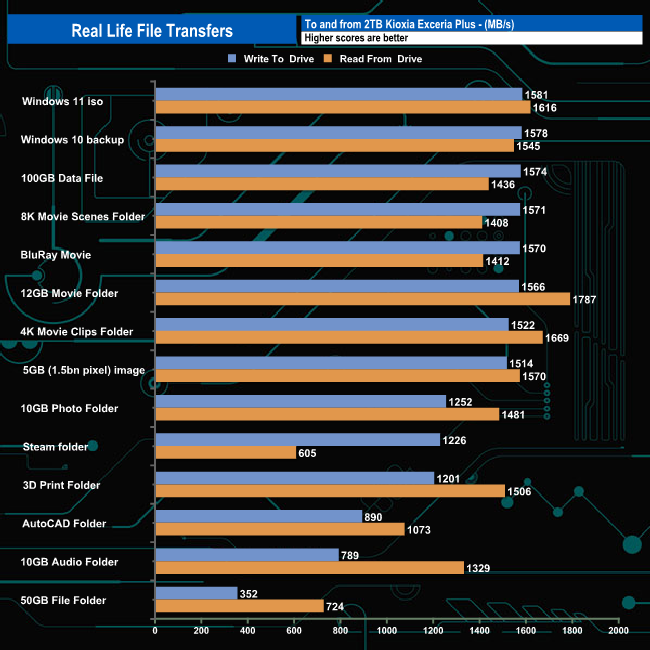
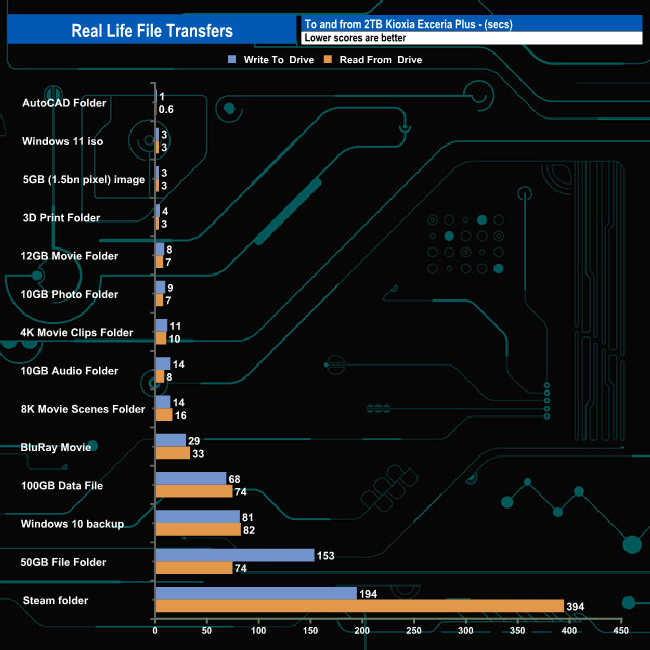
In our real file file transfer tests the T9 averaged 1,299MB/s for writes for the fourteen transfers, the fastest being the 1,581MB/s for the Windows 11 iso transfer. Reads averaged 1,366MB/s, with the 12GB Movie Folder transfer the fastest at 1,787MB/s.
It's been a while since we've seen an external SSD from Samsung. There have been a few different options based on the previous drive, the T7, for example, the T7 Touch (built-in fingerprint recognition) and T7 Shield (added protection) but nothing to improve overall performance.
With the launch of the Portable SSD T9 all that changes as the drive eclipses the T7 in terms of headline speeds. The T7 was rated as up to 1,050MB/s for reads and up to 1,000MB/s for writes. Thanks to its USB 3.2 Gen 2 x2 (20Gbps) interface the T9 is almost twice as fast for reads and twice as fast when it comes to writes as the T7.
The Portable SSD T9 range is made of three capacities; 1TB, 2TB and the 4TB flagship drive. All three drives are officially rated as up to 2,000MB/s for reads. The 1TB and 2TB drives get a write rating of up to 1,950MB/s while the 4TB drive is rated as up to 2,000MB/s.
The official quoted transfer rates for the 4TB T9 are up to 2,000MB/s for both reads and writes. When tested with the ATTO benchmark, the review drive fell a little short of both of these maximums with a read figure at 1,900MB/s and writes at 1,810MB/s. Using CrystalDiskMark 8 default tests we could confirm the official read performance ratings with a Sequential read test result of 2,021MB/s but writes at 1,871MB/s, came up a little short of the official maximum.
The T9 uses Samsung's TurboWrite technology. This technology creates a high-performance write buffer that simulates SLC NAND. Data is written to this buffer at accelerated speeds and when the drive is idle the data is moved from the buffer to the primary storage area. The 4TB drive has a 180GB buffer.
The UK price for the 4TB version of the T9 is £362.79 (inc VAT).
Discuss on our Facebook page HERE.
Pros
- Overall performance.
- Design.
- Capacity.
Cons
- Needs a USB 3.2 Gen 2 x2 interface to get the best out of it.
KitGuru says: Samsung's T7 was getting a little long in the tooth, and even with the refreshed versions of it, the speeds were still stuck at USB 3.2 Gen 2 x1 (10Gbps). The T9 ups the ante with its USB 3.2 Gen 2 x2 (20Gbps) interface bringing twice the performance of the T7 to the market.