 KitGuru KitGuru.net – Tech News | Hardware News | Hardware Reviews | IOS | Mobile | Gaming | Graphics Cards


MSI's mid-range Z97 motherboard is the first to market with on-board USB 3.1 in the connection's Type-C form. With the port providing transfer rates of up to 10Gbps and support for new reversible USB Type-C devices, can MSI's Z97A Gaming 6 prove itself as a good option for users wanting maximum future-proofing of their system?
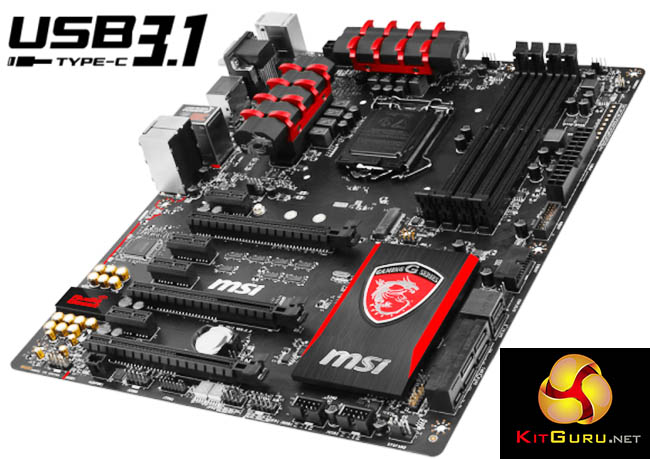
While the main feature of MSI's Z97A Gaming 6 is undoubtedly its USB 3.1 Type-C connector, there are plenty of other features that will appeal to gamers and general users. Support for up to two-card SLI and three-card CrossFire is present, as is an enhanced audio solution built around the Realtek ALC 1150 codec. Killer's E2200 series NIC and its accompanying Network Manager software also make an appearance on the board.
Outfitted in MSI's typical Gaming series style, and with updated support for the recently released Broadwell processors, how will the Z97A Gaming 6 fare in our testing?
Features:
- Supports 4th and 5th Gen Intel® Core™ / Pentium® / Celeron® processors for LGA 1150 socket
- Supports DDR3-3300(OC) Memory
-
USB 3.1: Delivering speeds up to 10Gb/s, USB 3.1 offers performance twice as fast as a regular USB 3.0 connection
- M.2 + USB 3.1 + SATA Express + SATA 6 Gb/s
- Audio Boost 2: Reward Your Ears with True Quality
- Killer Ethernet: Kill Your Lag
- USB Audio Power: Serve Stable 5V Power & Better Signal Transmission over USB
- XSplit Gamecaster V2:Show off Your Skills and Achievements
- OC Genie 4: Overclock in 1 Second
- Click BIOS 4: Easily Fine-tune Your System
- Sound Blaster Cinema 2: Realistic Surround Sound Experience
- Gaming Device Port: Optimized with Triple Gold-plating for High Polling Rate Gaming Devices
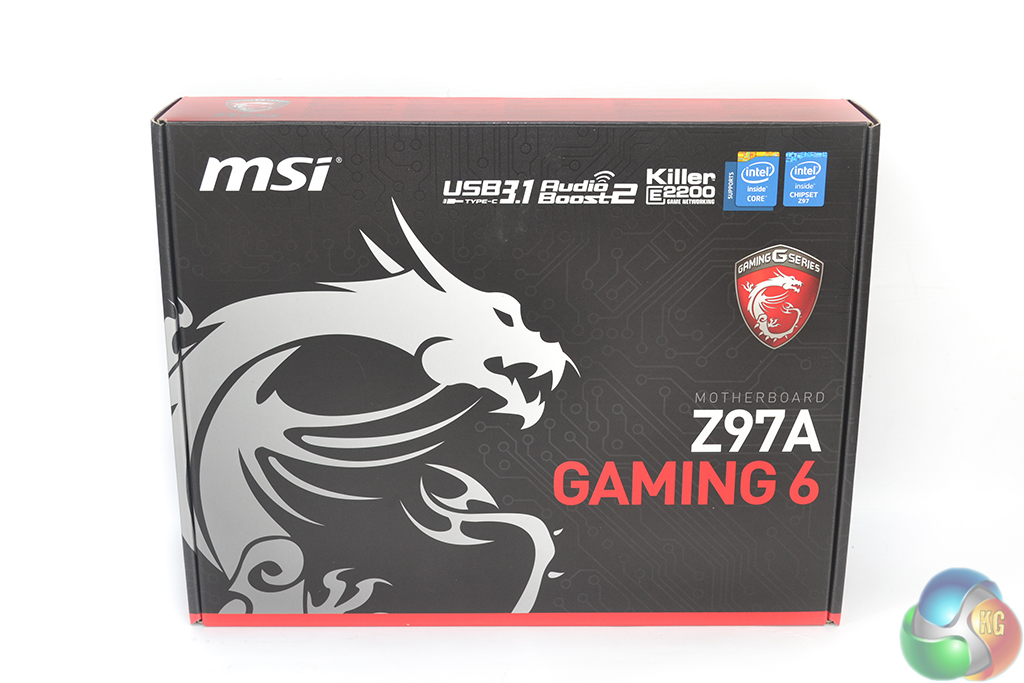
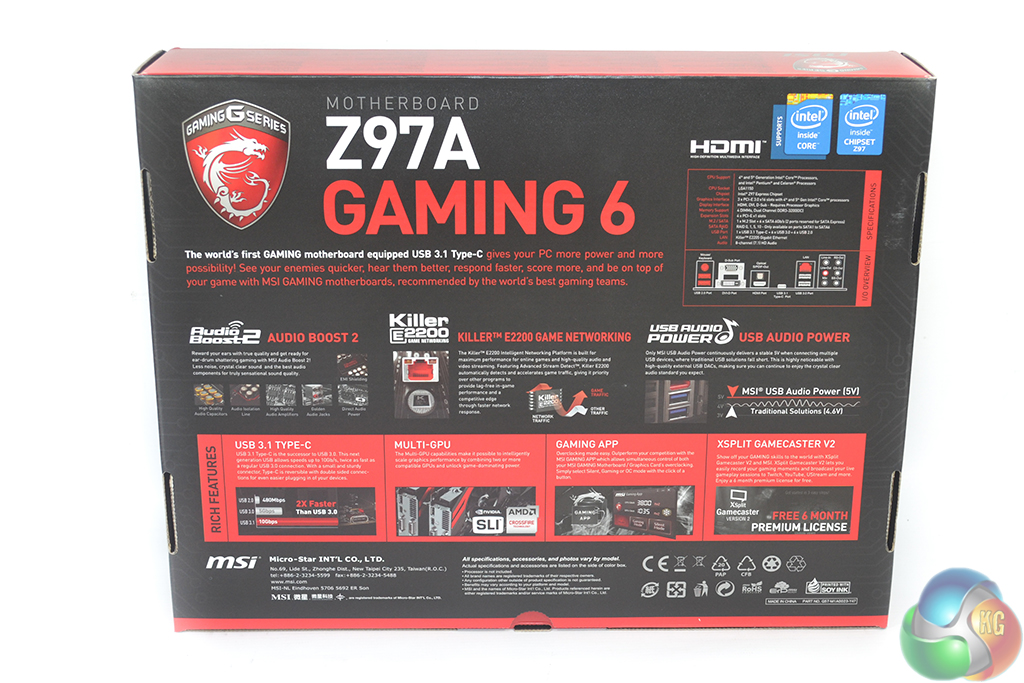
MSI ships the Z97A Gaming 6 in packaging which is typical for its Gaming motherboards. The well-known dragon and some key features are outlined on the front side, while detailed specifications are shown on the rear.
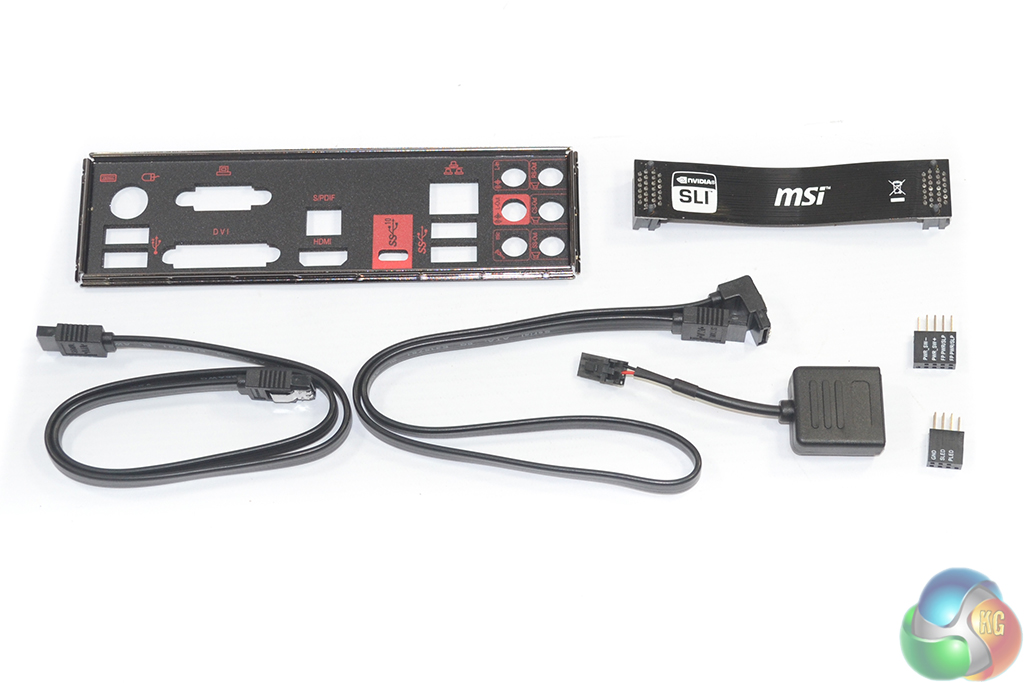
The bundle consists of:
- 2x SATA cables.
- Rear IO shield.
- Black SLI ribbon.
- M-connectors (USB 2.0 and front panel connections).
- Audio power adapter.
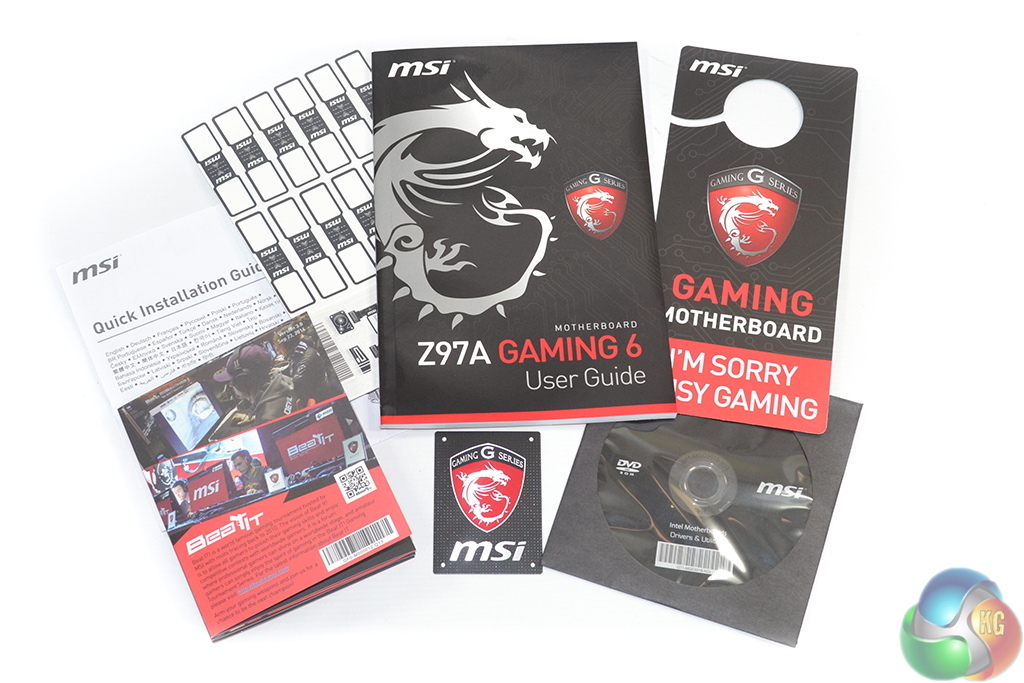
MSI includes more than the standard affair of documentation, stickers, and driver CD. There is also a comical door hanger and labels for cables inside your chassis (which are especially convenient if you ever have to remove drives).

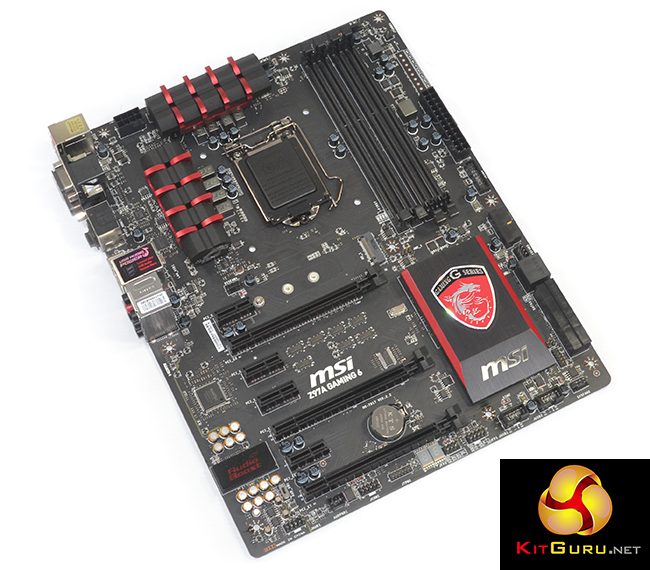
MSI colours the Z97A Gaming 6 in the company’s typical red and black colour scheme that is associated with its Gaming series parts.
Slight touches of red are highlighted on the heatsinks, while the rest of the board primarily consists of a matte black.
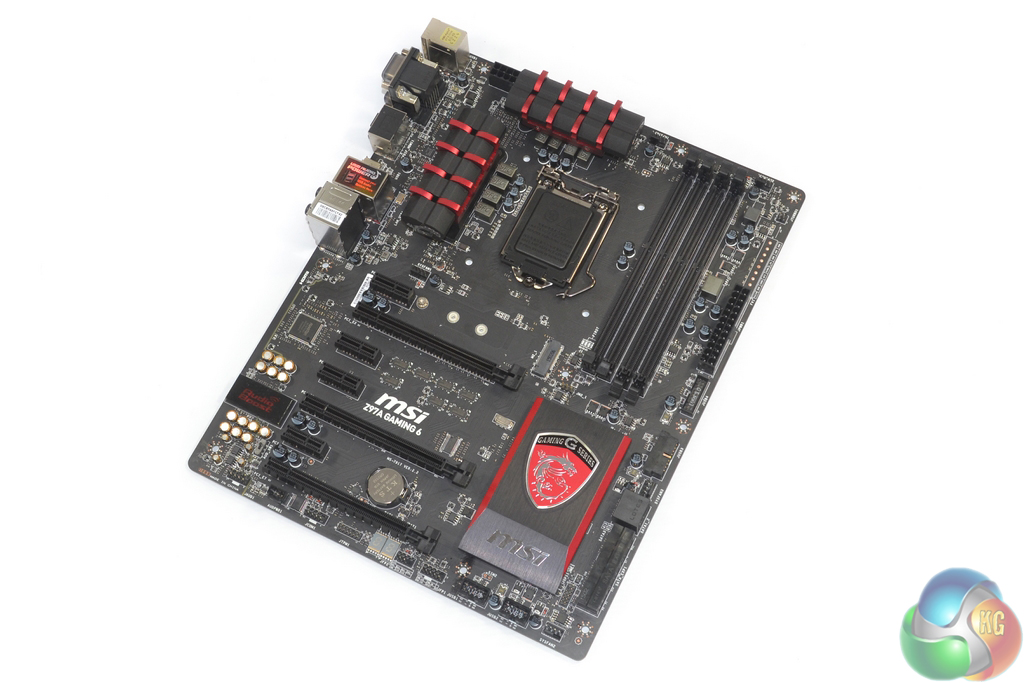
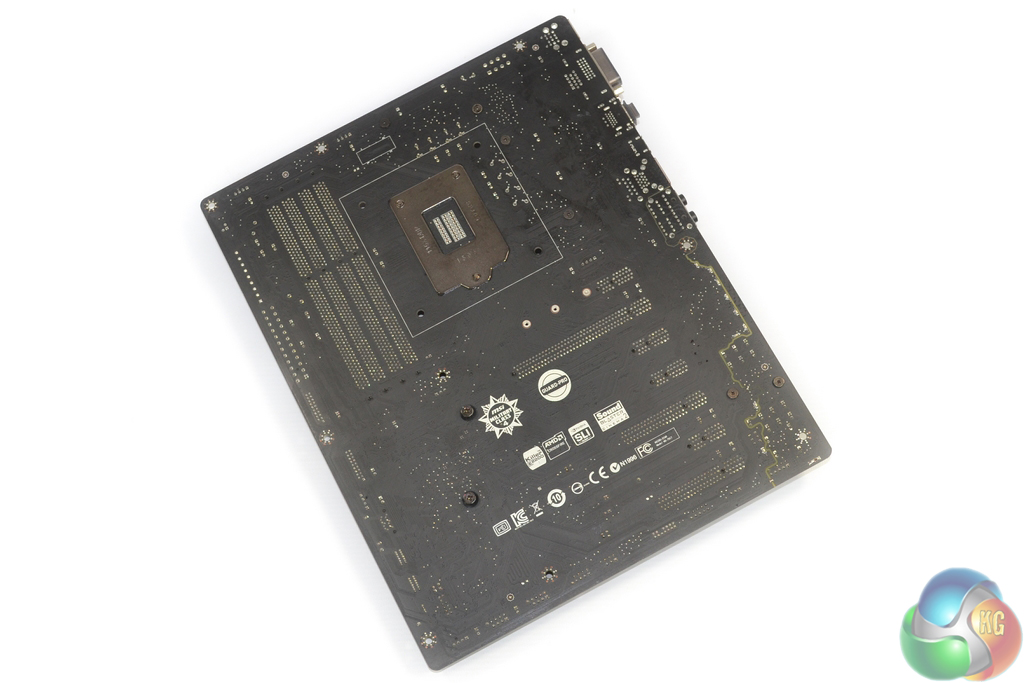
The Z97A Gaming 6 conforms to the standard ATX form factor meaning that chassis compatibility is widespread. The matte black PCB spans the front and rear side of the board, which is good to see.

An eight-phase power delivery system feeds the LGA 1150 CPU. Both of the cooling heatsinks are designed more for appearance rather than cooling function, although that shouldn’t be an issue as the VRM requirements set forth by an LGA 1150 are relatively forgiving.
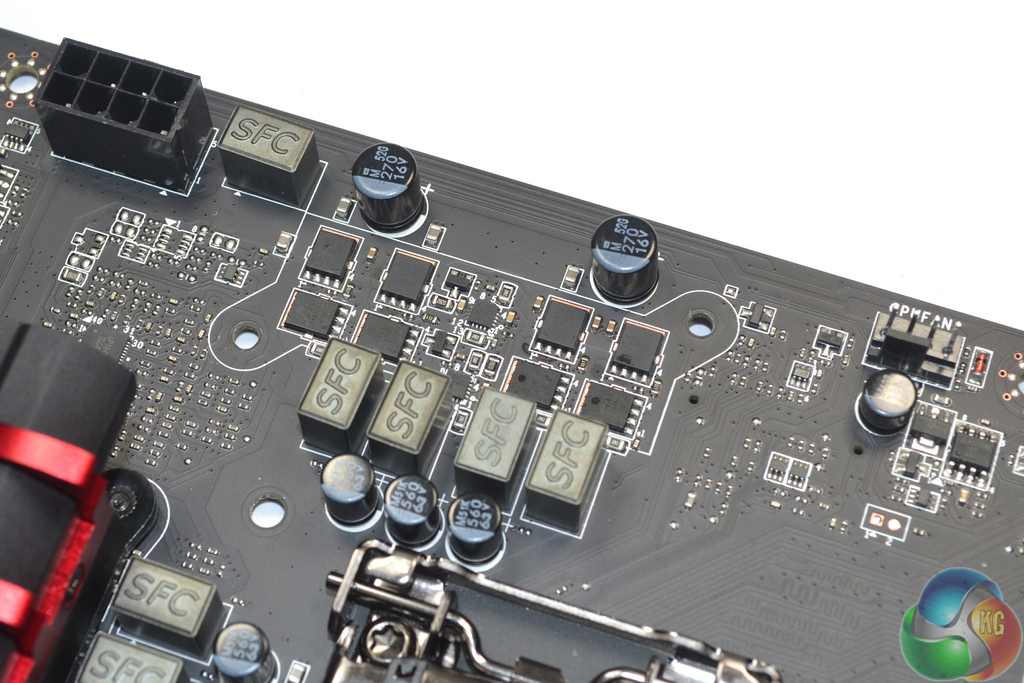
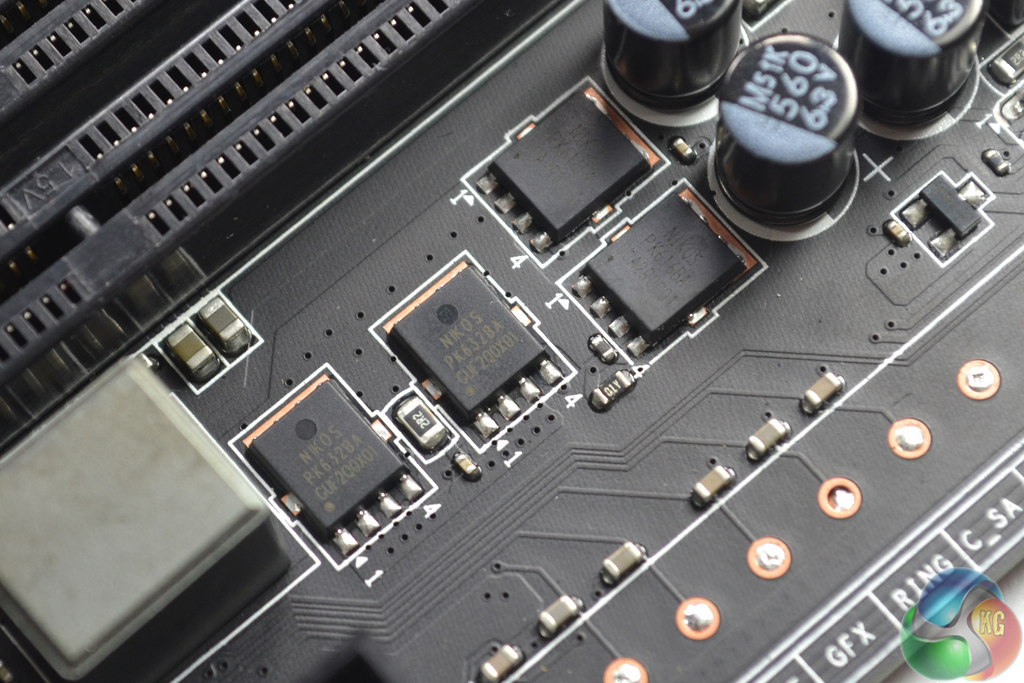
MSI uses a simplistic VRM which consists of eight Nikos PK632BA and eight Nikos PK616BA components for the high and low side MOSFETs. A further two of each of the MOSFETs are used for system and memory duties.
A UPI uP1649Q controller manages the power delivery system with assistance from four UPI uP1951P dual driver ICs. This indicates that the system is actually a true four-phase design with a further four duplicated phases.
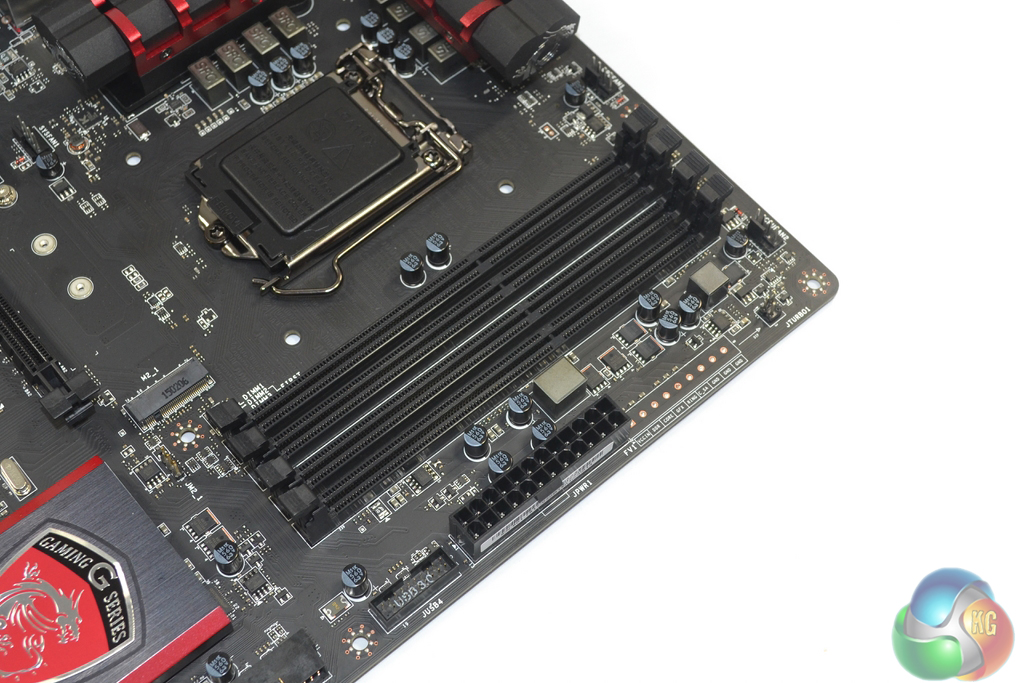
Up to 32GB of DDR3 memory can be installed in the four DIMM slots, with MSI stating frequency support for 3300MHz speeds.
In close proximity to the DIMM slots are the 24-pin power connector and one of two USB 3.0 headers in an outwards-facing orientation. A strip of voltage measuring points may be useful for overclocking or troubleshooting measures.

All six of the SATA 6Gbps ports originate from the Z97 chipset. Two of the ports combine to form the single 10Gbps SATA-Express connection (that shares bandwidth with the board’s M.2 slot).
The second USB 3.0 header is mounted in a right-angled orientation that is good for cable management proficiency and possibly negative for users with a narrow chassis. Both USB 3.0 headers feed ports from the Z97 chipset.
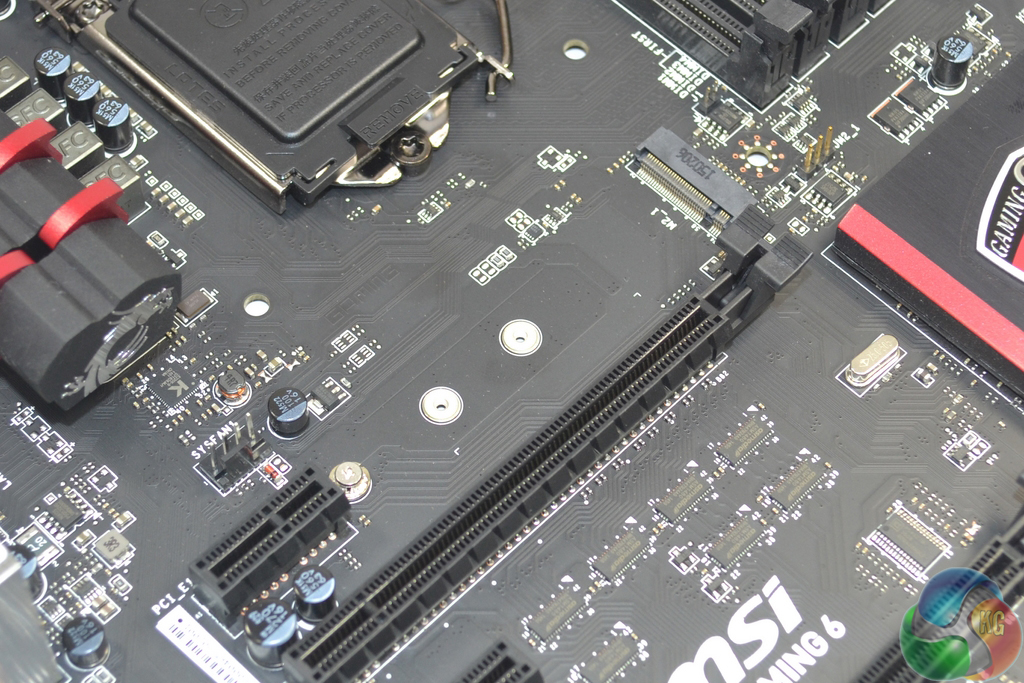
Support for up to 10Gbps transfer rates is outfitted with the M.2 connector. M.2 SATA drives are also supported.
While it would have been pleasant to see support for the higher-speed M.2 devices that are capturing the market by storm (Samsung’s SM951, for example), there’s very little flexibility in the bandwidth-constricted Z97 platform. That’s especially true when a PCIe 2.0 x2 USB 3.1 controller is on the board.
With Skylake and Z170 supposedly just around the corner and the promise of increased PCIe connectivity they bring, some users may be quick to question the logic of buying a Z97 motherboard at this point in time. While that's a perfectly reasonable issue to raise, some builders simply cannot wait before building their system, be it impatience or genuine needs such as broken hardware, or deadlines to meet.
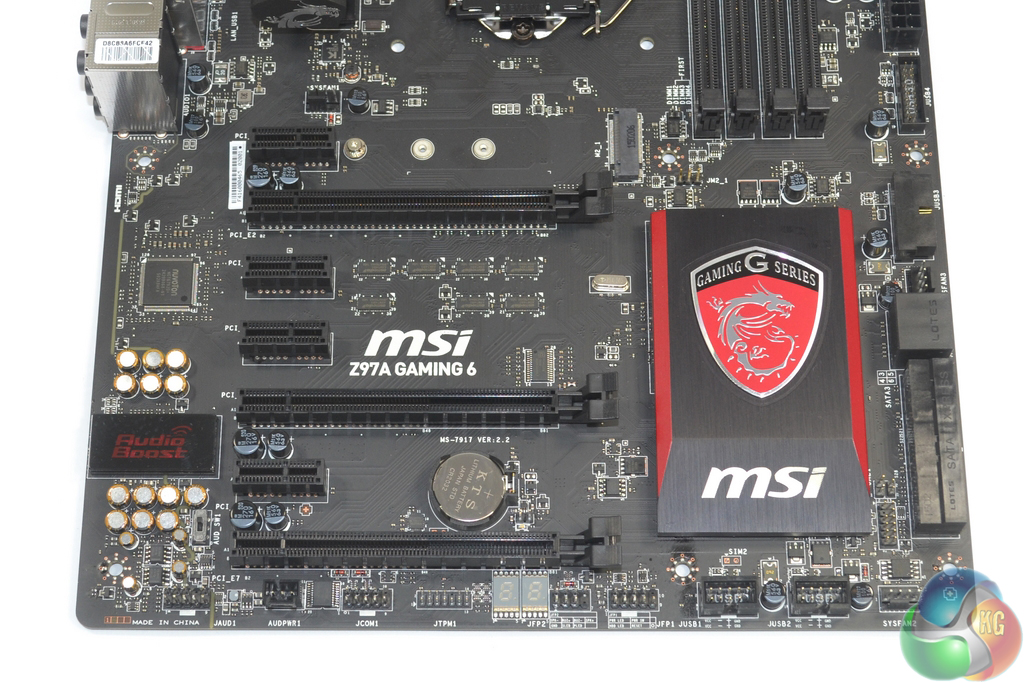
Up to 2-way SLI and 3-way CrossFire is supported by the Z97A Gaming 6. Slot spacing is smart for a Z97 motherboard, with MSI leaving a cooling gap between boards in a dual-card configuration.
The bottom full-length PCIe slot can operate at PCIe 3.0 x4 bandwidth, so it may be useful to those who want high-speed storage over the PCIe interface. That would, however, force a reduction in the bandwidth fed to a GPU.
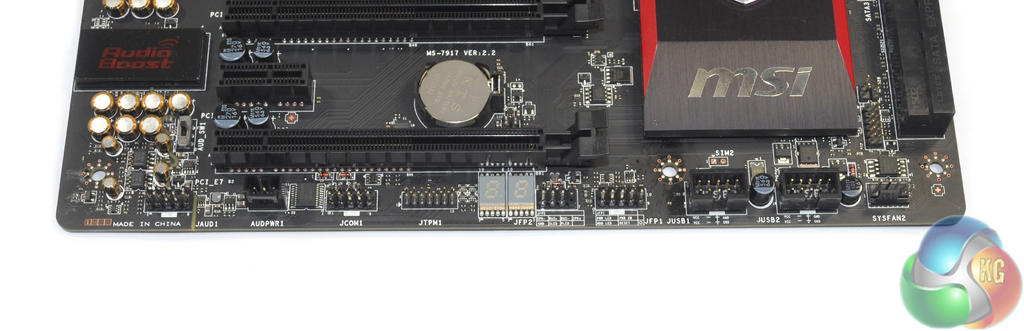
The usual affair of front panel headers and positioning is present. MSI also adds a header which can be used to boost the power delivery to the motherboard’s audio system. A debug LED is a pleasant addition for a mid-range Z97 motherboard.
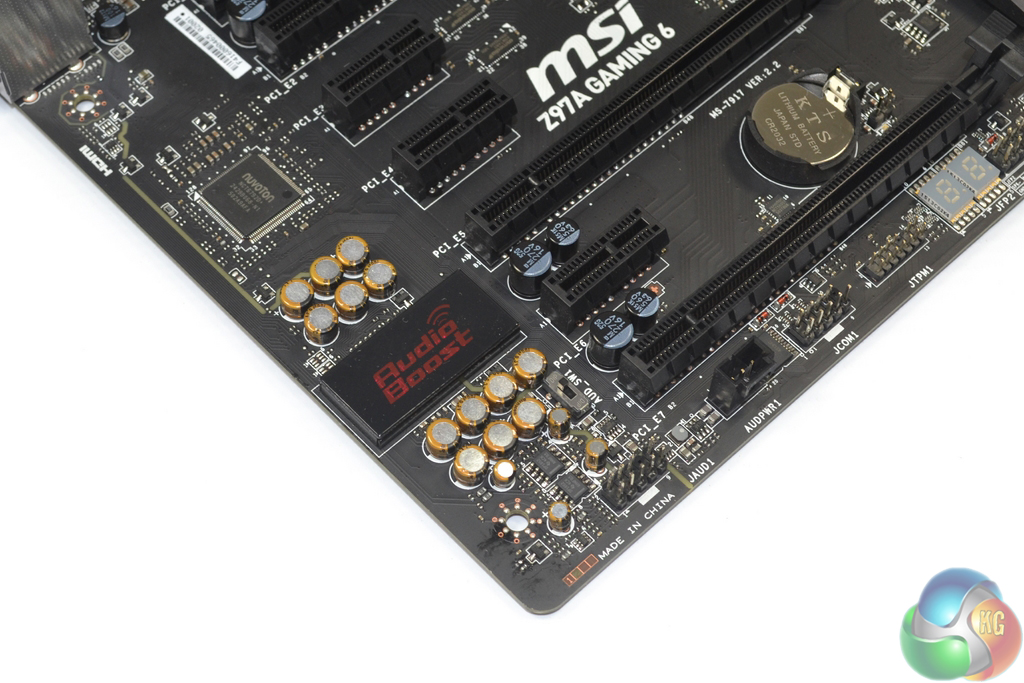
At the heart of MSI’s Audio Boost 2 system is the Realtek ALC 1150 codec. Accompanying the widely-used codec is a pair of Texas Instruments OPA1652 op-amps and Nichicon capacitors.
A segregated PCB path and EMI shielding for the codec are used to minimise signal interference.
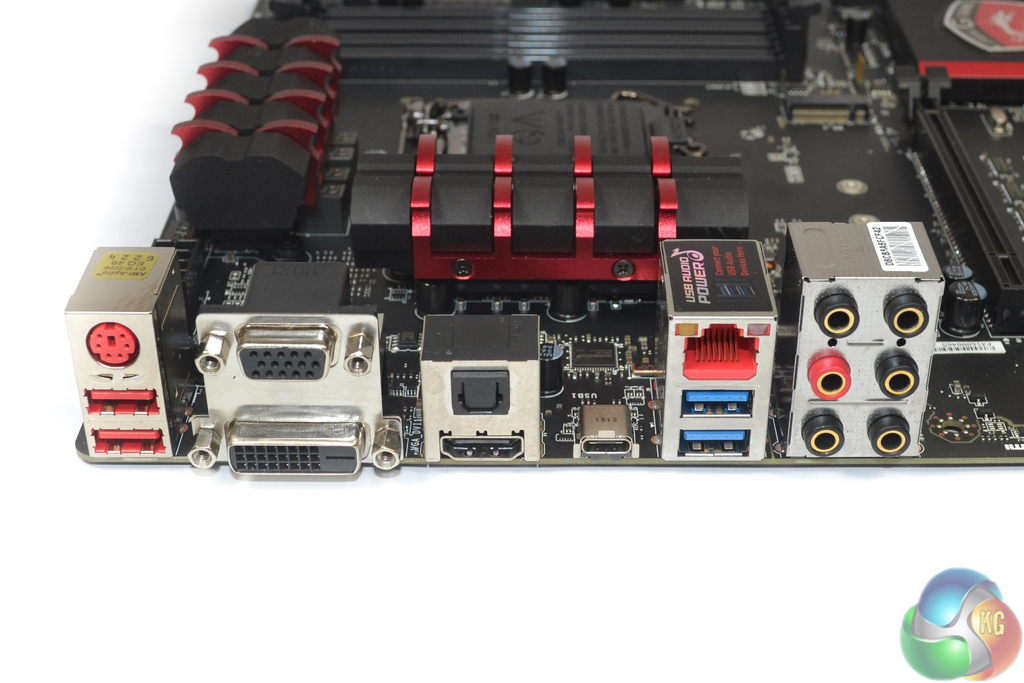
Arguably this motherboard’s main selling point is the USB 3.1 Type-C connection provided by a PCIe 2.0 x2 ASMedia ASM1142 chipset. The Type-C connector looks to be the future of USB, although MSI’s implementation on this motherboard focuses solely on the form factor and transfer rates, rather than enhanced power delivery and DisplayPort functionality.
Ethernet is provided by a Killer E2205 NIC which continues to prove popular thanks to the company’s Network Manager software. According to MSI, the red USB 2.0 and PS/2 Gaming Device Ports are optimised for high polling rate peripherals.
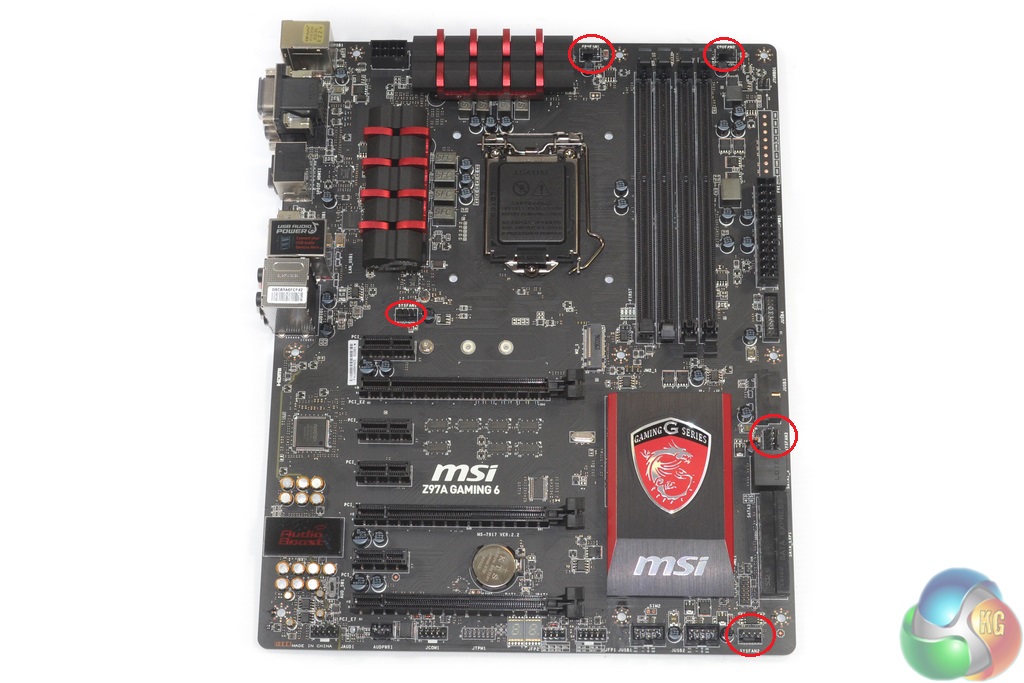
Distribution of the motherboard’s five fan headers is smart. Three of the headers are within reach of the CPU socket and the other two are well-positioned for serving front or side panel chassis fans.
Monitoring and fan control management is handled by the Nuvoton NCT6792D+ chipset.
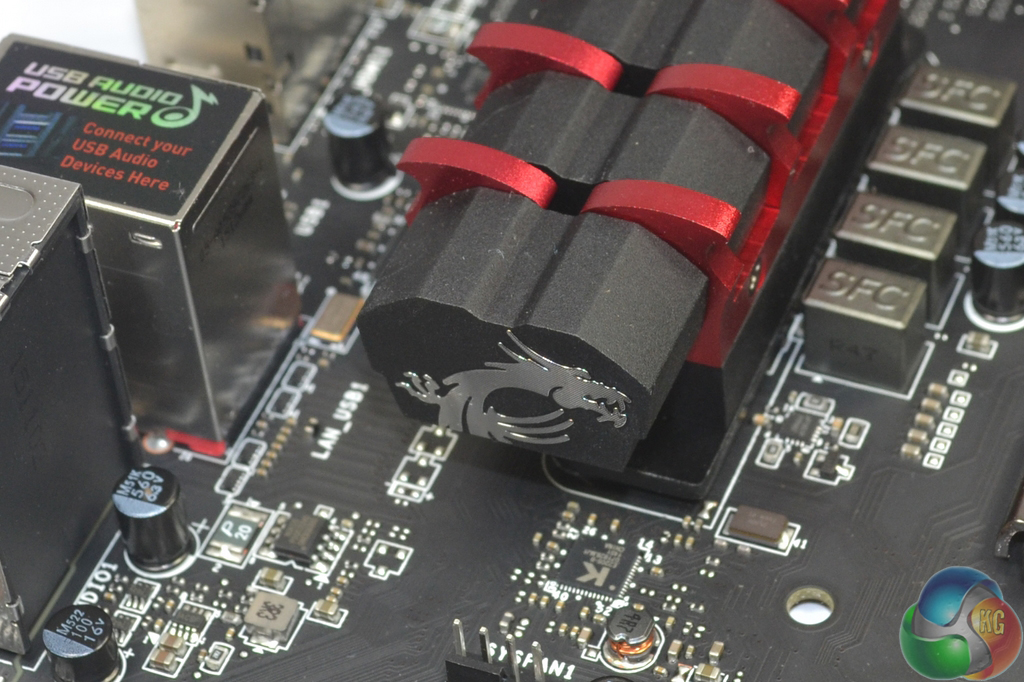
While MSI’s heatsinks are clearly designed for aesthetics over function, they deliver on their appearance targets.
Firstly, we are pleased to report that our NZXT Avatar S mouse worked to its usual standard in the MSI Z97 Gaming UEFI. MSI uses an identical UEFI for all of its Z97 Gaming series parts.
Note: Screenshots for MSI's Z97 Gaming UEFI are taken from our Z97 Gaming 5 motherboard review.
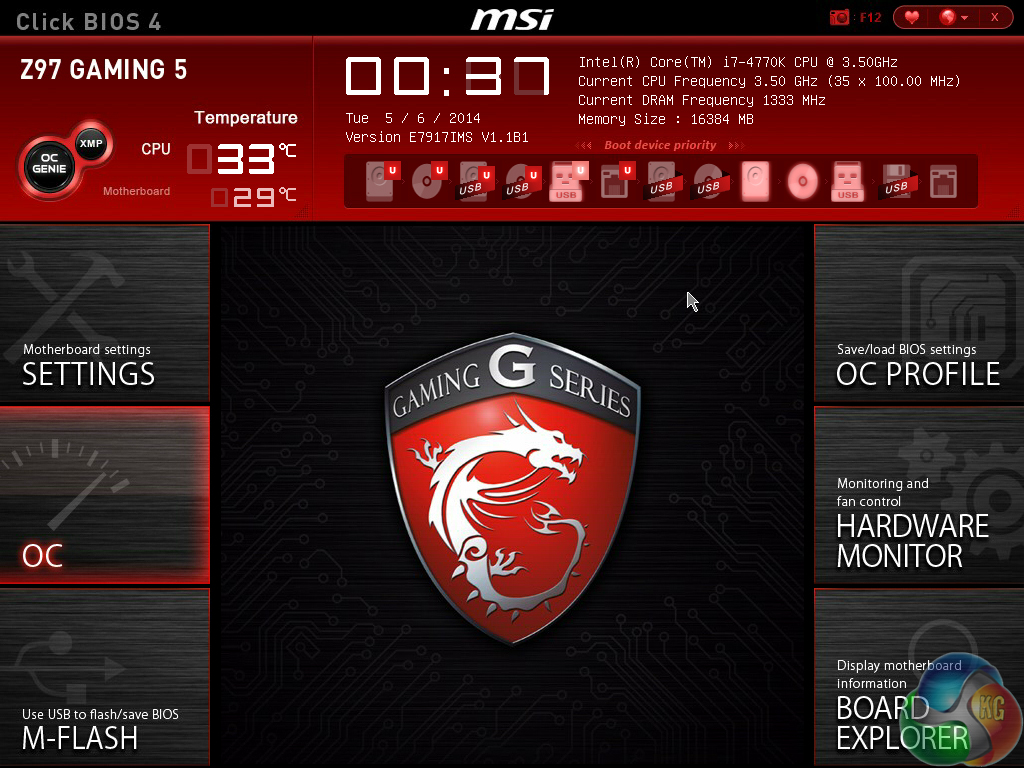
MSI's UEFI is formed of six key sections, all of which are listed on the frame's left and right sides. Basic system information is constantly displayed at the top of the screen.
Boot device priority can be quickly adjusted by dragging the relevant drive into its start-up position. The same easy application is true for OC Genie and XMP modes – simply click the relevant buttons in the frame's top-left corner.
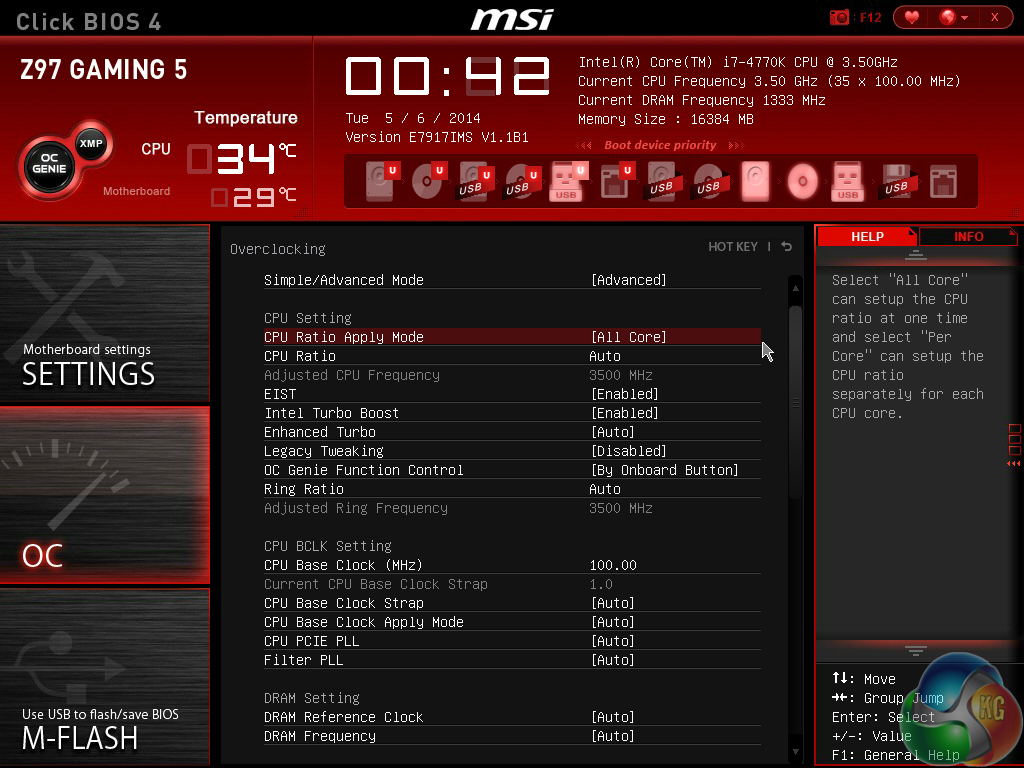
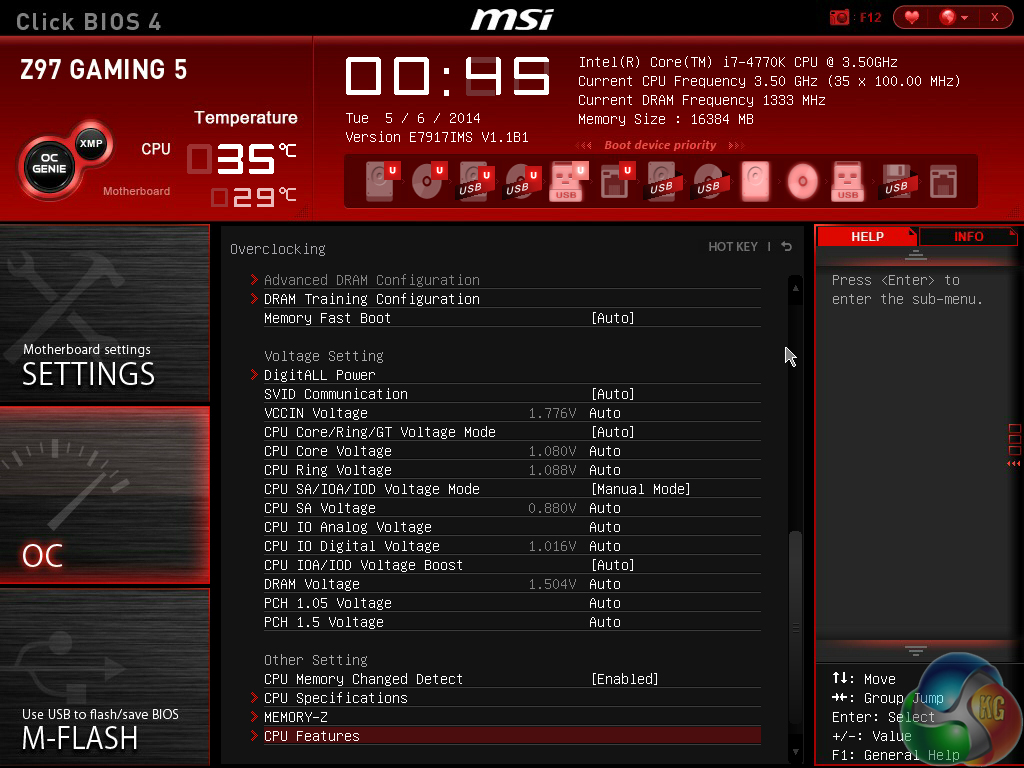
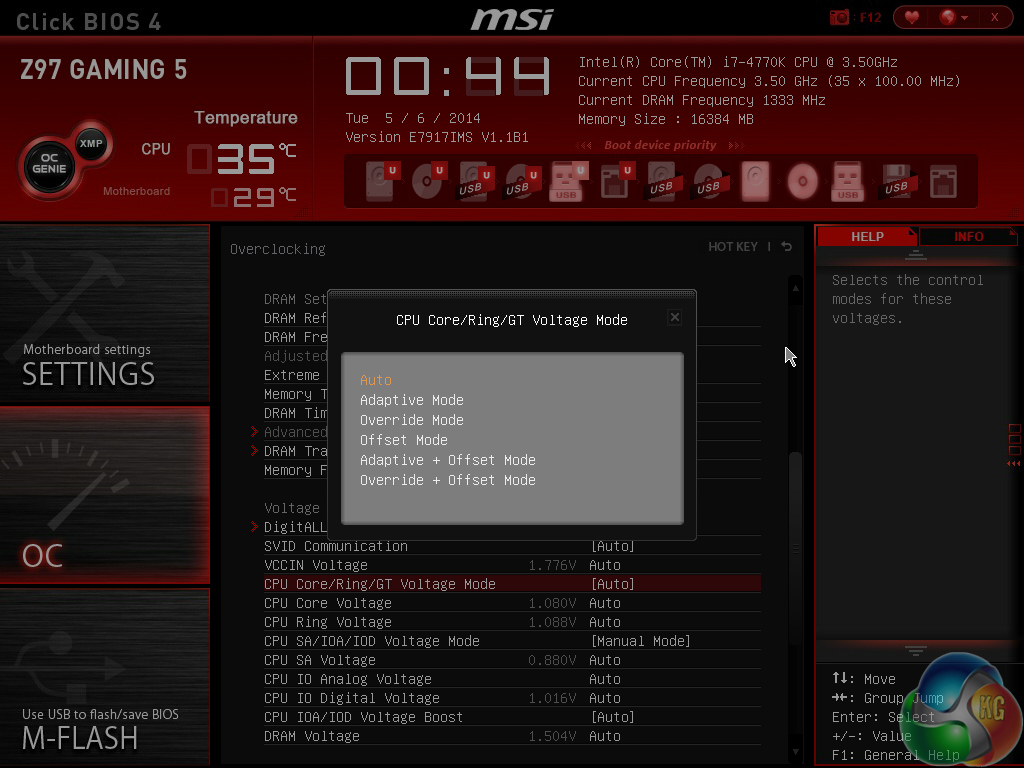
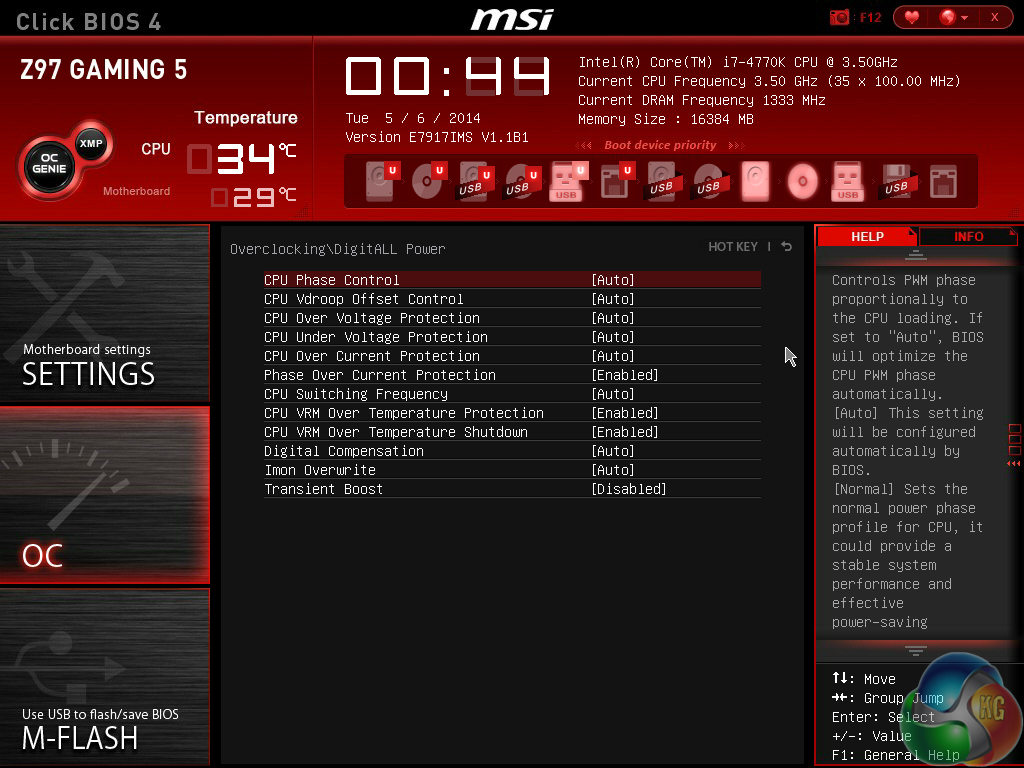
In the Advanced mode, MSI provides plenty of adjustable voltage, frequency, and power settings which give users a good degree of control over their system. The Simple mode features fewer adjustable parameters and is better suited to practising overclockers.
MSI has applied some subtle tweaks over its Z87 iteration of Click BIOS 4, but the layout would still benefit from a clean-up. A number of readouts are still mixed together with input parameters which makes the interface seem more disordered than it actually is.
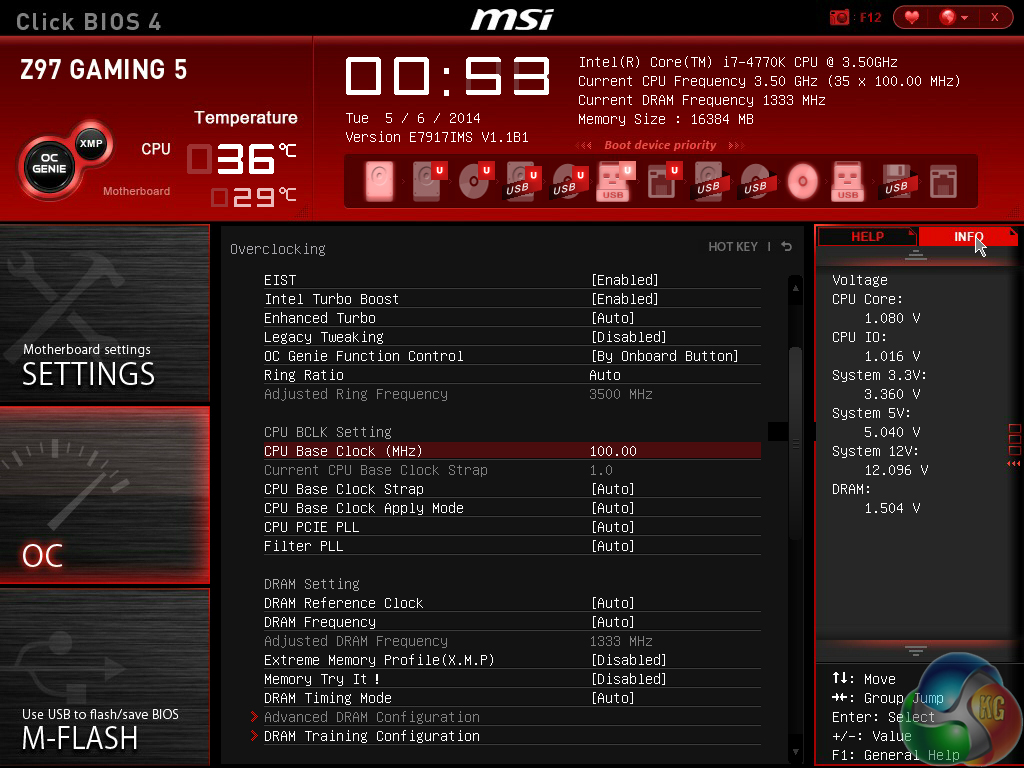
One of the actions that MSI has taken to tidy its UEFI is adding an Info section on the right side. The section is used to display basic information relating to voltages, irrelevant of the parameters that are being tweaked.
Had MSI used this ‘add-on' section approach throughout its BIOS, displaying information relevant to the parameter that is currently being tweaked, the interface would have a much tidier feel to it. Some frequency readings would be welcomed too.
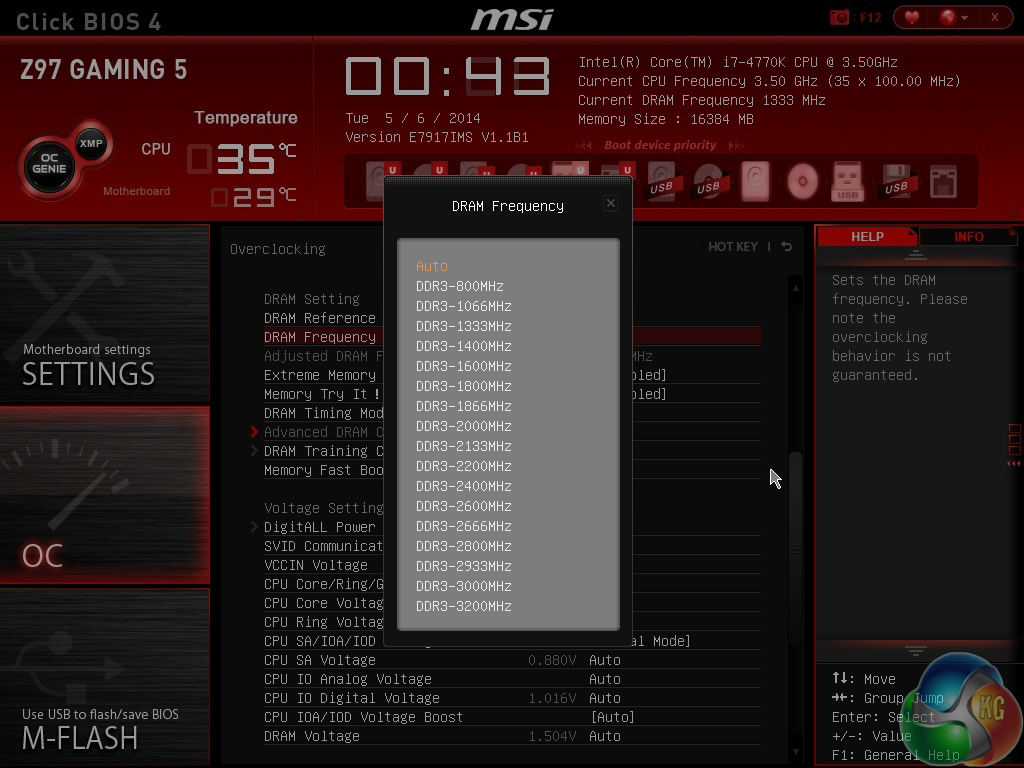
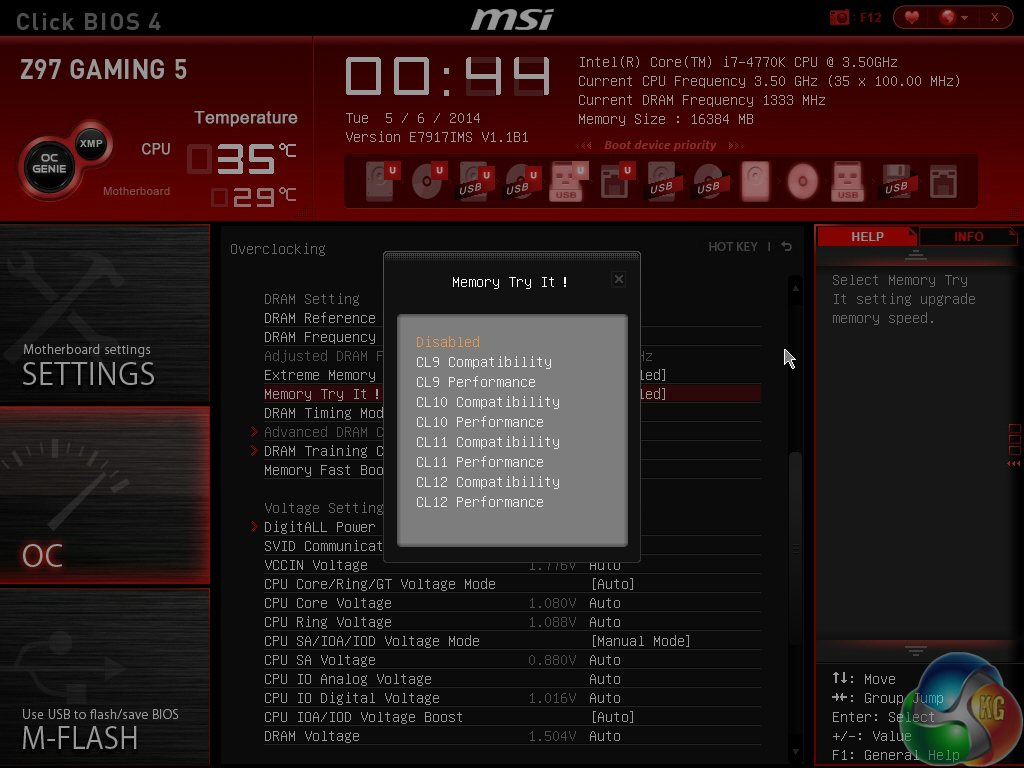
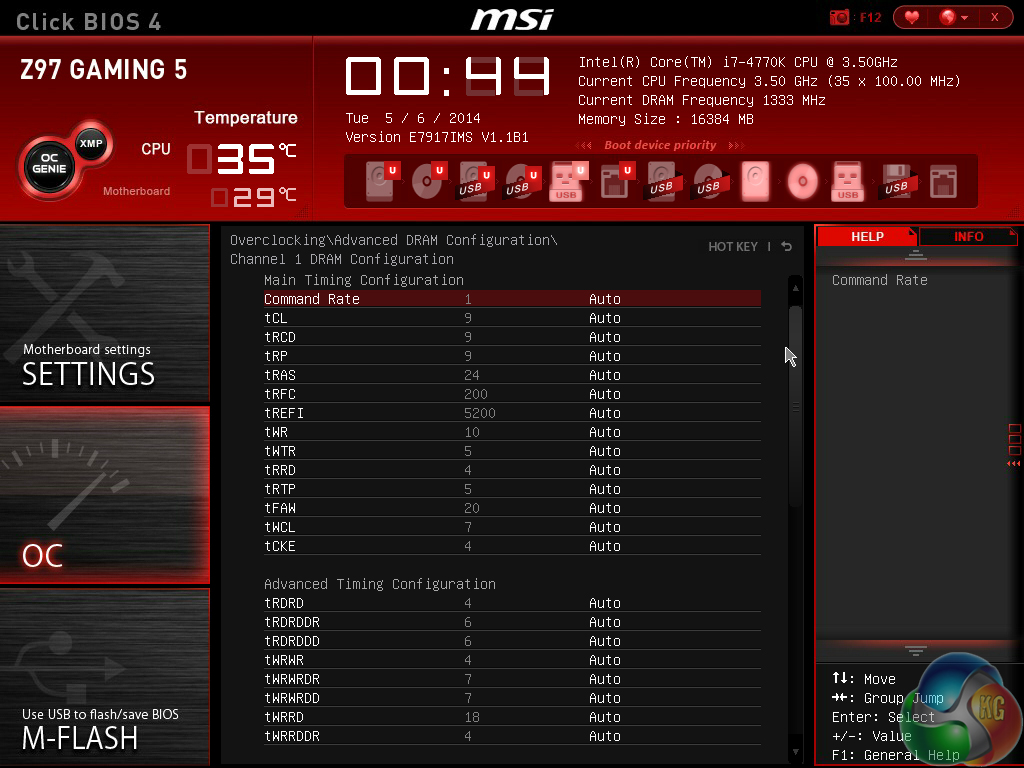
DRAM multipliers for frequencies of up to 3200MHz can be applied via the UEFI. Timings settings can also be tweaked.
MSI includes a feature it calls ‘Memory Try It!'. The tool allows memory settings to be adjusted by the motherboard, dependent upon a user's selection. While not as heavily tweaked as customised pre-sets configured by in-house professional overclockers, Memory Try It! features simple memory adjustments.
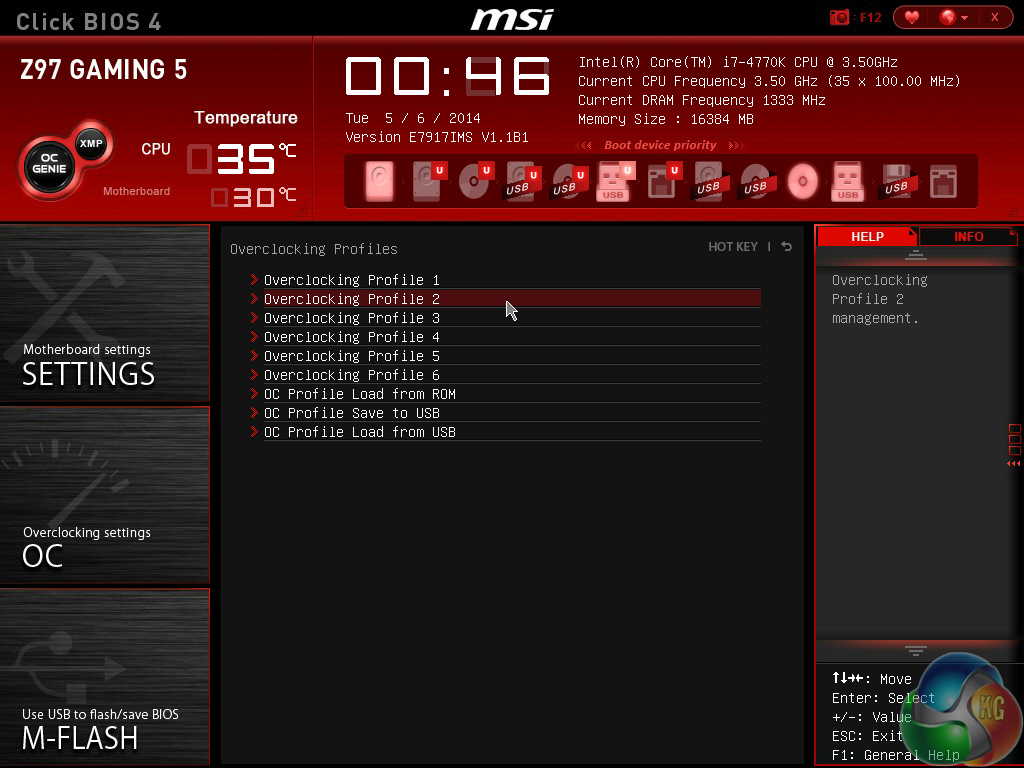
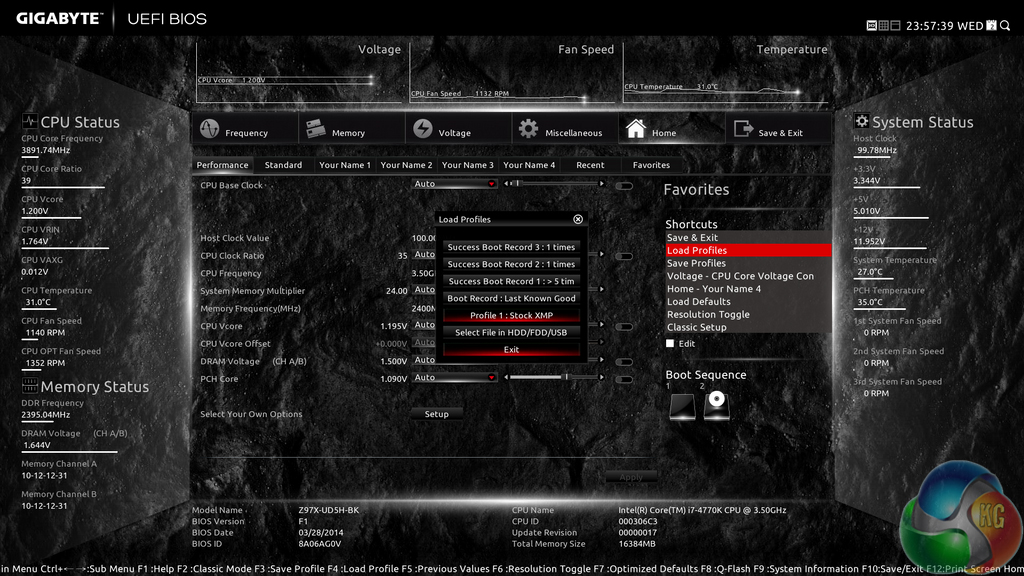
Up to six OC profiles can be saved and named. This is a good number to provide as it gives users flexibility when testing out different overclocking configurations. Profiles can also be imported and exported from or to a USB drive for backup and sharing purposes.
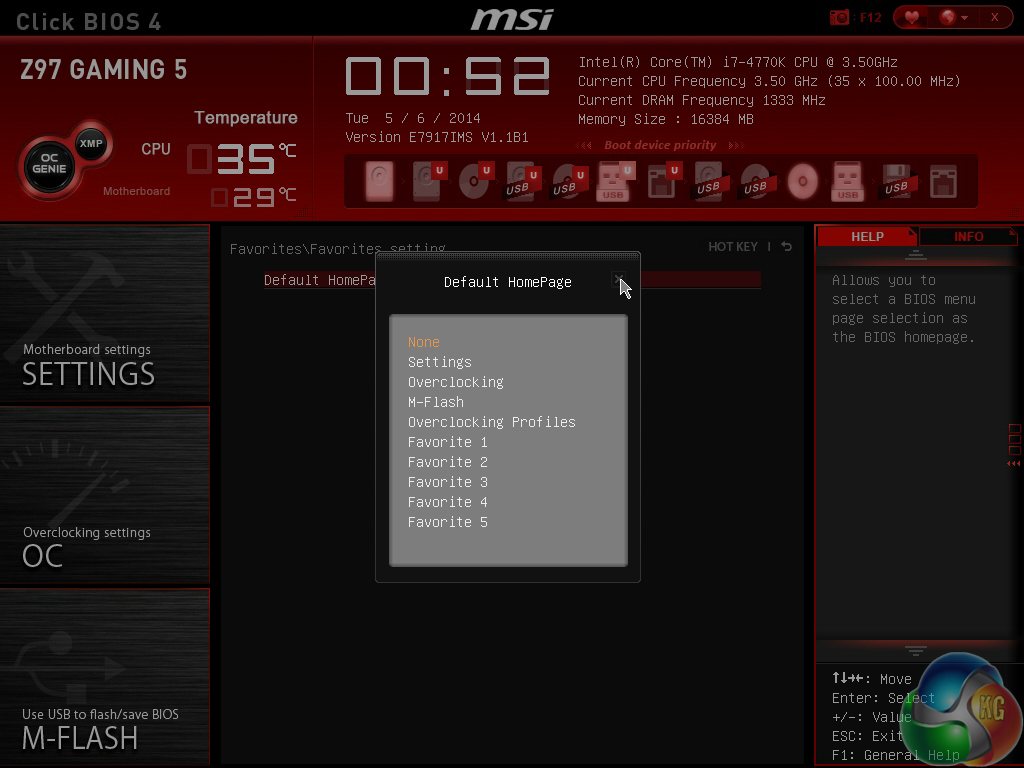
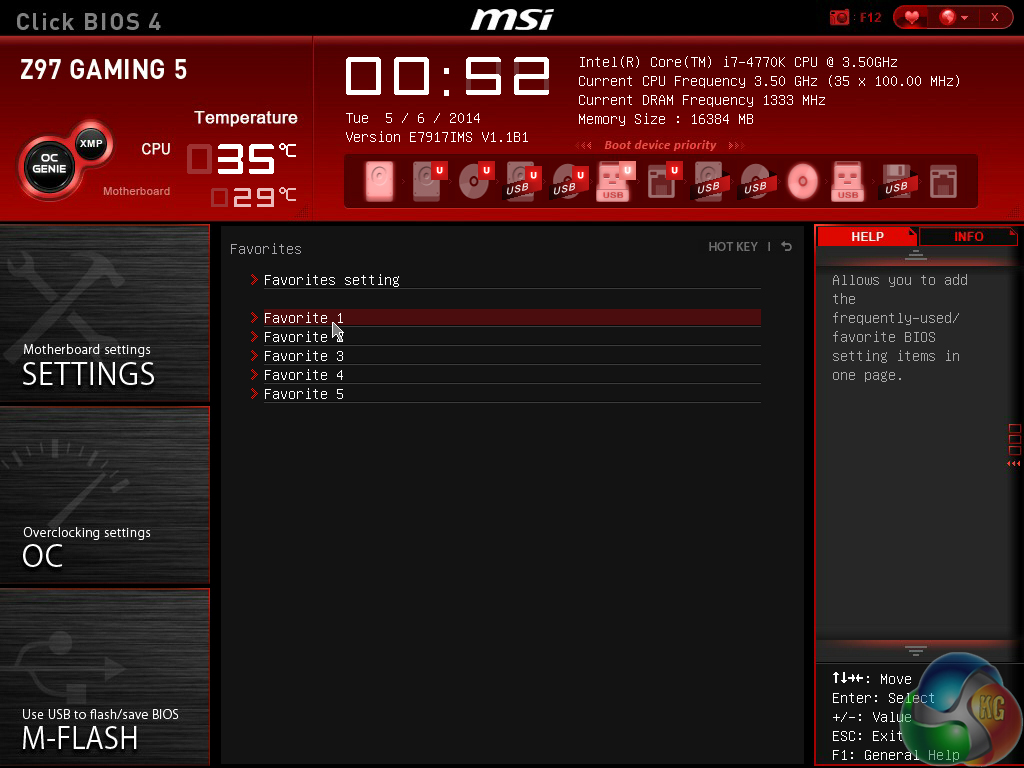
Another new feature for MSI's Click BIOS 4 is the Favourites section. Users are free to add some of their commonly accessed parameters to the Favourites profile. The default home page can also be changed.
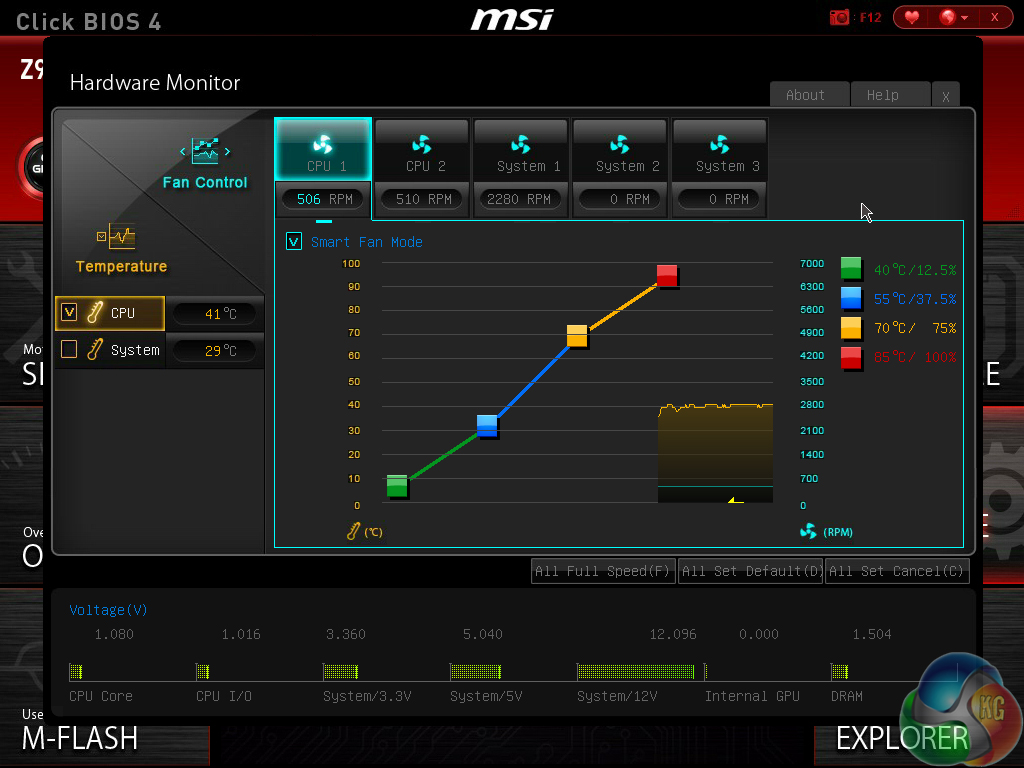
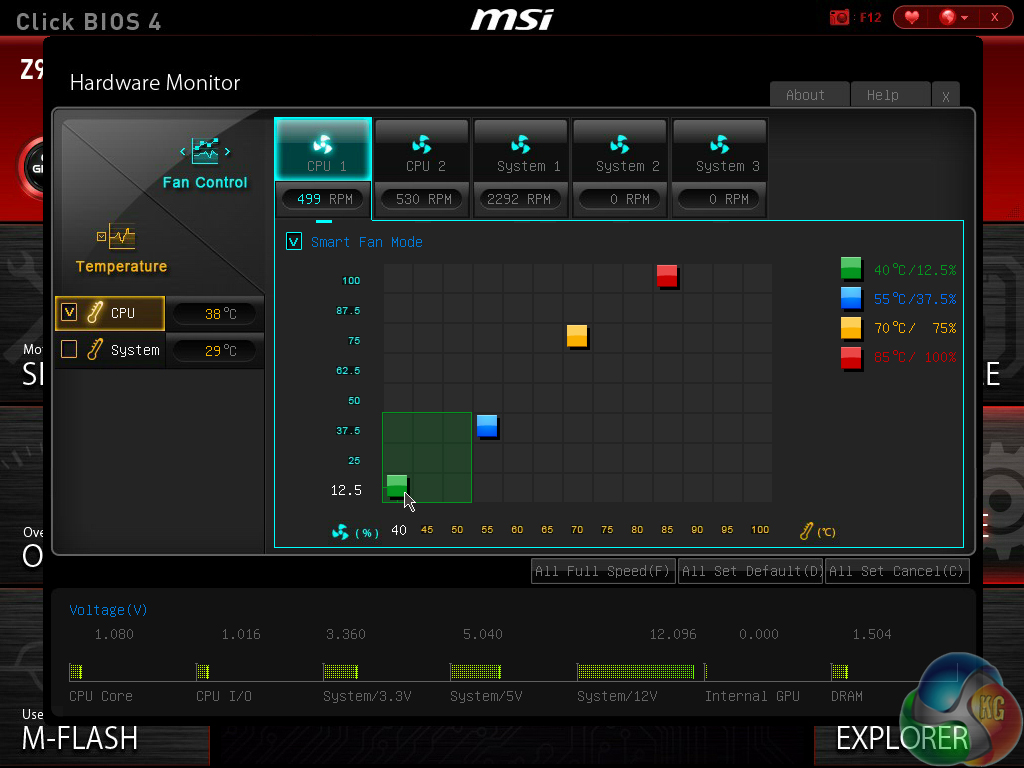
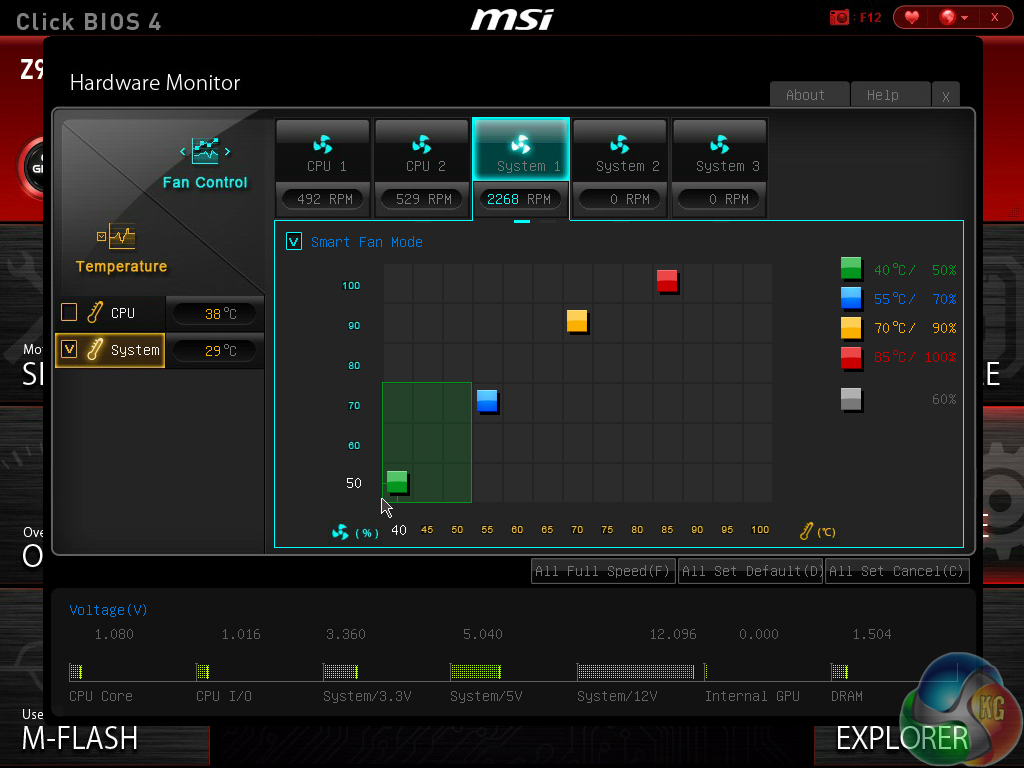
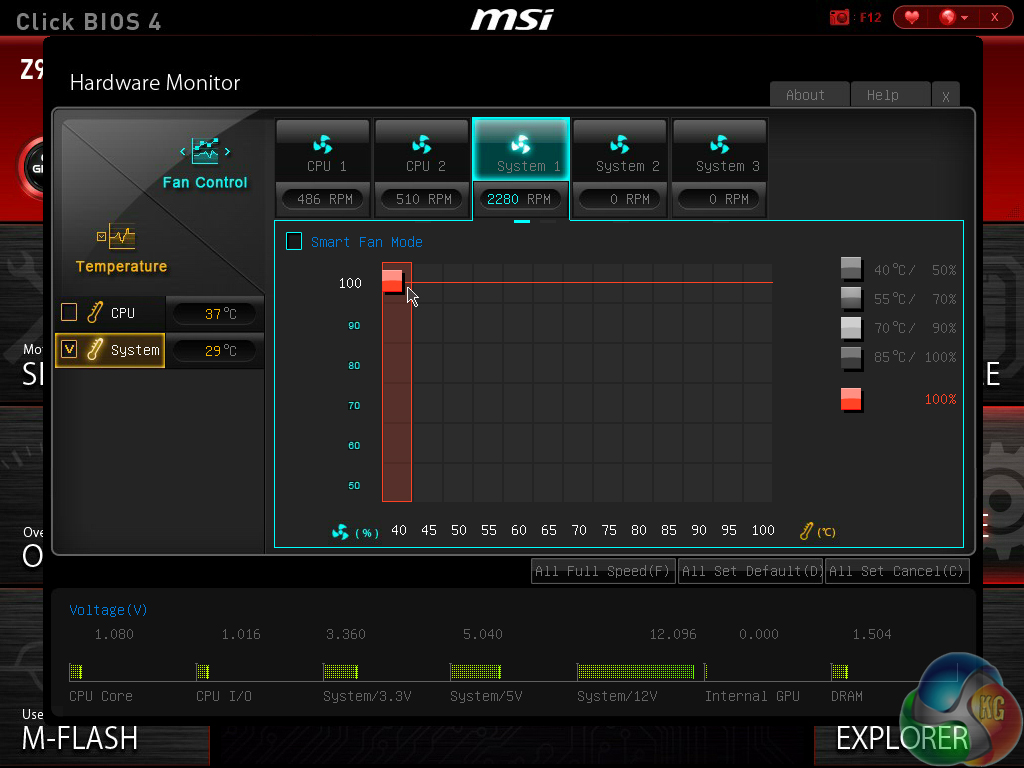
MSI employs a fundamentally simple means of tweaking fan speeds with the Z97 Gaming UEFI.
Four points on a speed against temperature curve can be adjusted to change the fan's operation. For CPU fans, the minimum point can be set as low as 12.5% speed with a 40°C lower threshold. The same flexibility is provided to system fans, although the minimum speed level is increased to 50%.
For users who prefer a static fan speed level, un-checking the Smart Fan Mode box allows a continuous fan speed percentage to be set.
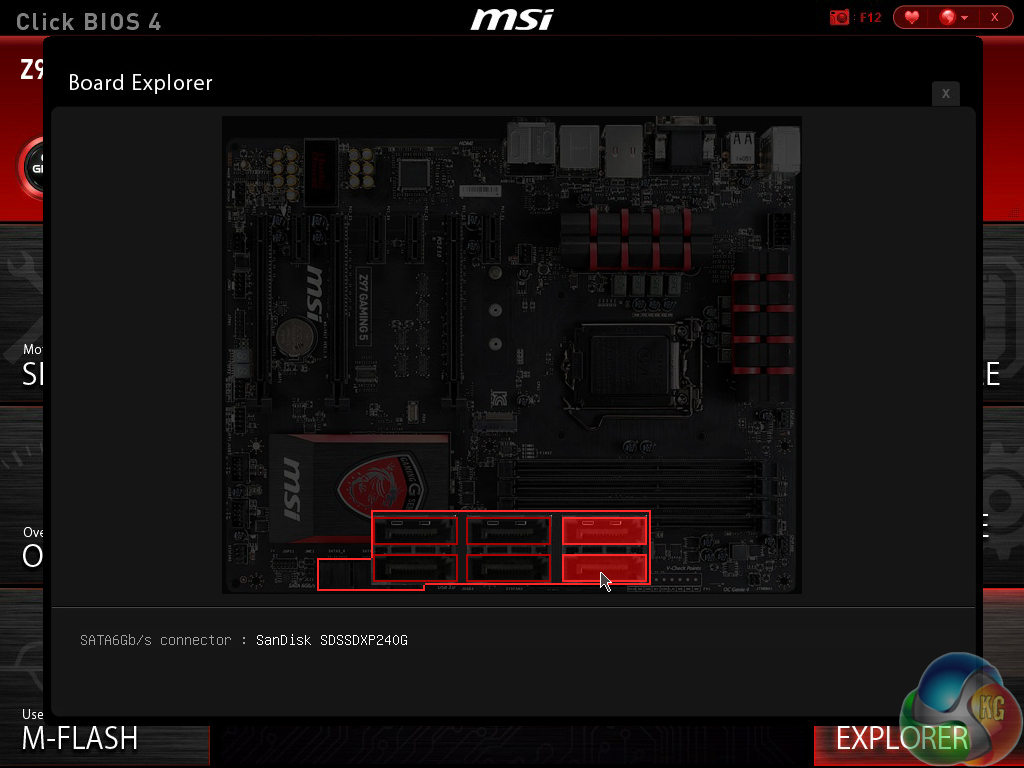
One of the most useful features in MSI’s BIOS is Board Explorer. The tool displays an image of the board which highlights the components that are installed. Hovering over the certain sections displays information regarding the connected components or devices.
The tool has great potential as a troubleshooting measure. For example, a faulty memory stick can be easily identified if its function isn't highlighted in the board explorer tool.
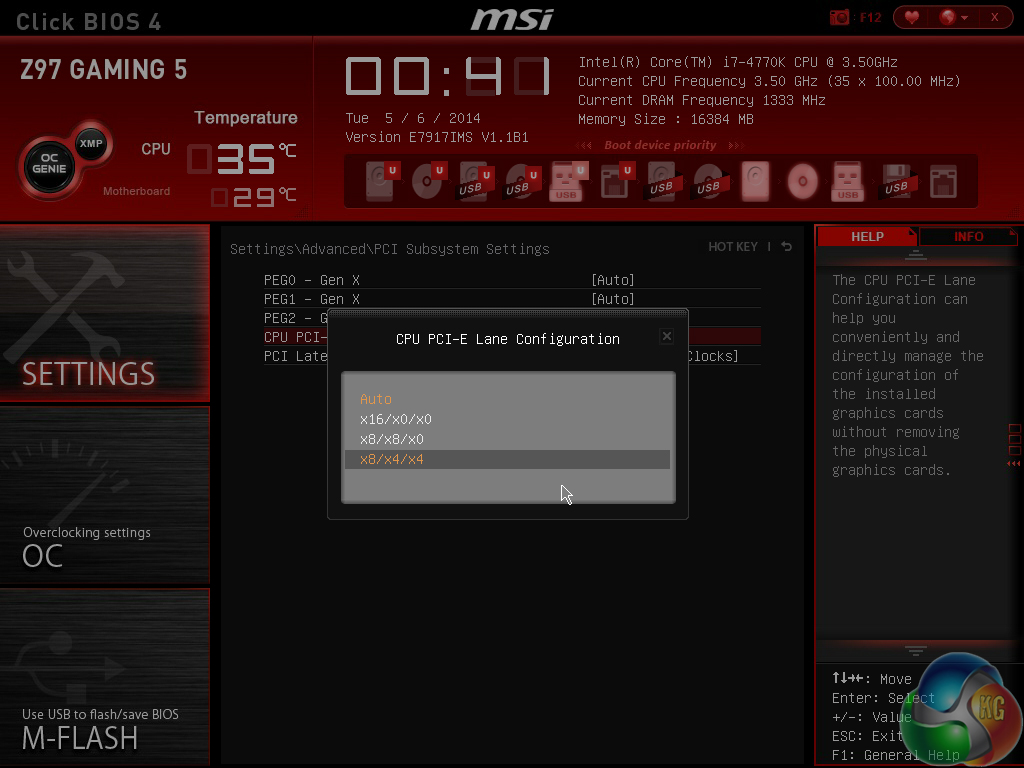
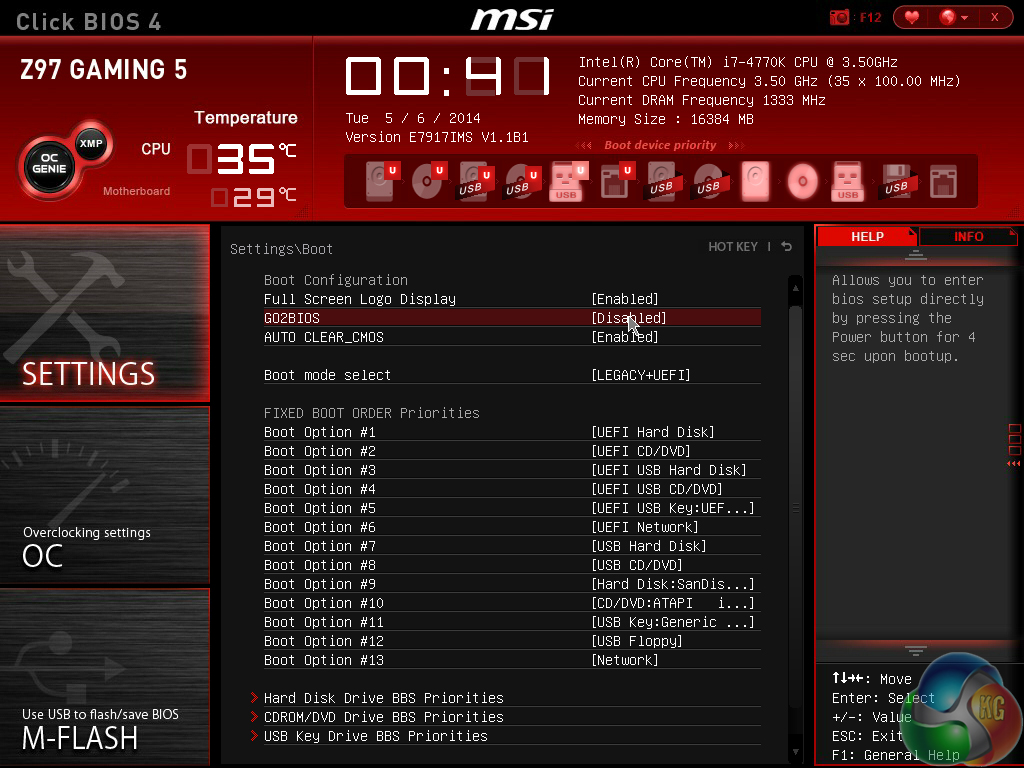
A number of settings, including PCIe lane configurations and the convenient GO2BIOS function, can be adjusted.
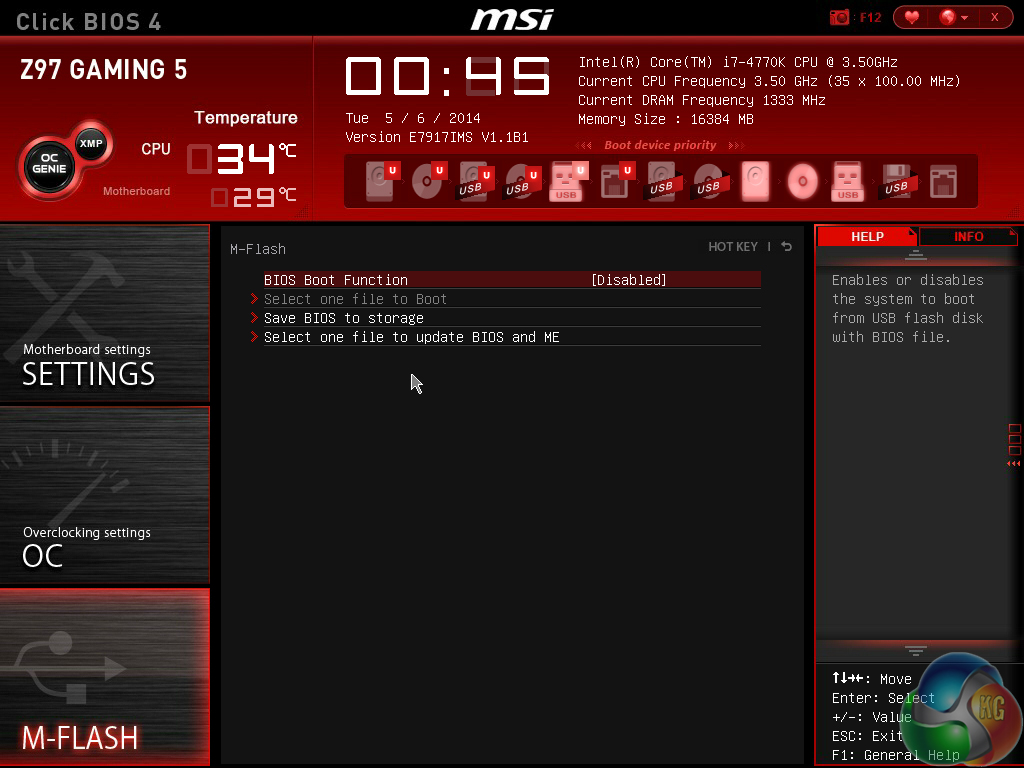
MSI's M-Flash BIOS updating tool continues to refuse to enter folders in a USB flash drive. This is a negative point because users are forced to mess up their flash drive's organisation by putting the BIOS file in the root folder.
Competing motherboard vendors have tools that are able to navigate storage drives and USB memory sticks with ease. MSI is lagging behind in this respect.
MSI's updates to the Click BIOS 4 interface have enhanced to system's ease of use. Novice overclockers are given additional information and assistance as they learn about specific settings, and they can even apply a constricted ‘simple' mode if they are worried about applying damaging settings.
The interface still has minor tweaks that could be made though, and further updates are required if MSI is to compete with the excellent implementation used by ASUS. Some of the layout options still result in a perceivably messy appearance.
The software MSI supplies is the same across its Gaming series motherboards, feature dependent. As such, our analysis is the same, and the images are taken from our review of MSI's Z97 Gaming 5.
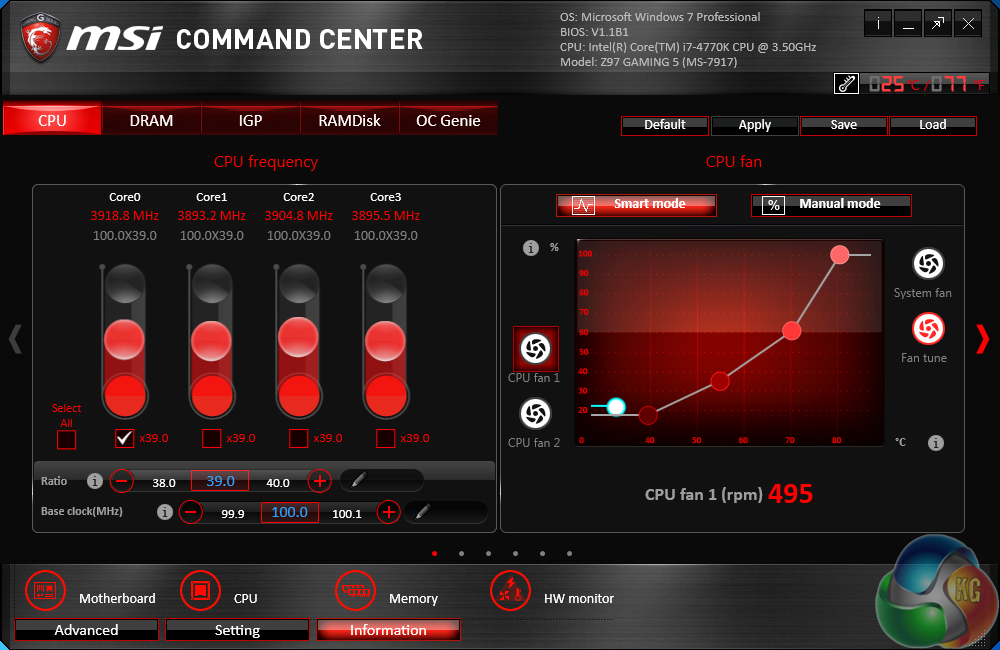
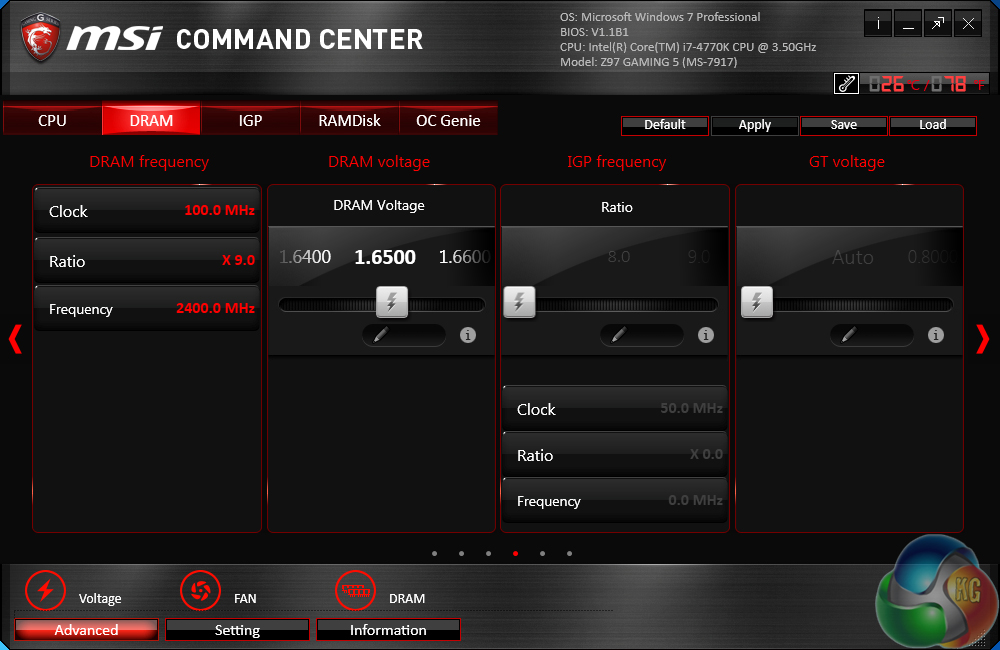
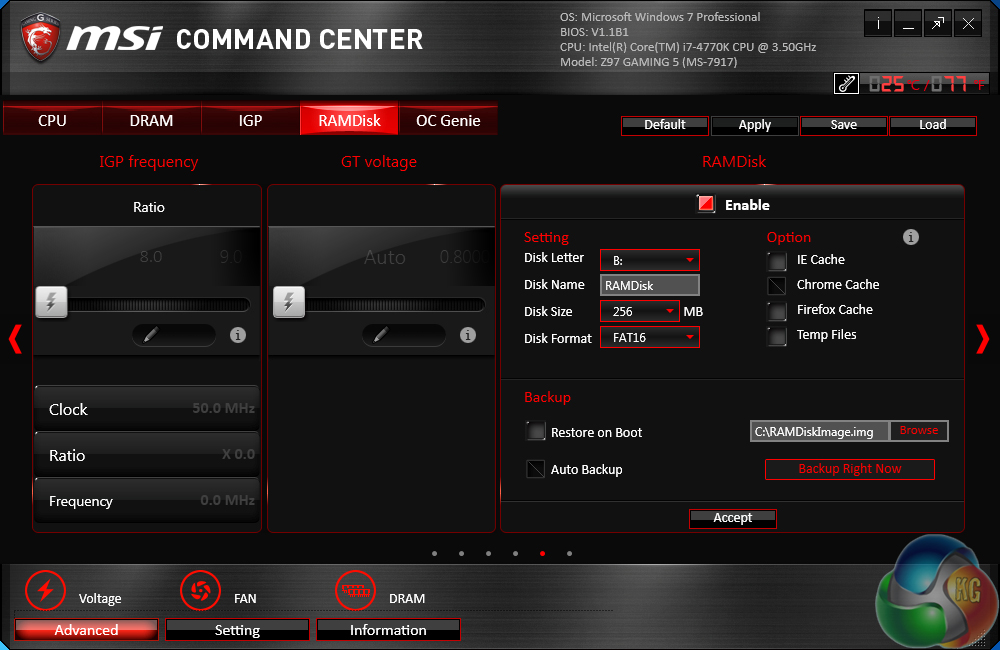
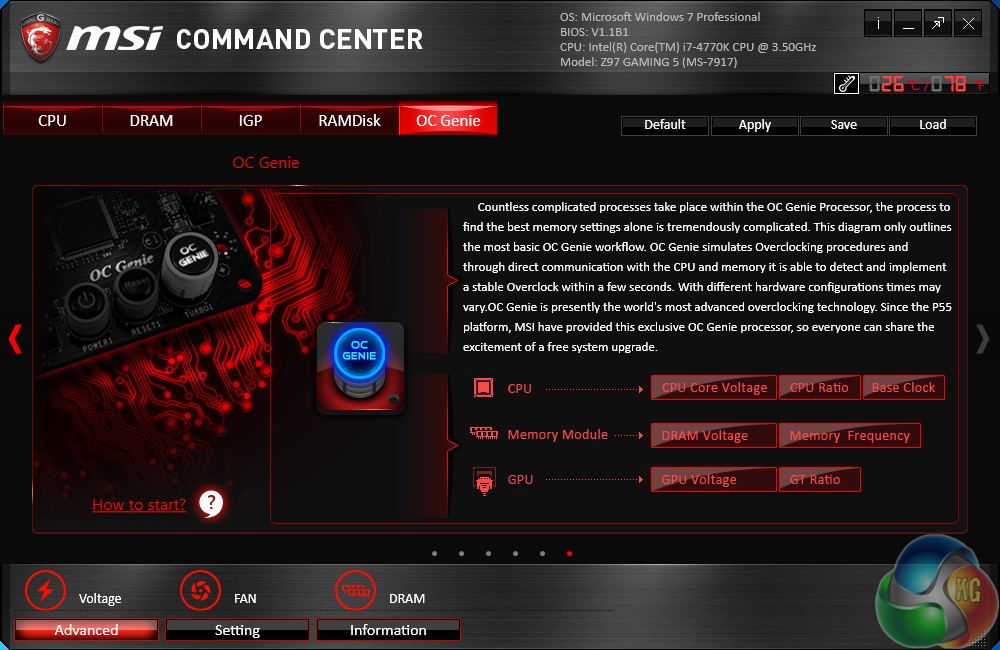
MSI's Command Center software is a comprehensive tool that can be used for a surprisingly diverse range of tasks. General overclocking and frequency-related duties can be handled via the software suite, and a RAM disk can also be created.
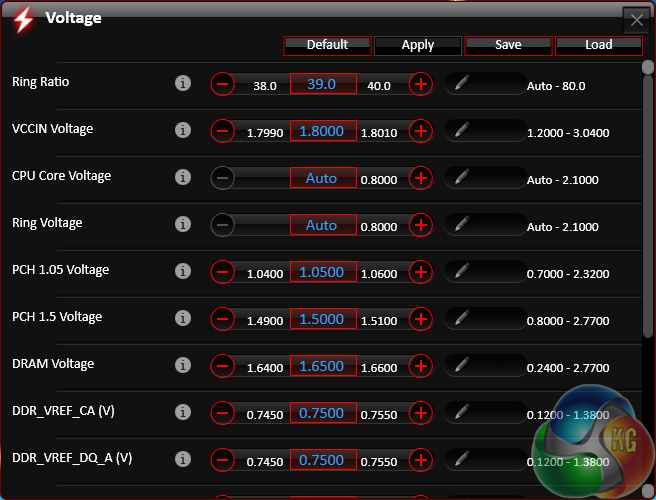
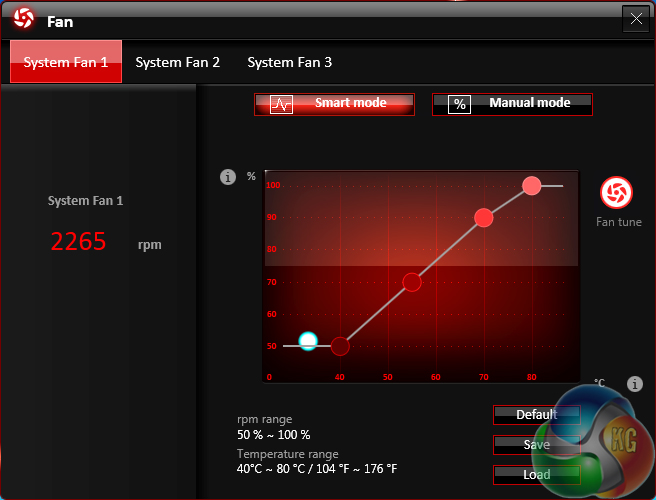
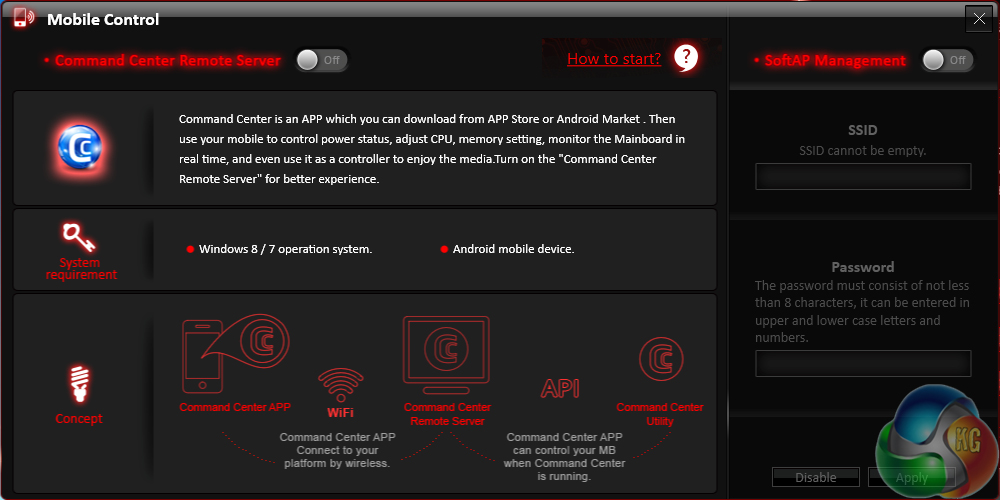
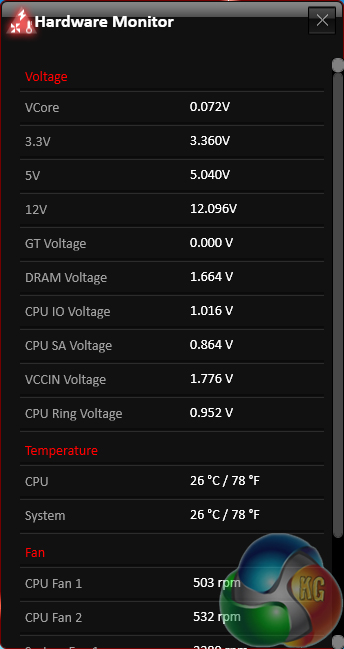
Additional sections at the bottom of each main page allow users to launch specific subsections. Some of the main subsections include windows for adjusting system voltages and fan speeds, as well as a segment dedicated to configuring one's computer as a media streamer.
We would recommend using MSI's Command Center software for voltage readings. Third party software (such as CPU-Z) can struggle to display real time readings on MSI's and other vendors' Z97 motherboards.
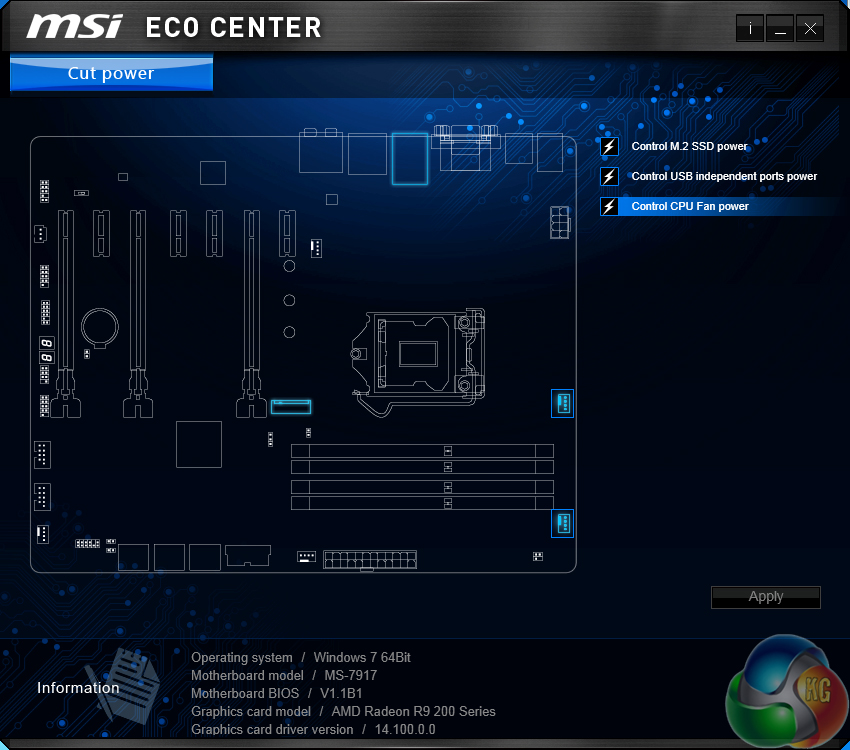
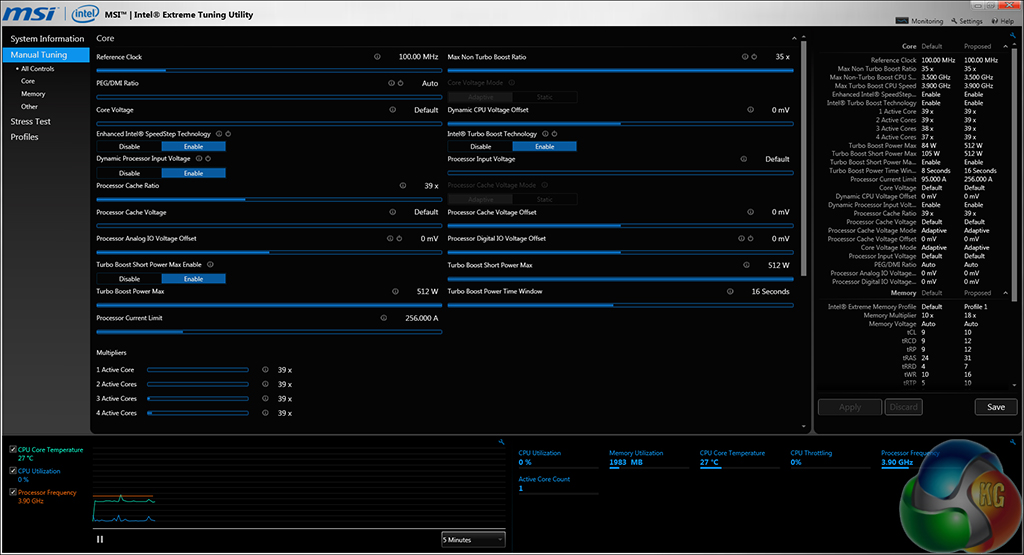
Eco Center allows users to switch off specific components to cut power usage. Intel's Extreme Tuning Utility gives a more in-depth set of voltage and power parameters than MSI's Command Center suite.
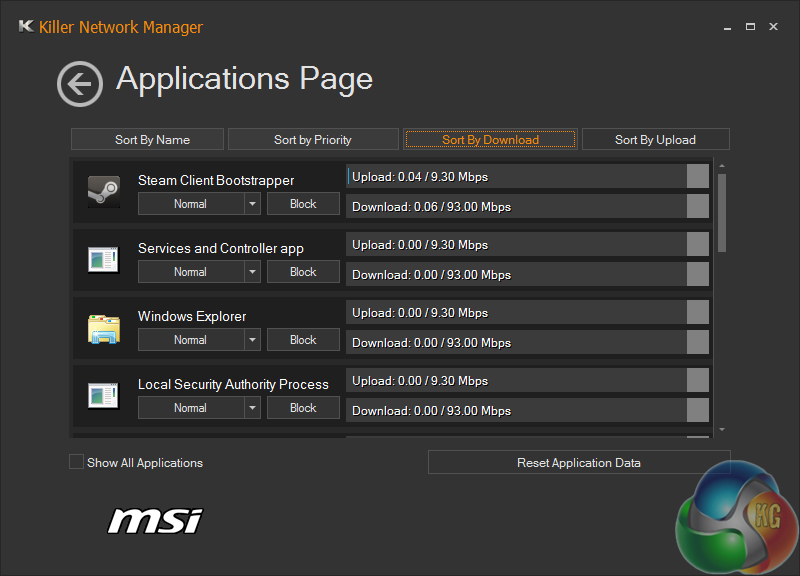
Killer Network manager is one of the key reasons that Killer's NICs are popular choices for gaming motherboards. The software allows users to control their system's network operations so that gaming, or other tasks, can be given priority. This can help to ensure that a sufficient level of network bandwidth is delivered where it is required.
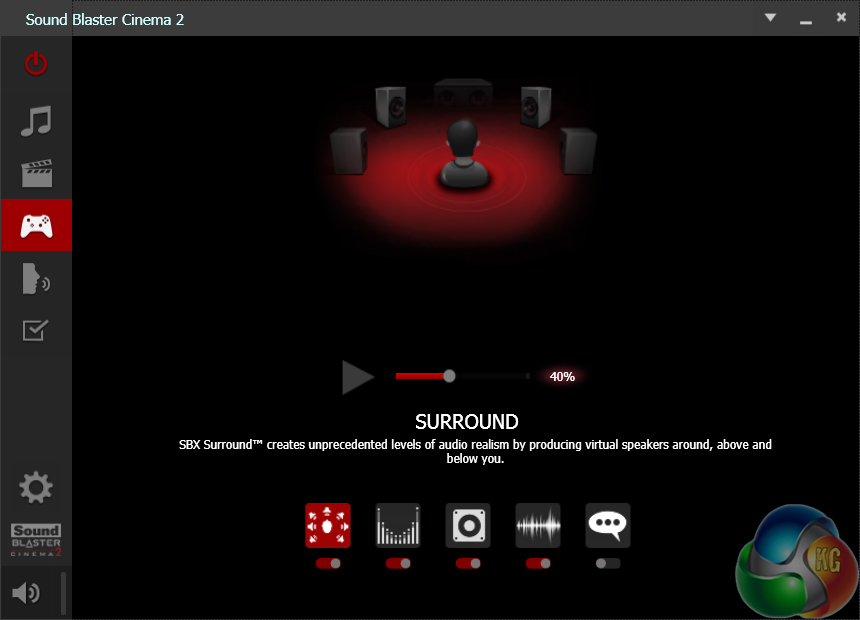
Creative's Sound Blaster Cinema 2 software features a number of audio presets which allow users to quickly optimise their sound system's operation to the relevant task. Settings such as the virtual surround implementation can be adjusted.
The Haswell micro-architecture in Devil's Canyon processors is just the latest Intel CPU architecture to see many of the critical system operations handled by the processor. As such, benchmarking a motherboard becomes more of a test to certify that the part operates correctly and meets the anticipated performance levels.
We will be outlining the MSI Z97A Gaming 6 motherboard's performance with the Core i7 4790K CPU at its stock frequency (4.4GHz due to forced turbo). Overclocked performance will be outlined later in the review.

By default, the MSI Z97A Gaming 6 motherboard applies multi-core turbo (MCT) and forces the 4790K to a constant 4.4GHz when XMP is enabled. This will be displayed as the ‘stock’ setting.
MSI applies 1.23V VCore under full load in order to keep the 4790K happy at its 4.4GHz MCT setting. 1.23V should be easy enough to cool with even a mid-range CPU cooler.
Z97 Motherboard Test System:
- Processor: Intel Core i7 4790K ES (4.4GHz forced turbo).
- Memory: 16GB (2x 8GB) Corsair Vengeance Pro 2400MHz CL10.
- Graphics Card: Asus R9 280X Matrix Platinum 3GB.
- System Drive: 240GB SanDisk Extreme II SSD.
- CPU Cooler: Corsair H100i.
- Case: NZXT Phantom 630.
- Power Supply: Seasonic Platinum 1000W.
- Operating System: Windows 7 Professional with SP1 64-bit.
Compared Z97 Motherboards:
- ASRock Z97 Extreme6.
- Asus Maximus VII Hero.
- Asus Maximus VII Ranger.
- Asus Maximus VII Impact.
- Biostar Hi-Fi Z97WE.
- Gigabyte Z97X-SOC Force.
- Gigabyte Z97X-UD3H-BK.
- MSI Z97 Gaming 9 AC.
Software:
- MSI Z97A Gaming 6 BIOS v10.0.
- Catalyst 14.4 VGA drivers.
- Intel 10.0 chipset drivers.
Tests:
- 3DMark 1.3.708 – Fire Strike (System)
- SiSoft Sandra 2014 SP2 – Processor arithmetic, memory bandwidth (System)
- Cinebench R15 – All-core CPU benchmark (CPU)
- WinRAR 5.10 – Built-in benchmark (CPU)
- HandBrake 0.9.9 – Convert 4.36GB 720P MKV to MP4 (CPU)
- ATTO – SATA 6Gbps, USB 3.0, M.2 transfer rates (Motherboard)
- RightMark Audio Analyzer – General audio performance test (Motherboard)
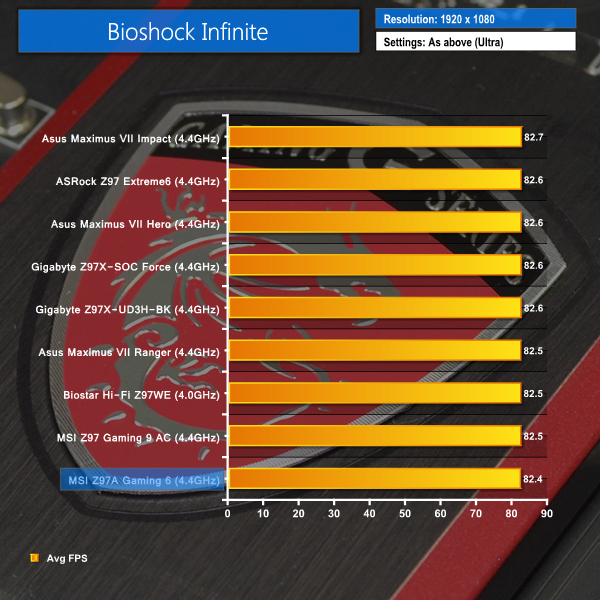
- Bioshock Infinite – 1920 x 1080, ultra quality (Gaming)
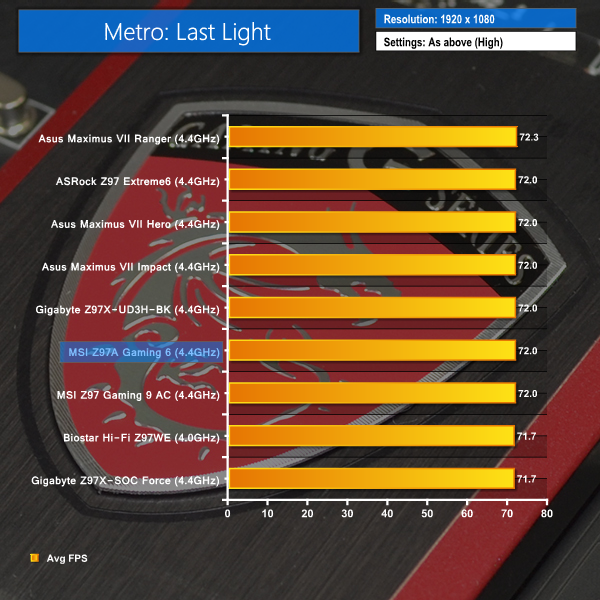
- Metro: Last Light – 1920 x 1080, high quality (Gaming)
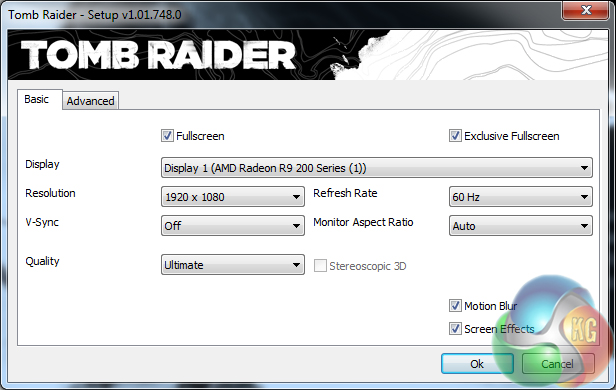
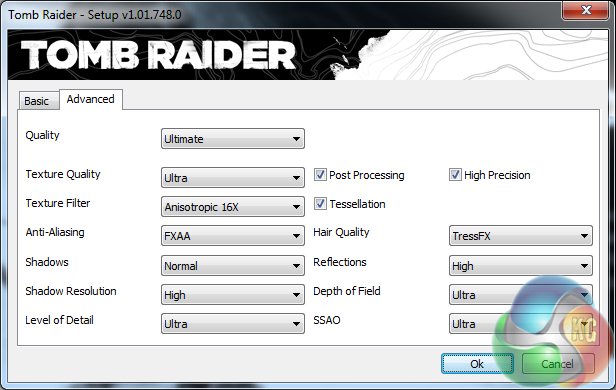
- Tomb Raider – 1920 x 1080, ultimate quality (Gaming)
3DMark
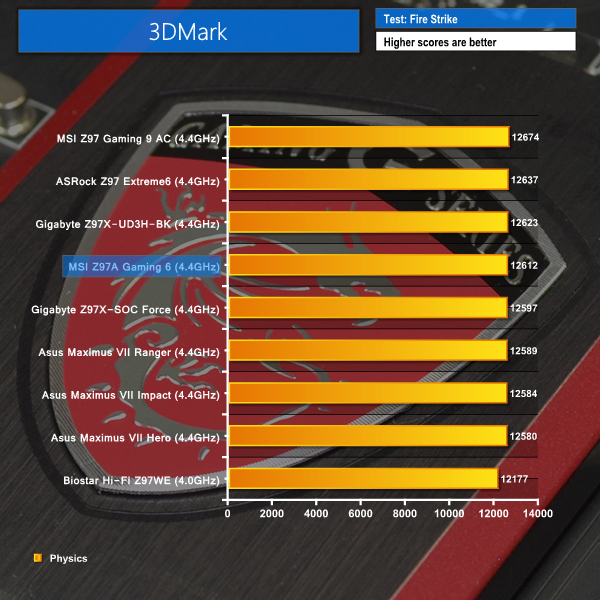
We used 3DMark‘s ‘Fire Strike’ benchmark which is designed to be used on gaming PCs. We opted for the Normal setting, NOT the Extreme mode.
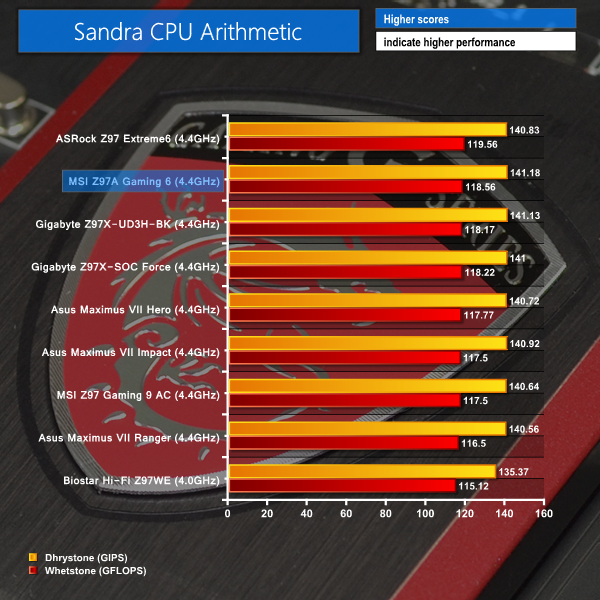
Sandra Processor Arithmetic
Sandra Memory Bandwidth
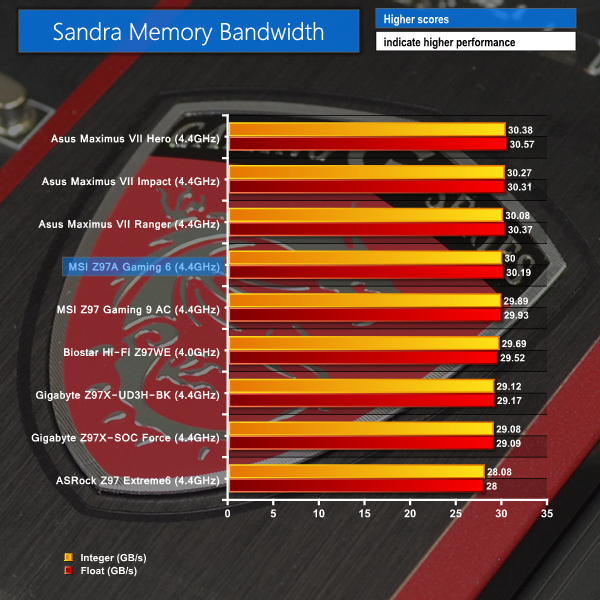
The Z97A Gaming 6 makes a solid start to the benchmarks. 3DMark shows a positive physics score that puts MSI's board in the upper half of our chart. The same can be said for both of the Sandra tests.
Cinebench
We used the ‘CPU’ test built into Cinebench R15 .

WinRAR
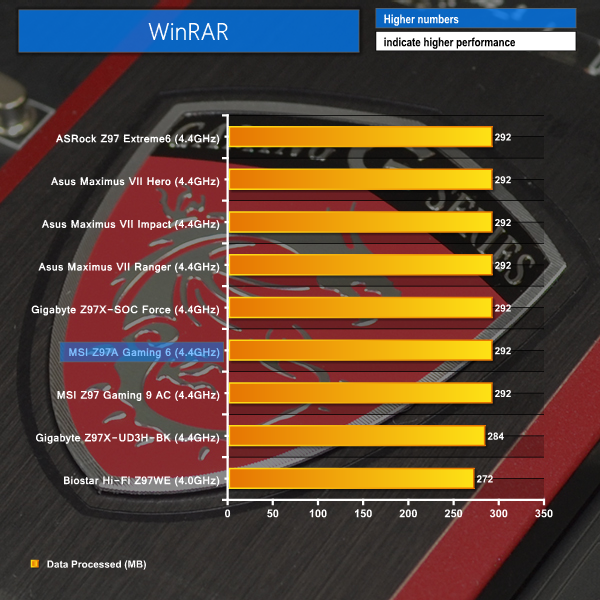
WinRAR’s built in benchmark and hardware test can help us outline the performance differentials between each motherboard. We record the amount of data processed after a 30-second run.
Handbrake Conversion
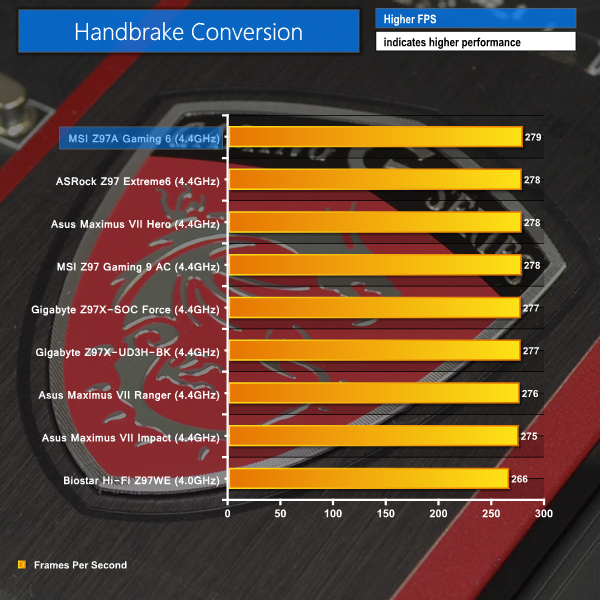
We measured the average frame rate achieved for a task of converting a 4.36GB 720P H.264 movie (in the MKV container) to one in the MP4 container.
Cinebench performs unfavourably on the MSI Z97A Gaming 6, rewarding it with a points score that is slightly below the average. WinRAR places MSI's board in equal-first place.
A strong conversion results is shown by the Z97A Gaming 6 in our testing. The board leads the competing pack with a margin of one FPS or greater.
Bioshock Infinite
We used the Bioshock Infinite demanding ‘Ultra’ setting and a 1920 x 1080 resolution to push today’s gaming hardware. Our data was recorded using a section of the game, not the built-in benchmark.

Metro: Last Light
We used a 1920 x 1080 resolution and the Metro: Last Light built-in benchmark set to ‘High’ quality to offer an intense challenge for the gaming hardware while also making playable frame rates a possibility.

Tomb Raider
We used a 1920 x 1080 resolution and the Tomb Raider built-in benchmark set to ‘Ultimate’ quality.
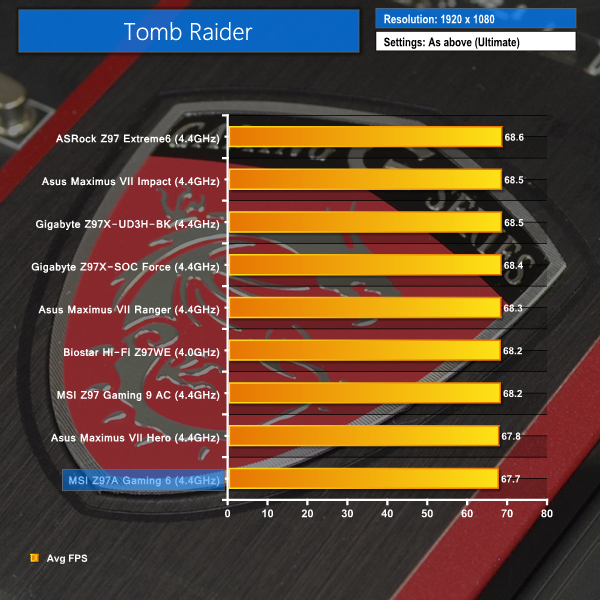
Despite two bottom-place finishes, there is no cause for concern by the MSI Z97A Gaming 6 motherboard's frame rate performance. The narrow defeat in Bioshock Infinite is by no more than a few tenths of a frame. Tomb Raider performance is about half a frame behind the majority of our comparisons, although this could be related to subtle differences in the test system's operation.
Middle-of-the-ground performance is delivered from the Metro: Last Light benchmark, so no worries about frame rate performance from that demanding title.
SATA
For SATA 6Gb/s testing we use a Kingston HyperX 3K (SandForce SF-2281) SSD.
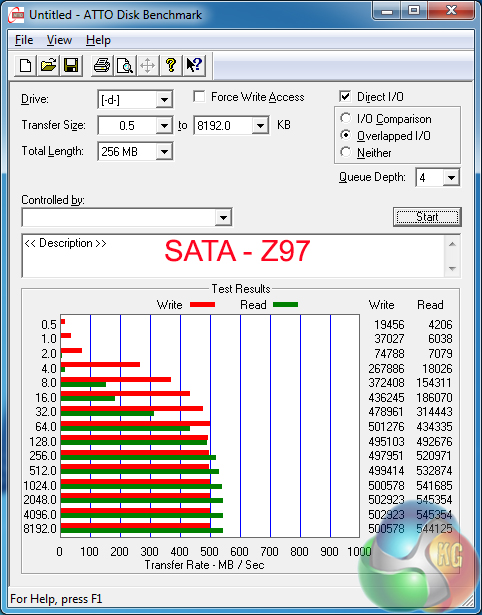
SATA 6Gbps performance is where we would expect it to be for performance from Intel's 9-series chipset ports.
M.2 connector
We use Plextor‘s fast M6e 256GB M.2 SSD to test the speed of a motherboard's M.2 connector. We reviewed the 512GB Plextor M6e (and its PCIe x2 adapter card) HERE.
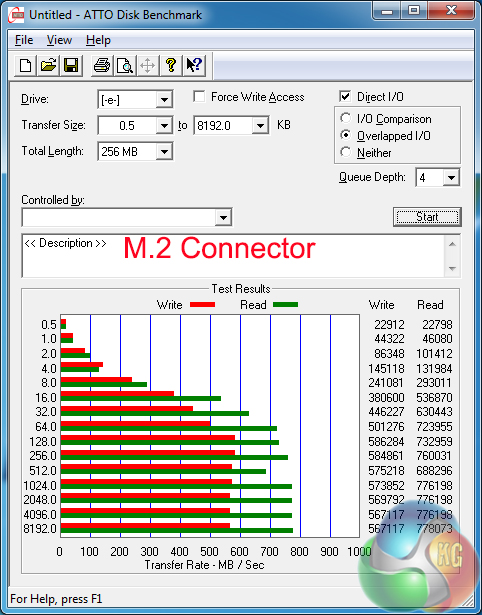
Using a PCIe 2.0 x2 SSD, such as the Plextor M6e, MSI's Z97A Gaming 6 has no problem delivering sufficient bandwidth.
A faster, PCIe 3.0 x4 drive (such as Samsung's SM951) would be bottlenecked by the 10Gbps port, although that is a known compromise for the bandwidth-limited Z97 platform.
USB 3.0
We tested USB 3.0 performance using the Kingston HyperX 3K SSD connected to a SATA 6Gb/s to USB 3.0 adapter powered by an ASMedia ASM1053 controller.
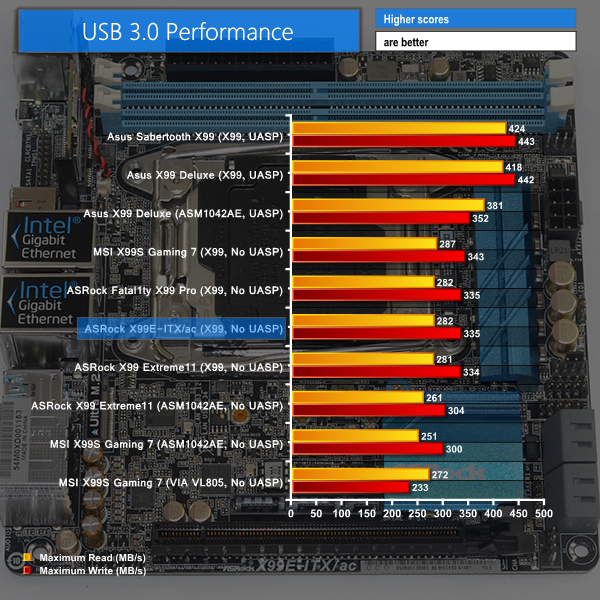
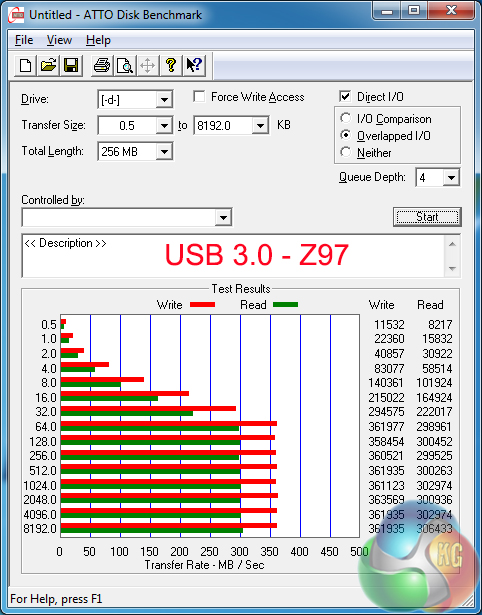
Solid USB 3.0 results are delivered by the Z97A Gaming 6. The drive almost hits the USB 3.0 limit of an operating system without UASP support.
We examined the performance of MSI's USB 3.1 solution over here. The performance for the Z97A Gaming 6 motherboard's USB 3.1 Type-C port is likely to be almost identical due to the same ASMedia ASM1142 chipset being provided by two PCIe 2.0 lanes from the chipset.
Audio
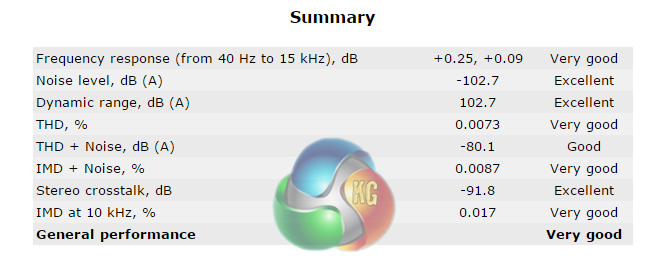
We use RightMark Audio Analyzer (RMAA) to analyse the performance of the motherboard’s onboard audio solution. A sampling mode of 24-bit, 192 kHz was tested.
At the heart of MSI’s Audio Boost 2 system is the Realtek ALC 1150 codec. Accompanying the widely-used codec is a pair of Texas Instruments OPA1652 op-amps and Nichicon capacitors.
RMAA rates the audio system on MSI's Z97A Gaming 6 motherboard as “Very Good”. The system's dynamic range and noise level results are particularly strong.
Manual CPU Overclocking:
To test the MSI Z97A Gaming 6 motherboard’s CPU overclocking potential, we first increased the CPU VCore to 1.31V, Cache/Ring voltage to 1.275V, CPU Input Voltage to 1.90V, and PCH voltage to 1.1V. We also disabled SVID, enabled filter PLL and set the cache ratio to 40x.
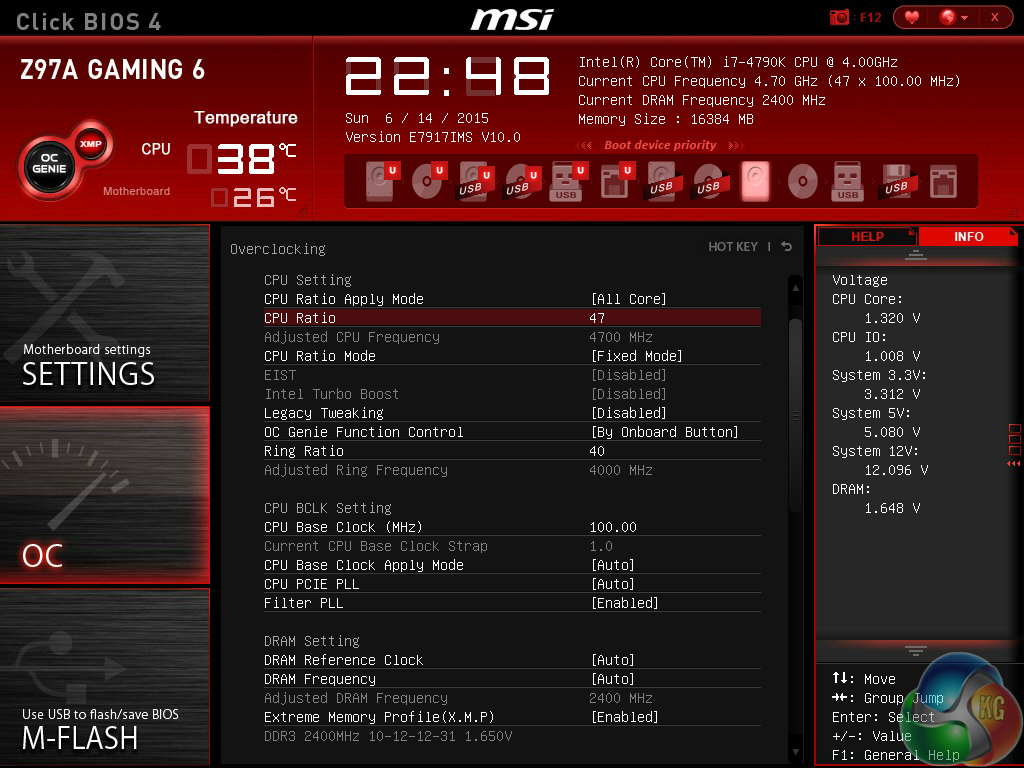
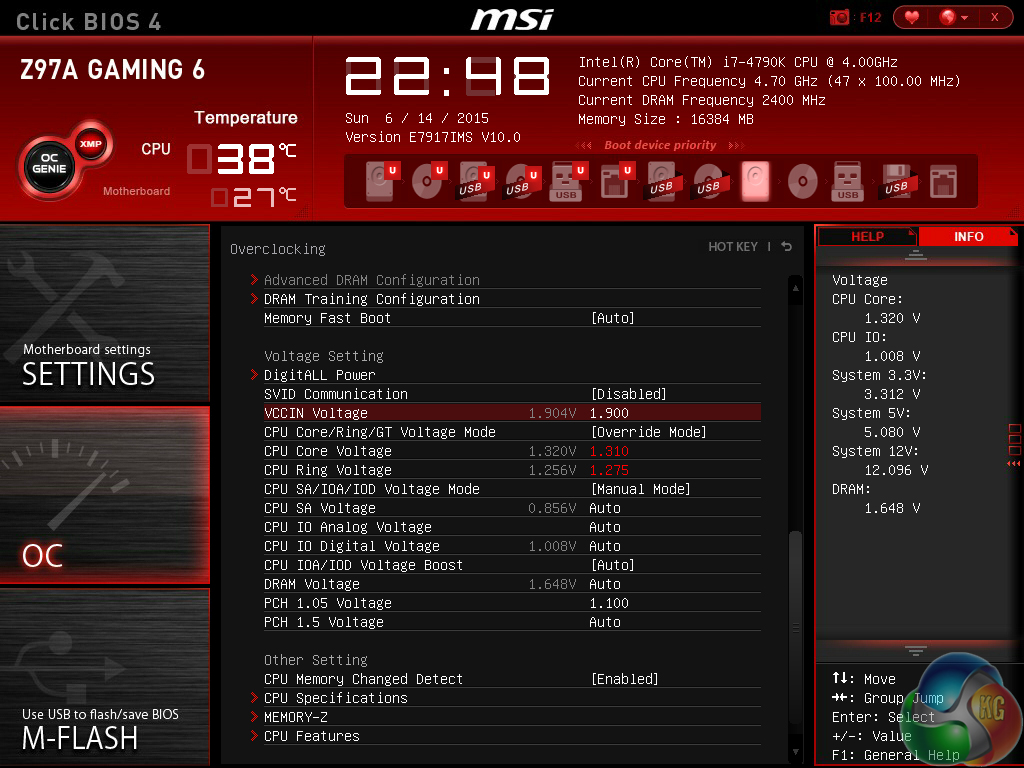
All of the main overclocking settings are found on MSI's dedicated page. This makes adjusting voltages and frequencies a simple task in MSI's UEFI.
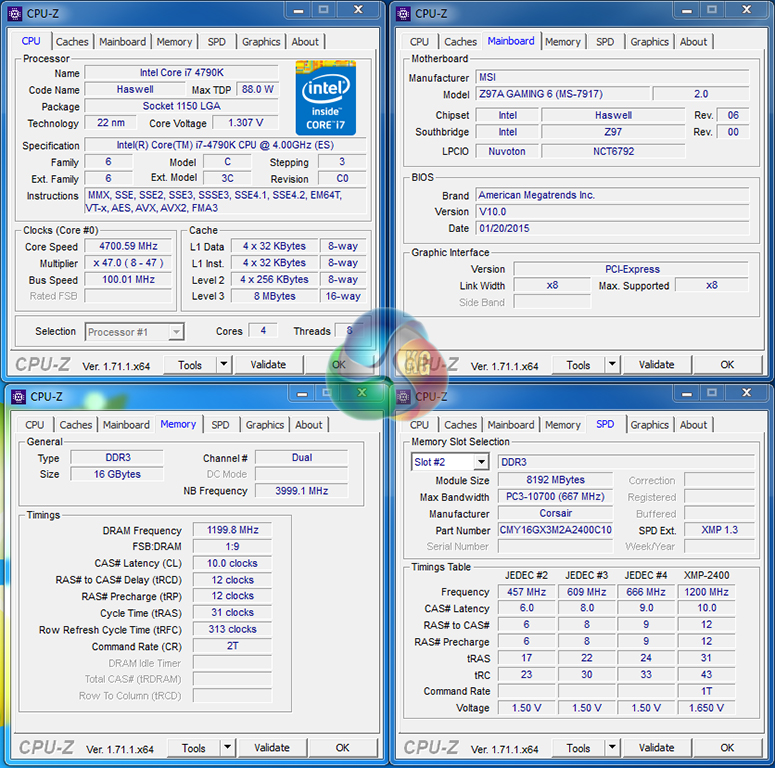
The maximum stable overclock that we achieved was our chip's limit of 4.7GHz. The board required 10mV more than our usual 1.30V VCore setting in order to maintain complete stability.
We will outline the performance increases that can be obtained from using the MSI Z97A Gaming 6 motherboard to overclock our system. Our overclocked processor frequency was 4.7GHz and memory speed was 2400MHz.
As a performance comparison, we have included the overclocked results from eight other Z97 motherboards. The maximum overclocked configuration achieved with each board was a 4700MHz (47 x 100MHz) processor frequency and 2400MHz CL10 memory speed.
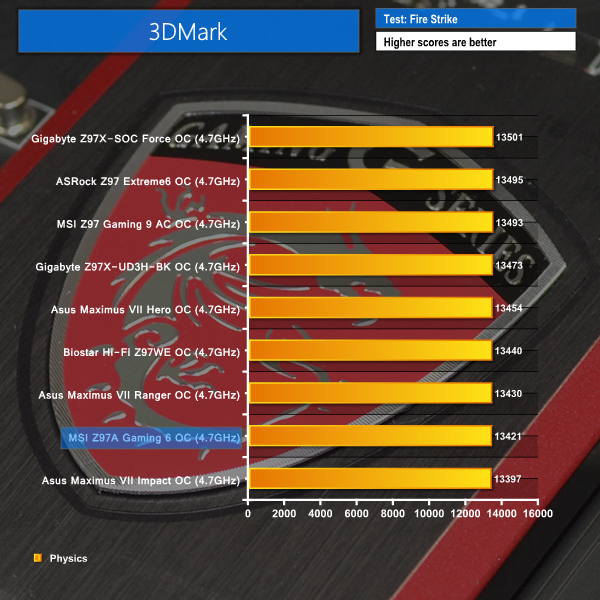
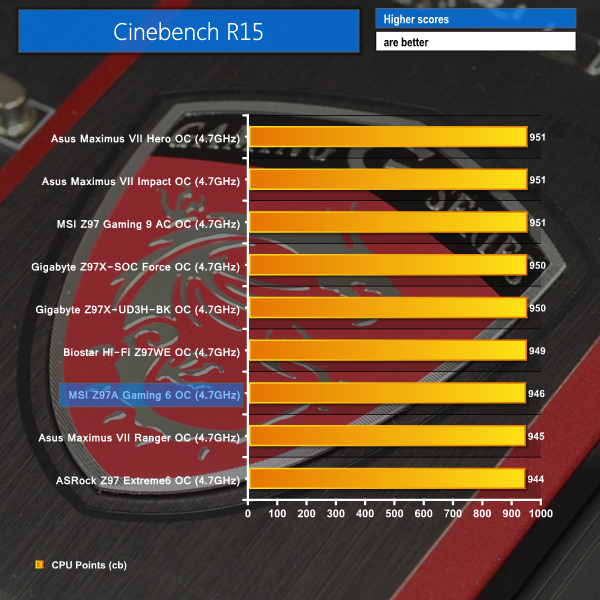
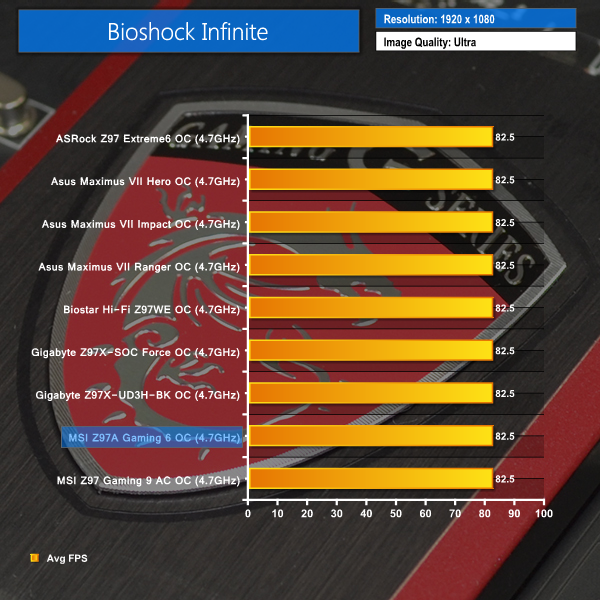
The Z97A Gaming 6 shows similar performance to other motherboards running at the 4.7GHz clock speed and 2400MHz memory. There are no glaring performance deficiencies shown by the overclocked performance results.
We measured the power consumption with the system resting at the Windows 7 desktop, representing idle values.
The power consumption of our entire test system (at the wall) is measured while loading only the CPU using Prime95′s in-place large FFTs setting. The rest of the system’s components were operating in their idle states, hence the increased power consumption values (in comparison to the idle figures) are largely related to the load on the CPU and motherboard power delivery components.
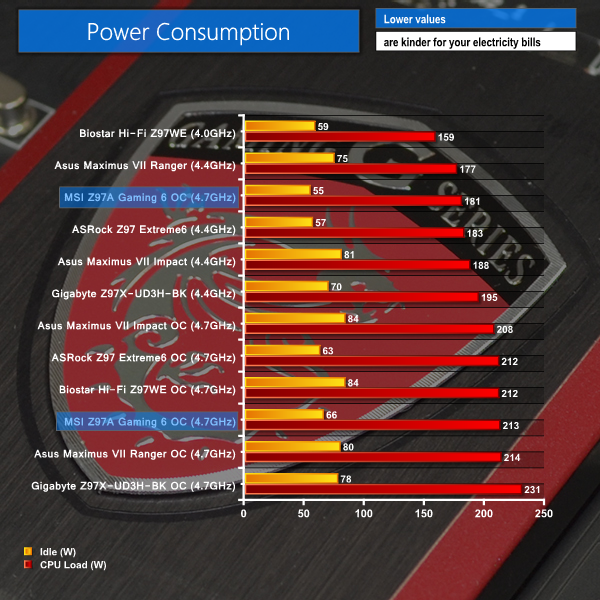
Low idle power consumption levels are a positive for the Z97A Gaming 6. The board rapidly adjusts system voltages when higher performance is not required.
Load power consumption is comparably low at the stock clock speeds, however this is not the case for the overclocked configuration which require slightly more CPU VCore than some of the other motherboards.
The MSI Z97A Gaming 6 motherboard is a well-balanced component which aims to provide users with a solid level of future-proofing through use of a 10Gbps USB 3.1 Type-C connector.
Performance levels fall in line with our expectations for a Z97 motherboard. Overclocking results were solid, even if the Z97A Gaming 6’s relatively basic power delivery solution wanted a little more voltage than our 4790K can typically hit 4.7GHz at.
Overall motherboard layout is smart, with users of two graphics cards being rewarded with a cooling gap between the boards.
The inclusion of a USB 3.1 Type-C connection is excellent for compatibly with future devices using the connector. Despite there being no clear speed differences between the standard Type-A and the Type-C connector, the latter is far more user-friendly.
MSI’s Click BIOS 4 UEFI interface is equipped with useful functions and is easy to use, although its layout could be tweaked to seem a little less cluttered.

Priced at £135 from OverclockersUK, MSI’s Z97A Gaming 6 is a good value proposition to users who want their gaming and general usage system to last a long time. The motherboard is somewhat ‘future-proofed’ to a good degree thanks to the USB 3.1 Type-C connector and also features a number of enhancements that gamers can enjoy today.
Discuss on our Facebook page, over HERE.
Pros:
- USB 3.1 Type-C connector,
- Smart motherboard layout.
- Good audio solution.
- Easy to use UEFI.
- Competitive price for a mid-range USB 3.1-equipped motherboard.
Cons:
- UEFI can seem a little cluttered to beginners.
- Power delivery system requires a little more voltage for a 4.7GHz CPU frequency than some other Z97 motherboards.
KitGuru says: A smart option for users looking to build an LGA 1150-based gaming system that will last them many years.


More fun with this site kitguru … Keep Reading
< ??????.+ zeldadungeon+ *********….. < Now Go Read More
0
Your first choice kitguru Find Here
All time hit the kitguru Find Here
I saw the bank draft saying $5356 @mk7
.
http://www.GlobalNetMoneyCrowd/lifetime/work...
Only 4 regular USB outputs on the back I/O panel is just too low.
MSI Gaming 5 vs Asrock fatal1ty z97 killer?