KitGuru KitGuru.net – Tech News | Hardware News | Hardware Reviews | IOS | Mobile | Gaming | Graphics Cards


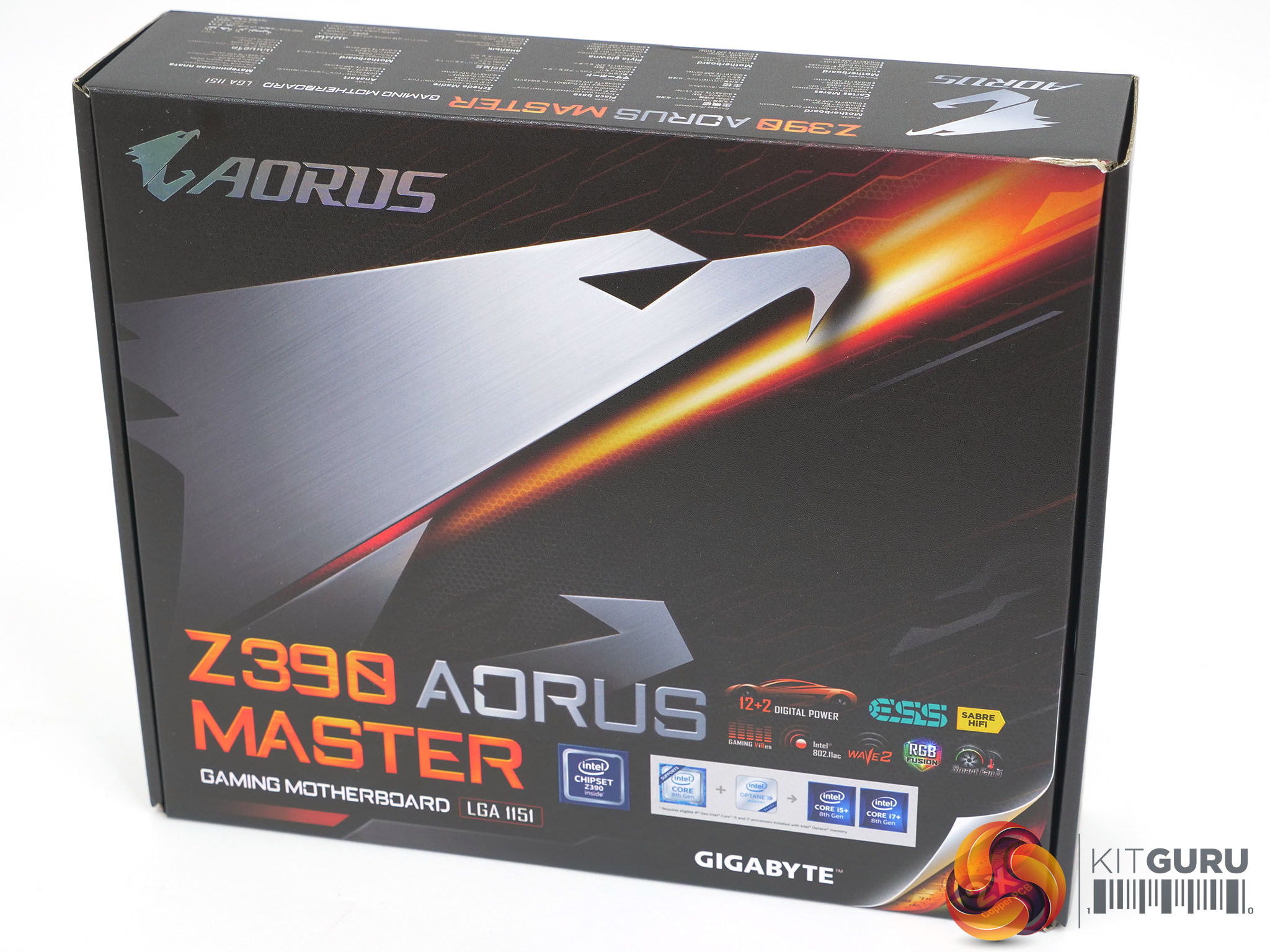
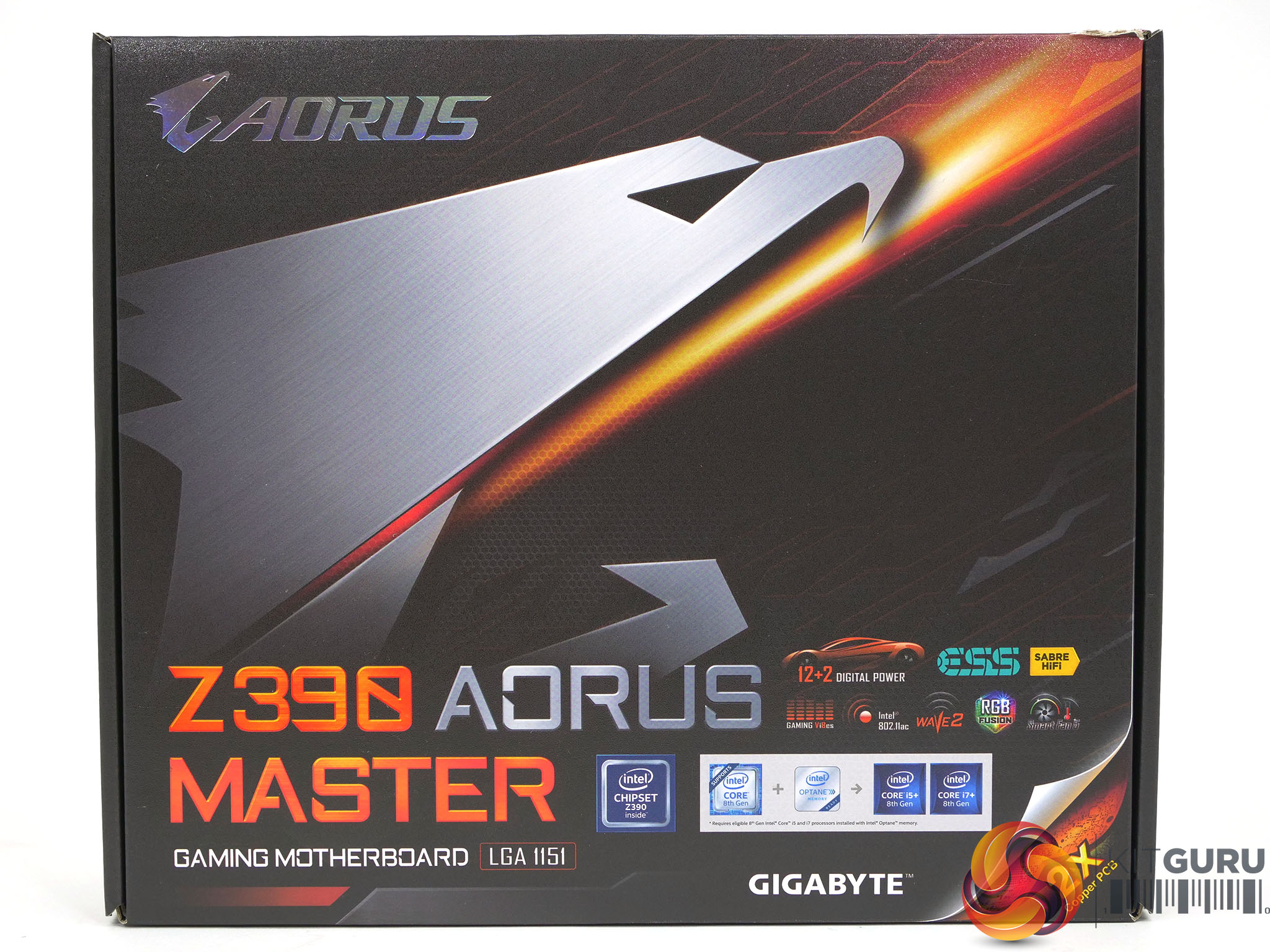
When we reviewed the Intel Core i9-9900K launch back in October 2018 we used the Gigabyte Z390 Aorus Master motherboard. We did a video review of the Z390 Aorus Master a few weeks later and now, finally we have the written pages on KitGuru that wrap up the whole thing.
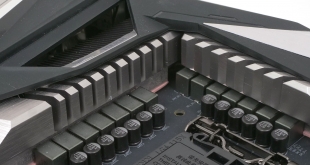
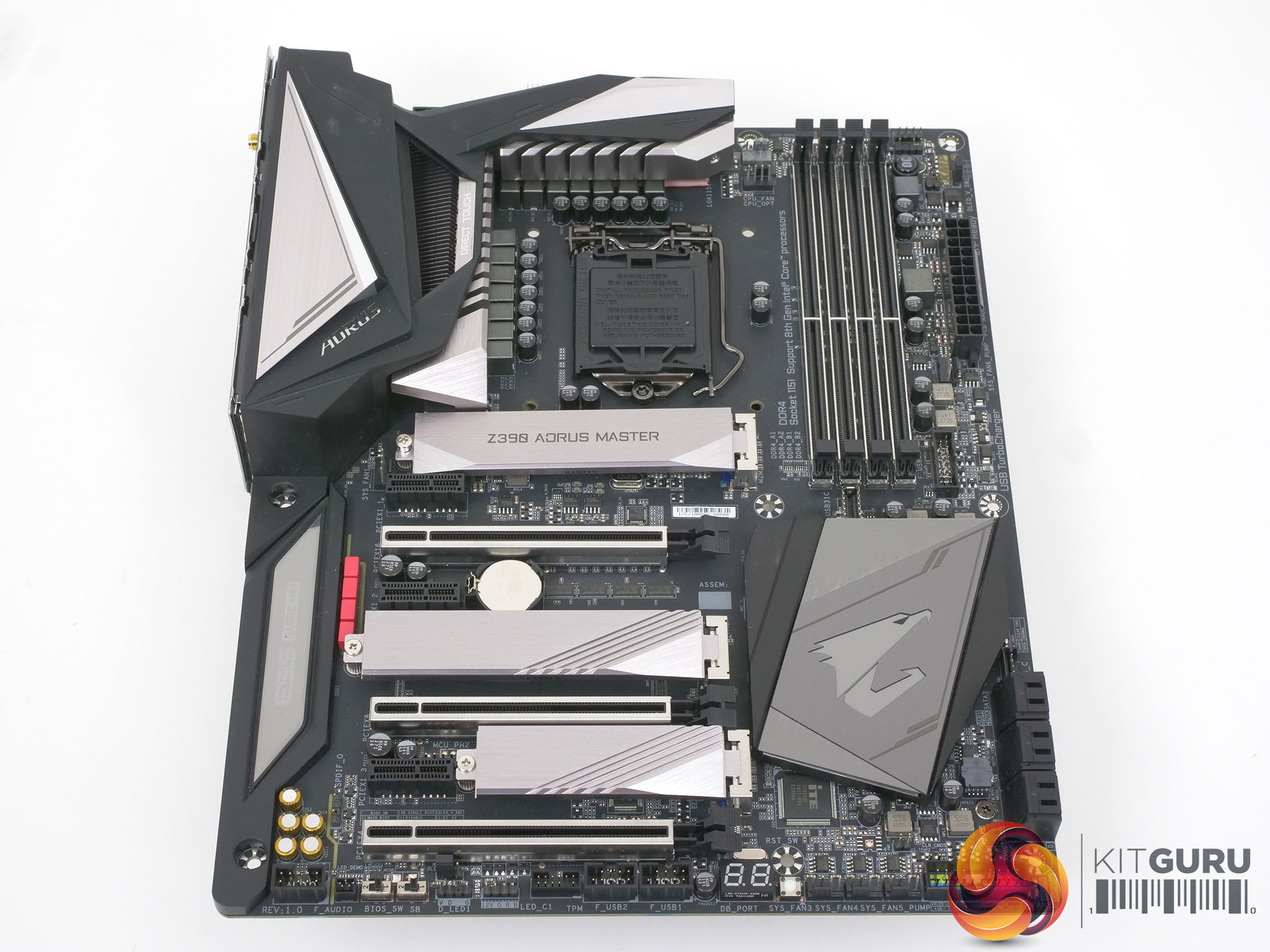
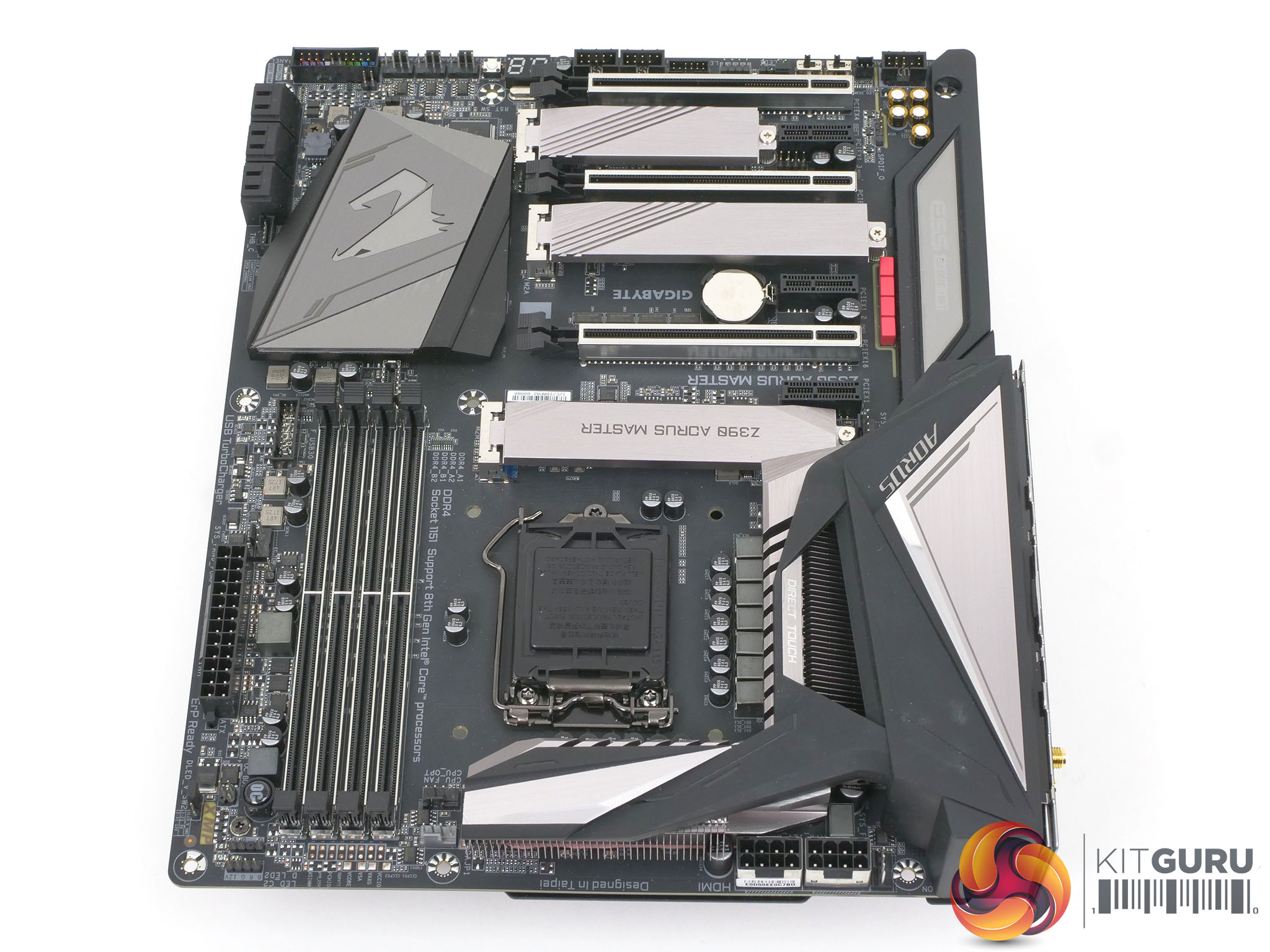
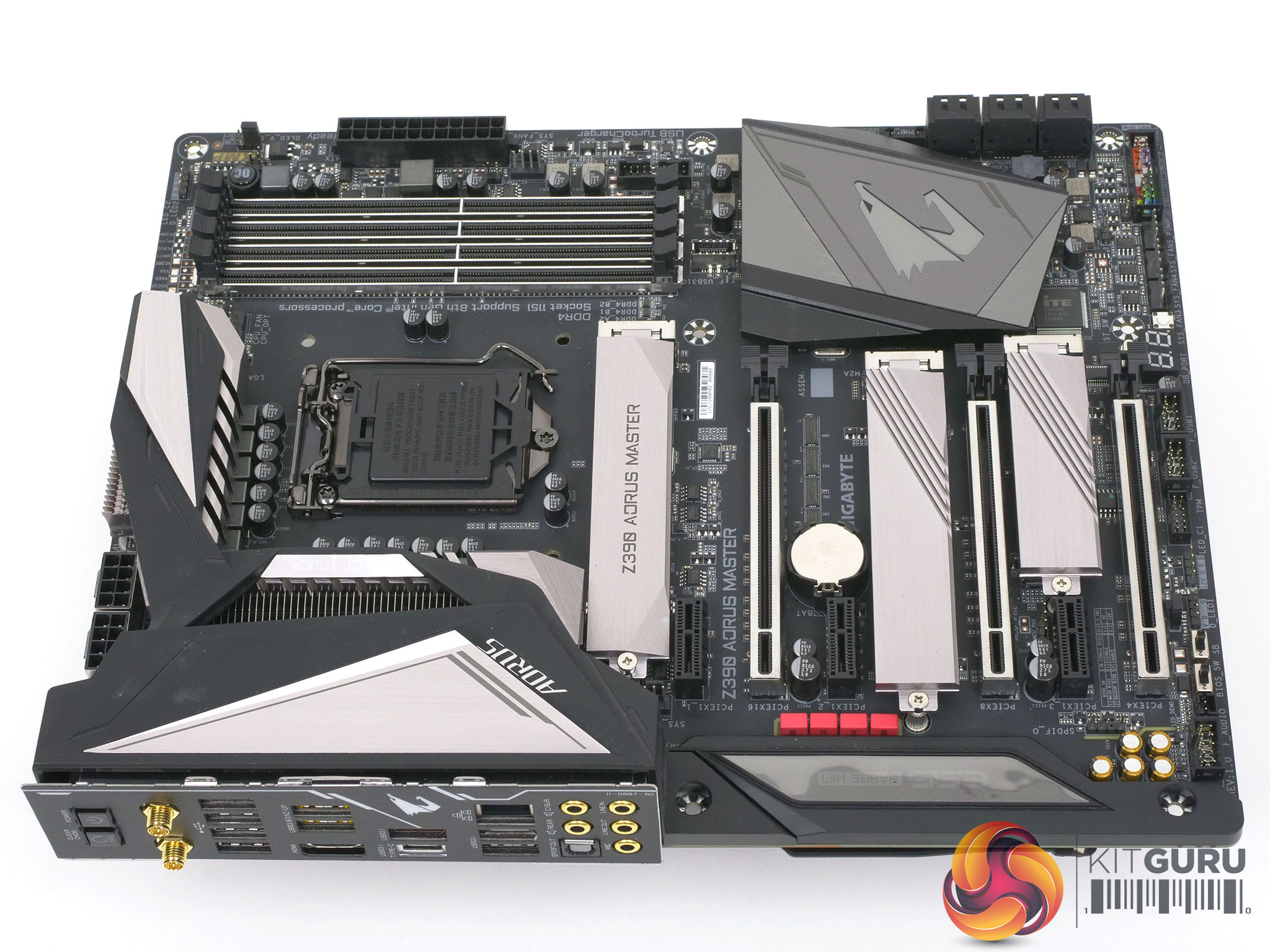
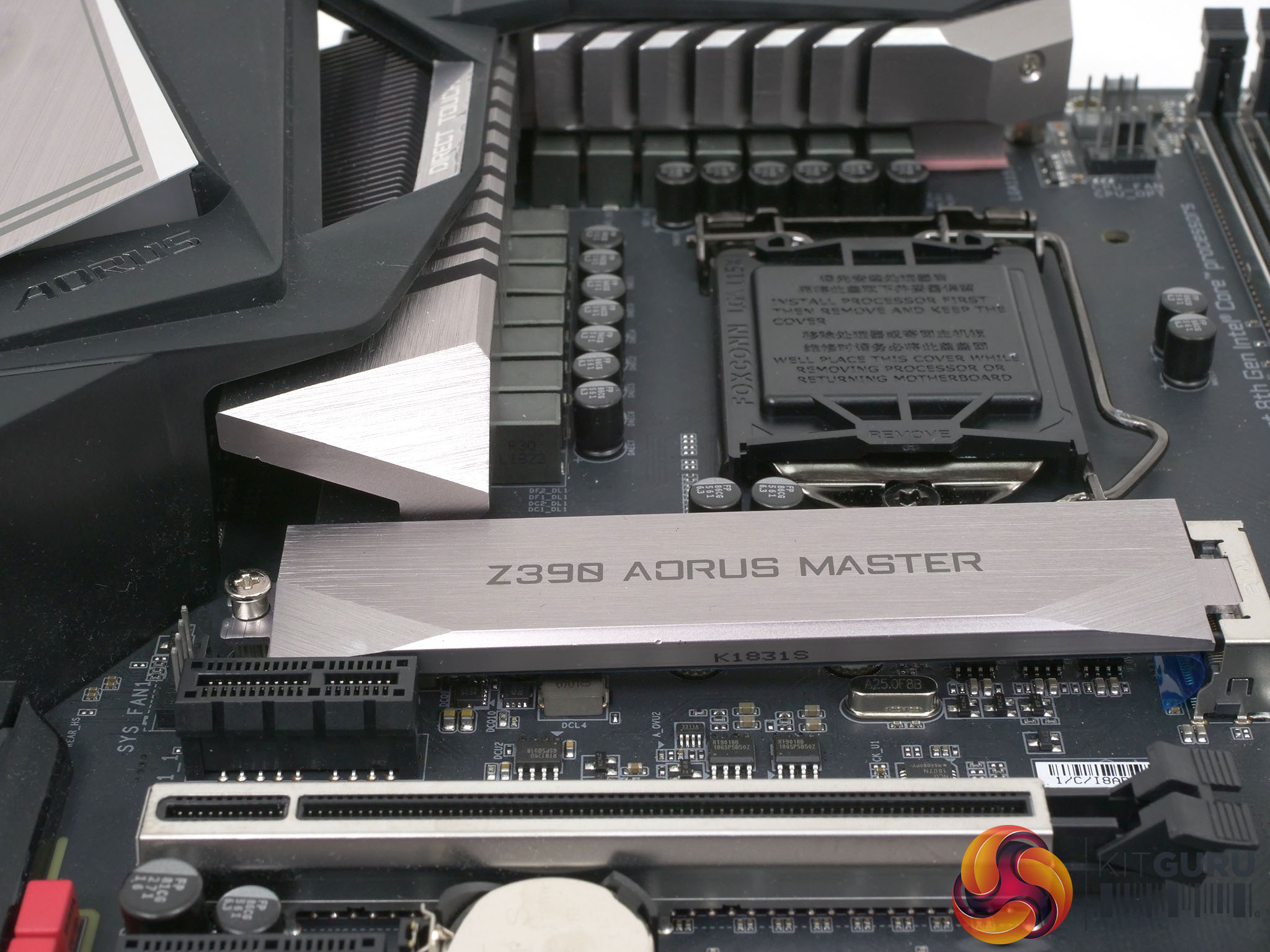
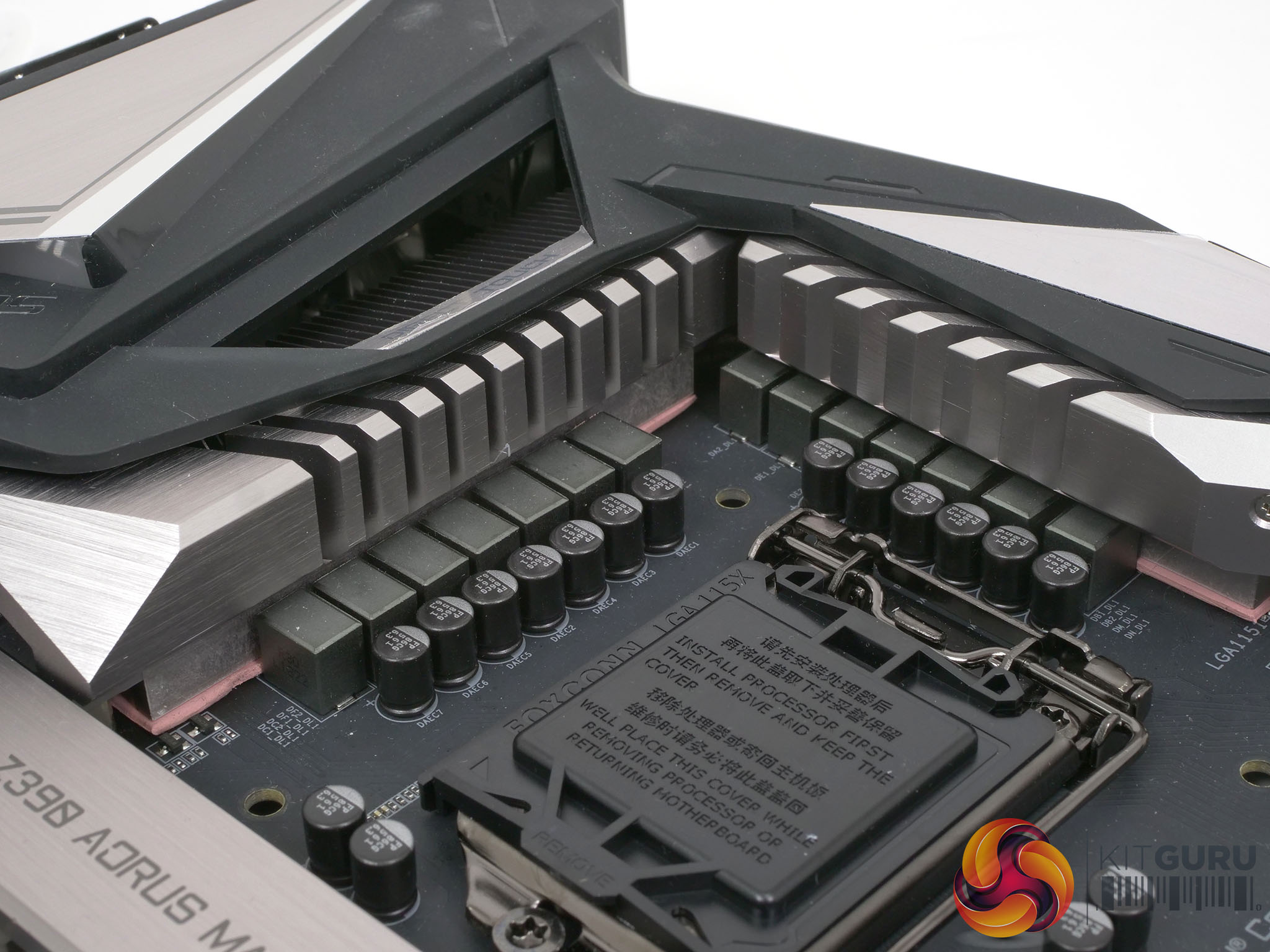
There is plenty of good stuff to discuss about the Z390 Aorus Master so let’s start with the VRMs as power delivery hardware is a major focus for Gigabyte with their Z390 motherboards. Gigabyte has gone out of their way to spell out the number of power phases, the makes and models of the various chips and also their current ratings so we are crystal clear there are 12x 60A phases using a doubling scheme. Gigabyte has also worked hard on the VRM coolers, the construction of the PCB and the thermal shielding on the back of the board. You also get a great many ports and connectors and yes, you get RGB.
In fact we struggled to see any gaps in the specification as Gigabyte has pretty much thrown everything it has at the Z390 Aorus Master to such an extent we feel they may have gone too far when they installed four graphics slots. No gamer requires this feature and we would have welcomed a bit more space around the headers and connectors at the foot of this motherboard. This was the level of relatively minor detail we had to consider because when it comes to the major design choices Gigabyte has things absolutely nailed.
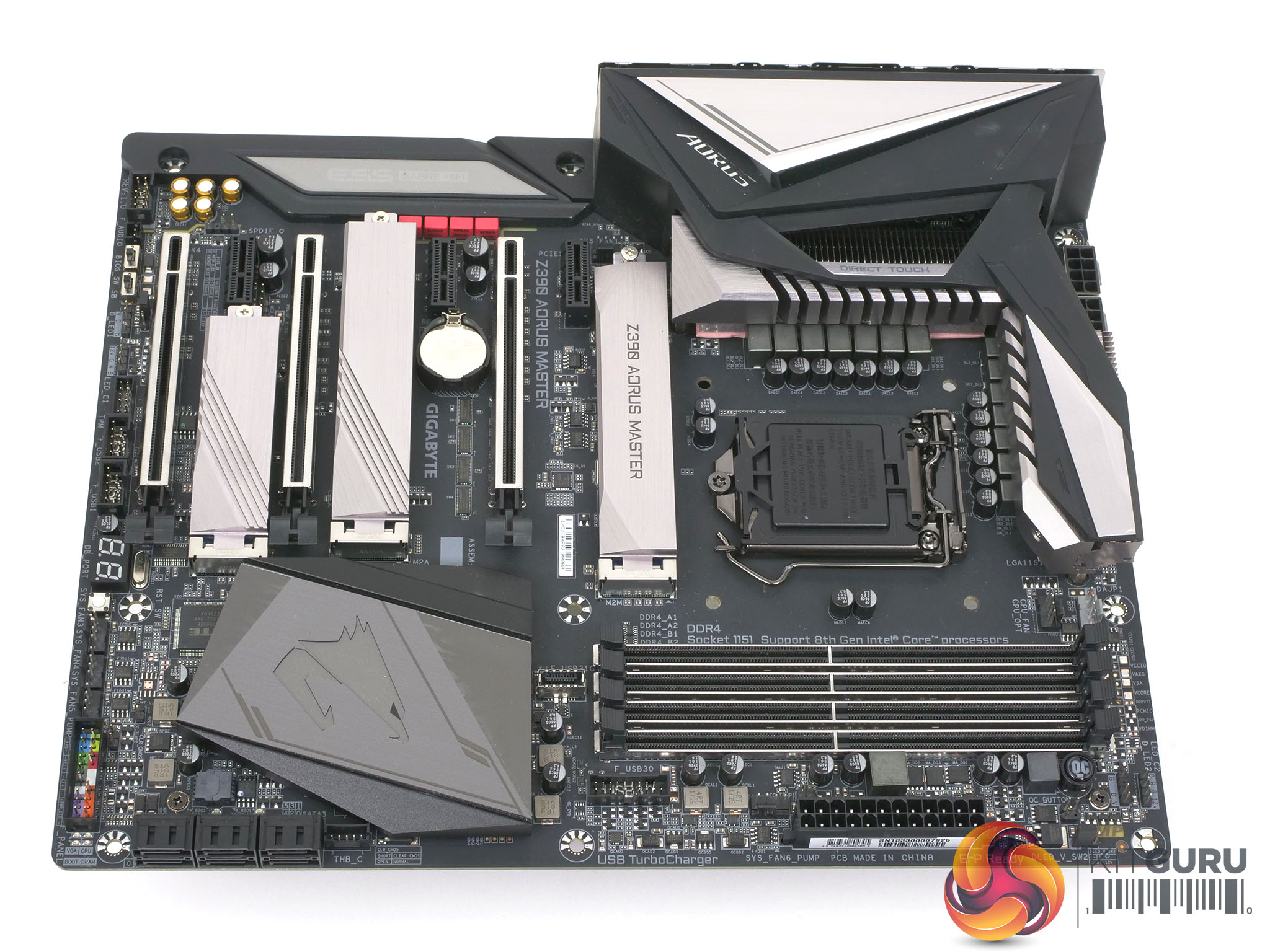
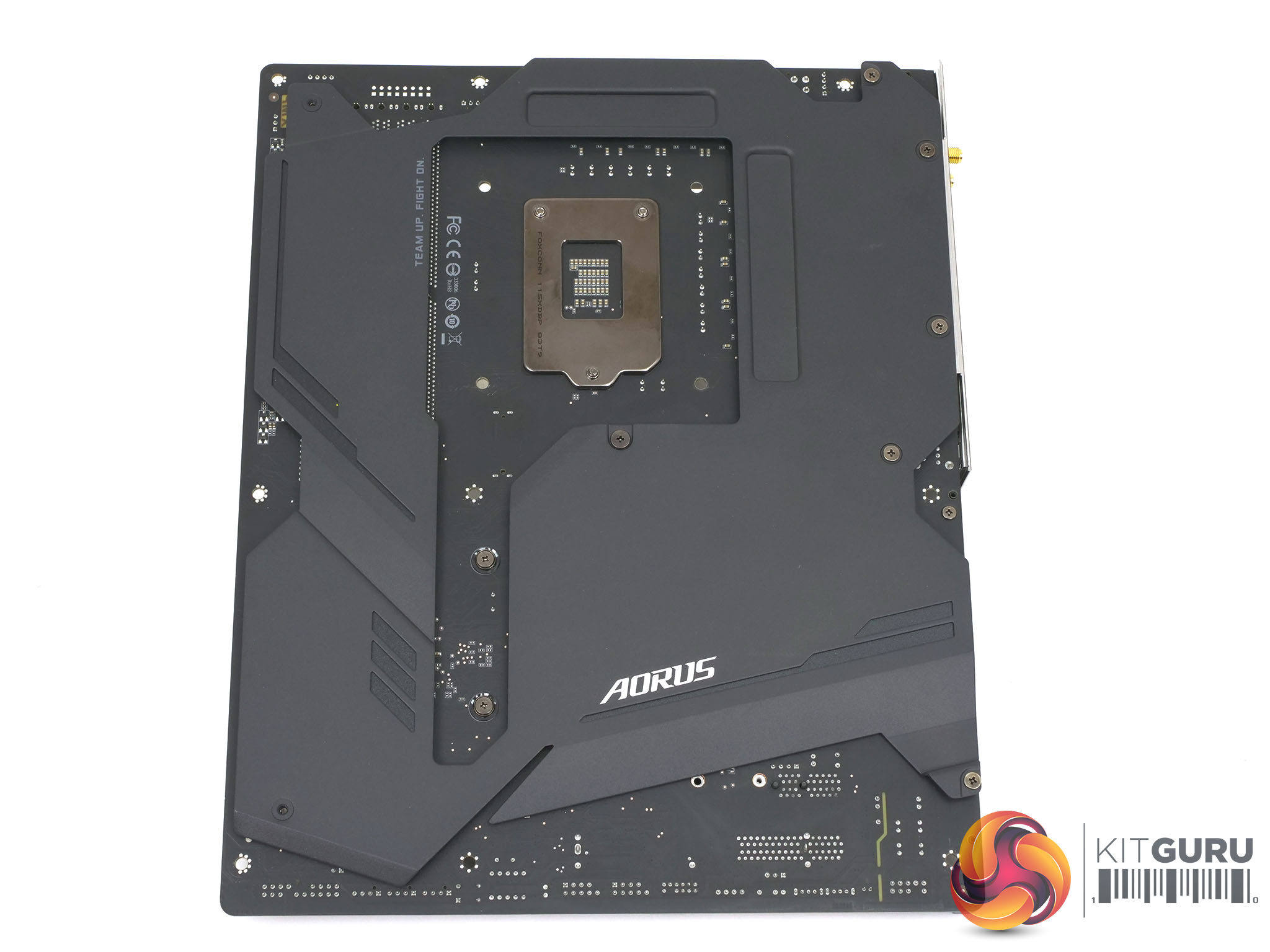
Note: if the above images are not displaying properly, you may need to disable your Ad Blocker as they can interfere with our display code
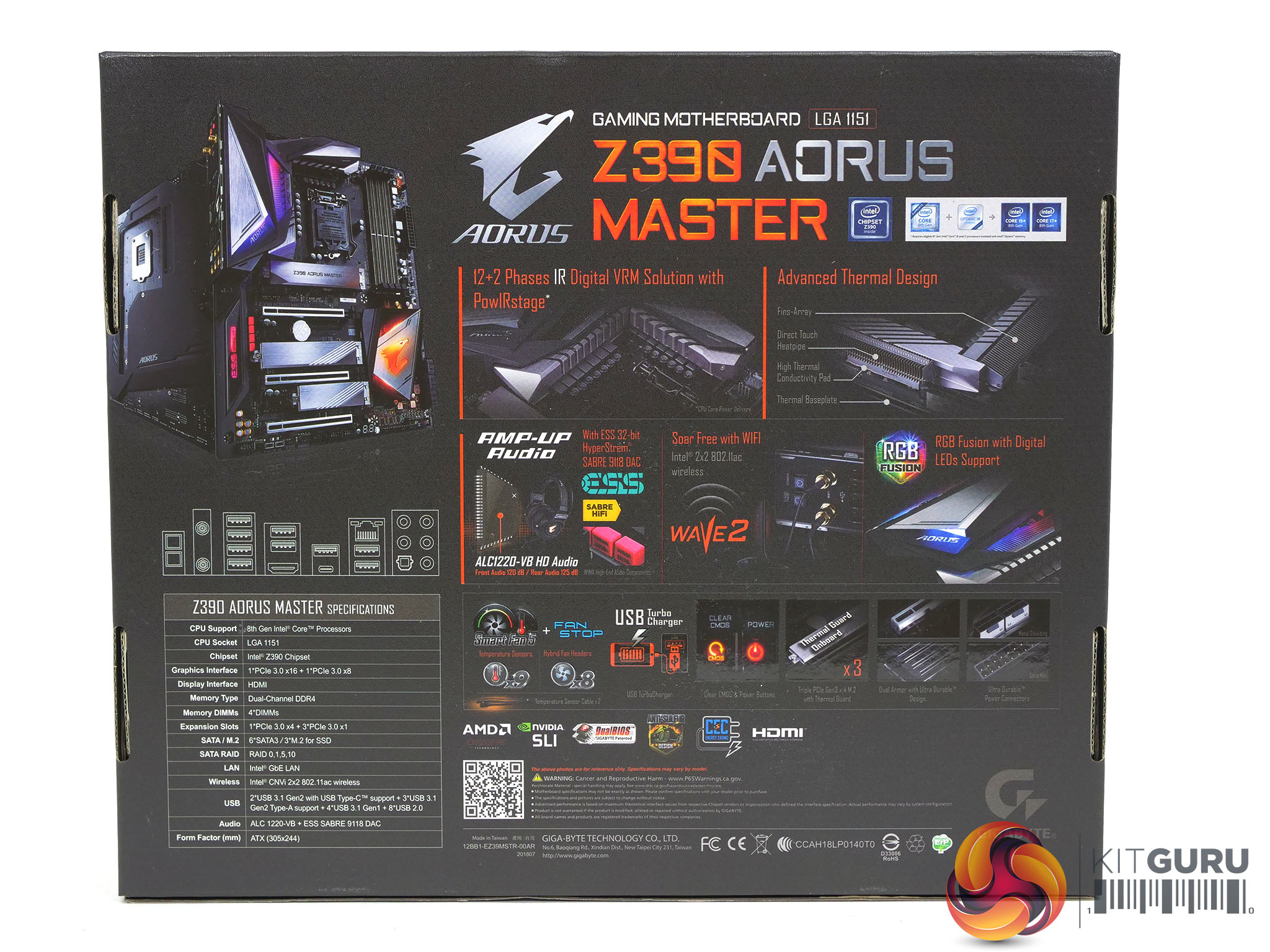
Key features:
- Supports 9th and 8th Gen Intel Core Processors
- Dual Channel Non-ECC Unbuffered DDR4, 4 DIMMs
- Intel Optane Memory Ready
- 12 Phases IR Digital VRM Solution with PowIRstage
- Advanced Thermal Design with Fins-Array Heatsink and Direct Touch Heatpipe
- Onboard Intel CNVi 802.11ac 2×2 Wave 2 Wi-Fi
- 125dB SNR AMP-UP Audio with ALC1220 & High-End ESS Sabre 9118 DAC with WIMA audio capacitors
- USB TurboCharger for Mobile Device Fast Charge Support
- Intel Gigabit LAN with cFosSpeed
- RGB Fusion with Multi-Zone Addressable LED Light Show Design, Supports Addressable LED & RGB LED Strips
- Smart Fan 5 features Multiple Temperature Sensors and Hybrid Fan Headers with Fan Stop
- Front USB 3.1 Gen 2 Type-C Header
- Triple Ultra-Fast NVMe PCIe Gen3 x4 M.2 with Triple Thermal Guard
- USB DAC-UP 2 with Adjustable Voltage
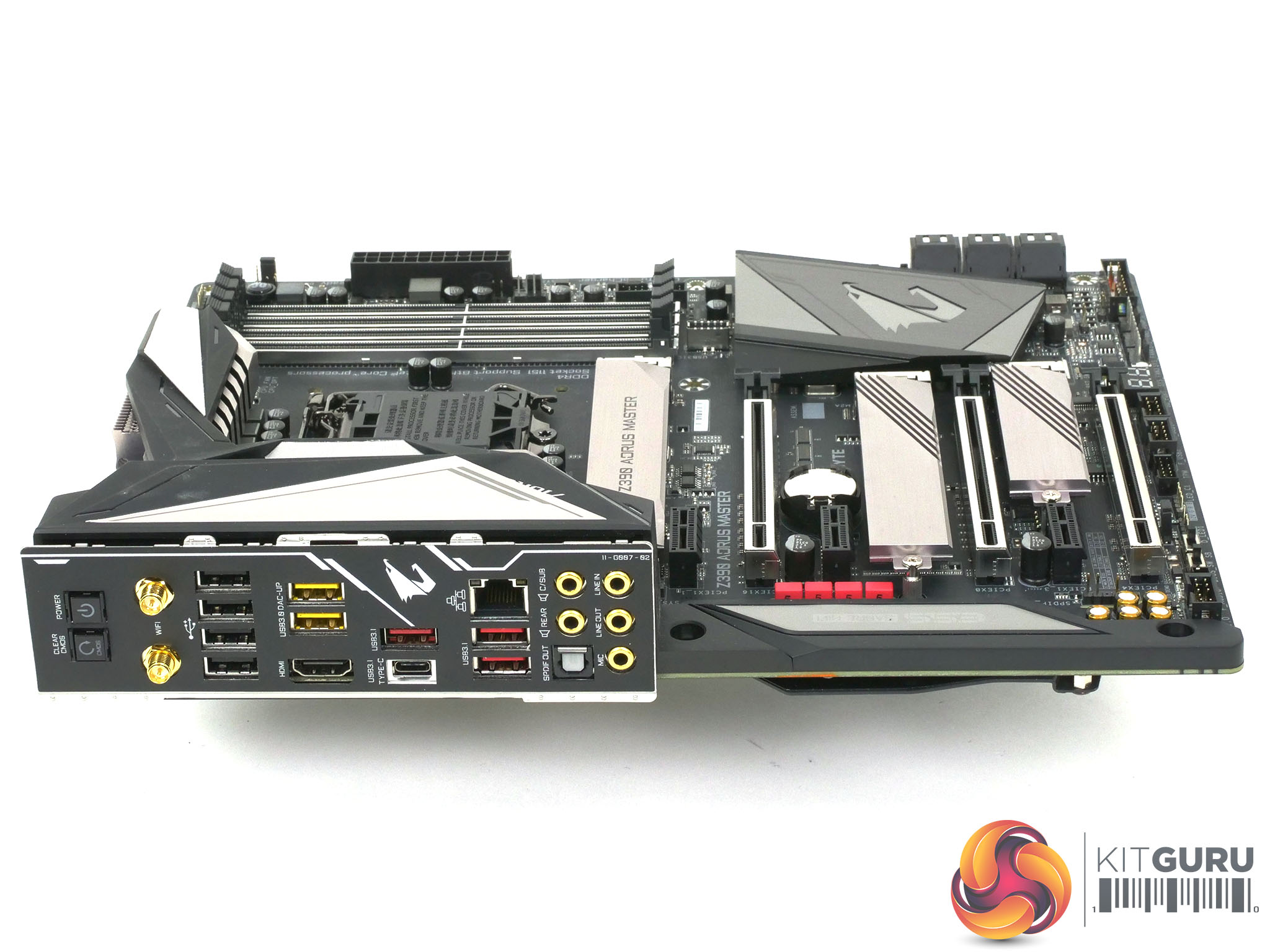
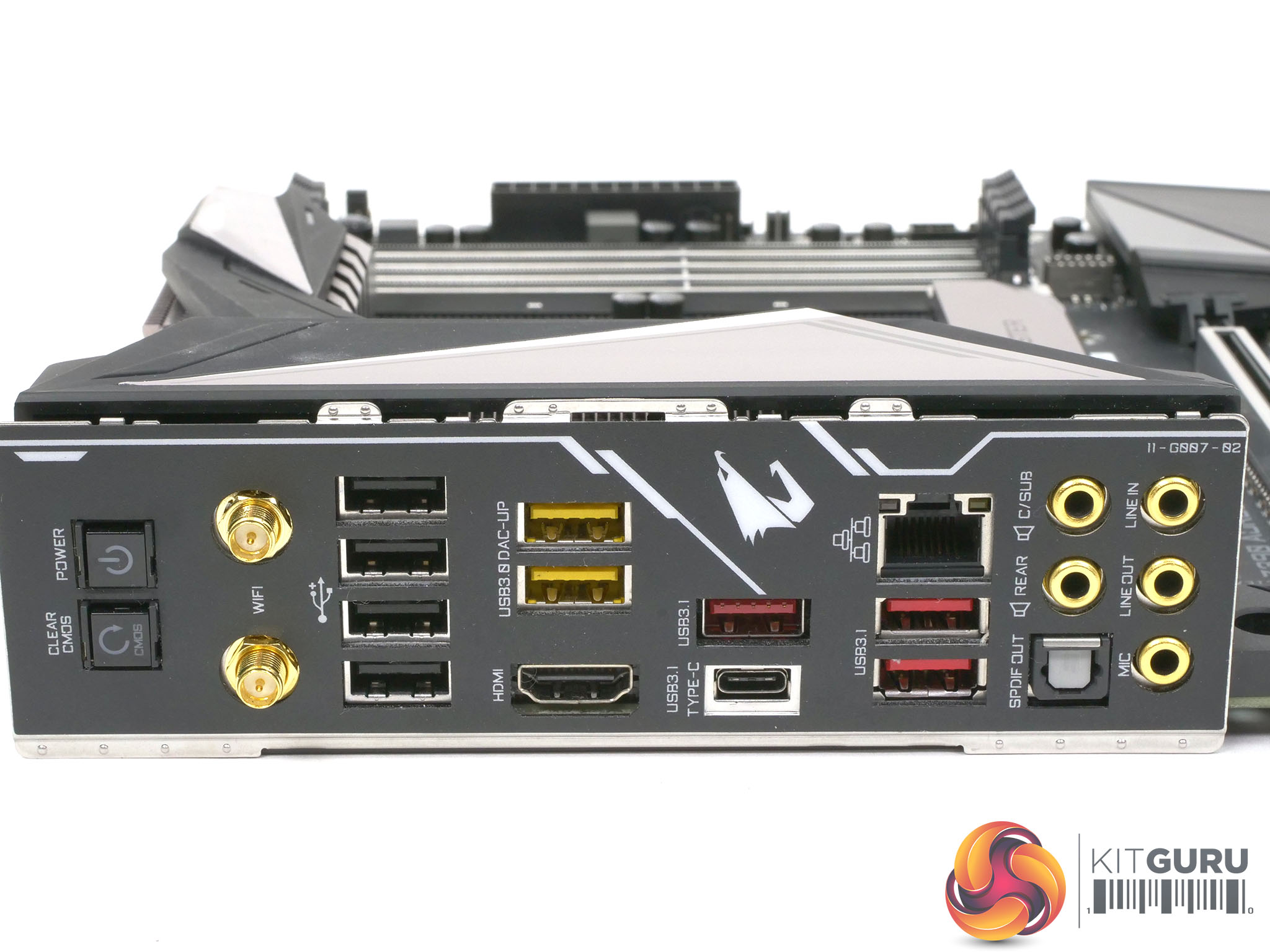
Specification:
- 2 x PCI Express 3.0 x16 slot (1x 16, 2x 8)
- 1 x PCI Express 3.0 x16 slot, running at x4
- 3 x PCI Express 3.0 x1 slots
- 1 x M.2 Socket 1 connector for an Intel CNVi wireless module (CNVI)
- 1 x Power/Reset button
- 1 x Clear CMOS button
- 2 x SMA antenna connectors (2T2R)
- 1 x HDMI port
- 1 x USB Type-C port, with USB 3.1 Gen. 2 support
- 3 x USB 3.1 Gen. 2 Type-A ports (red)
- 2 x USB 3.1 Gen. 1 ports
- 4 x USB 2.0/1.1 ports
- 1 x RJ-45 port
- 1 x optical S/PDIF Out connector
- 5 x audio jacks
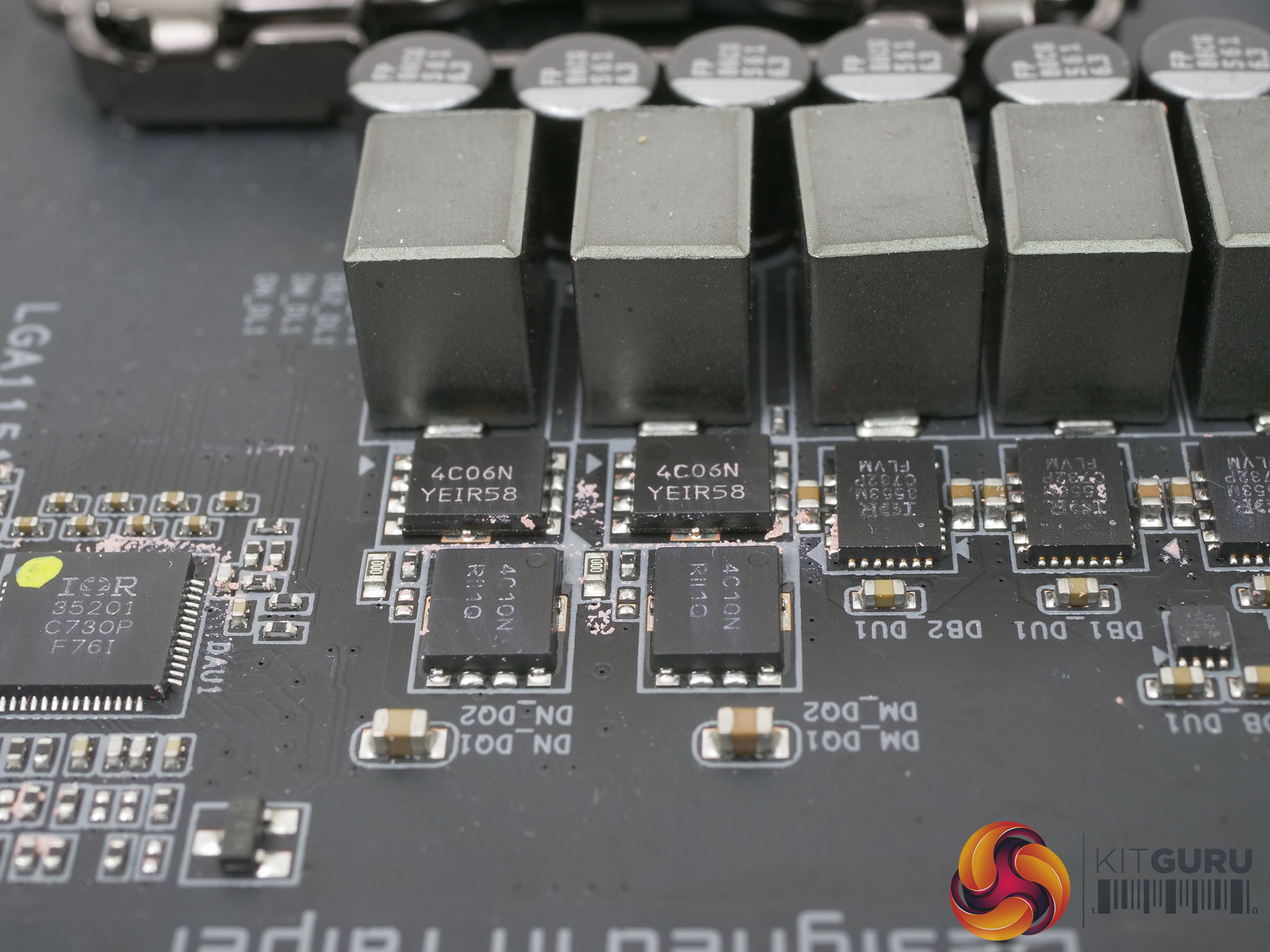
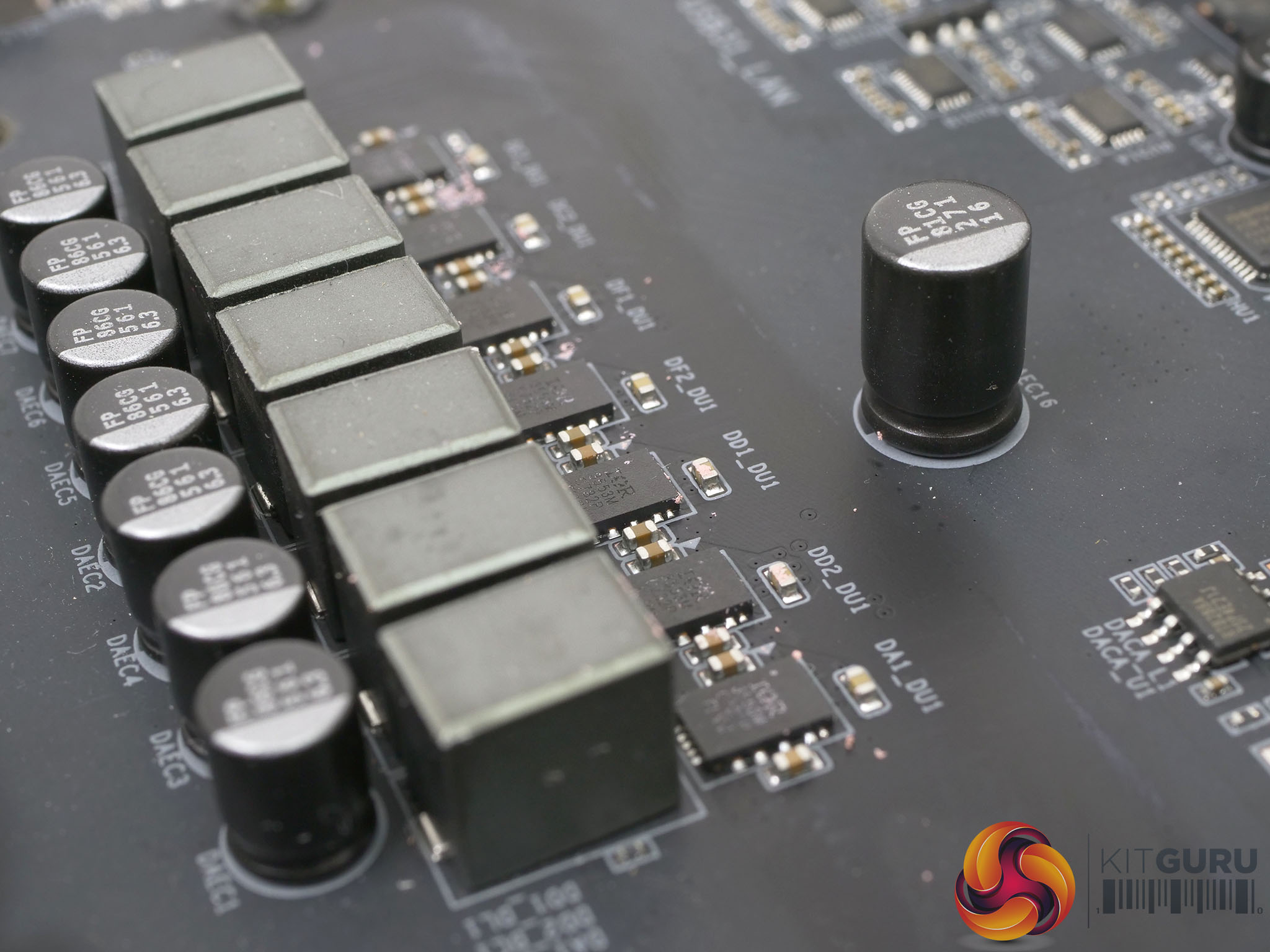
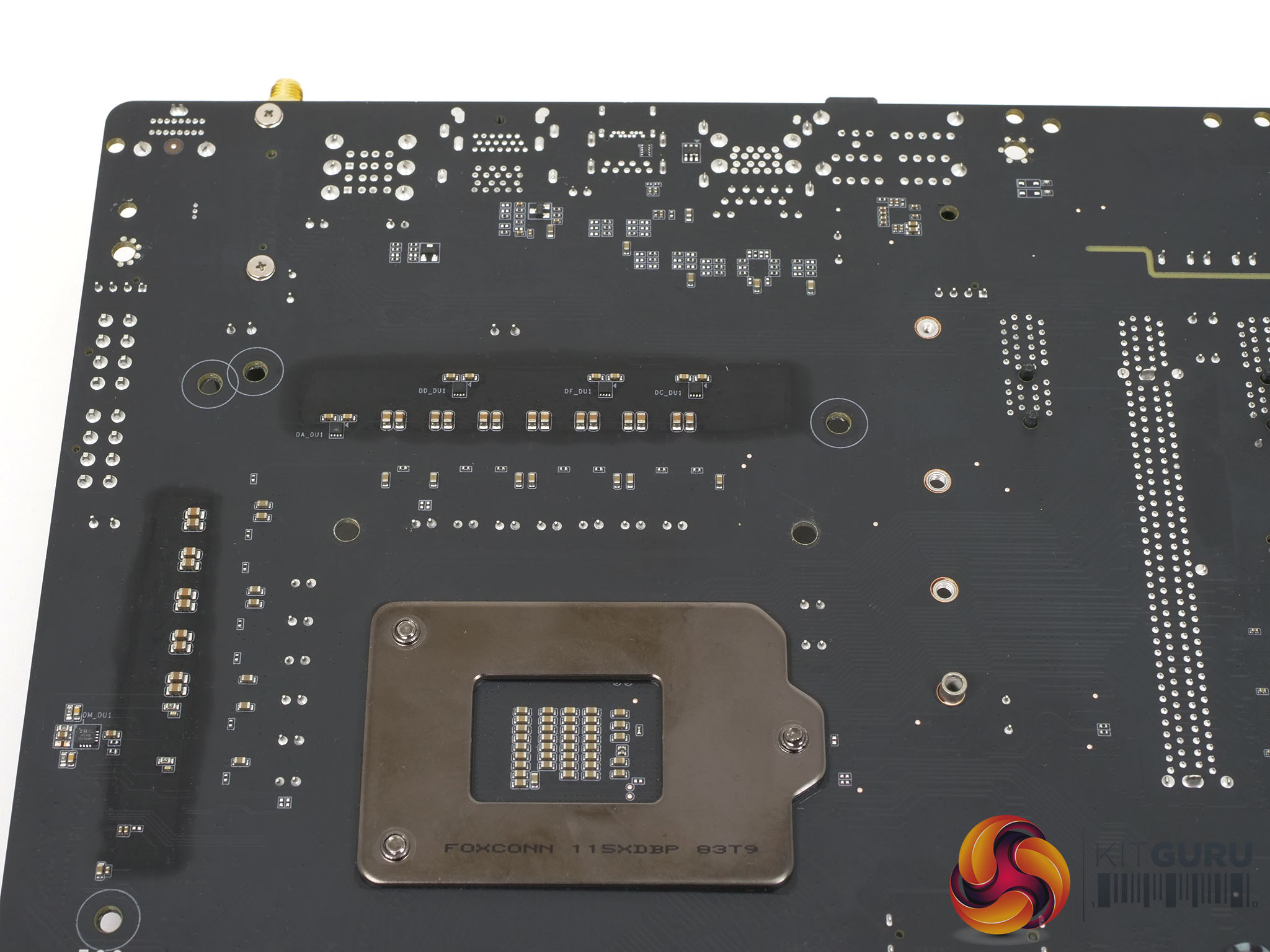
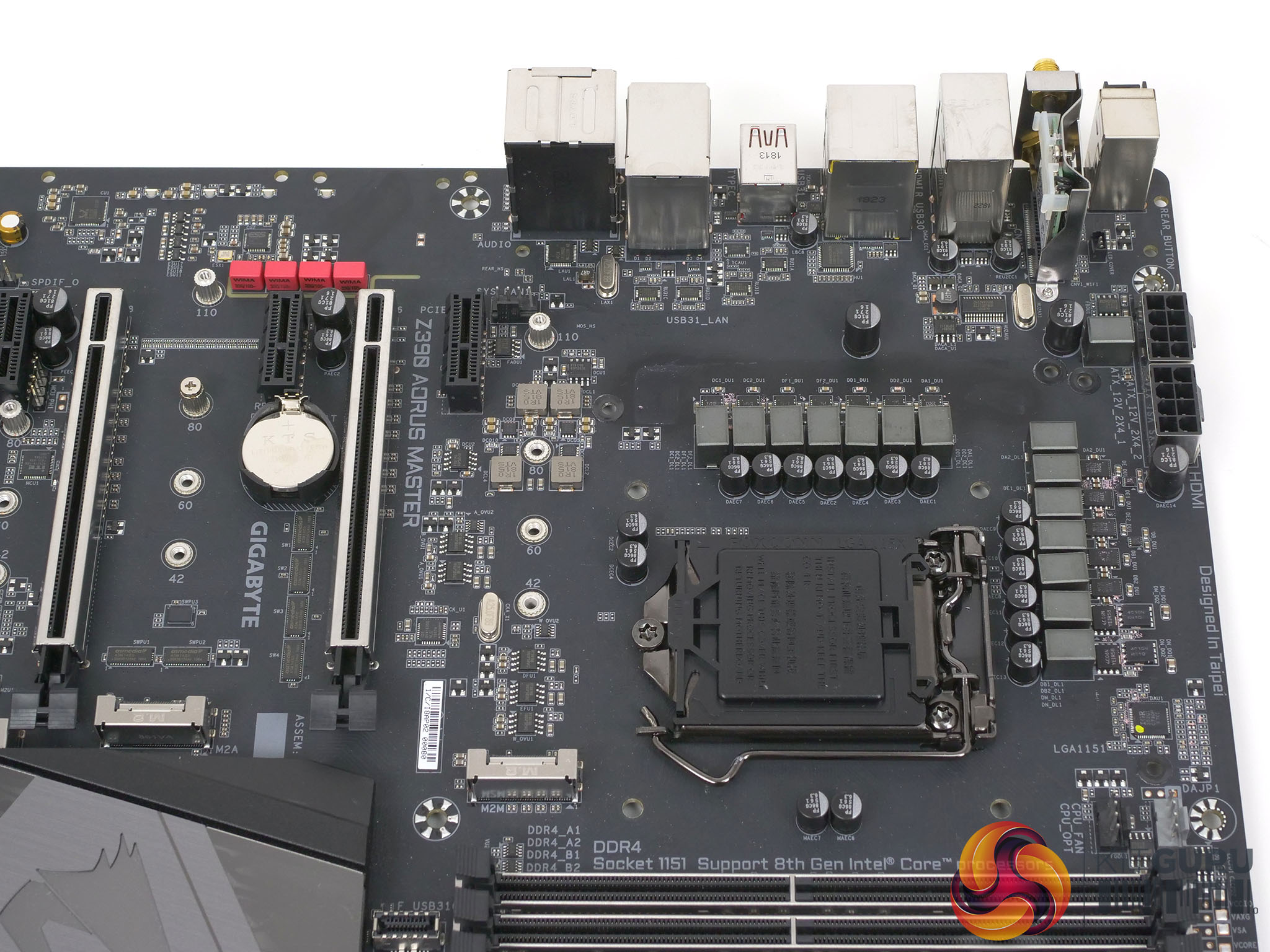
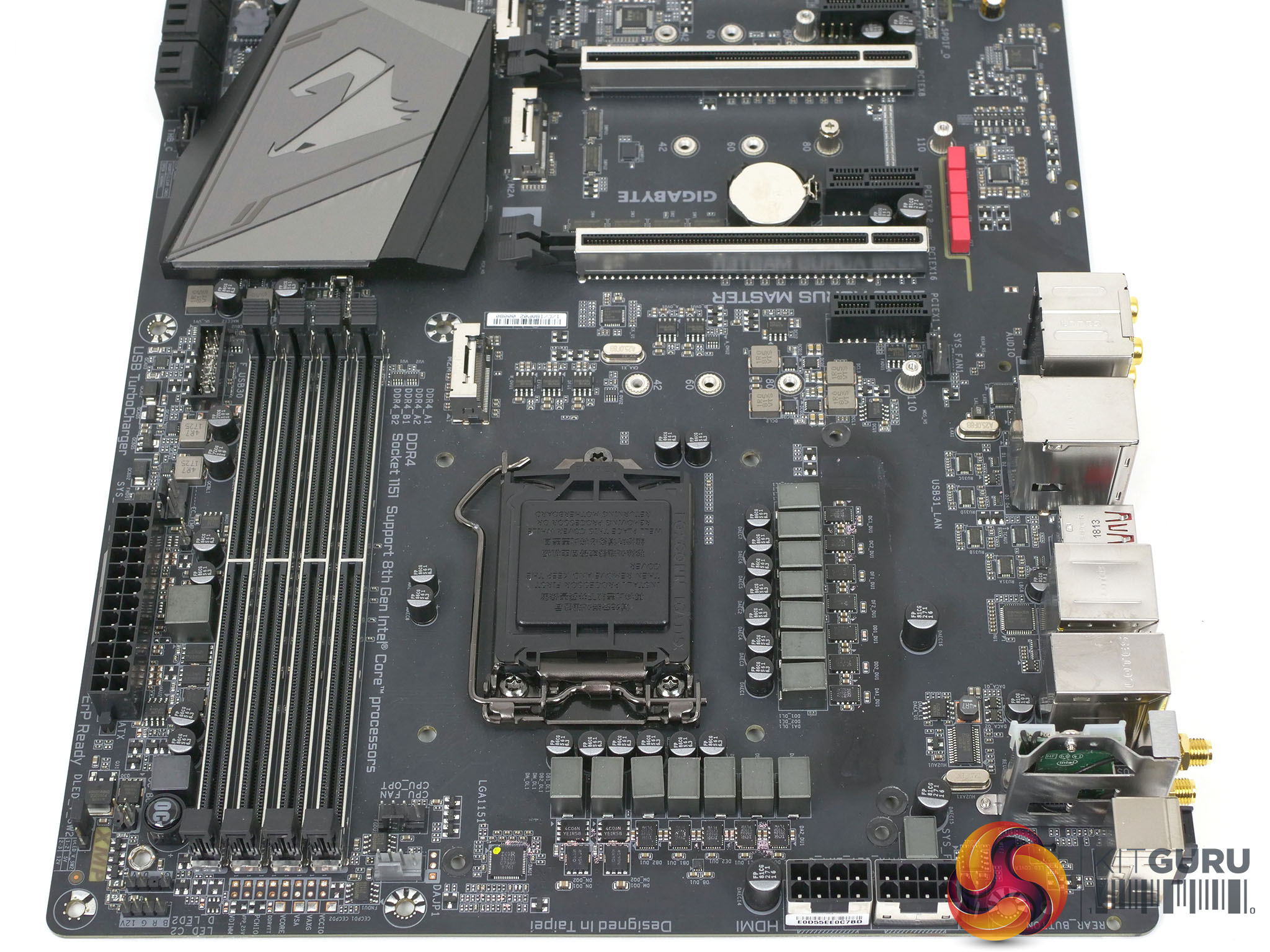
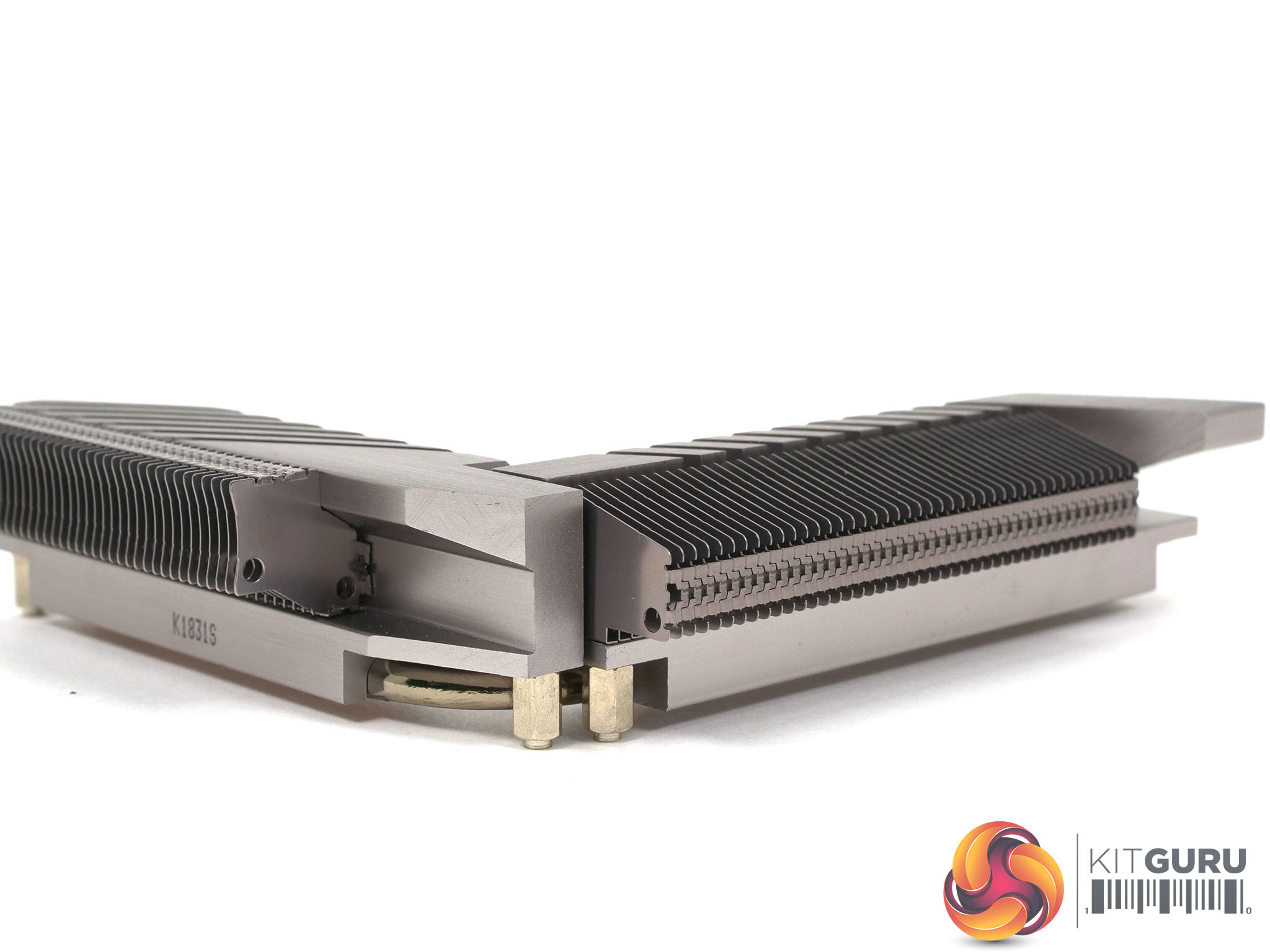
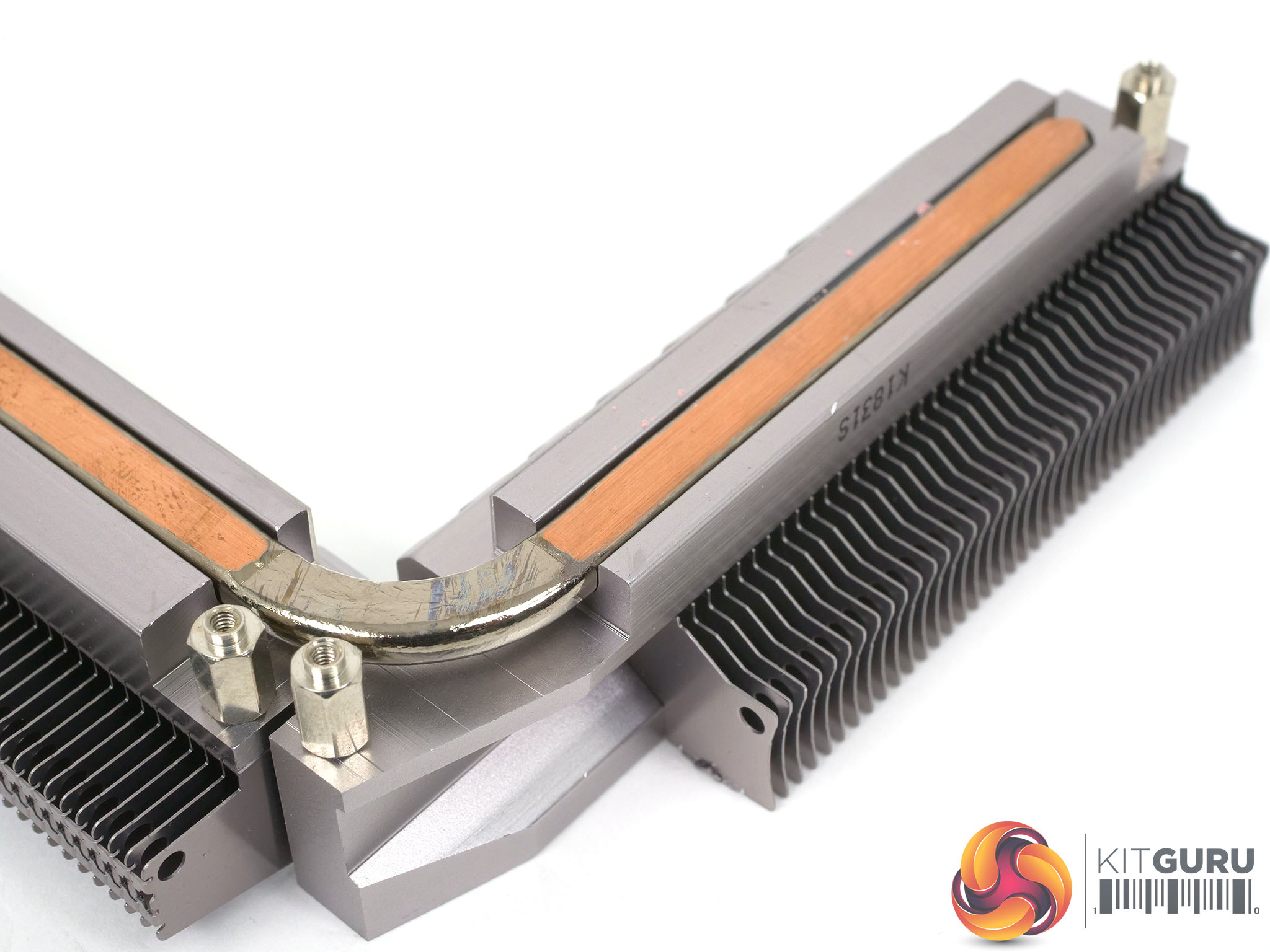
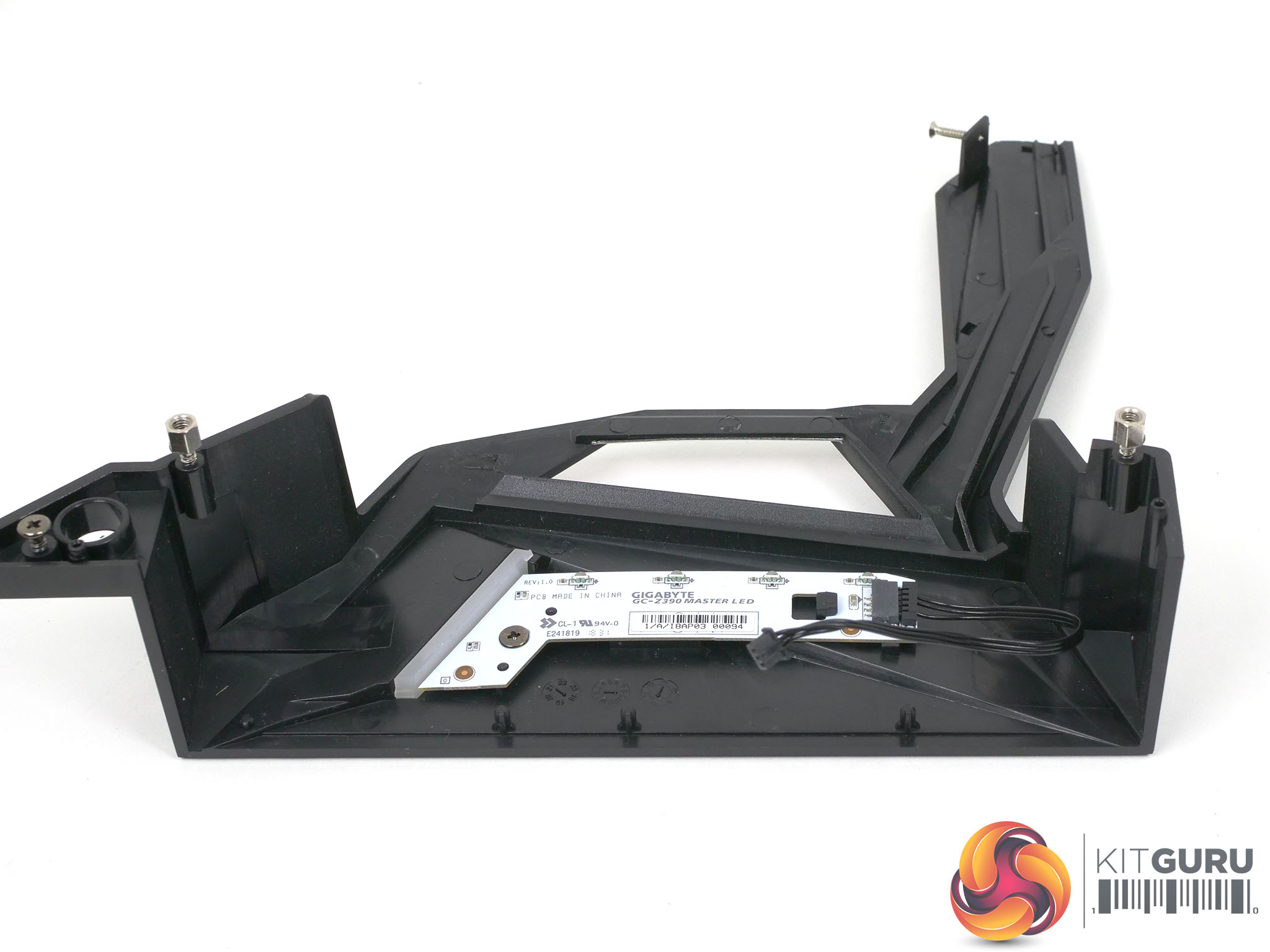
We used the Z390 Aorus Master for our launch review of the Core i9-9900K and found it provided a rock solid platform for the new CPU. This was clearly good news for us as the main requirement when you review a new CPU is that the system is both reliable and stable and Gigabyte Z390 Aorus Master ticked those critical boxes. The first thing we noticed about the board is the emphasis that Gigabyte has placed on the engineering, both in terms of the look and feel but also with regard to the information we were sent.
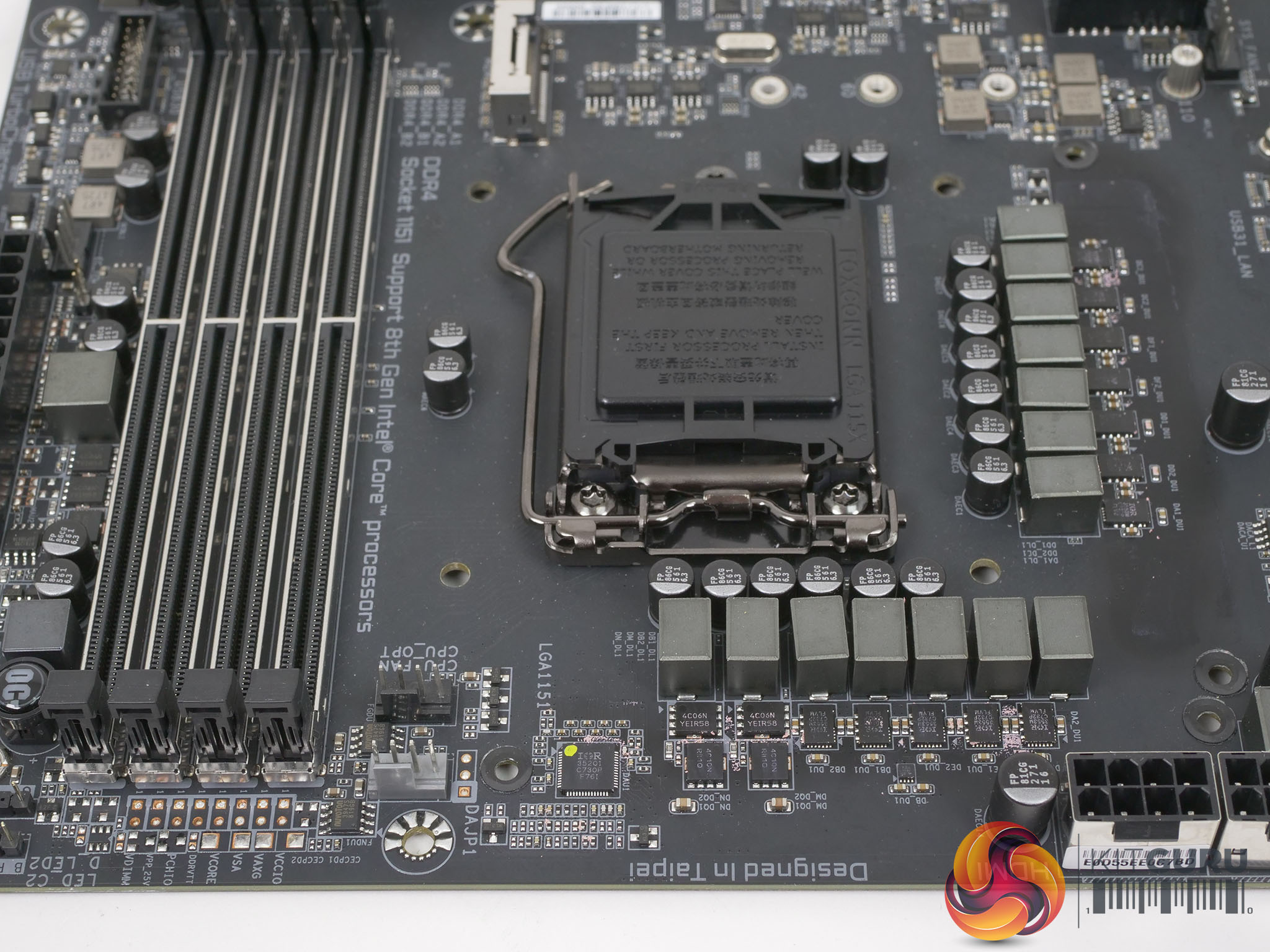
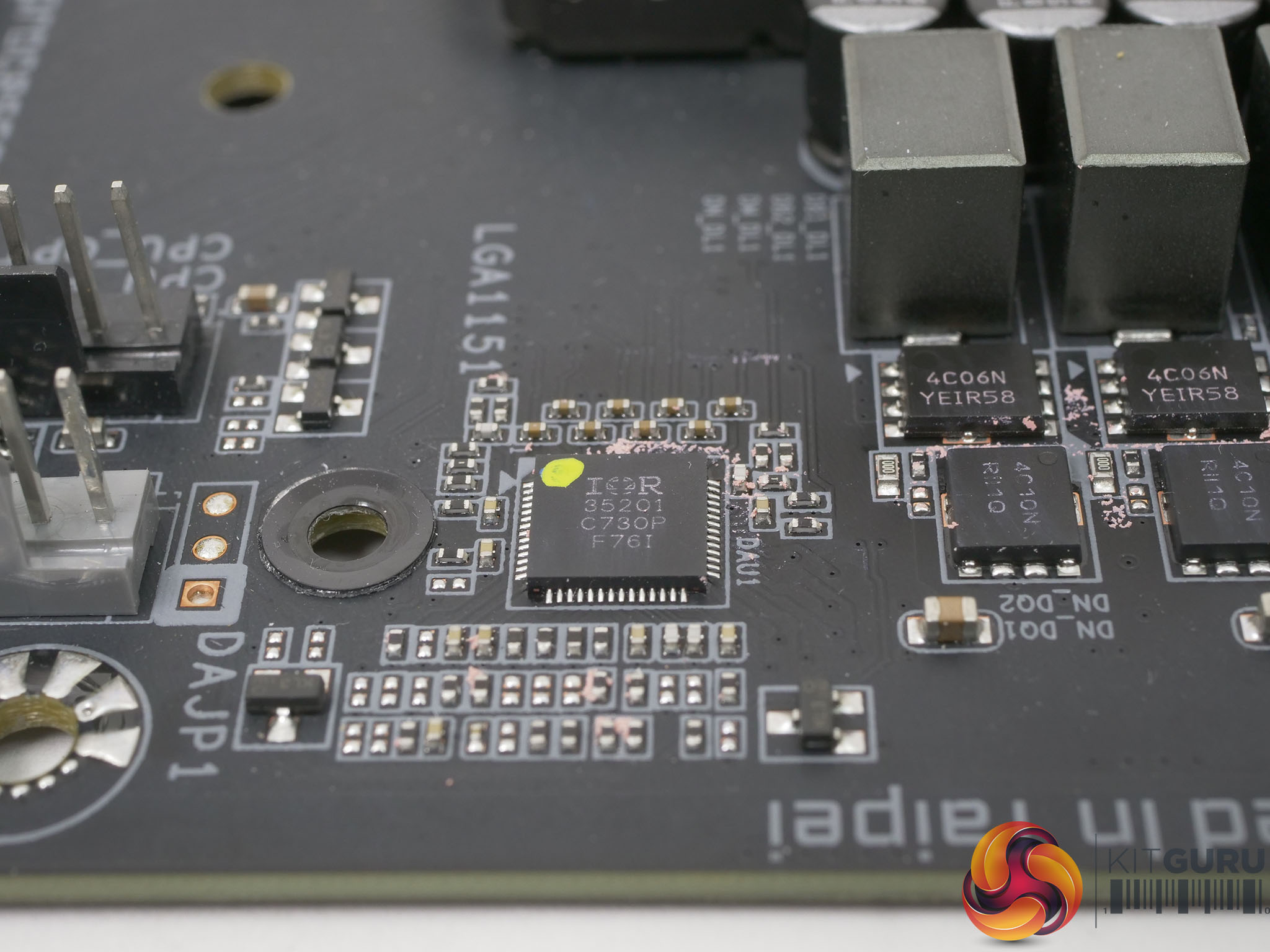
Gigabyte describes the Z390 Aorus Master as ‘Designed for All Core 5GHz+’, and while that claim would likely be made for many enthusiast Z390 boards on the market, in this instance we can see the evidence in front of our eyes. The VRMs for power delivery use International Rectifier hardware throughout with an 8-phase IR35201 controller that drives 12-phases of Vcore and two phases to handle the iGPU. The controller works through six IR3599 phase doublers that drive 12 IR3553 40A MOSFETs, which means the Z390 Aorus Master can deliver a maximum of 480A to the CPU with 85 percent efficiency.
The advantage of using this level of battleship engineering is that current output can reduced towards 15A per phase where you get maximum efficiency of 92 percent, which still provides 180A which is 240W at 1.35Vcore. During our testing we measured a CPU power draw over 200W which means that while our overclocked CPU was working at the limit we could see the Gigabyte Z390 Aorus Master was barely ticking over.
Of course the VRMs are only part of the power delivery system and as you will see in our video and photos Gigabyte has used substantial heat sinks on the VRMs that ensure they operate at impressively low temperatures.
Gigabyte uses a significant amount of copper in the construction of the PCB to assist power delivery and heat transfer. This encouraging approach to the hardware extends to the aluminium backplate which uses thermal pads to draw heat away from the components in order that the heat can pass into the airflow that passes through your case.
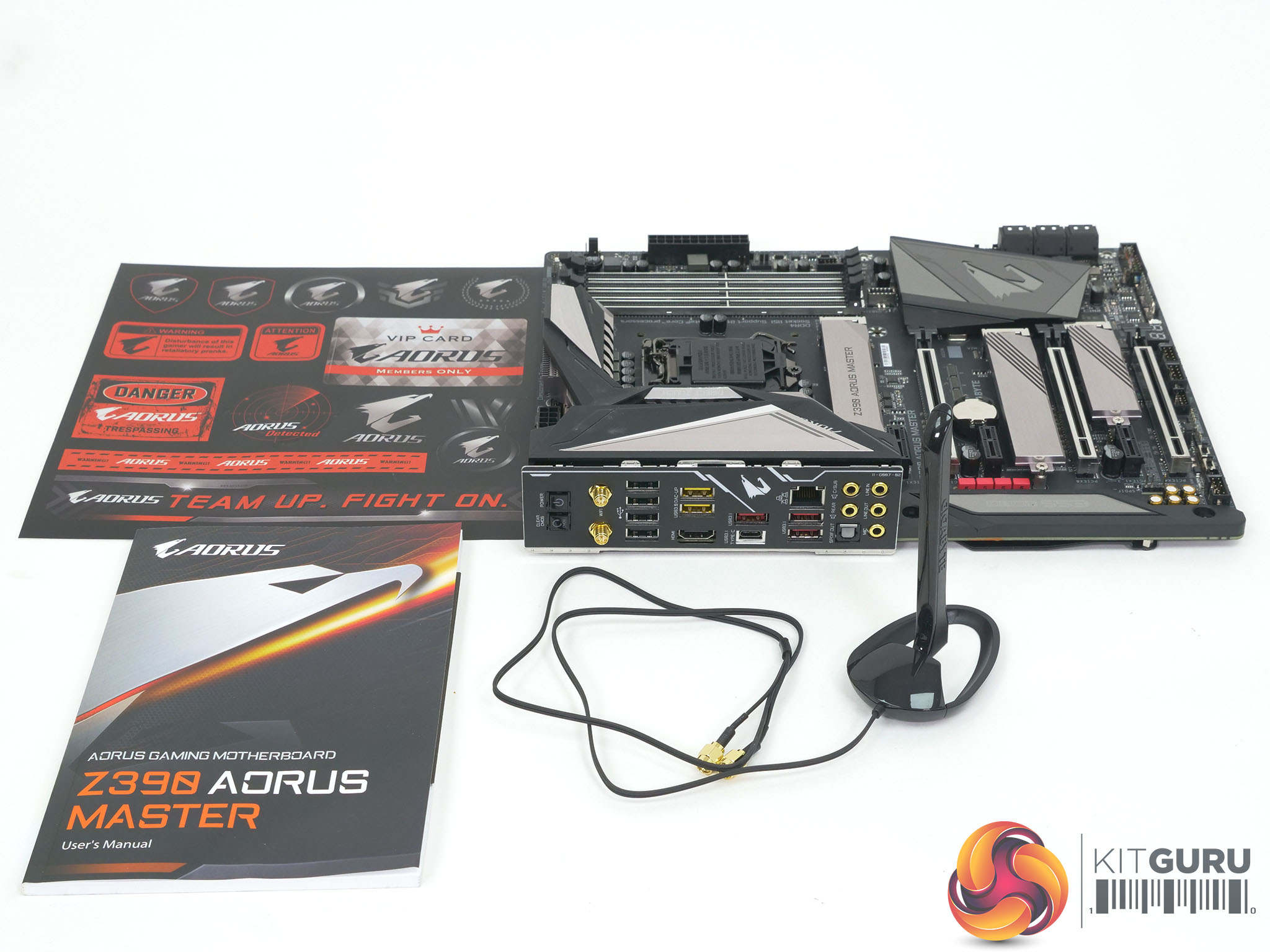
The rear I/O panel is loaded with USB ports, audio connectors, Wi-Fi antennae as well as those annoying Micro buttons that Gigabyte has taken to placing on the I/O, when we would much prefer to have them on the board itself. We really cannot see the point of four PCIe graphics slots and would much rather the space was used for other hardware.
Testing and Performance
Test system
CPU: Intel Core i9-9900K
Motherboard: Gigabyte Z390 Aorus Master
RAM: 16GB G.Skill SniperX DDR4-3400MHz
CPU Cooler: Fractal Design Celsius S24
Graphics: Nvidia RTX 2080 Founders Edition 8GB GDDR6
SSD: 1TB WD Black M.2 NVMe
Power Supply: Seasonic Prime Platinum 1300W
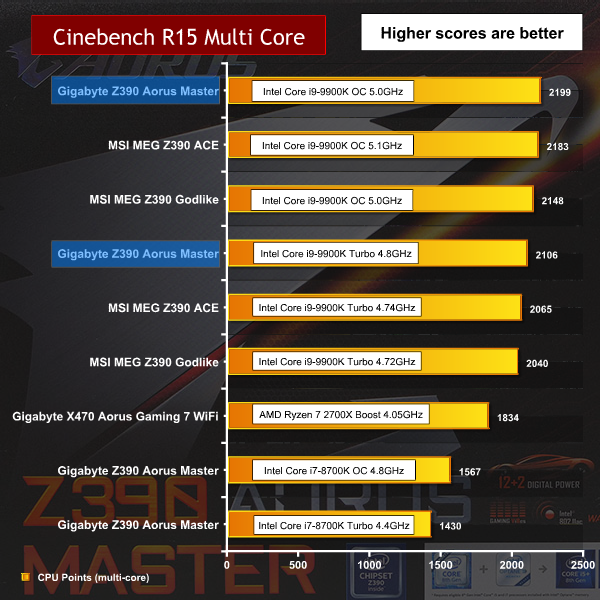
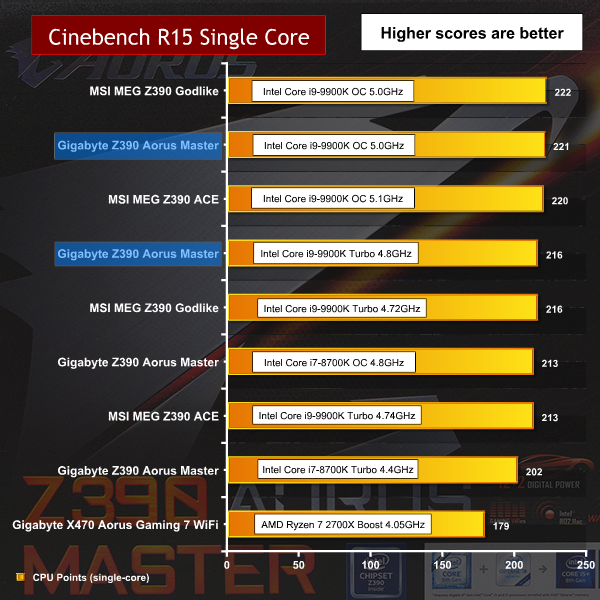
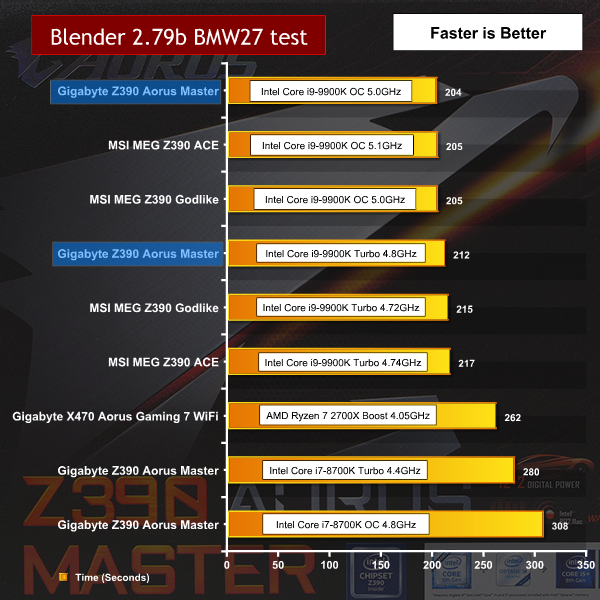
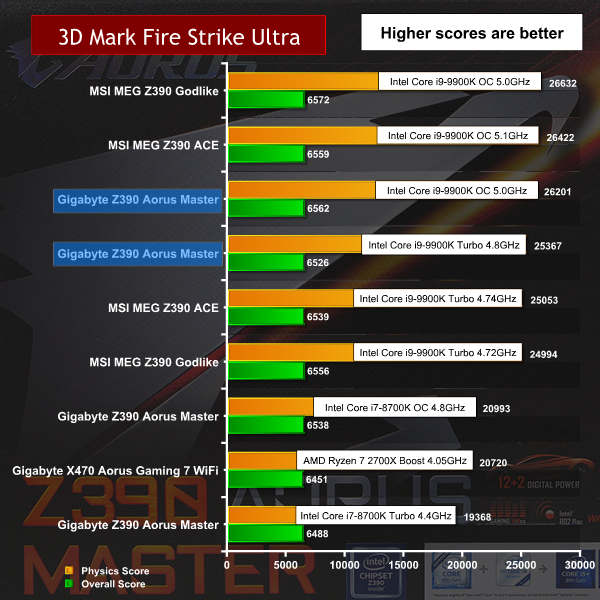
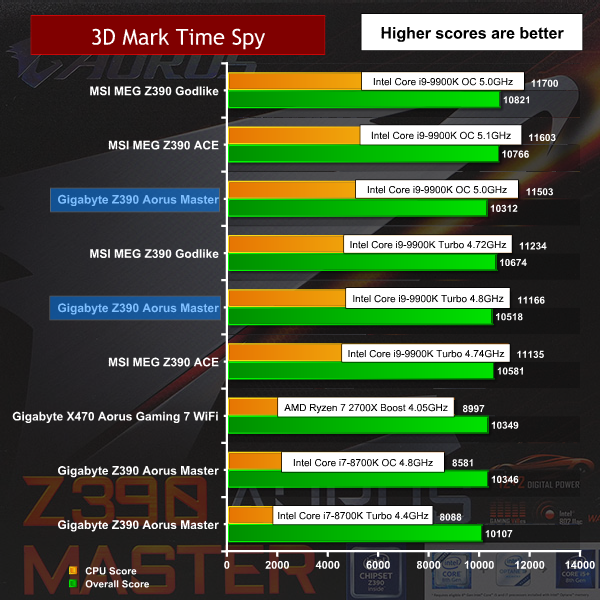
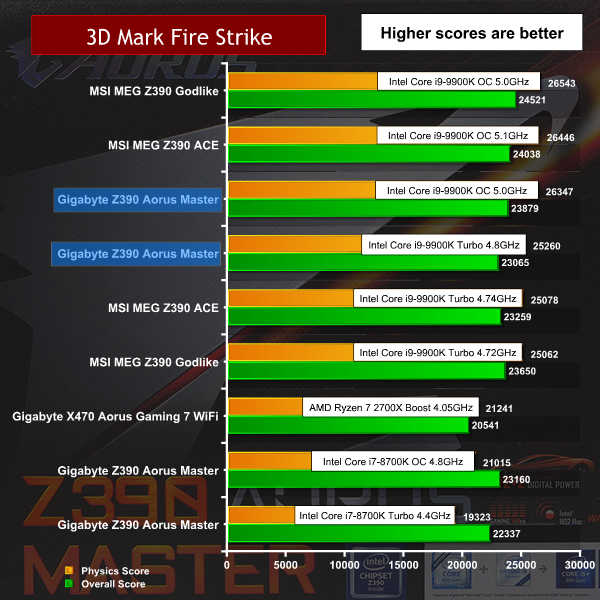
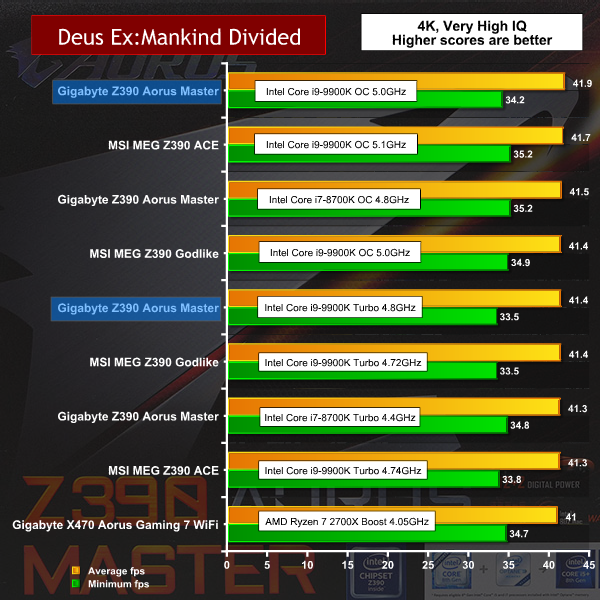
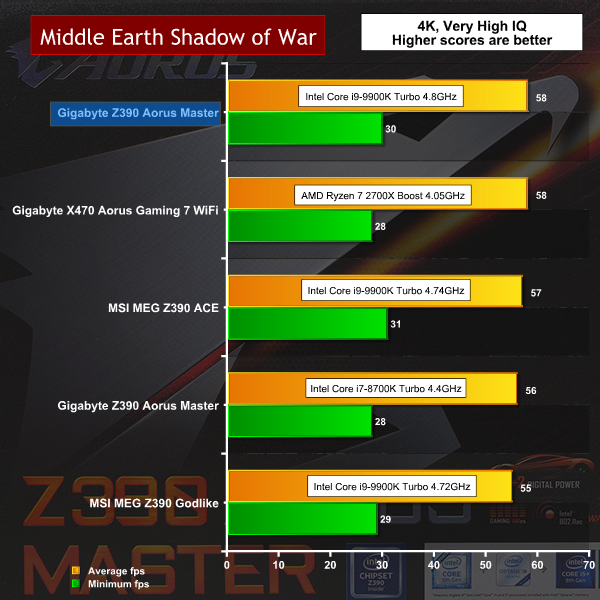
Testing and Performance Overview
During our testing the Z390 Aorus Master delivered solid performance however we noted a quirk in the clock speed of our Core i9-9900K CPU as the base clock was 102.03MHz, rather than the default 100MHz. At first we put this down to Gigabyte sneaking a couple of extra percentage points on performance, however the reality was more nuanced.
Some experimentation proved it was actually a question of XMP settings. With DDR4-3,200MHz RAM the base clock remained at 100MHz regardless of whether or not we enabled XMP. By contrast with DDR4-3,400MHz RAM the base clock rises to 102.03MHz when XMP is enabled. If we divide 3,400MHz by 102.03 we get 3,333MHz so it follows that 3,333MHz is a ‘natural’ speed for RAM in the BIOS and that selecting 3,400MHz requires a slightly higher base clock to get the RAM to operate at full speed.
We do not consider this to be a problem but would have preferred it if Gigabyte had spelled out more clearly what was going on when XMP was enabled.
Performance and Overclocking

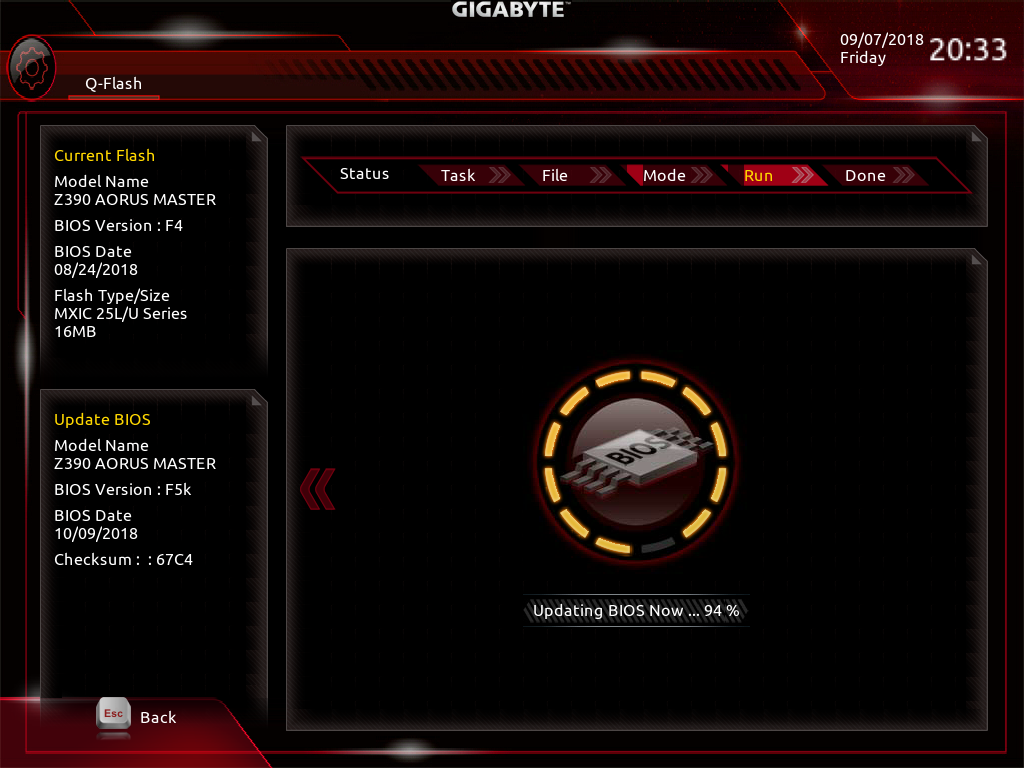
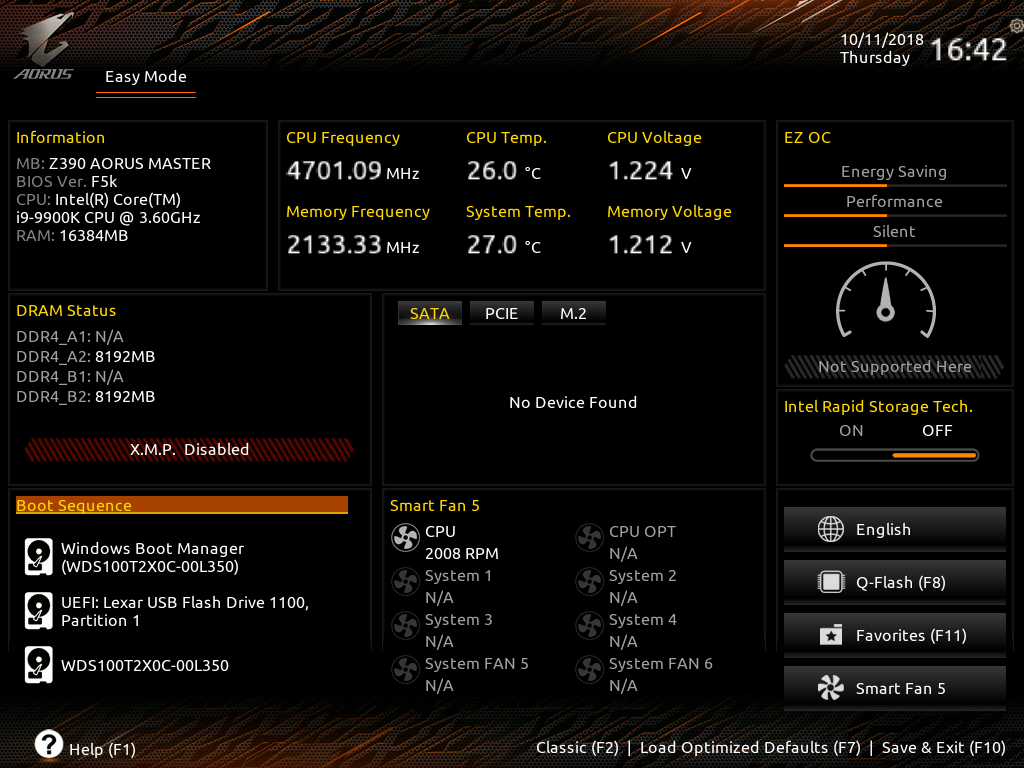
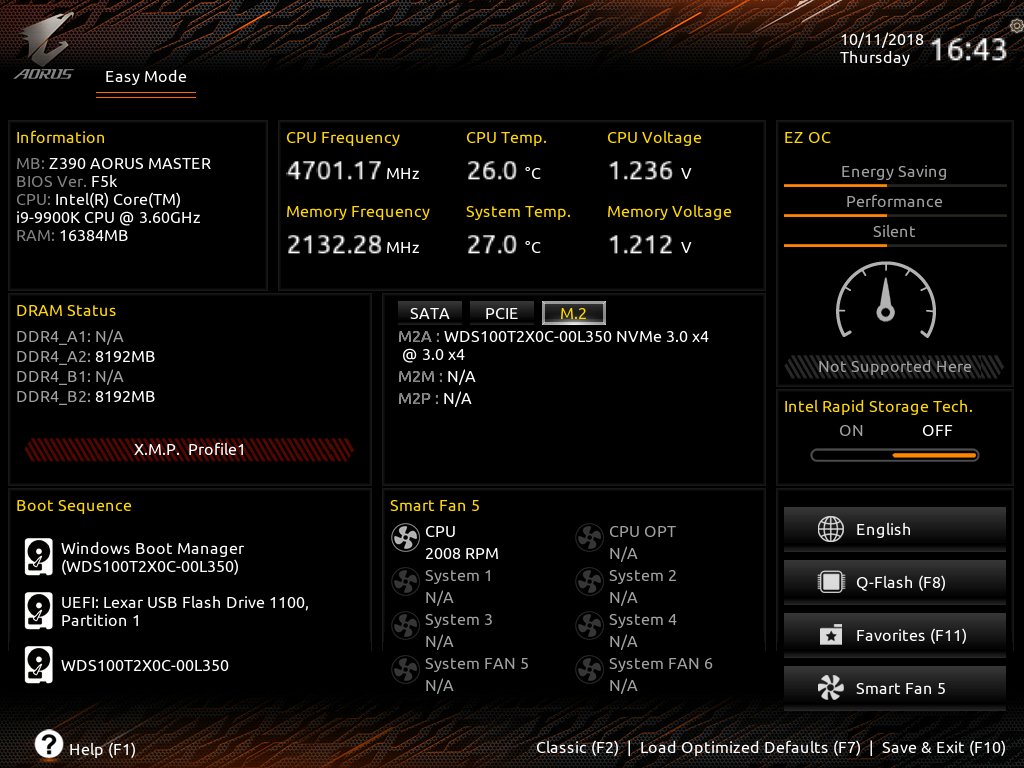
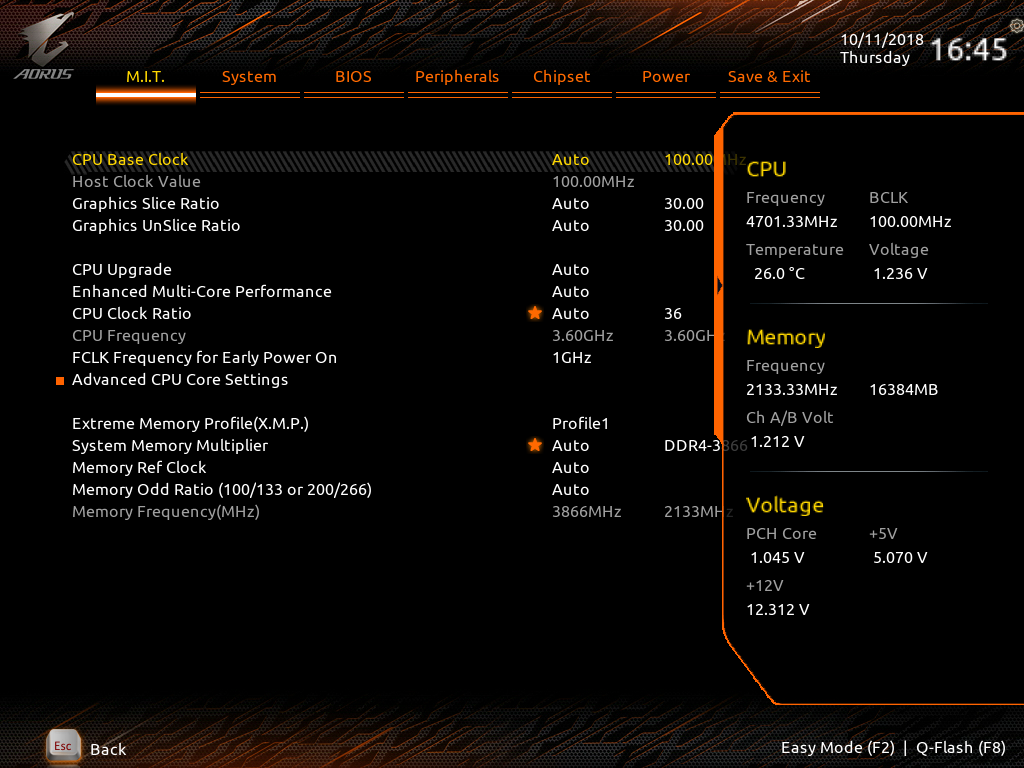
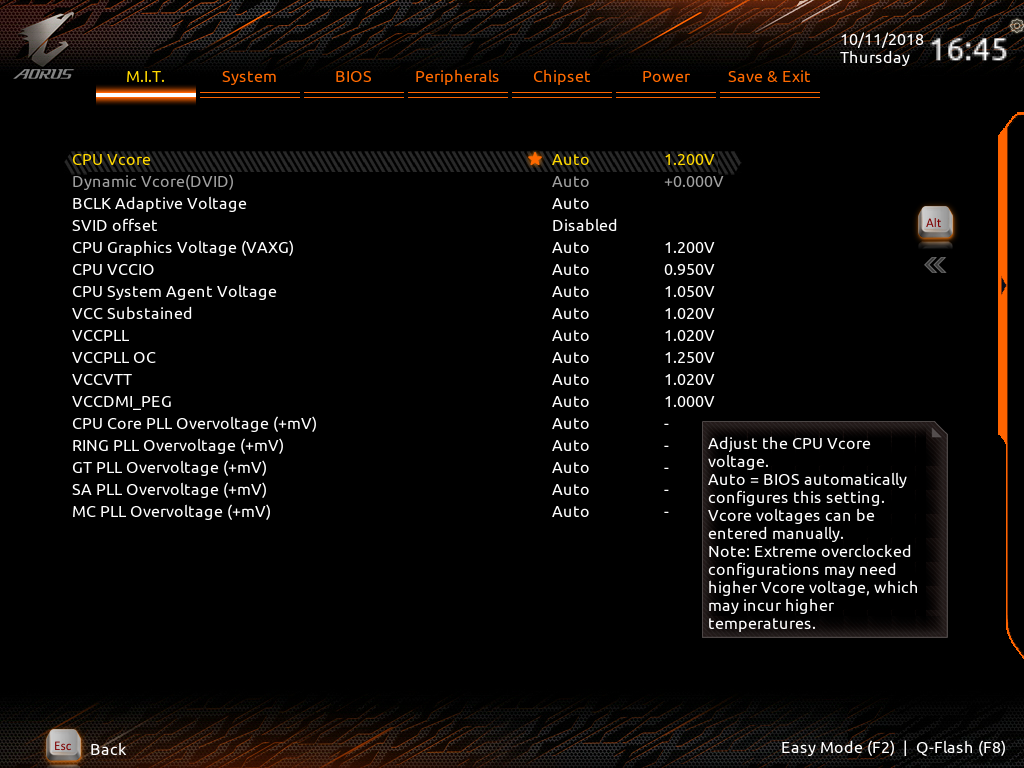
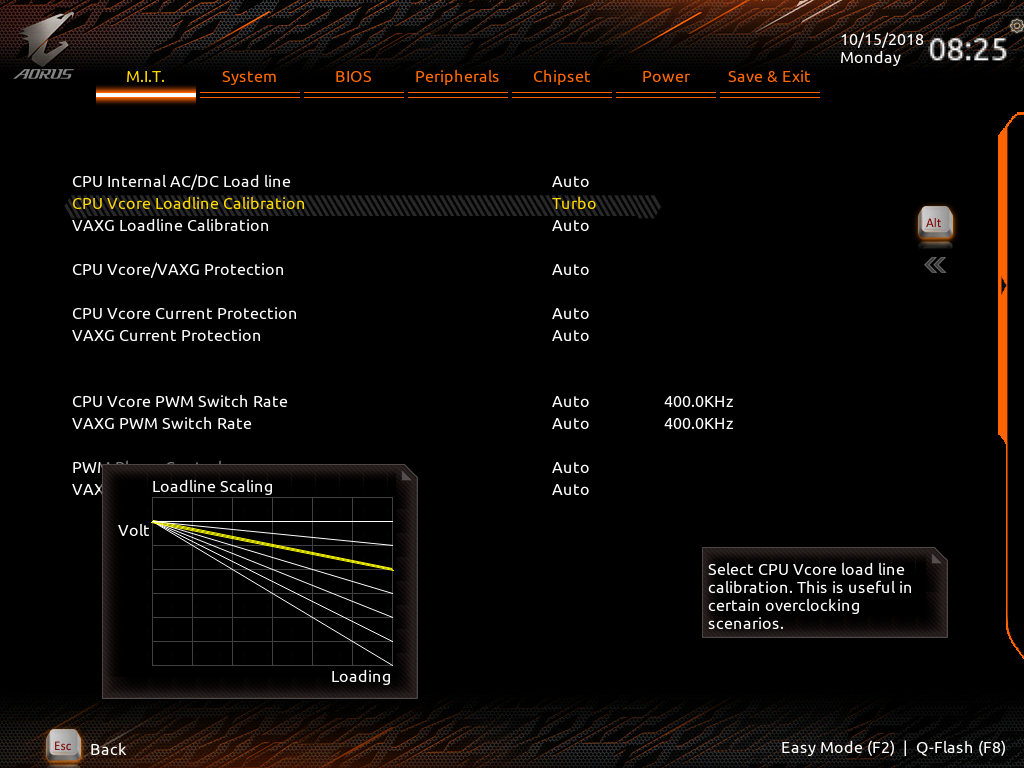
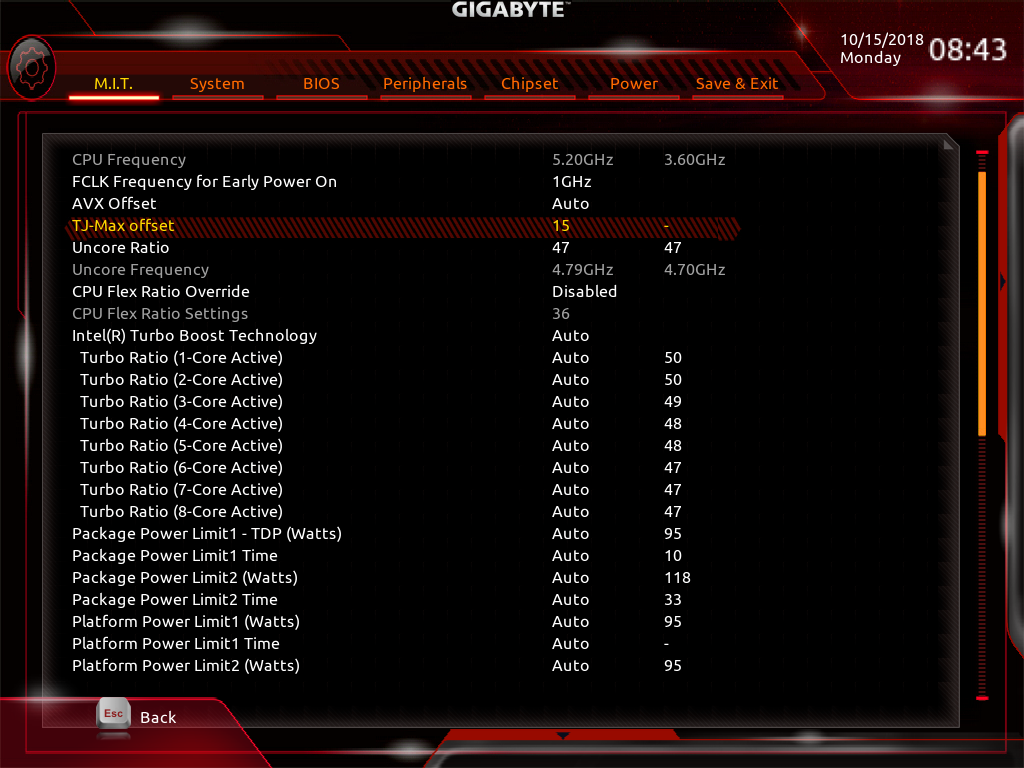
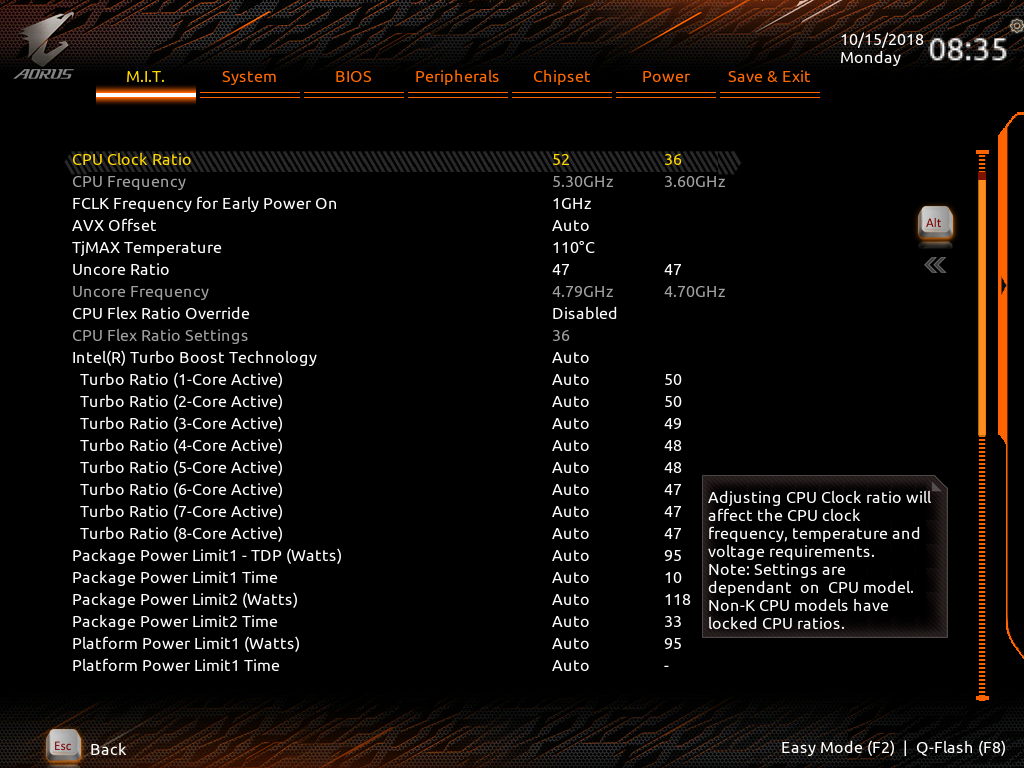
Working in the BIOS set-up screen is a familiar process as Gigabyte has carried over the features we have seen in previous enthusiast motherboards.




Performance and Overclocking Overview
We overclocked our Core i9-9900K to 5.0GHz by simply raising CPU Vcore to 1.35V, setting Loadline Calibration to Turbo and bumping the multiplier to 50x. This was incredibly easy and was also what we expect to see with an Intel Coffee Lake CPU. This particular CPU can run at 5.1GHz however the CPU temperature gets uncomfortably high so the limiting factor here is the CPU rather than the motherboard.
Cooling Performance.
We used our preferred Fractal Design Celsius S24 AIO liquid cooler as this 240mm Asetek is similar to a number of coolers on the market and performs very well. As an added bonus it was supplied with an AMD AM4 mounting kit which means we have been able to use it on every platform of interest in recent times.
Cooling Performance Overview.
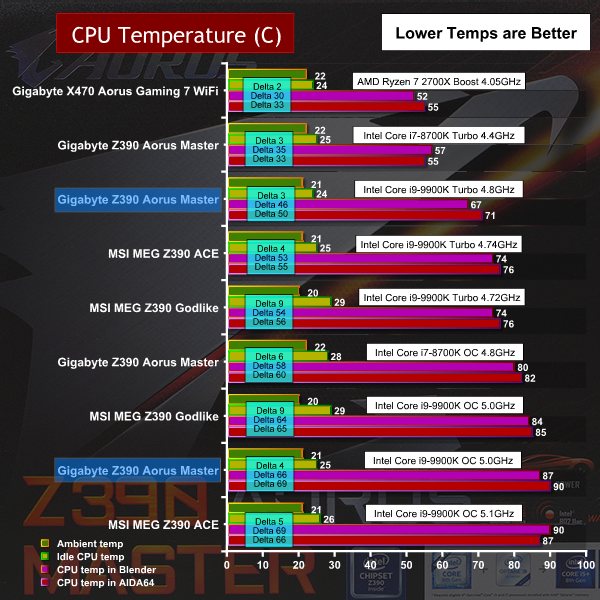
At stock clock speeds the Gigabyte Z390 Aorus Master exhibits impressively low CPU temperatures however when we overclocked to 5.0GHz the Gigabyte ran a few degrees warmer than the MSI Z390 Godlike. That was despite using the same CPU voltage and drawing less power than the MSI board and while the difference was slight it was consistent.
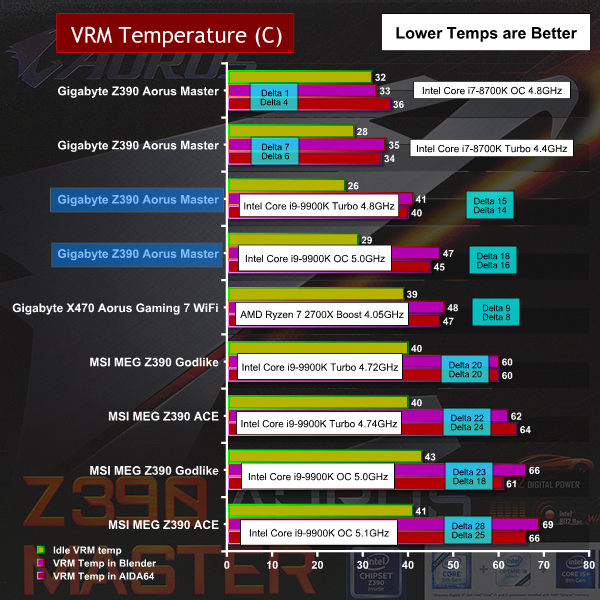
VRM temperatures were a completely different story as the Z390 Aorus Master is amazingly cool under load and beats out other comparable motherboards by some 20 degrees. It was interesting to see how this motherboard behaved when we tested with a Core i7-8700K that draws only slightly less power than the i9-9900K, where we saw the VRM temperatures drop even lower to the tune of five degrees. The power delivery hardware on this motherboard is absolutely top notch.
Power Draw
We use a combination of Powenetics software from Cybenetics along with software readings from HwiNFO to monitor CPU power draw through the EPS connectors to give precise power figures for the CPU, as well as the system as a whole.
Power Draw Overview
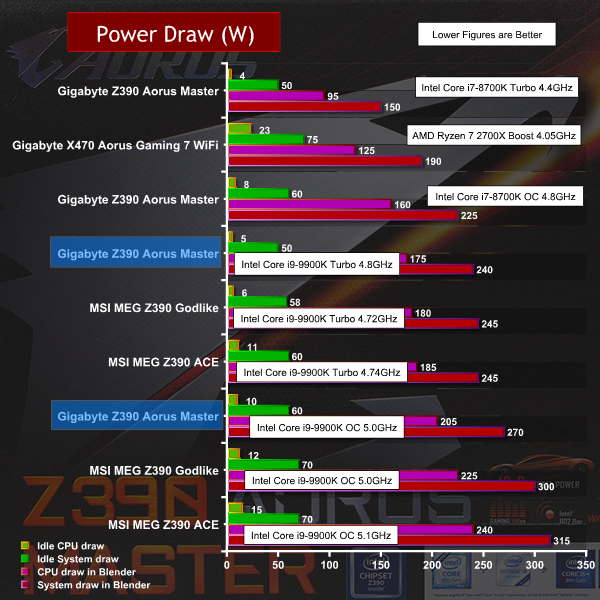
The Gigabyte Z390 Aorus Master draws less power than both the MSI MEG Z390 Godlike and the MEG Z390 ACE, which is both unexpected and impressive as we were using the same voltage settings.
\This suggests the VRM configuration used by Gigabyte is more efficient than the MSI hardware. However this has been achieved, Gigabyte is delivering the same performance with significantly less power and that is very welcome.
Closing Thoughts.
The Gigabyte Z390 Aorus Master is an impressive motherboard that performs well, looks good and is based on solid engineering. While the price is fairly high it falls below the £300 level where things start to get painful. With this motherboard you get a decent list of features and VRM hardware that sets new standards for excellence.
There are areas where you can see the influence of the marketing people and the cosmetic side of things is emphasised. We are perfectly happy with the RGB side of things but would much prefer to see the shrouding over the I/O panel cut back so the VRMs heat sinks have the opportunity to breathe.
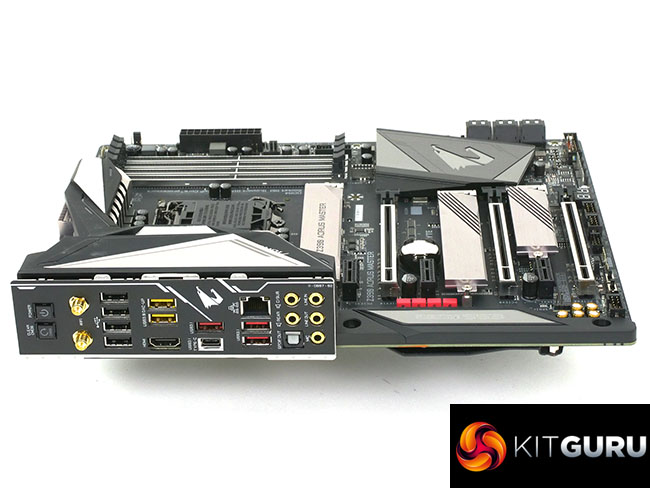
One area that causes us confusion is the positioning of the Power and Clear CMOS micro buttons on the I/O panel. Apart from the obvious point that these buttons take up space that might be better used for more USB ports, we do not understand their function.
When you build a PC on a flat test bench it is useful to have micro buttons on the board that are either down the bottom or, on E-ATX models, up the side near the main power connector. Buttons on the I/O panel may be useful during development but they are pretty much irrelevant once the PC has been built as they are completely our of sight, around the back.
We know the hardcore tech fans among our readership will pretty much choose ignore the RGB side of things but the fact of the matter is that Gigabyte has done a good job. The board looks good and the various lighting zones work together in a very pleasing manner. Our sole gripe here is that the plastic shroud on the I/O panel extends further than we like and covers the heat sinks to an unnecessary extent.
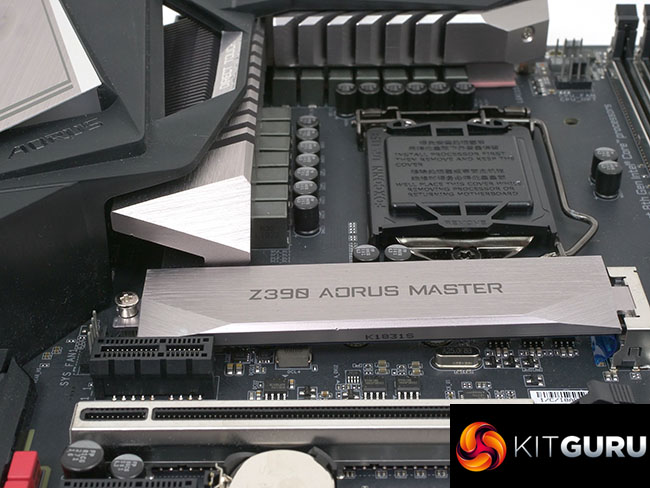
But enough nit picking, let’s talk about those VRMs. Gigabyte has used an IR35201 controller in 6+2 mode with six doublers and 12 Digital VRMs which delivers a massive amount of power for the Intel 9th Gen CPU. You can make the case this level of hardware is overkill as the limitation with Intel overclocking tends to be the CPU, rather than the motherboard. The difference with Gigabyte’s approach is that the motherboard is barely stressed even while the CPU is working its socks off at 5GHz on all cores. Gigabyte has built on that solid foundation with a set of VRM heat sinks that are among the best we have ever seen and has even extended its attentions to the aluminium backplate to remove yet more heat from the motherboard.
We have every confidence this devotion to detail means the hardware should lead a long and healthy life. This is obviously welcome if it simply extends the life of your investment but it also means the overclocking settings you dial in today should continue working well into the future.
Gigabyte Z390 Aorus Master read more on Gigabytes website HERE

Buy from Overclockers UK for £274.99 inc vat HERE
Pros:
- Excellent VRM hardware. Really good approach to power delivery.
- Plenty of attention paid to cooling, especially for VRMs.
- Good number of USB ports including type C.
- Metal support for expansion slots and EPS power connectors.
Cons:
- Power and Reset buttons are located on the I/O panel
- Plastic shroud on the I/O panel extends over the VRM heatsinks.
- We do not need four graphics slots.
KitGuru says: The Gigabyte Z390 Aorus Master is a stellar motherboard and one of the best we have tested so far in 2019.