KitGuru KitGuru.net – Tech News | Hardware News | Hardware Reviews | IOS | Mobile | Gaming | Graphics Cards


Once upon a time, the professional CPU and GPU ranges used to be where the new product generations began. But for some time now you've been more likely to see the first spin of a new silicon design at the consumer end. So although Coffee Lake has been around on consumer platforms for 18 months, it's no surprise that we're still seeing new motherboard releases aimed at the professional Xeon end of the Coffee Lake market, which is likely to remain available for a while even now the 9th generation Intel Core processors have been around since last year. So we have Gigabyte's MW32-SP0, designed for a single-socket Xeon E 2100 series processor.
The MW32-SP0 uses the Socket 1151 configuration, so supports consumer-grade Core i3, Pentium and Celeron processors as well. But its use of the Intel C246 chipset means that its main focus is the Xeon E 2100 series. These are the Xeon spin of Coffee Lake, and are available with up to six cores and a 3.8GHz frequency. This is a dual-channel memory platform, so although there are four DIMM slots you only need to install modules two at a time. The maximum possible is just 64GB, so this is a board aimed at more modest server and workstation applications. But memory speeds up to 2,666MHz are supported, which the higher-end Xeon Silver doesn't.
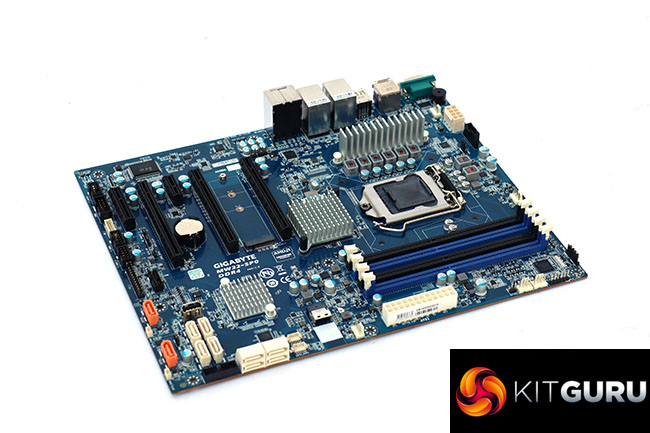
This motherboard also sports three 16x PCI Express slots, although only two can run at 16x, with the other one only offering 8x. You get 4x and 1x PCI Express as well. There are connections for M.2 and U.2 storage, as well as ten SATA devices. You also get two Gigabit LAN ports and four USB 3.1 Gen 2 running at 10Gbits/sec on the backplane, so there are lots of options for high-performance connectivity. On paper, then, this is a very flexible motherboard that has potential for systems that major on storage, or potentially also entry-level workstations.
The Gigabyte MW32-SP0 isn't in retail just yet, and may not be as it's aimed more at system integrators than end users. Gigabyte has told us the estimated price will be around $410, which would be a little steep for an enthusiast board, but for a server-oriented Xeon-supporting model it's fairly reasonable. So let's take a look at where this motherboard's strengths lie and which kinds of applications it's best suited to.
Features:
- Intel Xeon E 2100 Series and 8th Generation Core i3/Pentium/Celeron processors
- Dual-channel memory up to 64GB DDR4 2,666MHz ECC
- 4 x DIMM slots
- 3 x PCI Express x16 slots (2 at x16, 1 at x8); 1 x PCI Express x4 slot; 1 x PCI Express x1 slot
- 2 x Gbit LAN
- 10 x SATA III 6Gbits/sec ports
- 1 x M.2 NVMe PCI Express Gen3 x4; 1 x U.2 PCI Express Gen3 x4
- 4 x USB 3.1 Gen2 Type A (rear), 2 x USB 3.1 Gen 1 (via header), 2 x USB 3.0 (rear), 6 x USB 2.0 (2 x rear, 2 x via header), 2 x LAN, HDMI, DisplayPort, 6 x audio, 1 x COM port
- Supports: Microsoft Windows 10 (x64)
Price for this motherboard (estimated): $410
This is a fairly standard ATX motherboard layout, with the RAM slots diametrically opposite the backplane connections across the processor socket.
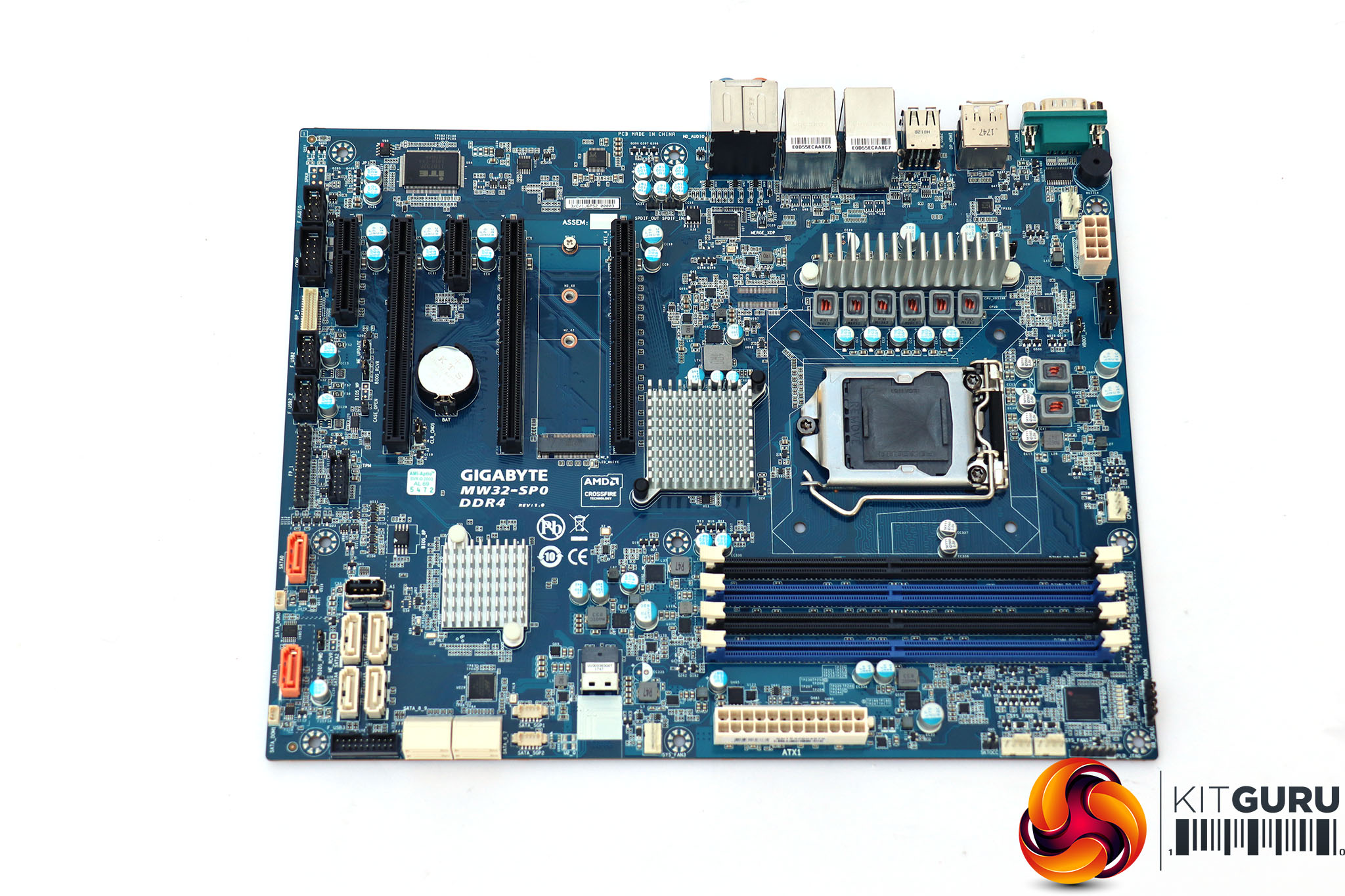
Since there are only four RAM slots, the board is quite spaciously populated, despite the large number of SATA connections and trio of PCI Express 16x slots. Integration shouldn't pose a challenge, as it might on some more cramped ATX designs.
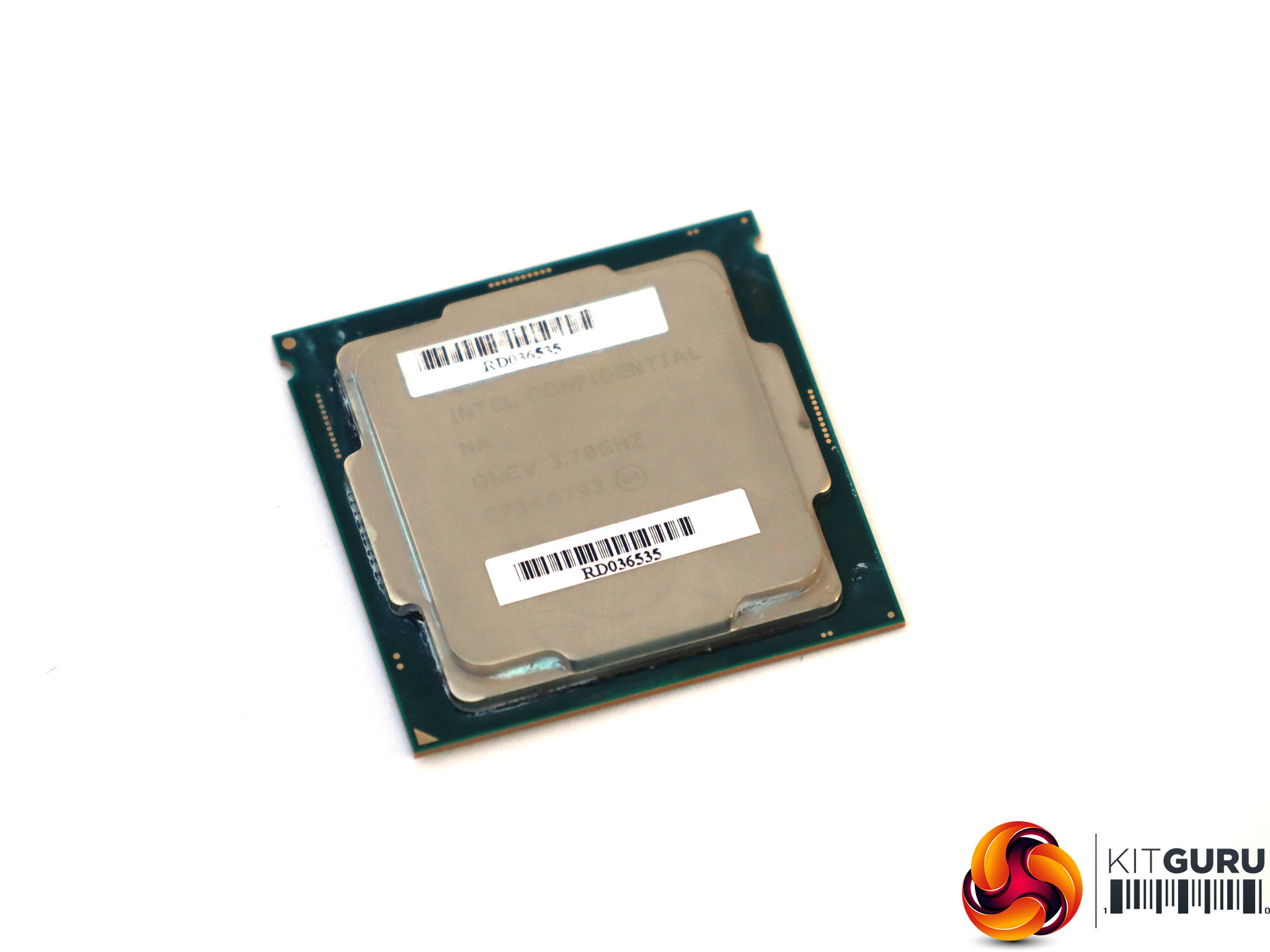
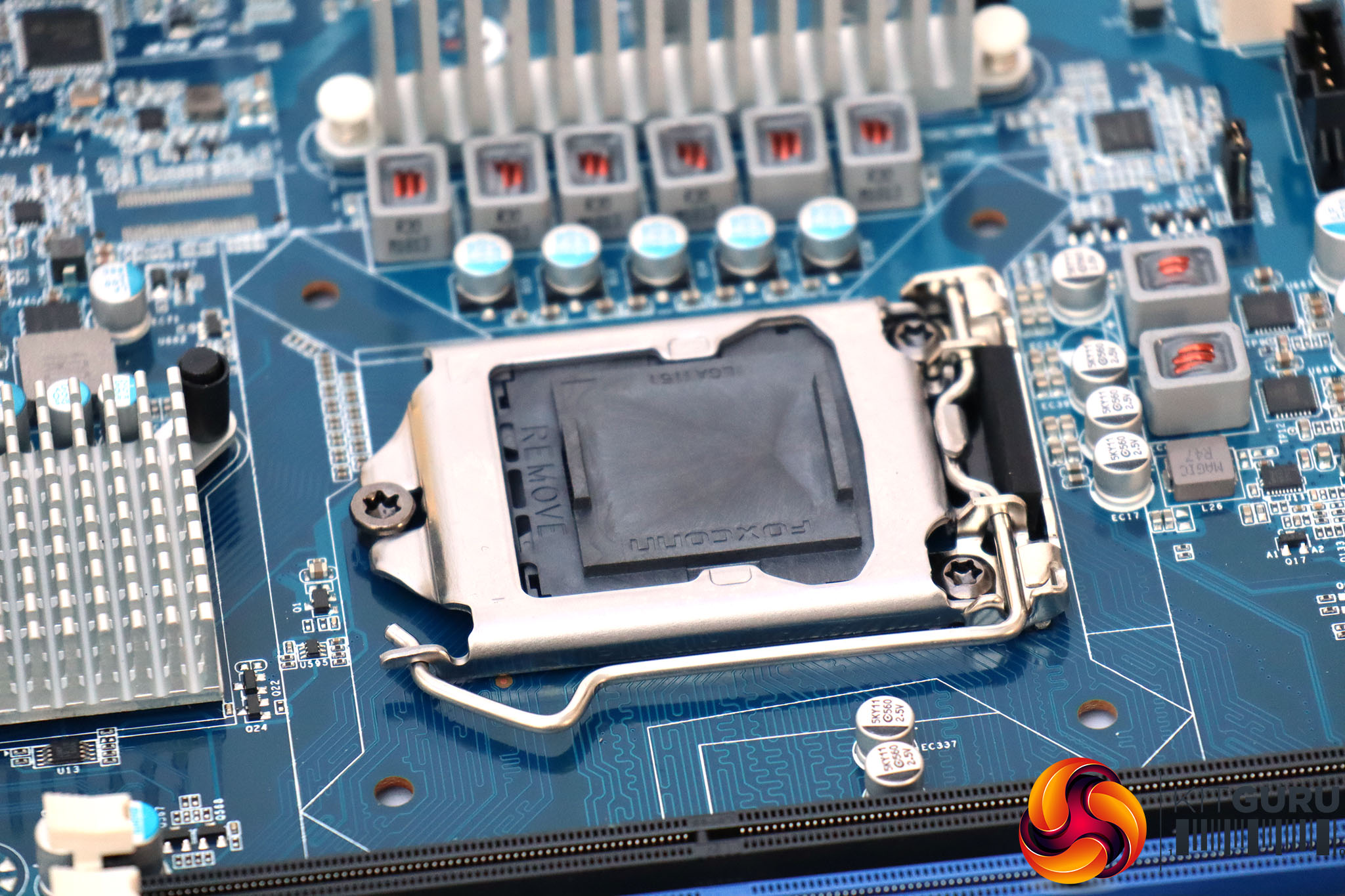
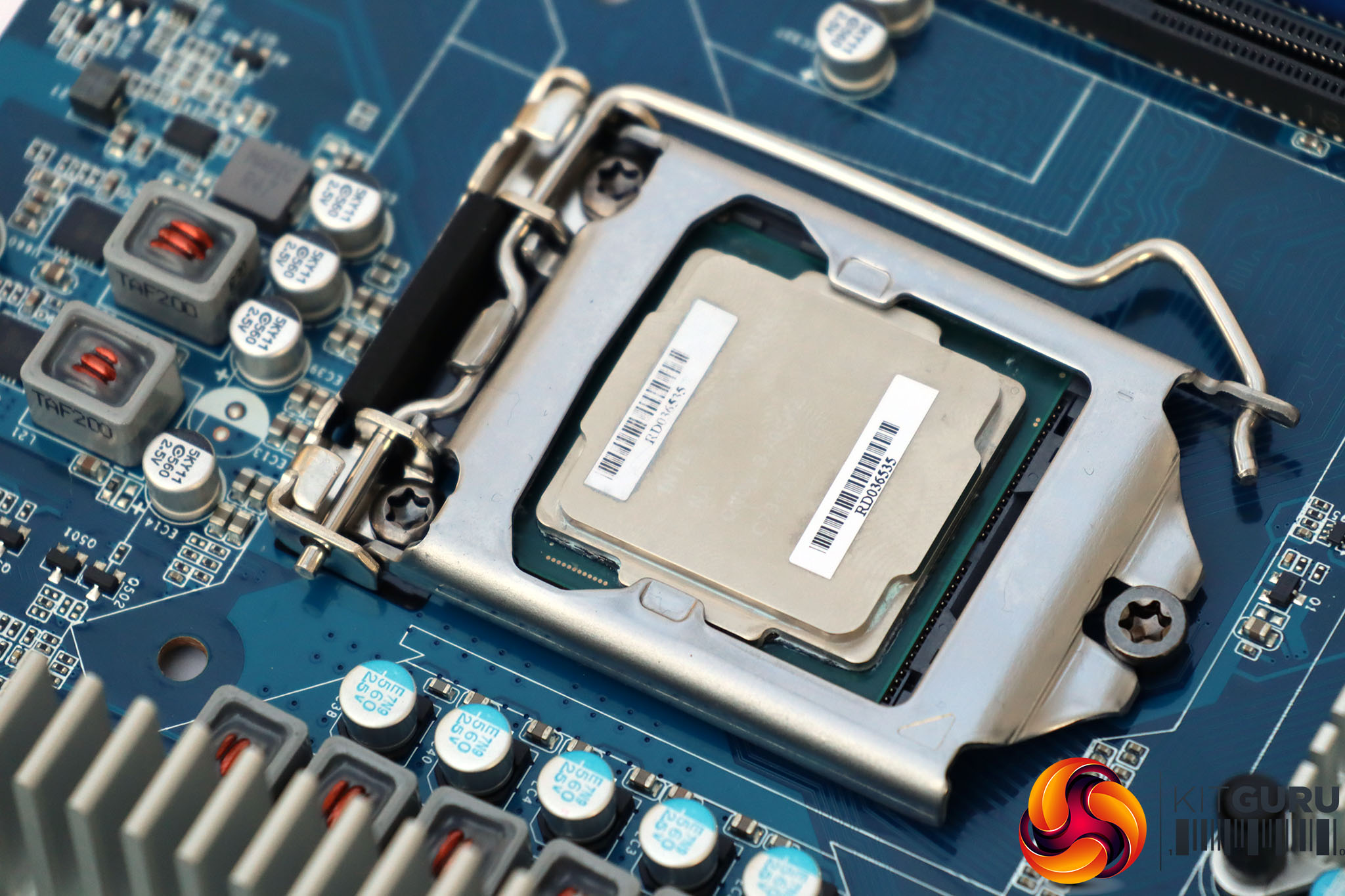
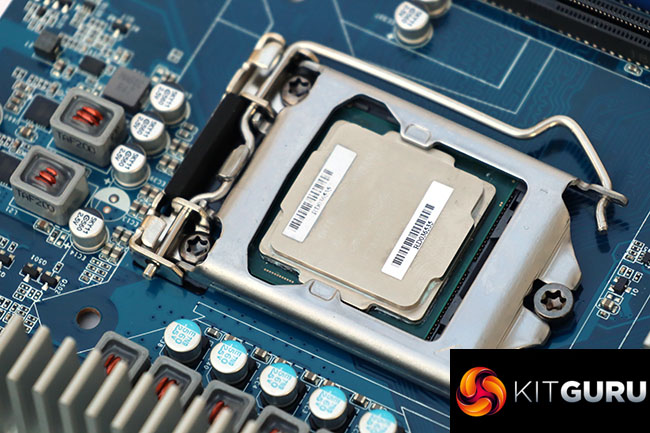
The board supports a single 8th-generation Intel processor. The primary focus is obviously the Xeon 2100 series, but Coffee Lake Intel Core i3, Pentium and Celeron CPUs are also possible, so that this board can be offered as the platform for a range starting with highly cost-effective processor offerings all the way up to the Xeon E 2186G with six cores running at 3.8GHz.
We were sent the next option down, the 2176G, which also sports six cores but runs at 3.7GHz. Both these CPUs have a top Turbo speed of 4.7GHz, although the 2186G has a 95W TDP, whilst the 2176G requires a more modest 80W.
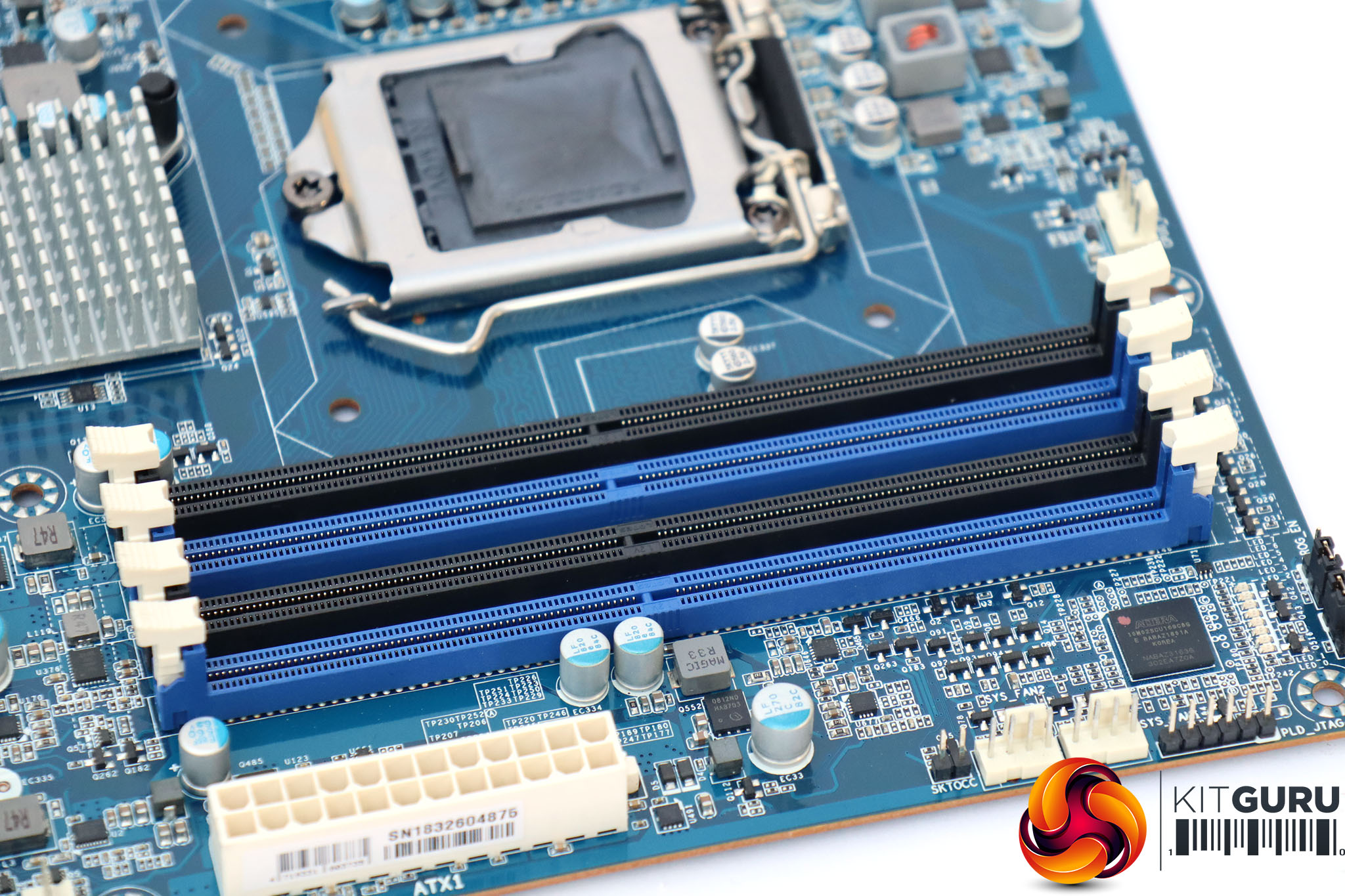
All of the Xeon E range support up to 128GB of DDR4 memory at up to 2,666MHz, although Gigabyte only rates the MW32-SP0 for 64GB. For most applications that this motherboard is aimed at, this will be more than enough. The support for 2,666MHz memory is a slight advantage over higher-end Xeon Scalable processors, as you need to get up to the super-expensive Gold range to gain memory support above 2,400MHz.
You can use either regular unbuffered memory or ECC DIMMs, and as the CPU controller is only dual channel, you can add modules in pairs.
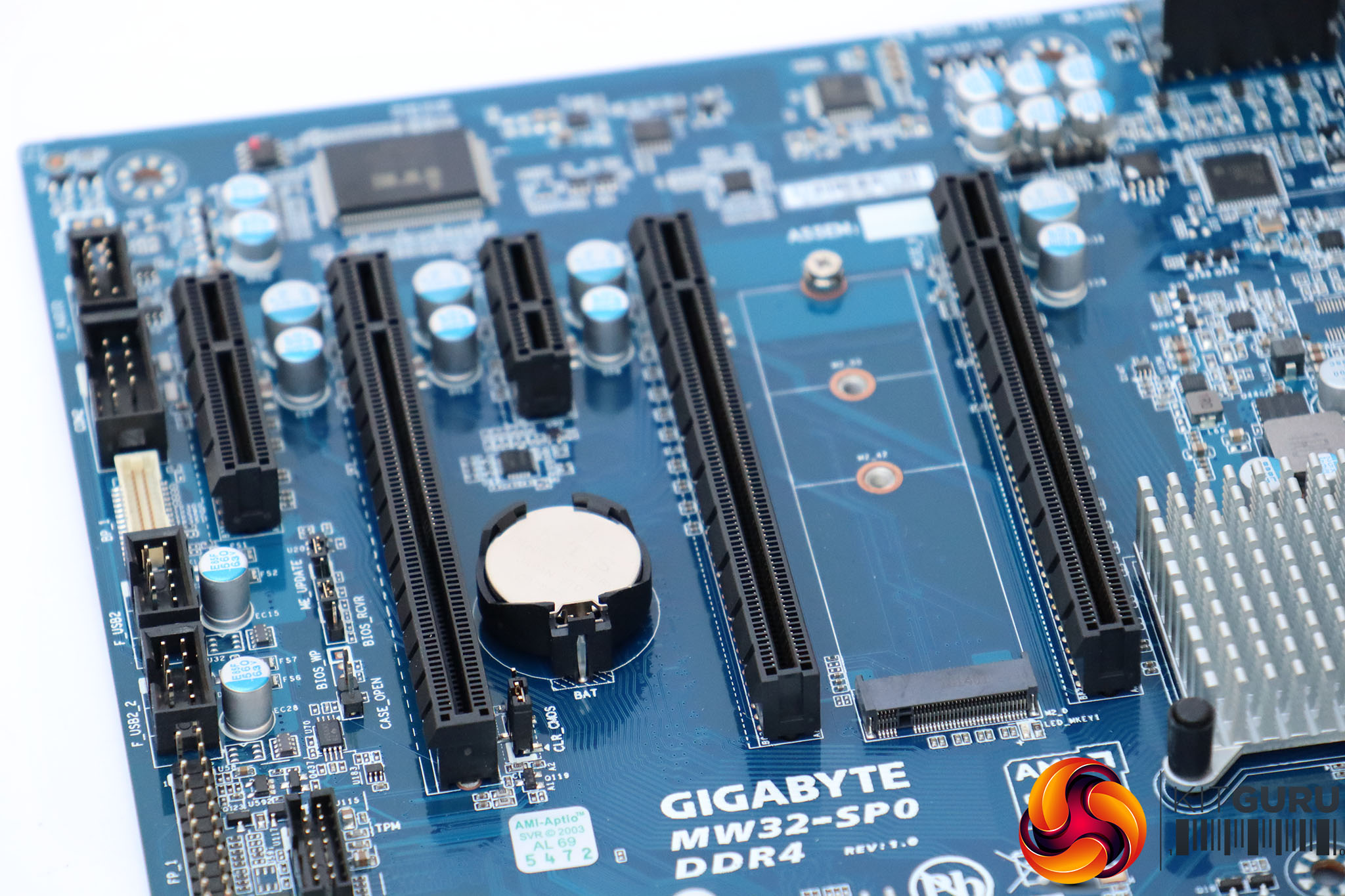
Although this motherboard is perhaps more balanced towards small server applications, the inclusion of three 16x PCI Express slots provides workstation flexibility as well. You could use these for high-speed storage and networking adapters, but the fact that two can run at 16x whilst the other operates at 8x enables graphics configurations using multiple adapters as well.
There are also 4x and 1x PCI Express slots so that other non-GPU adapters can also be included. The 4x slot is sensibly placed at the bottom, so this can be used alongside two dual-width adapters in the top two 16x slots.
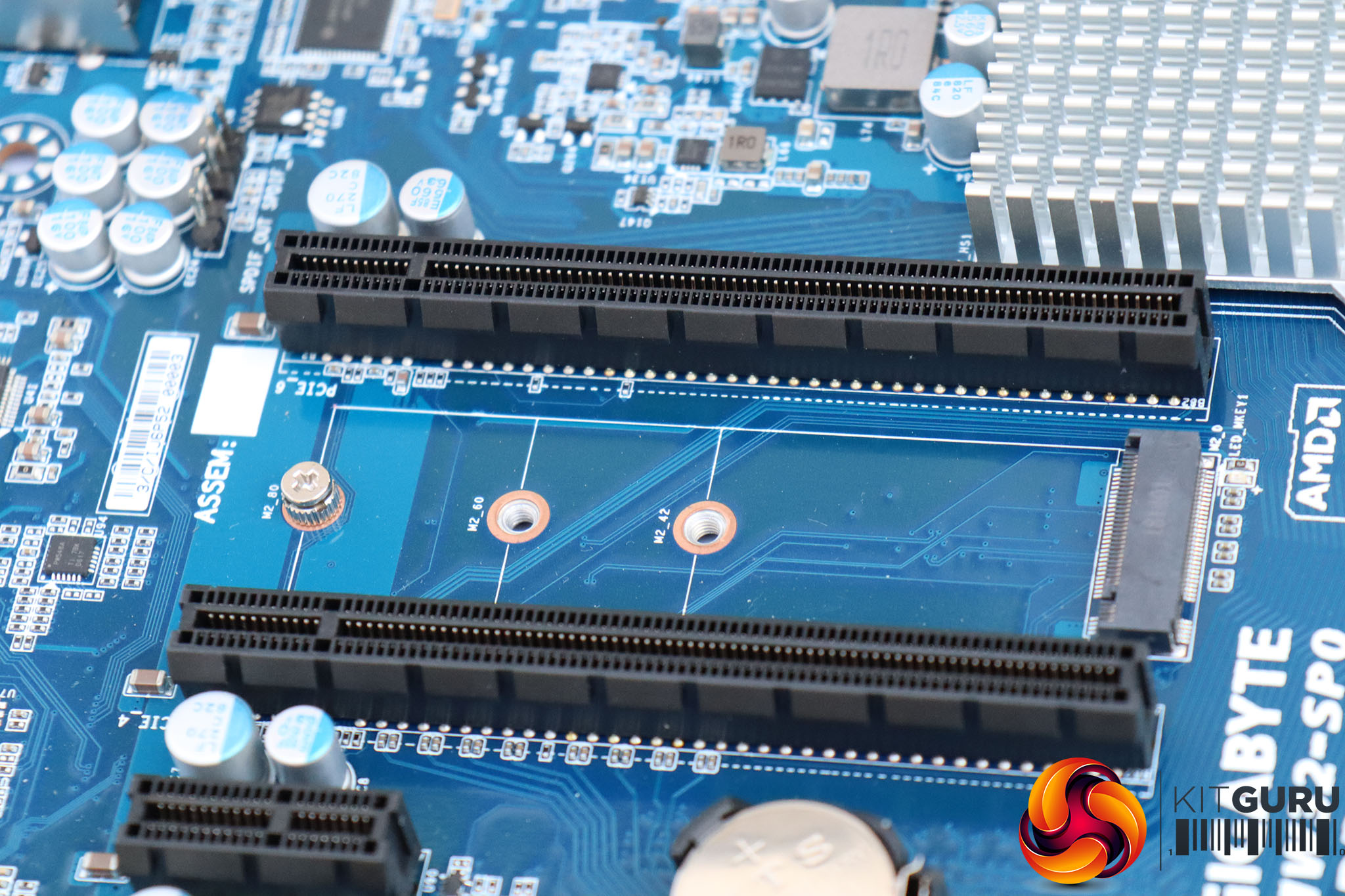
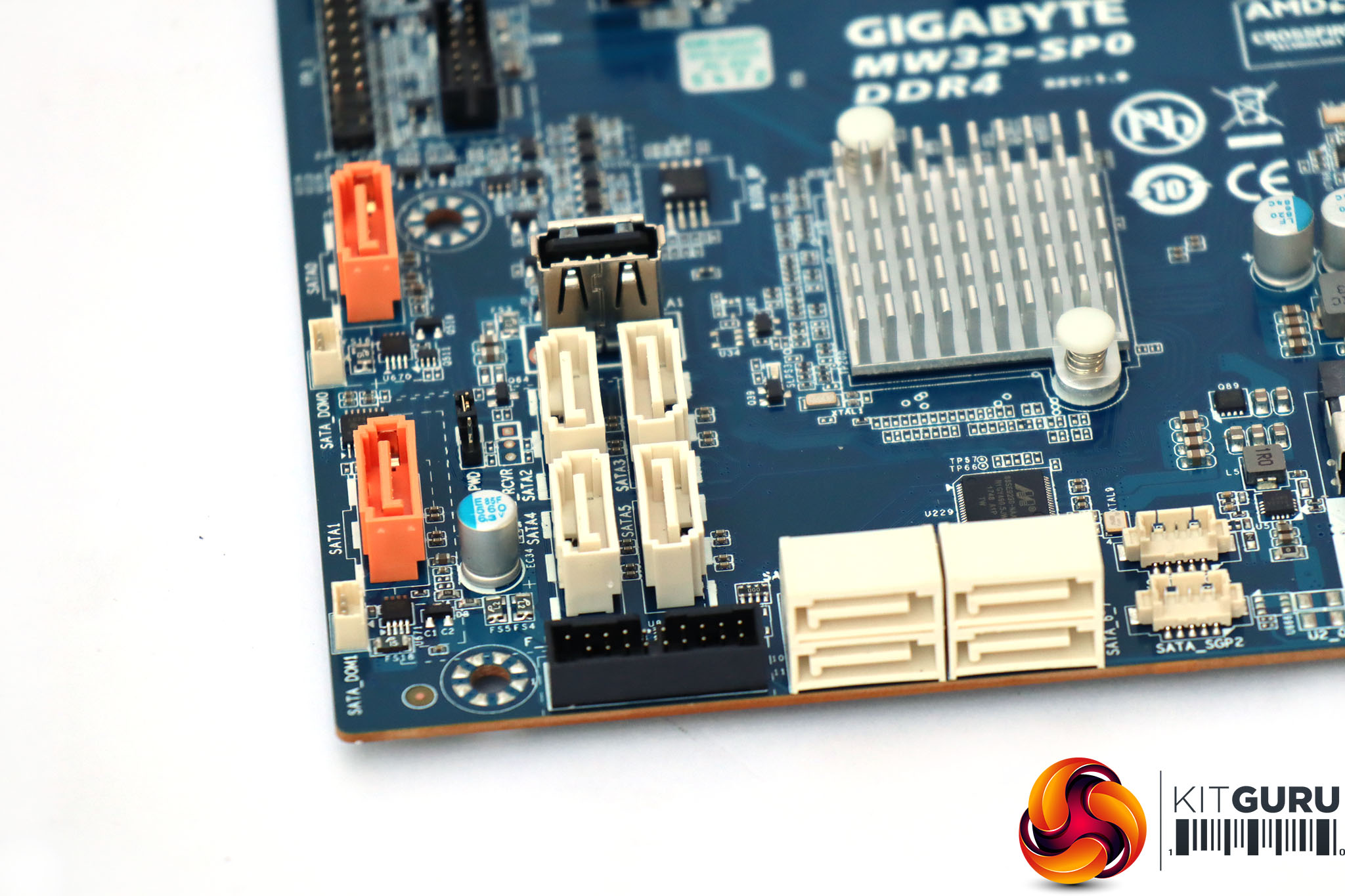
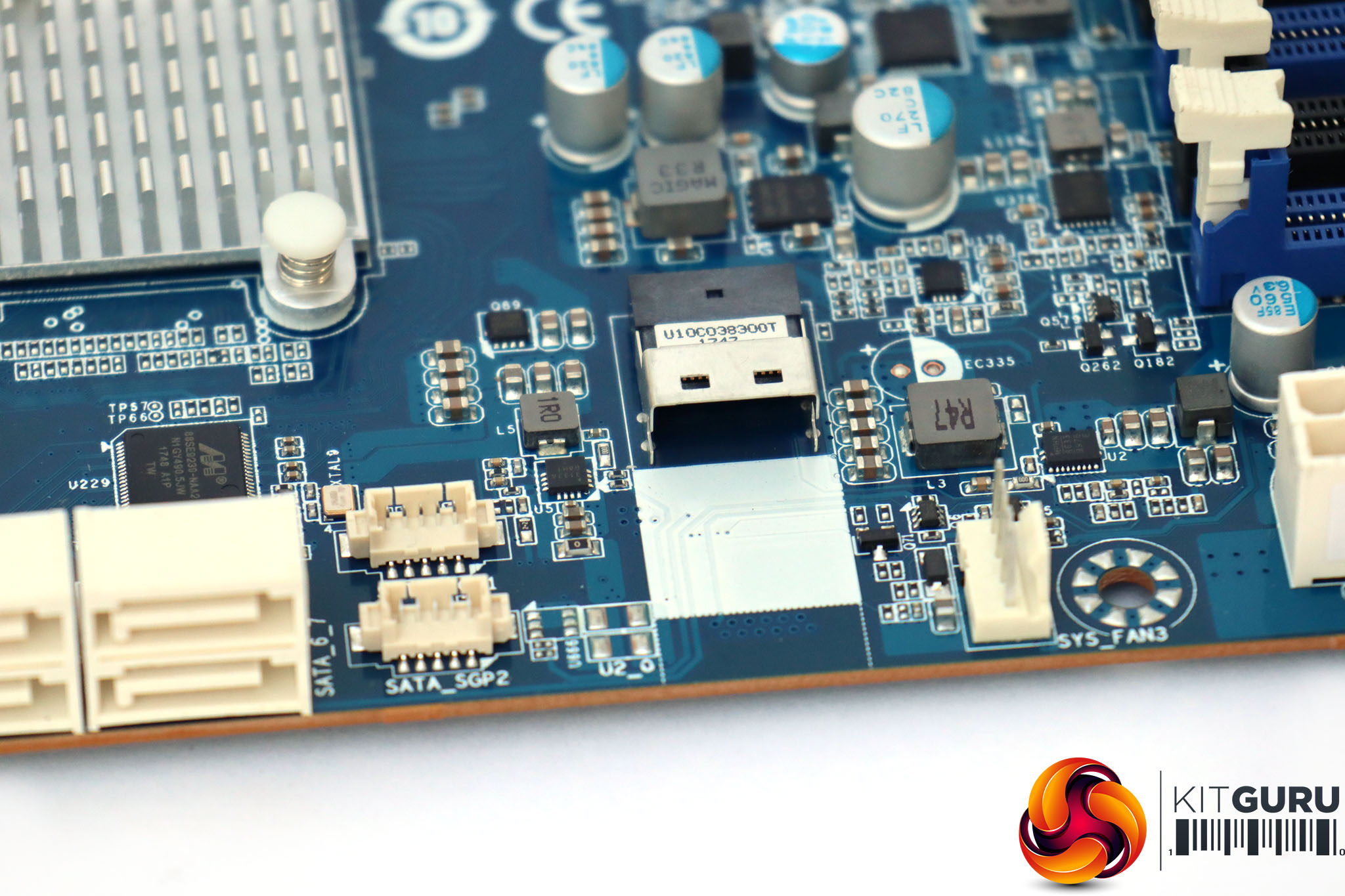
One area where Intel's platforms still lag behind AMD's is in the number of M.2 slots that are supported (primarily due to the number of PCI Express lanes available from the processors). The MW32-SP0 includes one M.2 slot supporting x4 NVMe storage. There's also a U.2 port for SlimLine 4i PCI Express storage connections. But if you want to attach regular SATA drives, you're definitely in luck because there is a princely total of 10 connections available, so you could have a truly large number of internal drives.
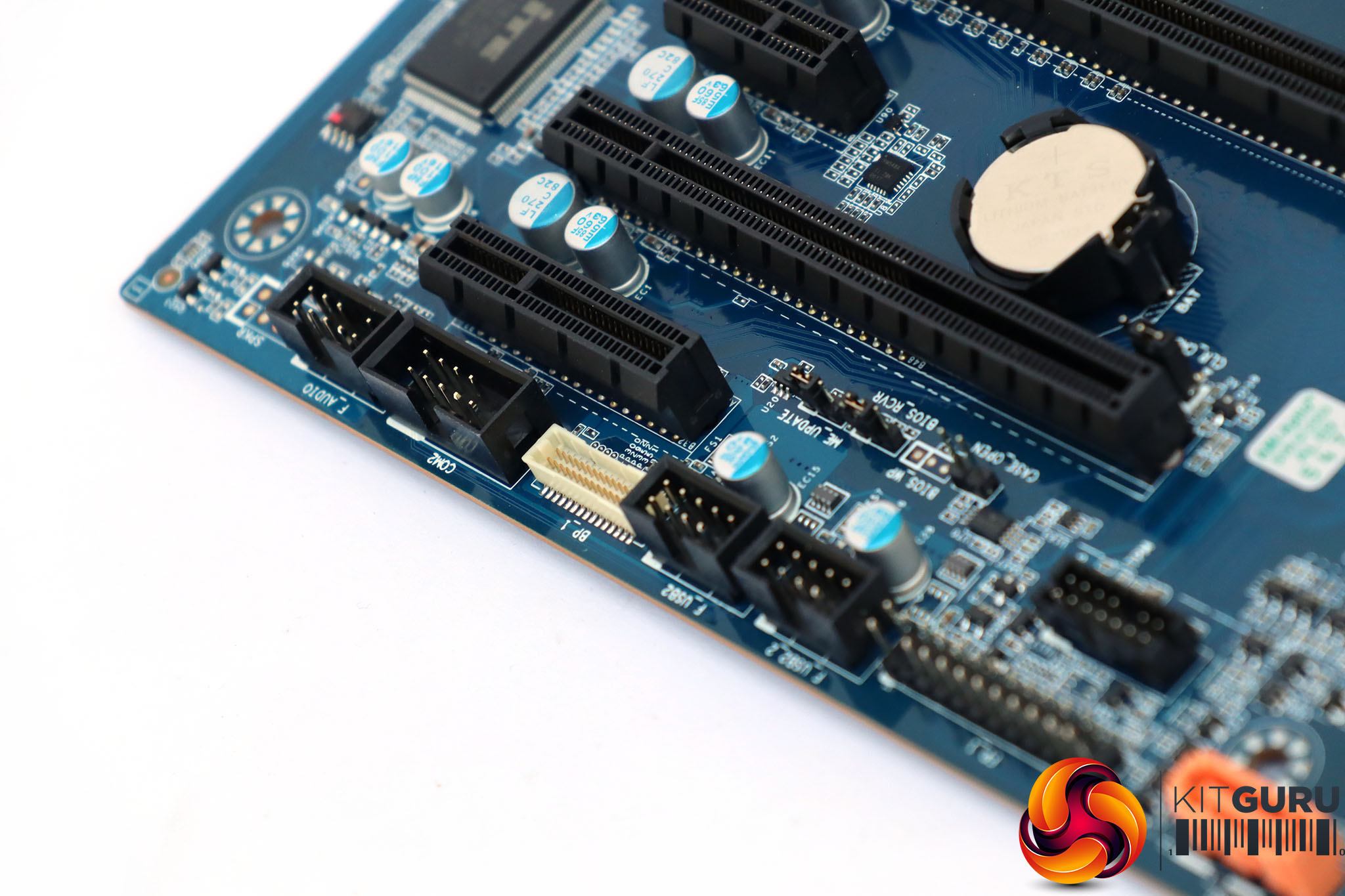
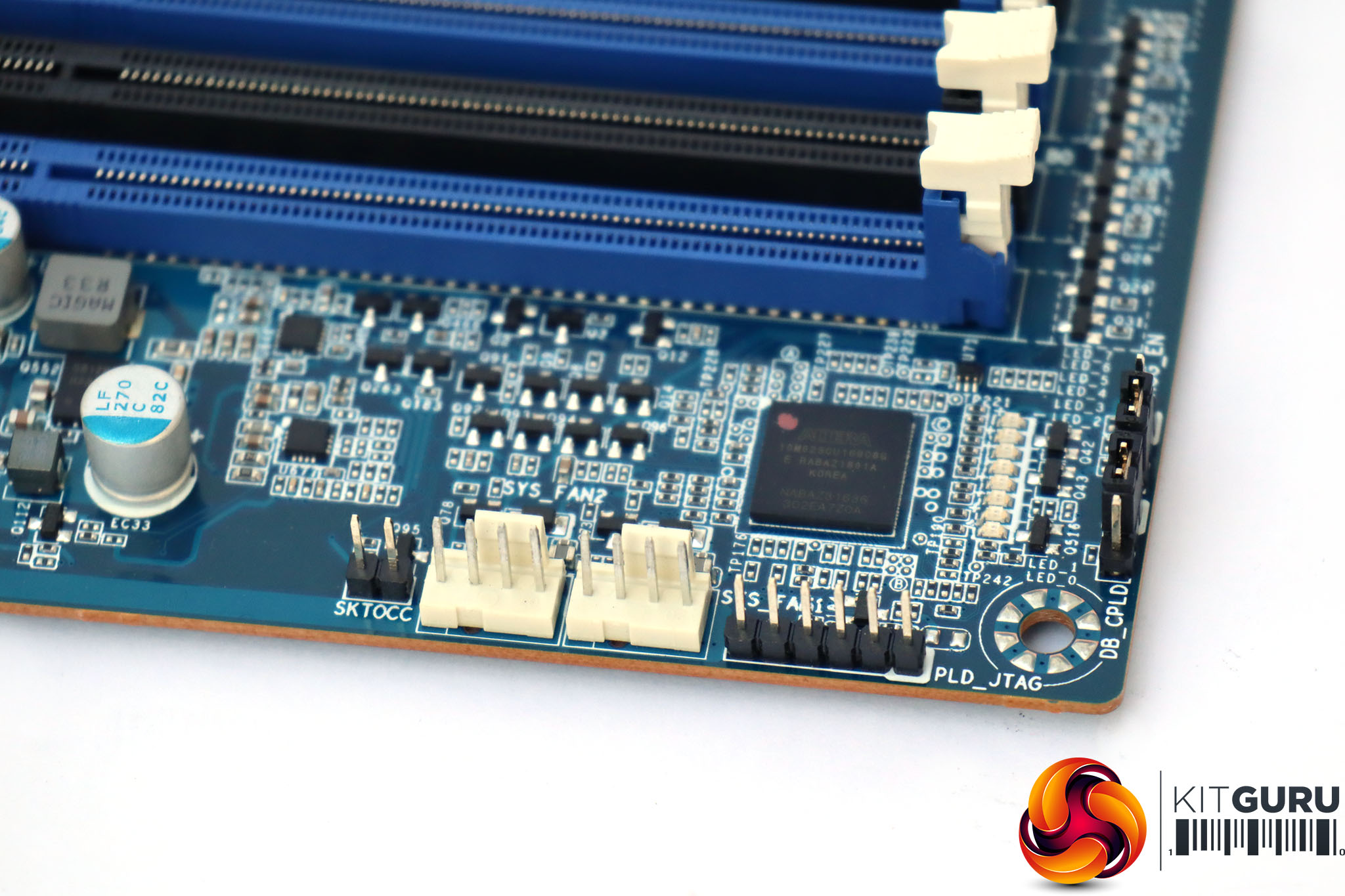
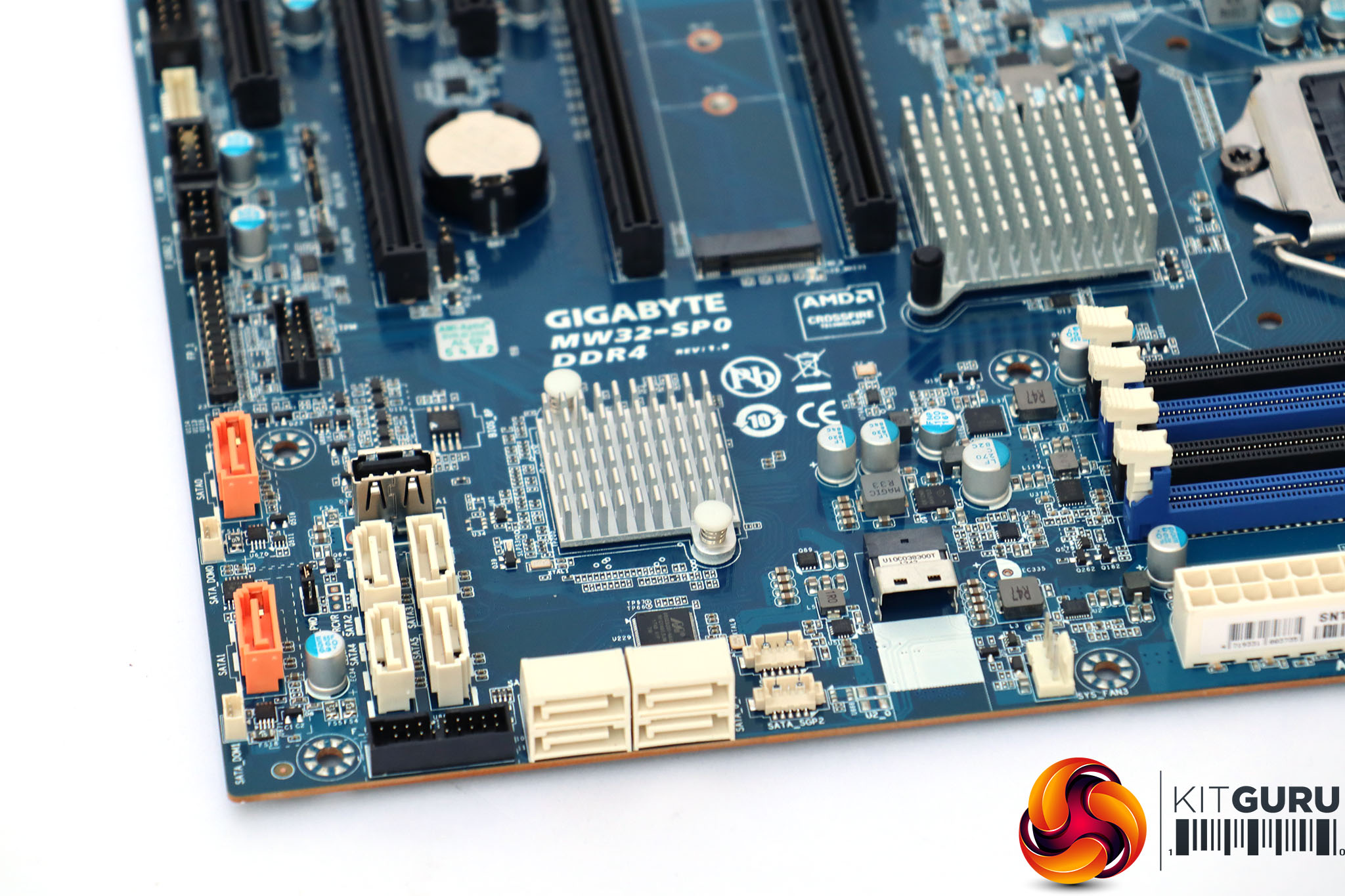
The remaining headers and connectors are dotted around the edges of the board. These include headers for a pair of USB 3.1 Gen 1 ports (formerly known as USB 3.0), four USB 2 ports, a legacy COM port and front panel audio connectivity. There's an internal USB 2 connection for management as well.
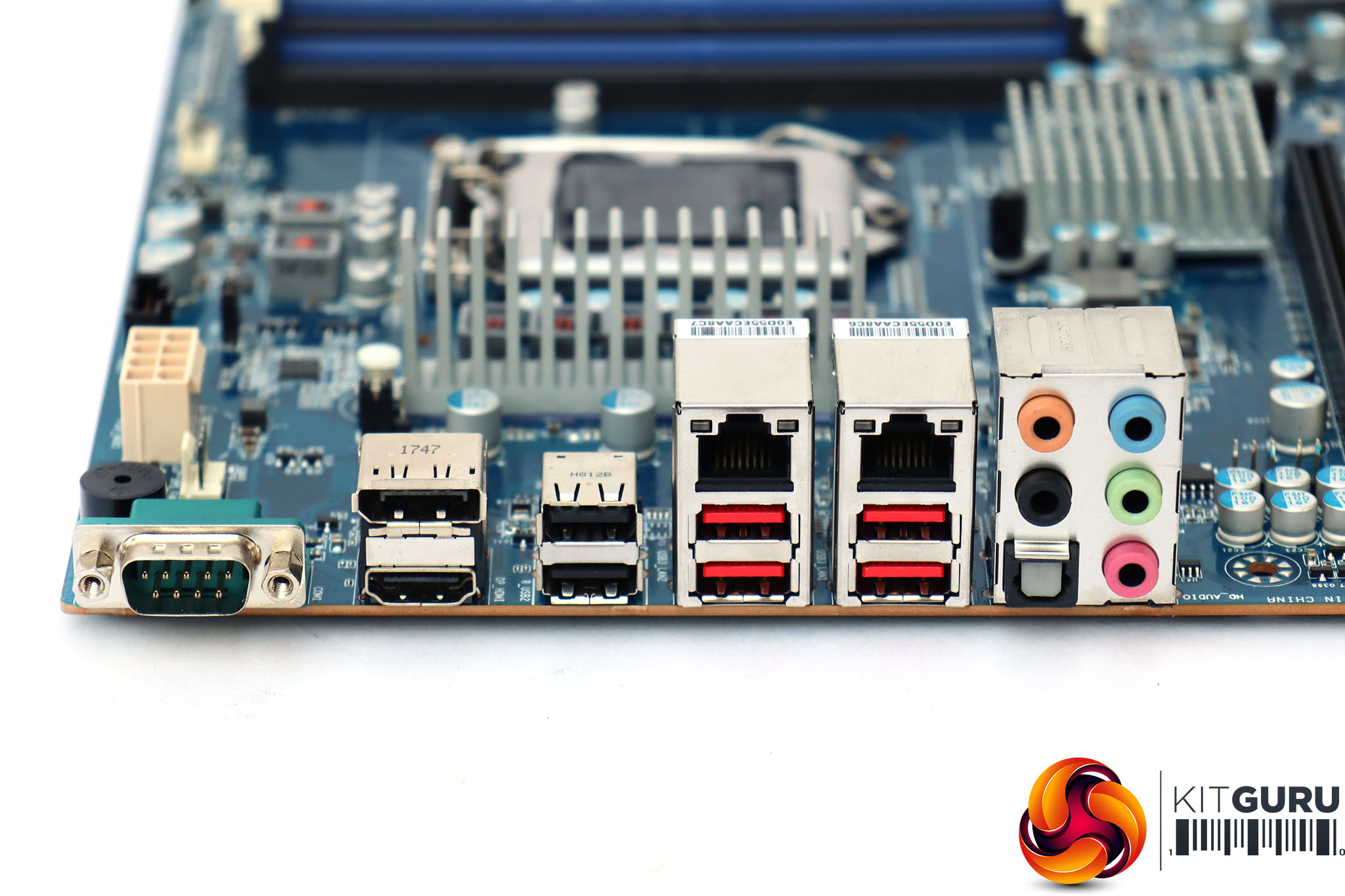
The backplane connectivity is decent, too. Whereas some server boards don't offer more than stereo audio output, the MZ32-SP0 sports the usual six connections, including an optical digital port. There's a Realtek ALC887 audio controller integrated supporting up to 7.1-channel sound. Next to this is a pair of Gigabit LAN ports, each with a pair of USB 3.1 Gen 2 ports beneath, all of which support 10Gbits/sec operation. All are Type A rather than Type C, however.
Next along is a pair of USB ports – good enough for keyboard and mouse. Then you have DisplayPort and HDMI connections for use with CPU-integrated graphics. Finally, there's a serial port for management hardware that still uses this connection.
Overall, the balance of features is just about right to make the MW32-SP0 a viable choice for server or entry-level workstation applications. There are enough PCI Express slots for multi-GPU configurations, and plenty of storage expandability. It's a little unusual to have USB 3.1 Gen 2 but no Type C. Nevertheless, there are four ports at this speed, so your external high-speed connectivity options are decent too.
Like the last Gigabyte professional motherboard we looked at, the MZ01-CE0, the MW32-SP0 uses a decidedly retro text-based BIOS menu system, which you have to navigate with the arrow keys on your keyboard because a mouse isn't supported. There's no screenshot utility either, so the following images were captured using a camera and our test bench monitor – which just happens to be curved and widescreen.

The initial screen is almost entirely informational, giving you details of hardware and firmware versions, as well as RAM speed and quantity. The only configurable options are system date and time.
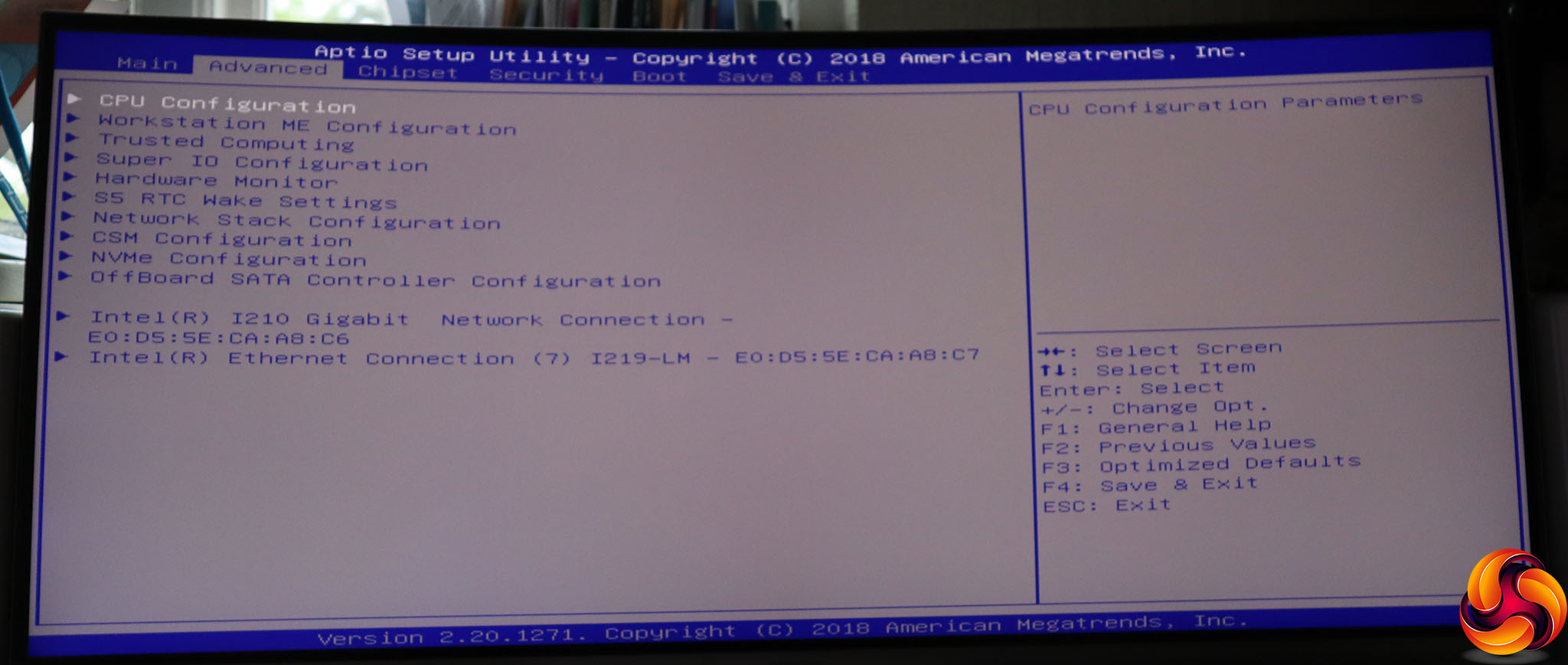
The Advanced section is where most of the action takes place. A lot of the sections take you to submenus that merely allow you to enable or disable the labelled component – such as the Trusted Computing section, which is only relevant if you install the optional Trusted Platform Module
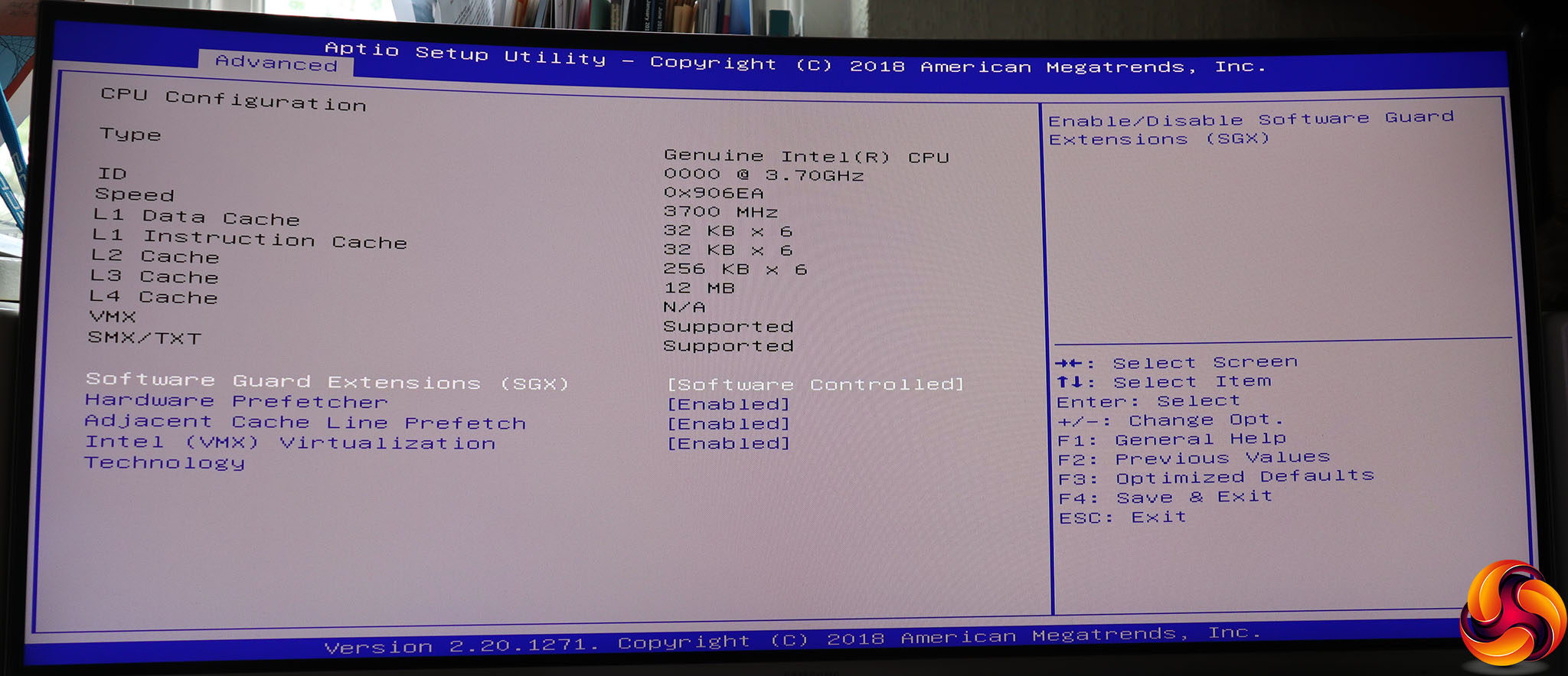
The CPU Configuration section under Advanced is mostly informational, but it does give you options to enable or disable CPU features, including Software Guard Extensions. You won't find any overclocking facilities here.

The motherboard has support for Alert Standard Format, Intel Active Management Technology, and Client Initiated Remote Access, so the system can be managed whatever the current state of the operating system.
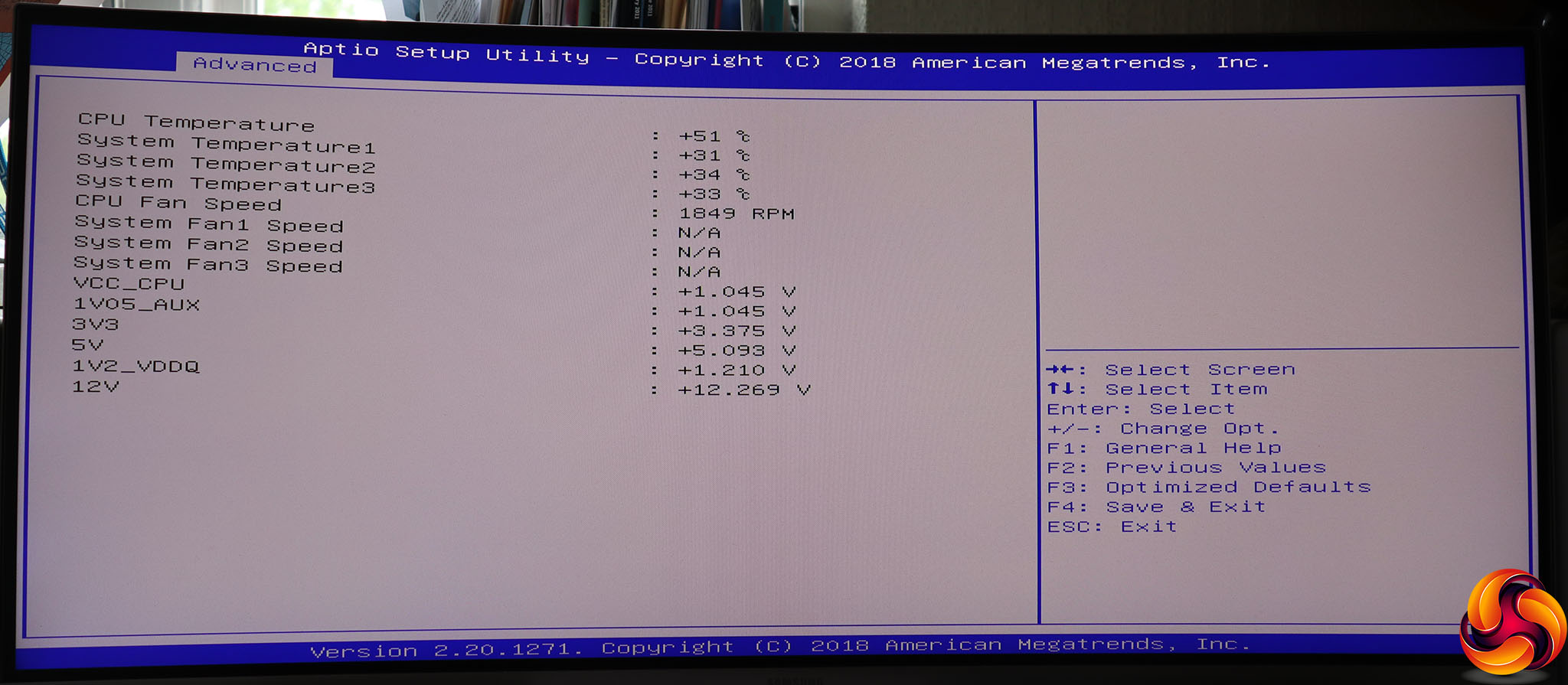
The Hardware Monitor section is entirely read-only, giving you temperature, voltage and fan speed values.
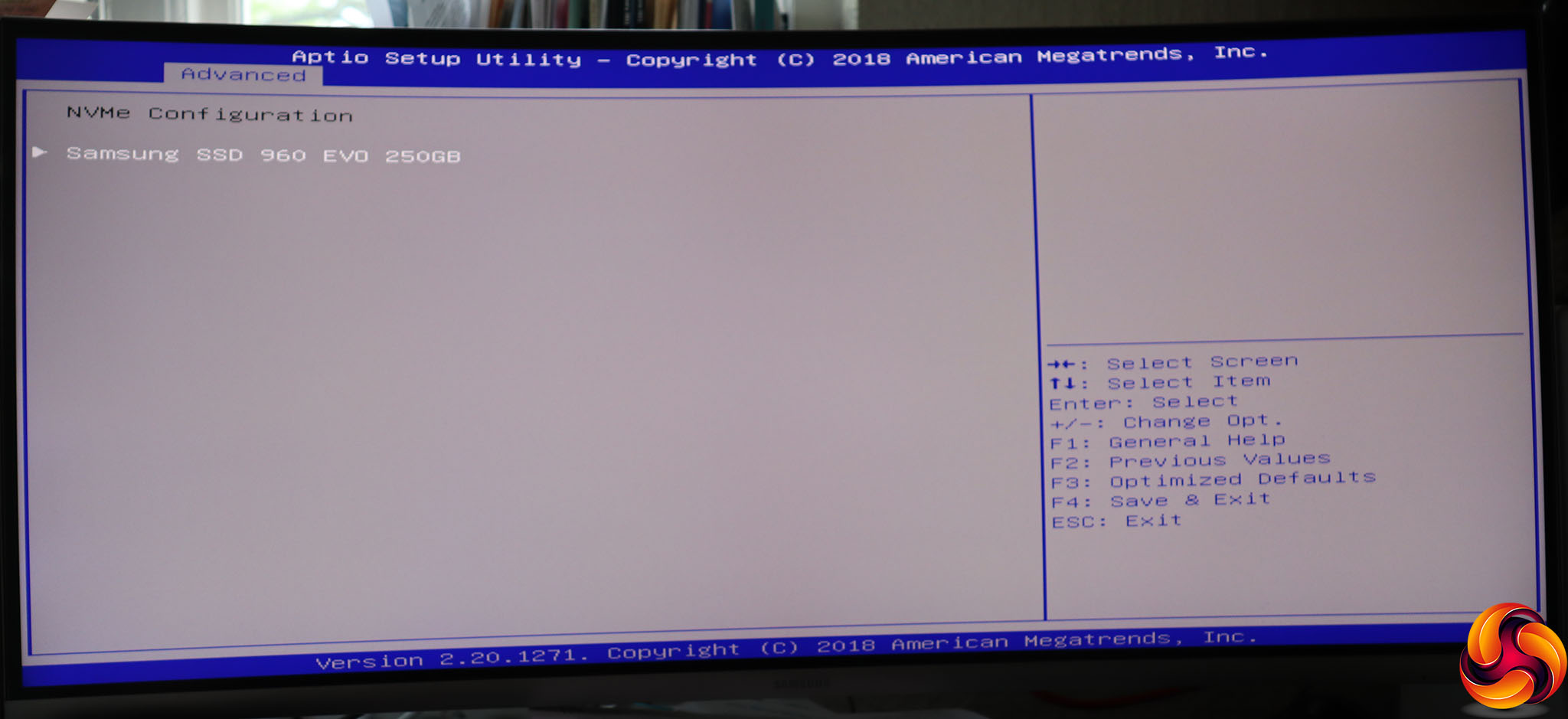
The NVMe Configuration section tells you what kind of NVMe drive you have attached and lets you drill down to see a bit more detail about your device, but you can't change any settings.
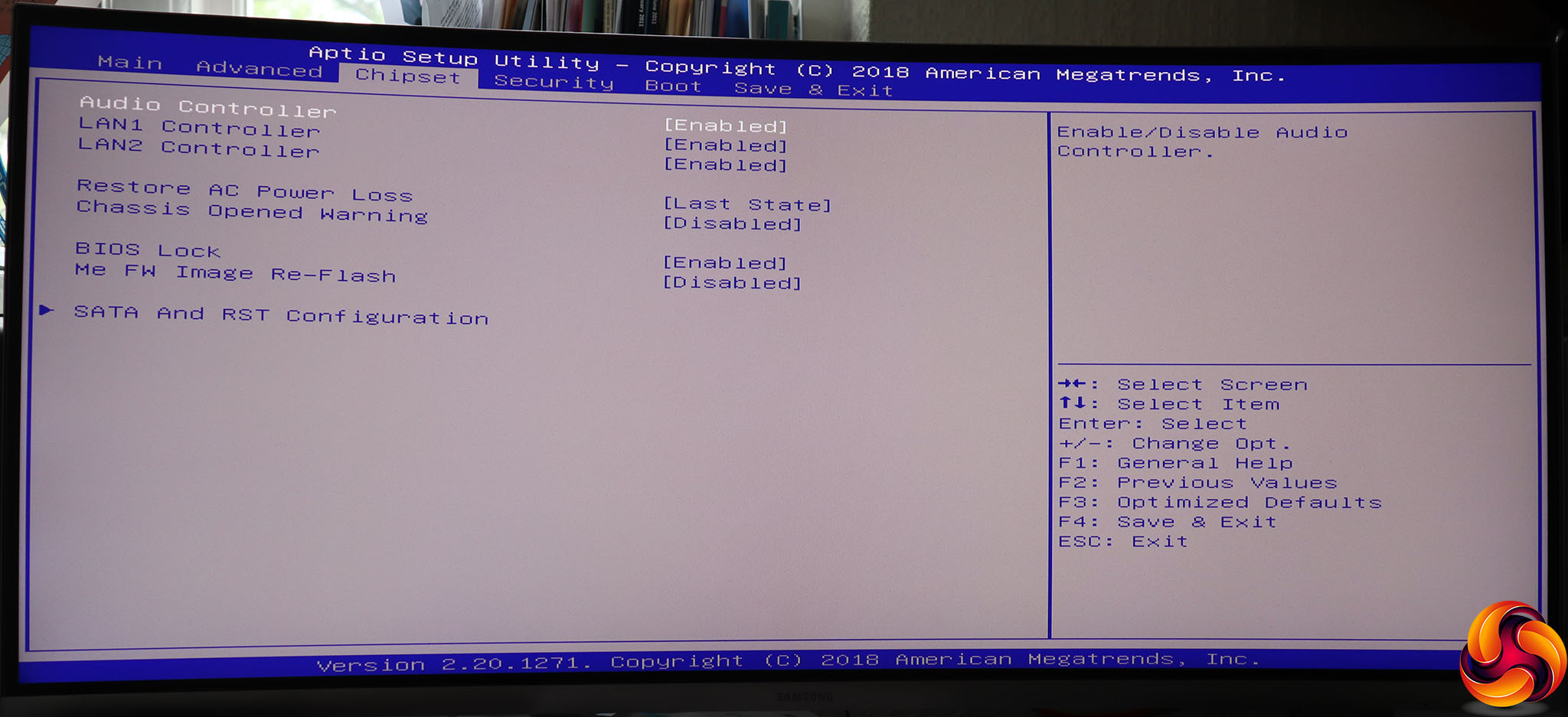
Next along from Advanced is Chipset, where you can enable features such as the audio and LAN controllers, as well as drilling down to configuration options for the SATA ports.
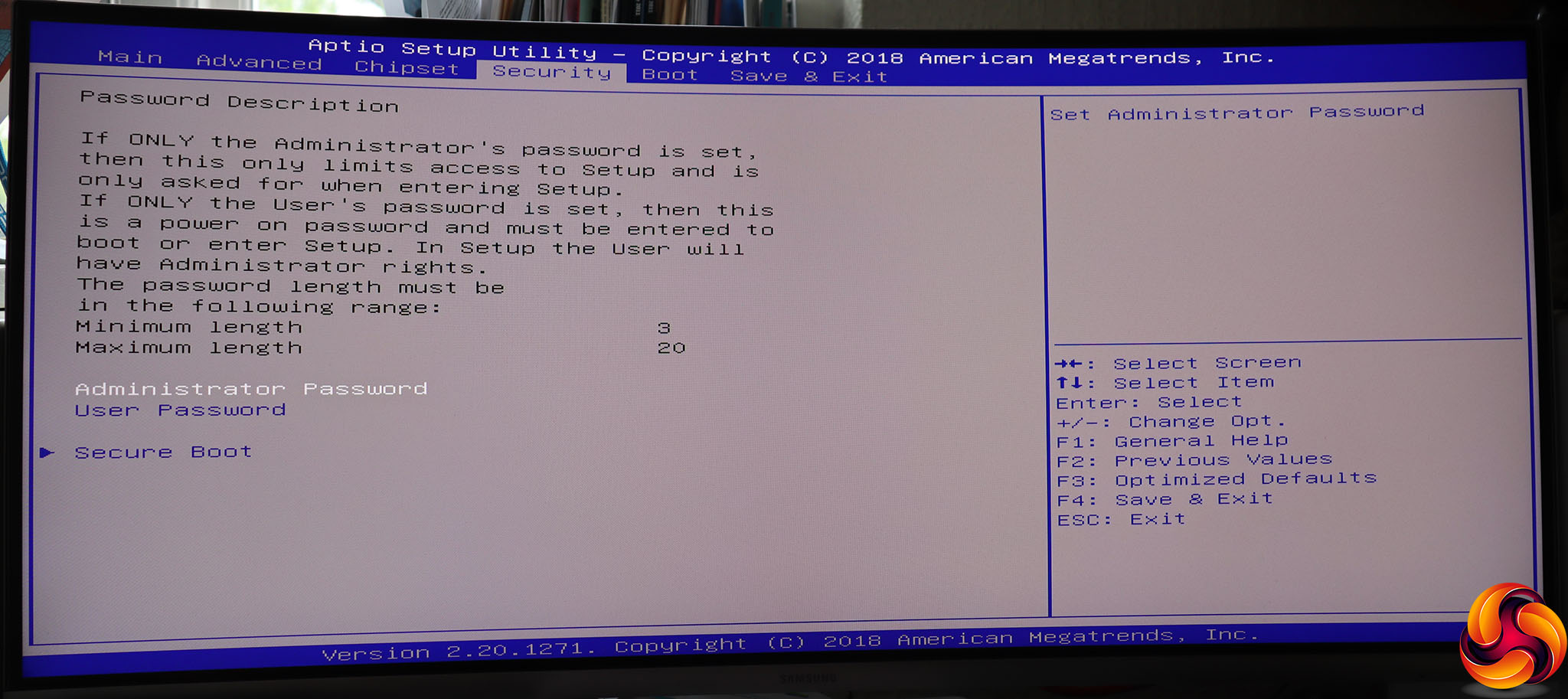
The Security section lets you set passwords for getting into the BIOS and for users at boot time. There's also a Secure Boot section where you can enable this feature to help prevent malicious code from loading on startup.
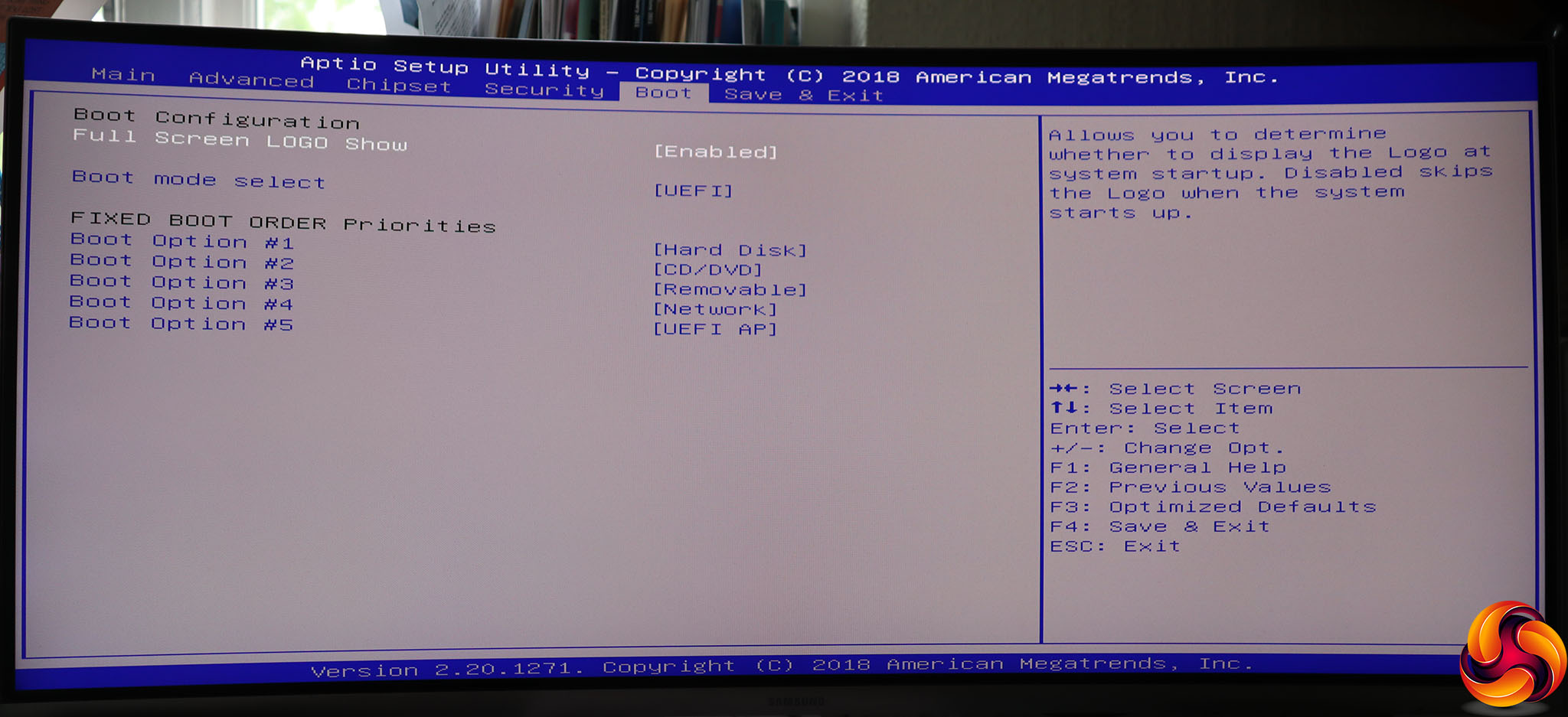
Finally the Boot section lets you choose the order in which the system will check for an operating system, with the option to boot in UEFI and Legacy modes as well as whether the logo will be shown during POST and boot.
Overall, as with our last look at a Gigabyte professional motherboard, the MW32-SP0's BIOS gives us a tremendous sense of nostalgia for a previous era of motherboards. There are, of course, no features for overclocking, because this board is not aimed at that kind of user. But it does have a good range of management features for servers and workstations. The out-of-bounds configuration section offers extensive support for different options.
For testing, we integrated the Gigabyte MW32-SP0 with an Intel Xeon E 2176G supplied to us by Gigabyte and an AMD Radeon Pro WX 8200 from our stores, plus other components kindly lent to us by workstation manufacturer Armari. These included 32GB of 2,666MHz non-ECC DDR4 SDRAM supplied as two 16GB DIMMs, a standard Intel Xeon air cooler, and Samsung 960 EVO M.2 NVMe SSD.
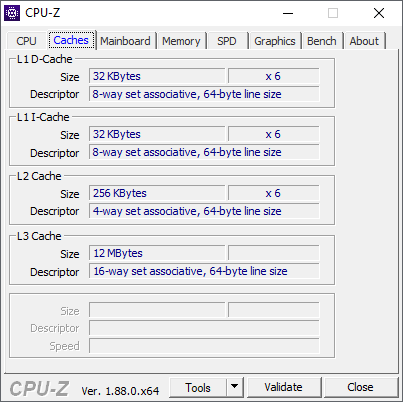
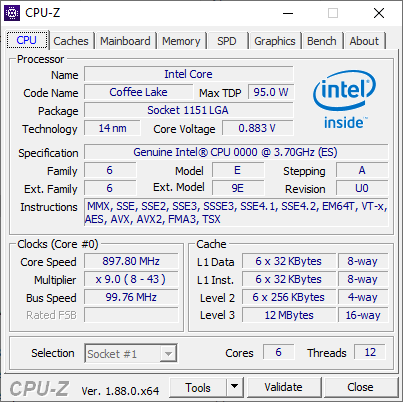
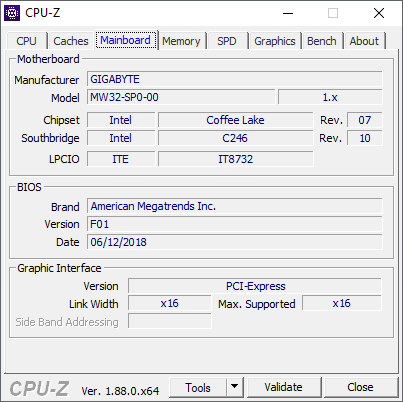
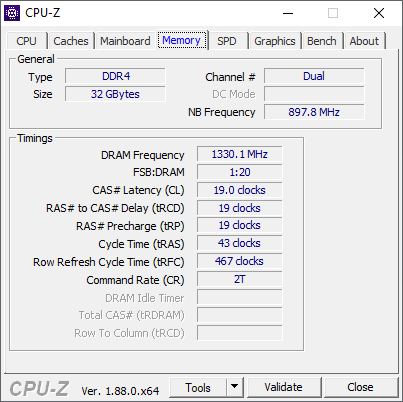
The CPU we were sent was an engineering sample, hence its model number didn't register in CPU-Z. But you can see that its default clock speed is 3.7GHz, with six cores and Hyper-Threading. The Xeon E 2176 G has a 4.7GHz Turbo mode for one core, 4.6GHz for two cores, and 4.3GHz for six cores. This makes it basically the Xeon version of the Intel Core i7 8700K, so a generation behind the eight-core 9700K that arrived at the end of 2018.
It's a potent CPU for applications that require clock speed, but has enough threads for some multi-threaded applications too, whilst only requiring a 80W TDP. So elaborate cooling will not be required.
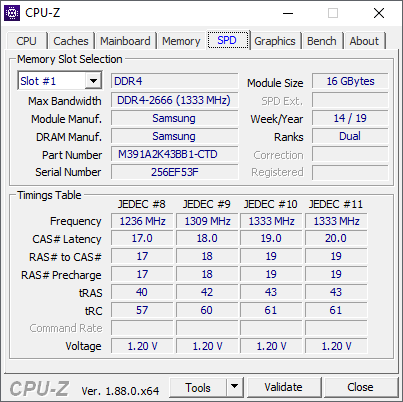
We partnered this CPU with two 16GB modules of 2,666MHz non-ECC DDR4 RAM, so the dual-channel memory configuration of the Xeon processor was enabled.
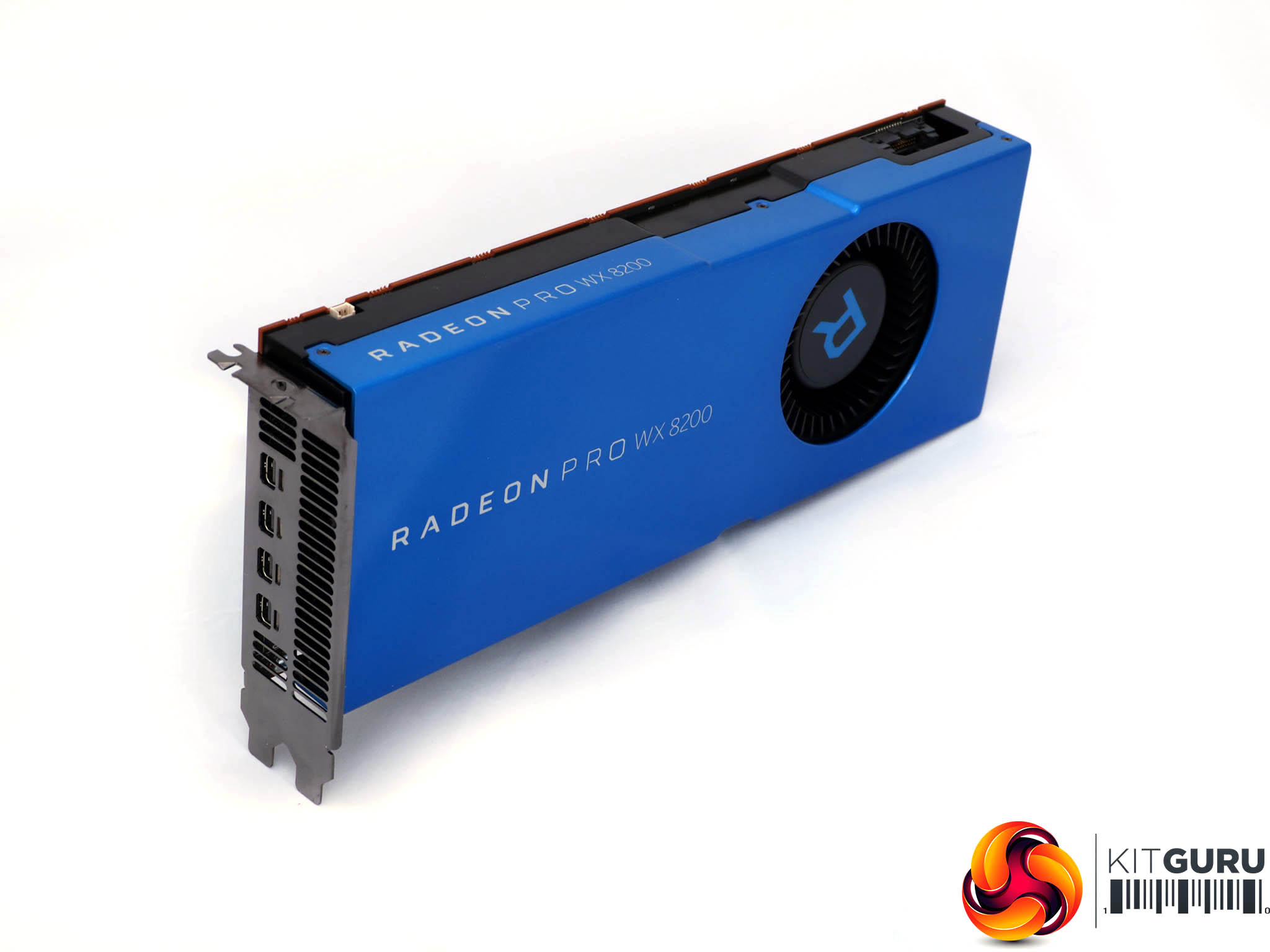
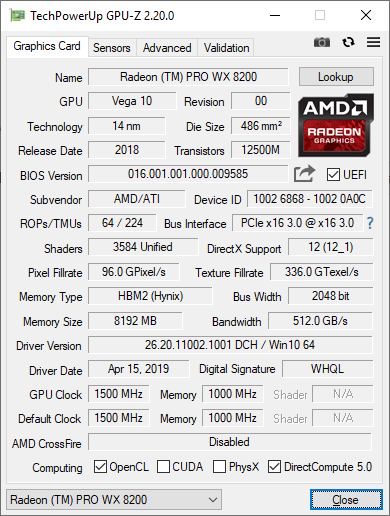
For graphics, we had an AMD Radeon Pro WX 8200 on hand so used that to provide a decent level of GPU grunt for a workstation. This high-end 3D accelerator sports 3,584 Stream Processors running at a base 1,200MHz with a 1,500MHz boost. There's a decent 8GB of HBM2 memory on a 2,048-bit bus running at 1,000MHz and delivering a massive 512GB/sec bandwidth.
Rounding off the test specification was a Samsung 960 EVO M.2 NVMe SSD with 250GB capacity.
We ran five different tests. First, Maxon Cinebench R15's rendering and OpenGL tests, to assess the base performance with the installed processor and graphics. Then we ran the gruelling Blender Gooseberry render, followed by the memory bandwidth benchmark from SiSoft Sandra. To see the effect of the CPU on graphics performance, we ran SPECviewperf 13, and then finally CrystalDiskMark 6 to test the SSD throughput.
We compared these results with a variety of previous test systems, which we will note alongside the tests as we go along.
Motherboard test specification:
- OS: Windows 10 64-bit
- CPU: Intel Xeon E 2176G
- Memory: 32GB (2 x 16GB) 2,666MHz DDR4 SDRAM
- Graphics: 8GB HBM2 AMD Radeon Pro WX 8200
- Storage: 250GB Samung 960 EVO M.2 NVMe SSD
Tests:
Maxon Cinebench R15 – all-core CPU benchmark and OpenGL graphics performance
Blender Gooseberry – all-core real-world render test
SiSoft Sandra – memory bandwidth
SPECviewperf 13 – professional graphics performance
Crystal DiskMark 6 – storage transfer rates
Maxon Cinebench R15
CINEBENCH R15 is a cross-platform testing suite that measures hardware performance and is the de facto standard benchmarking tool for leading companies and trade journals for conducting real-world hardware performance tests. With the new Release 15, systems with up to 256 threads can be tested.
CINEBENCH is available for both Windows and OS X and is used by almost all hardware manufacturers and trade journals for comparing CPUs and graphics cards. For this test, we used the Armari Magnetar V25R-RA750G2, Scan 3XS GW-HTX35, Armari Magnetar S16T-RW850G2 and S18X-RD850G2, and Armari Magnetar S32-RD1000G2 and Gigabyte MZ01-CE0 motherboard for comparison.
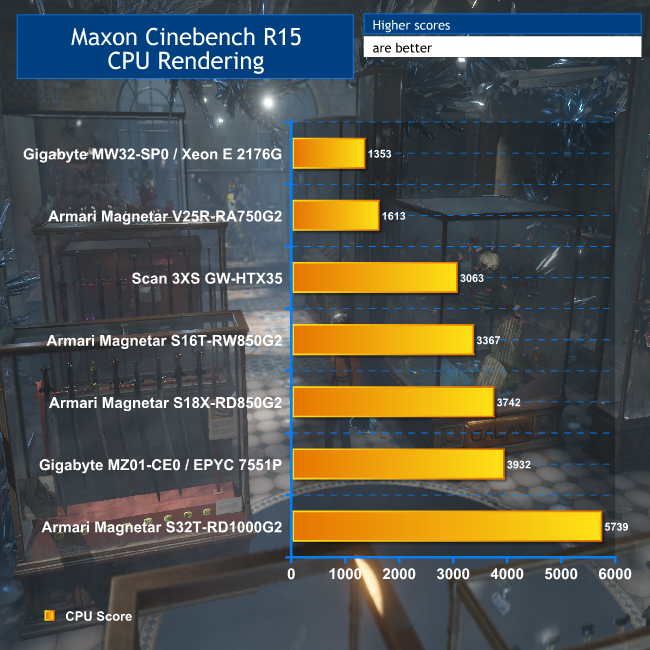
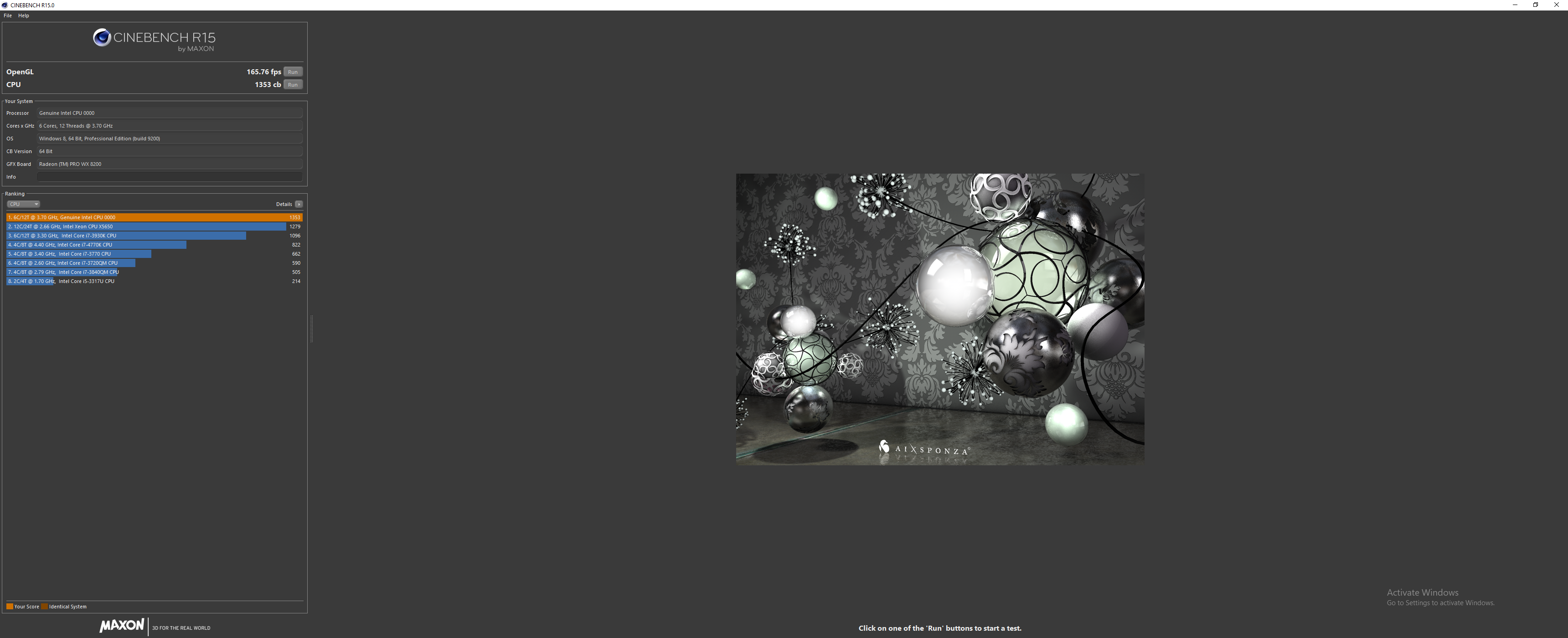
The Intel Xeon E 2176G only has six cores, so it was always going to be at a disadvantage in a multi-threaded test like Cinebench R15 rendering in this company. However, considering that the Armari Magnetar V25-RA750G2 was based around an AMD Ryzen 7 1800X with eight cores, the result of 1,353 is commendable, showing that you can make a decent 3D content creation workstation out of the Gigabyte MW32-SP0 motherboard.
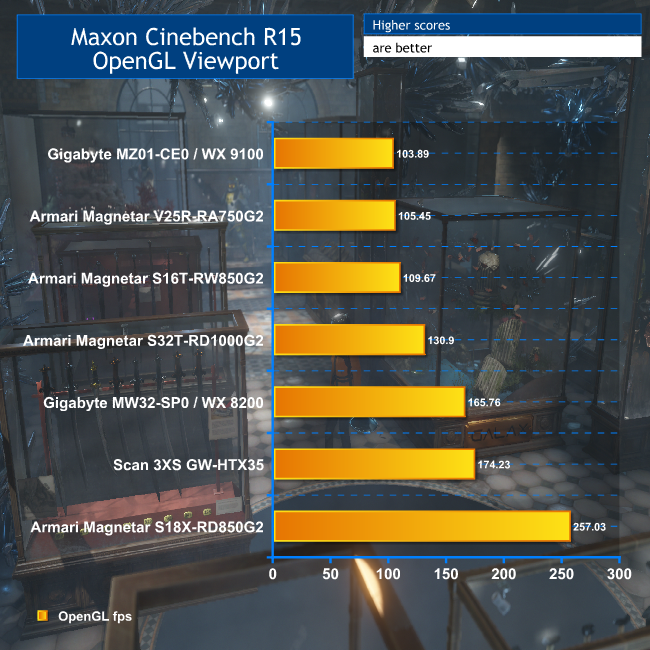
To underline this point, the Maxon Cinebench R15 OpenGL viewport result of 165.76 is impressive, not far off the NVIDIA Quadro M6000 in the Scan 3XS GW-HTX35, although the NVIDIA GeForce GTX Titan Xp in the Armari Magnetar S18X-RD850G2 is in a different league.
SiSoft Sandra Memory Bandwidth
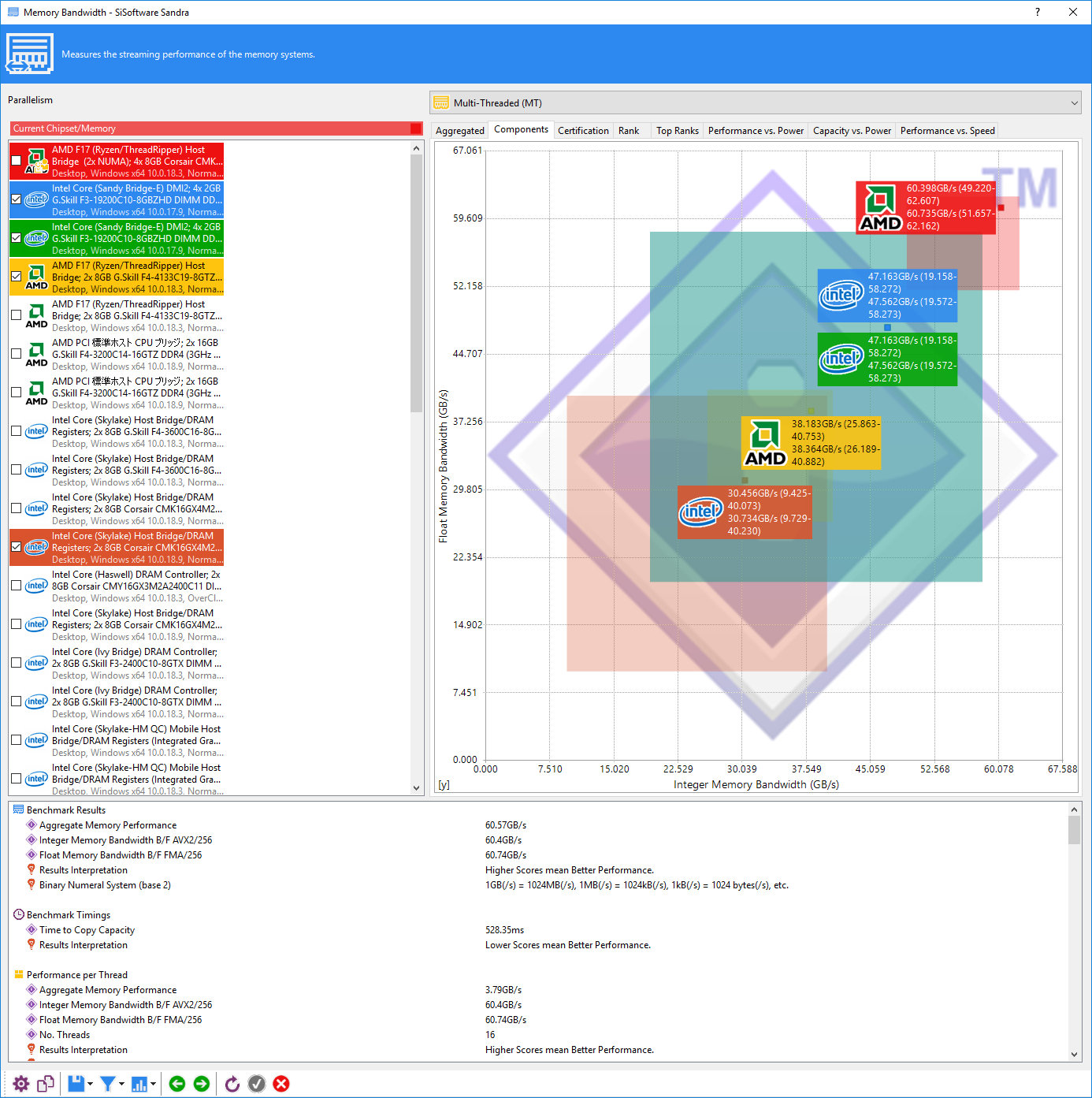
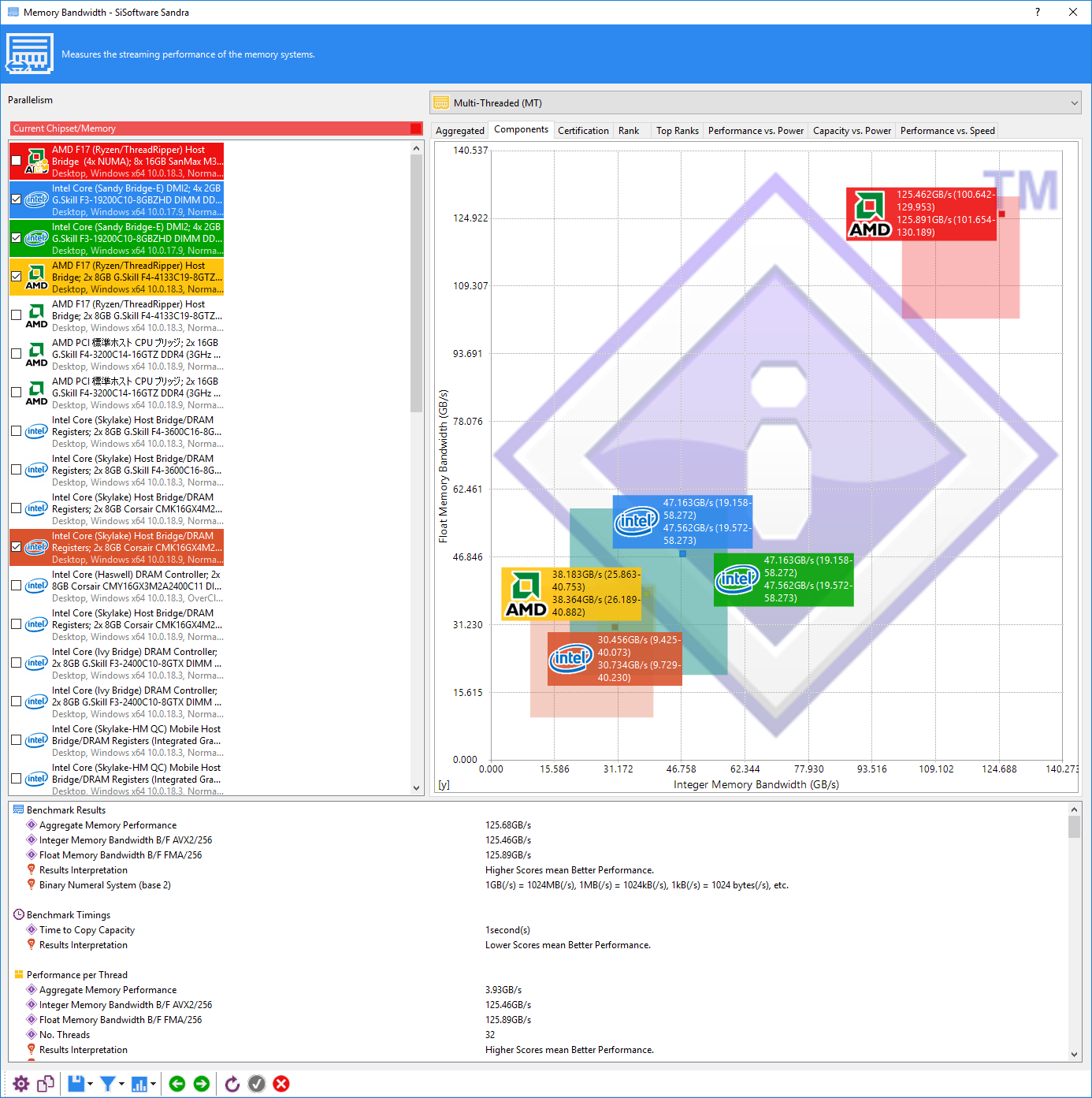
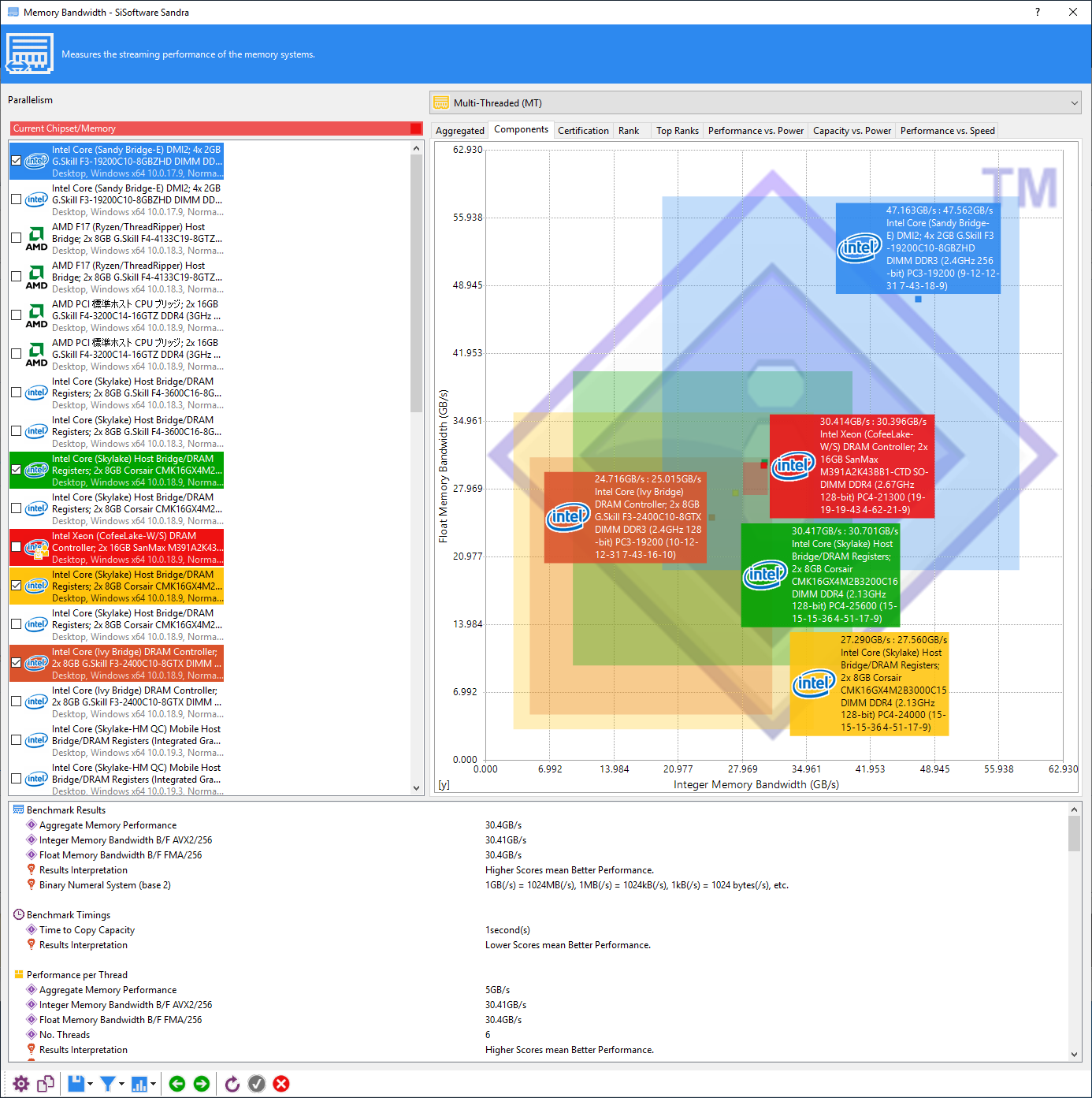
SiSoft Sandra is a synthetic benchmark, but we wanted to illustrate how much more memory bandwidth you get with the eight-channel controller compared to quad-channel. So we compared the Gigabyte MW32-SP0 / Intel Xeon E 2176G combination to the Armari Magnetar S16T-RW850G2, which includes an AMD Threadripper 1950X with quad-channel memory, and Gigabyte MZ01-CE0 motherboard with an AMD EPYC 7551P, which supports eight-channel memory.
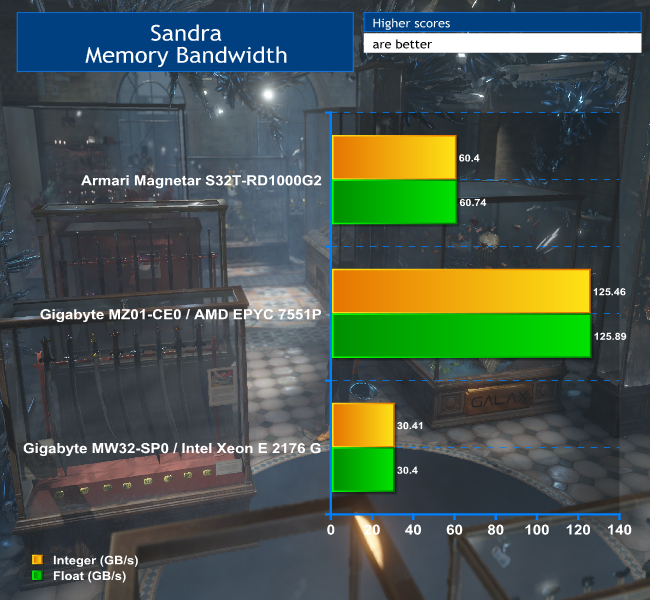
Unsurprisingly, the Gigabyte MW32-SP0 has half the bandwidth of the AMD Threadripper 1950X's quad-channel configuration, and a quarter that of the EPYC 7551P's eight channels. But it's no worse than that, so you're only losing from having dual memory, with the performance within what you'd expect given this limitation.
Blender 2.79b: Gooseberry Production Benchmark
Blender is a free and open source 3D creation suite. It supports the entirety of the 3D pipeline—modelling, rigging, animation, simulation, rendering, compositing and motion tracking, even video editing and game creation. The latest version at the time of writing, 2.79b, supports rendering on the GPU as well as the CPU. In GPU mode, it will render using OpenCL with AMD graphics cards, and CUDA with NVIDIA graphics cards.
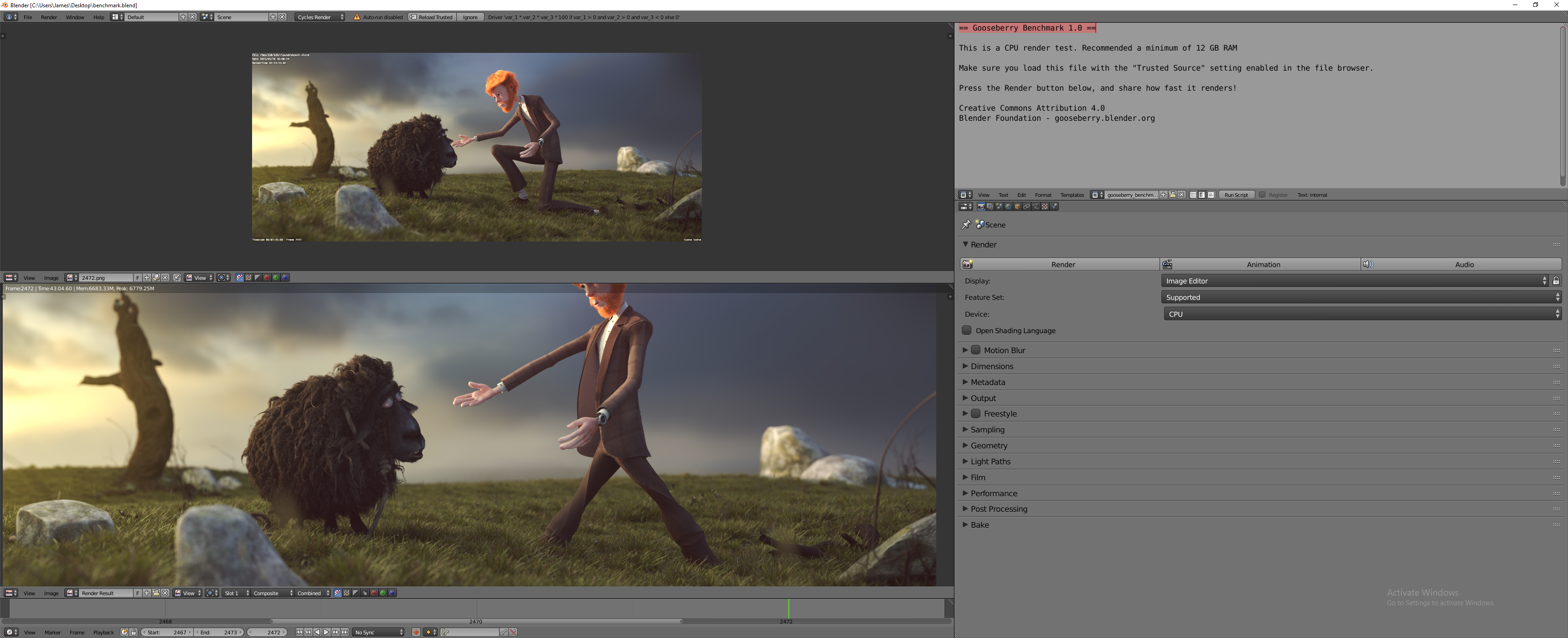
For this test, we used the Gooseberry Production Benchmark. Project Gooseberry is the code name for the Blender Institute's 6th open movie, Cosmos Laundromat — a 10-minute short, the pilot for the planned first-ever free/open source animated feature film. The benchmark renders a single frame from this film in intermediate quality.
For this test, we used the Armari Magnetar S16T-RW850G2 and S18X-RD850G2, Armari Magnetar S32-RD1000G2 and Gigabyte MZ01-CE0 motherboard with AMD EPYC 7551P for comparison.
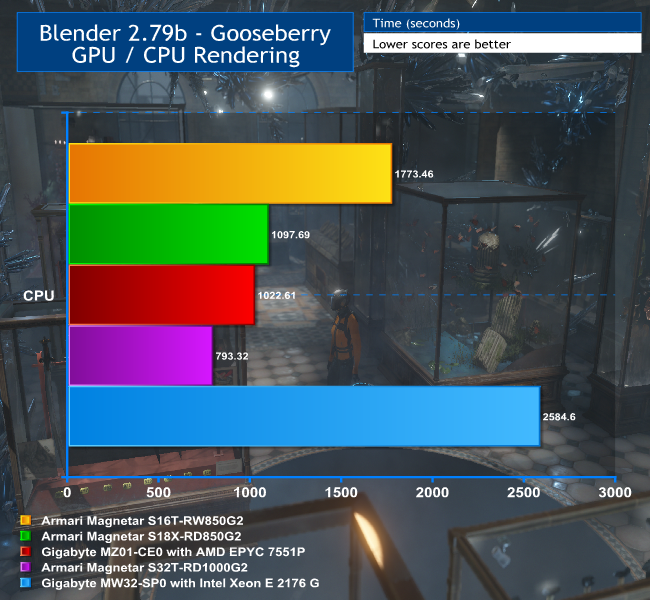
As with the Maxon Cinebench R15 render, the Intel Xeon E 2176 G is not in the same league as the processors in our other comparisons for this test. On the other hand, the Amari Magnetar S16T-RW850G2 has 16 cores, 167 per cent more, and it's only 45 per cent faster. So you're getting a decent performance from the Xeon.
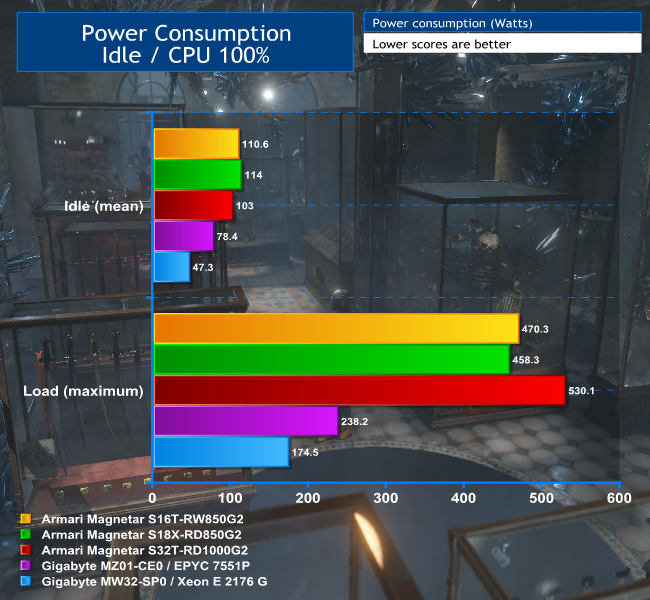
The story is even more impressive when you look at power consumption. When idle, our Gigabyte MW32-SP0 setup only consumed 47.3W, and under load it still only consumed 174.5W, making it very efficient, although not as efficient as the EPYC 7551P, which performed way more work per Watt than anything else.
SPECviewperf 13
The SPECviewperf 13 benchmark is the worldwide standard for measuring graphics performance based on professional applications. The benchmark measures the 3D graphics performance of systems running under the OpenGL and Direct X application programming interfaces. The benchmark’s workloads, called viewsets, represent graphics content and behaviour from actual applications.
The latest version is SPECviewperf 13, released on May 23, 2018. SPECgpc members at the time of V13 release include AMD, Dell, Fujitsu, HP, Intel, Lenovo, and NVIDIA.
SPECviewperf 13 is a comprehensive upgrade of previous versions of the benchmark. Medical and energy viewsets incorporate new models and raycasting for volume visualization; the Maya viewset features new models based on the SPECapc for Maya 2017 benchmark; and the Creo viewset has been updated with fresh application traces. All other viewsets have been recompiled with minor changes. Results from SPECviewperf 13 are not comparable to those from earlier versions.
For this test, we only compared the Gigabyte setup to the Armari Magnetar S32-RD1000G2 and Gigabyte MZ01-CE0 motherboard, as both were using AMD Radeon Pro WX 9100 graphics, which in theory should be a little faster but otherwise very similar.
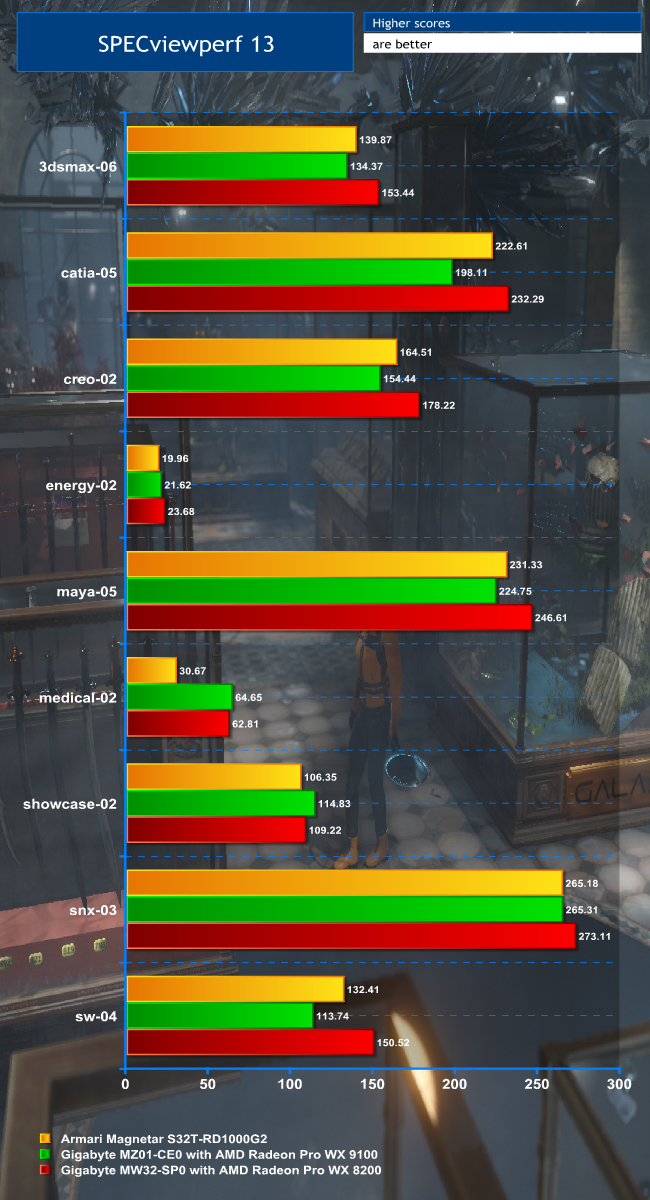
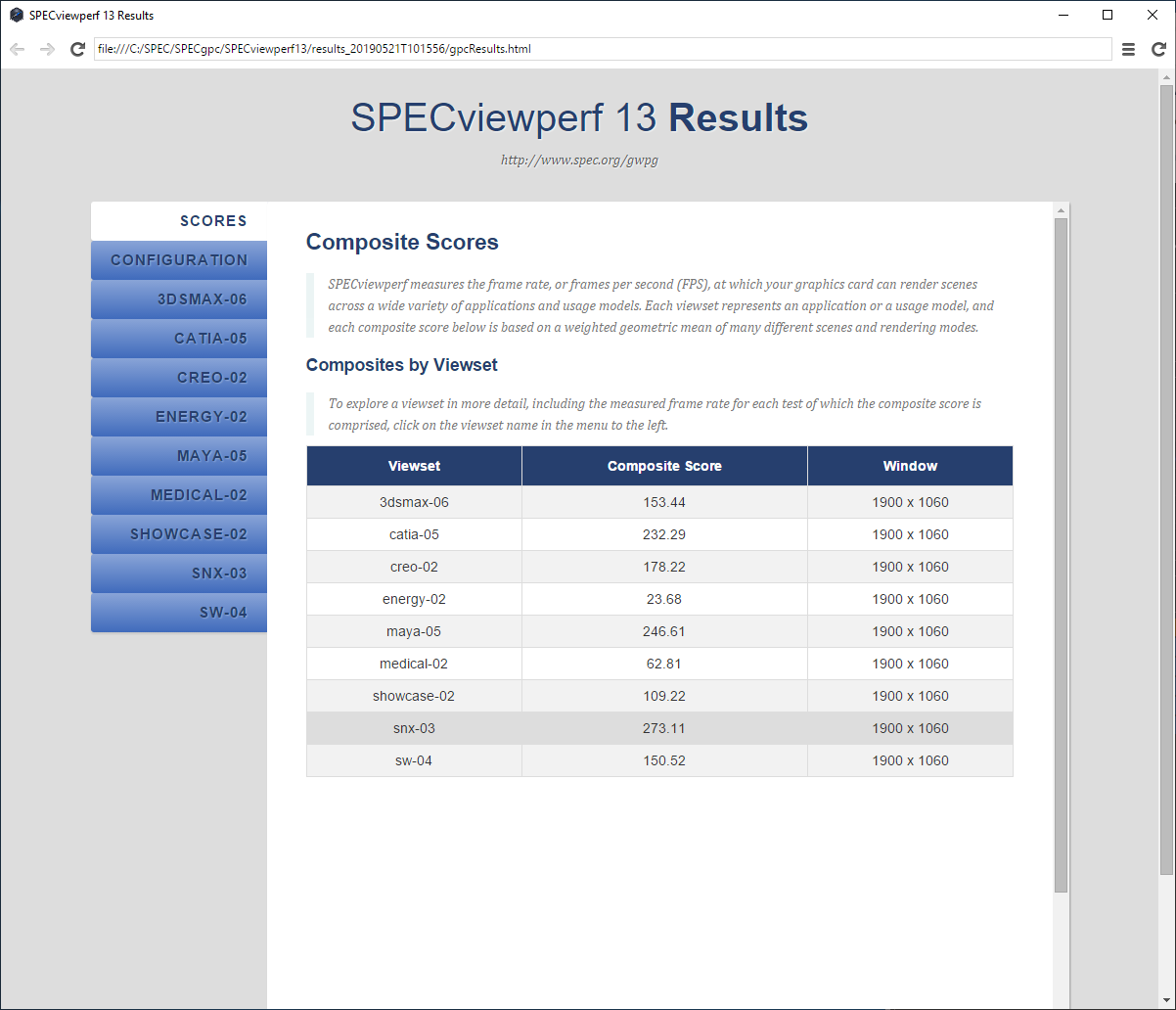
In reality, however, the WX 8200 has a slightly faster GPU core, albeit with fewer Stream Processors. Alongside the Intel Xeon E 2176G fast single-core clock, it outperformed the other comparisons in every test.
Overall, then, this motherboard and processor combination would be great for a pure modelling workstation.
SSD Performance
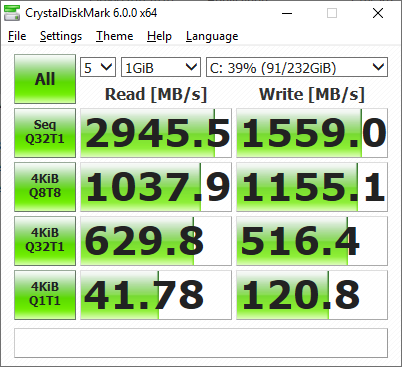
The Samsung 960 EVO M.2 NVMe SSD is a fast storage device. The reading throughput of 2,945.5MB/sec is close to the quickest currently available from NVMe devices, although its writing performance of 1,559MB/sec has been eclipsed by the latest models that are offering write speeds close to their reading performance. Nevertheless, this is around the performance we have seen from the Samsung 960 EVO on other platforms, so the MW32-SP0's M.2 NVMe performance is as expected.
The Gigabyte MW32-SP0 is a solid professional motherboard. With the right processor and graphics combination, it can provide competent performance for a 3D modelling or CAD workstation that can do a bit of rendering when needed, but isn't particularly optimised for this. You could achieve even faster graphics performance or GPGPU capability with one or two extra adapters, thanks to the two further 16x PCI Express slots.
If you're putting together a storage server based around SATA drives, this motherboard has plenty of potential here too. You could equip it with a lesser processor that sports integrated graphics and add up to ten SATA drives on top of the NVMe M.2 boot drive, plus an additional U.2 drive.
You probably wouldn't want to use this motherboard as the hub of a database server or network host for virtual machines, however, due to the dual-channel memory and 64GB memory limit, alongside support for processors with a maximum of six cores. You also won't find using the BIOS particularly pleasurable with its old-fashioned text-based interface, although it does include quite a lot of features that will be useful for management.
Overall, though, this is a capable workstation motherboard for Intel Xeon E 2100 series processors with a range of features that will give it a decent range of workstation and server applications.
The MW32-SP0 isn't available in retail yet, but Gigabyte expects it to cost around $410 when it does, which isn't excessive either.
Pros:
- Credible workstation performance with top-end CPU and graphics.
- Two full-speed PCI Express x16 slots plus one running at 8x.
- Supports up to 10 SATA drives, plus M.2 and U.2.
- Two Gigabit Ethernet connections.
- Four USB 3.1 Gen 2 Type A connections on backplane.
Cons:
- Old-fashioned, text-based and keyboard-only BIOS interface.
- Dual-channel memory with 64GB maximum.
- No USB 3.1 Gen 2 Type C connections.
KitGuru says: The Gigabyte MW32-SP0 is a flexible motherboard platform for creating entry-level workstations and servers based around the Intel Xeon E 2100 Series, Core i3, Celeron or Pentium.