 KitGuru KitGuru.net – Tech News | Hardware News | Hardware Reviews | IOS | Mobile | Gaming | Graphics Cards


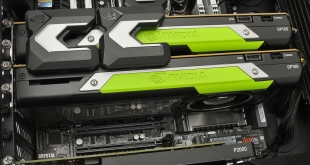
AMD has been using High Bandwidth Memory (HBM) since the Fiji GPU in 2014. But NVIDIA has stuck with GDDR5 for everything but its General Purpose GPU-oriented Tesla P100. With the launch of the monstrous Quadro GP100, HBM has arrived in the graphics-oriented Quadro range as well. Our first taste of this humongous £7K card comes inside a suitably powerful system from Workstation Specialists, the WS-X1100. And this boasts not one GP100, but two.
In fact, this system has another graphics card – a Quadro P2000. This is included so you can use the two GP100s purely as GPU-based rendering co-processors, leaving the P2000 for mere graphics acceleration. Essentially, this is a system aimed at General Purpose GPU (GPGPU), where CUDA- or OpenCL-enabled software takes advantage of the huge parallel-processing power of modern graphics cards for highly multi-threaded tasks like film 3D rendering or cryptocurrency mining.
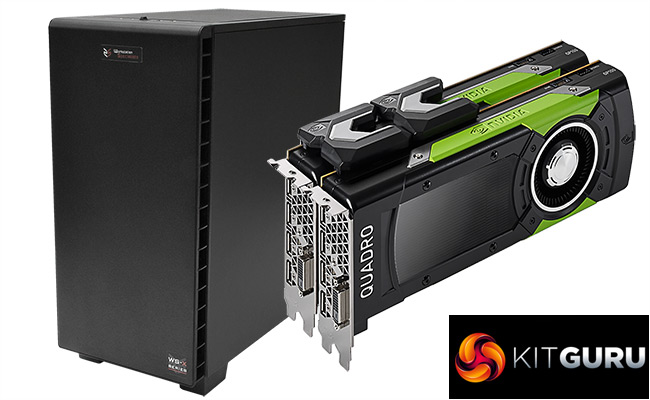
The WS-X1100 workstation is no slouch in its own right either. It's based around an Intel Core i7 6800K processor, with 64GB of DDR4 SDRAM. However, the two GP100s push the overall cost of this system up considerably, to a whopping near-£18K inc VAT price, around that of a new VW Golf (we checked). Obviously, this isn't going to be your next top-end gaming rig. So let's find out what you get for the price of a brand new premium hatchback.
Workstation Specialists WS-X1100 Specifications:
- Intel Core i7 6800K @4.2GHz
- Corsair Hydro Series H100 Water Cooling
- 64GB DDR4 SDRAM @ 3,000MHz
- ASUS X99-E WS Motherboard
- 250GB Samsung EVO M.2 NVMe PCI Express SSD
- 2 x 16GB GDDR5 NVIDIA Quadro GP100 Graphics
- 5GB GDDR5 NVIDIA Quadro P2000 Graphics
- 1200W Platinum Efficiency PSU
- Corsair Carbide 400Q Chassis
- Windows 10 Professional 64-bit
- 3 Years Warranty Parts and Labour NBD
Price: £17,976.78 inc VAT (Buy from Workstation Specialists HERE)
The Workstation Specialists WS-X1100 comes in the usual full-sized black tower we have come to expect from a serious professional workstation.
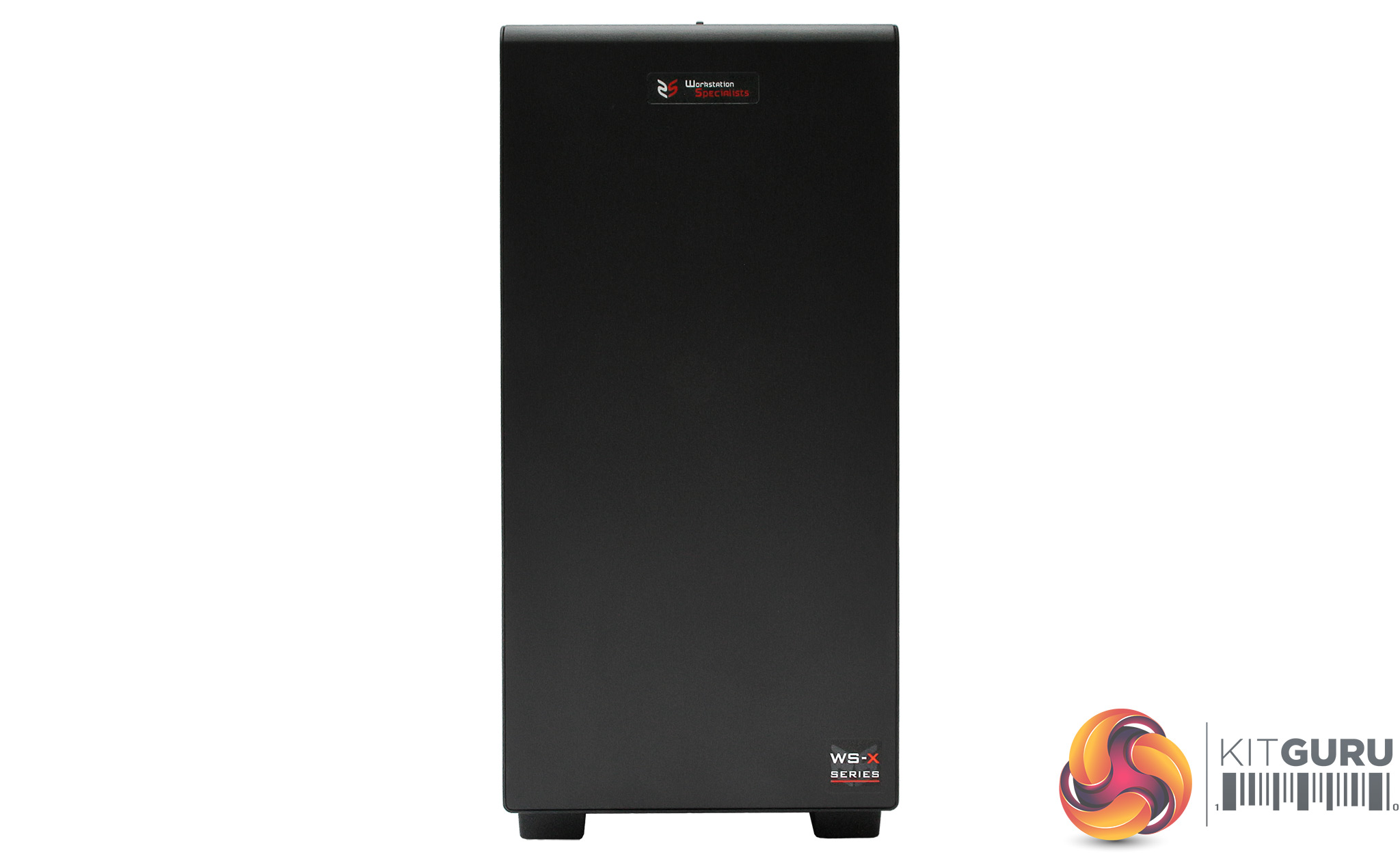
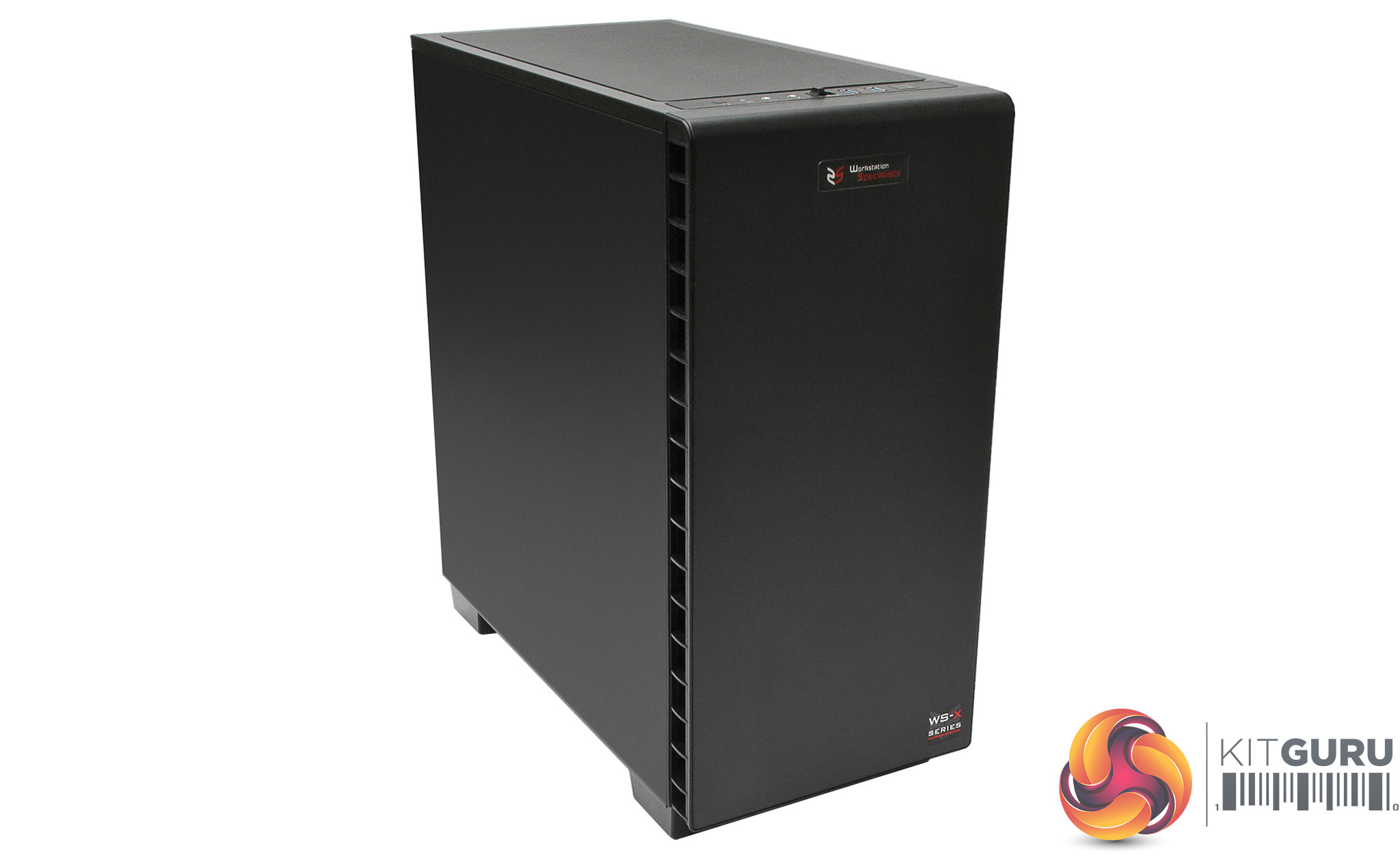
The Corsair Carbite 400Q chassis doesn't take any prisoners, with nothing but the Workstation Specialist logo and model name on the front.
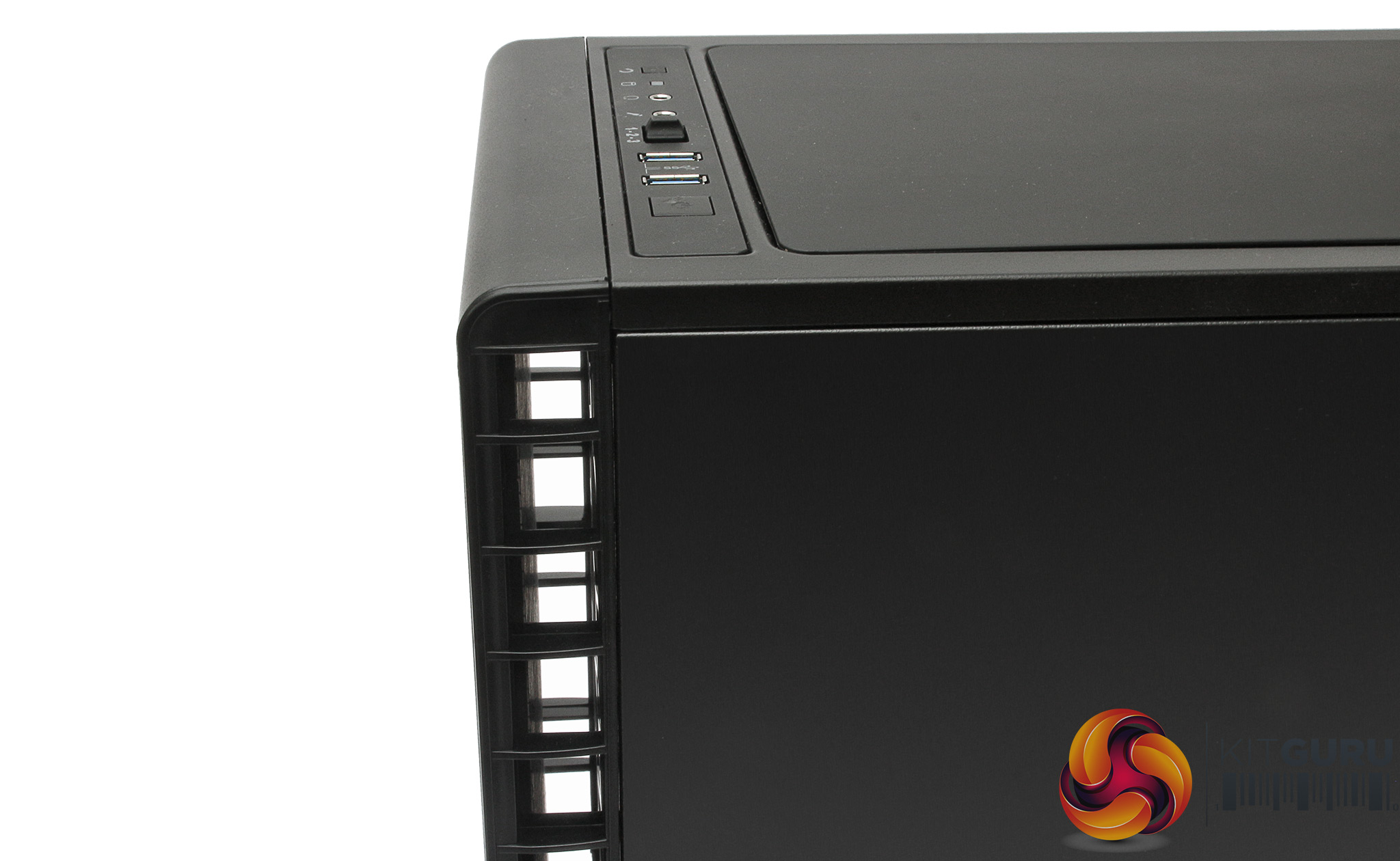
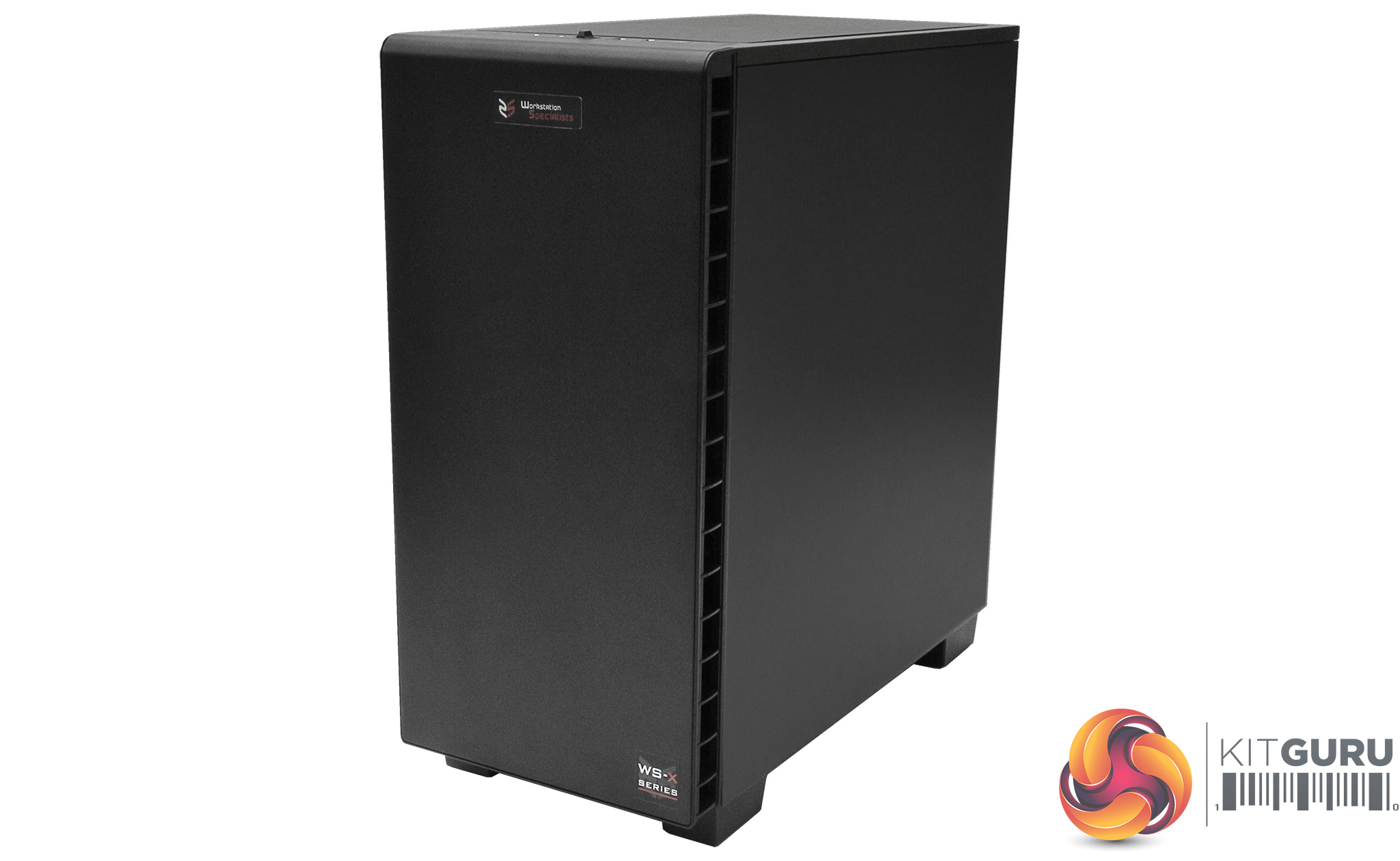
There aren't any front-accessible bays at all. Instead, the whole front fascia acts as a duct for the cooling system, with vents both sides.
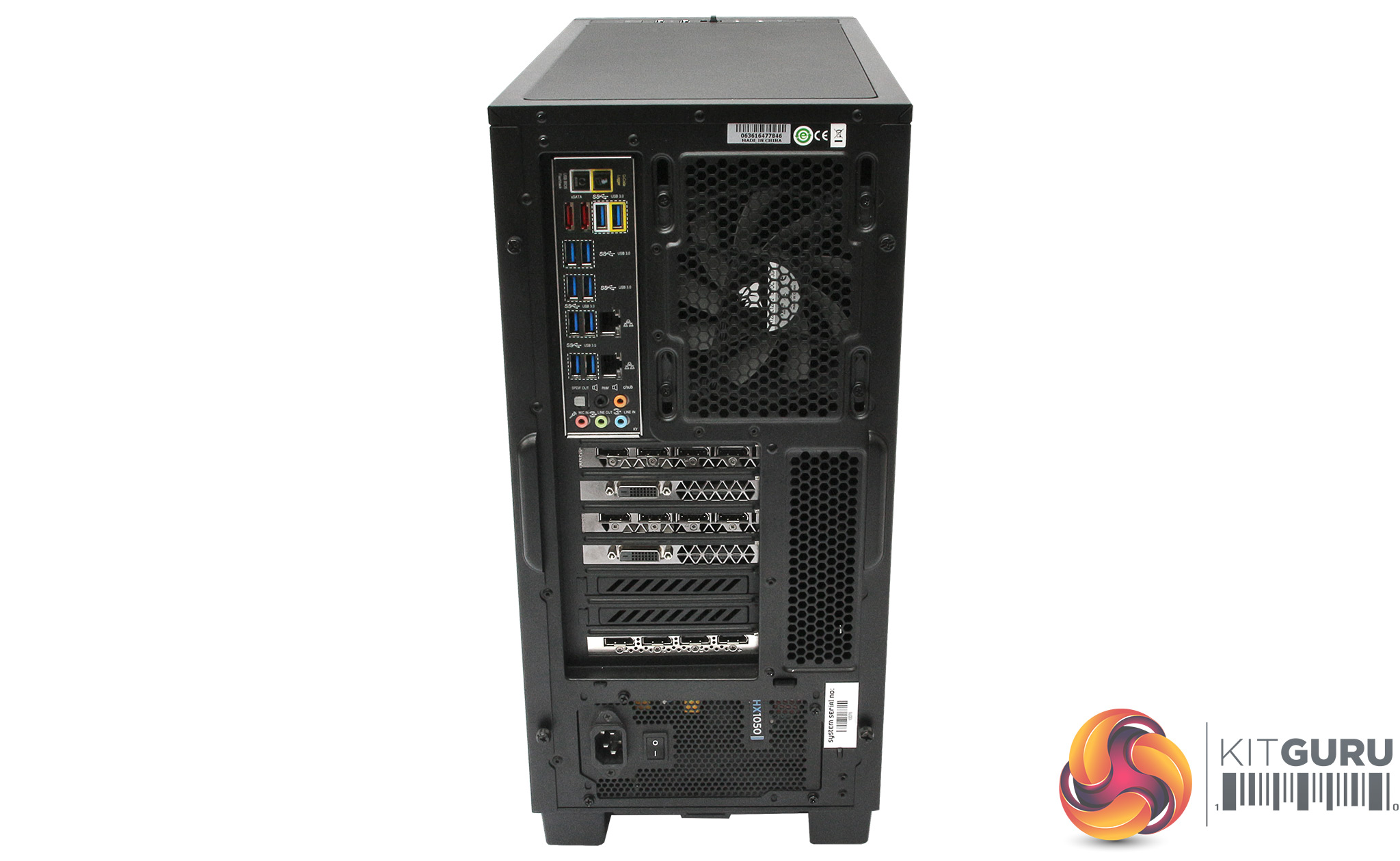
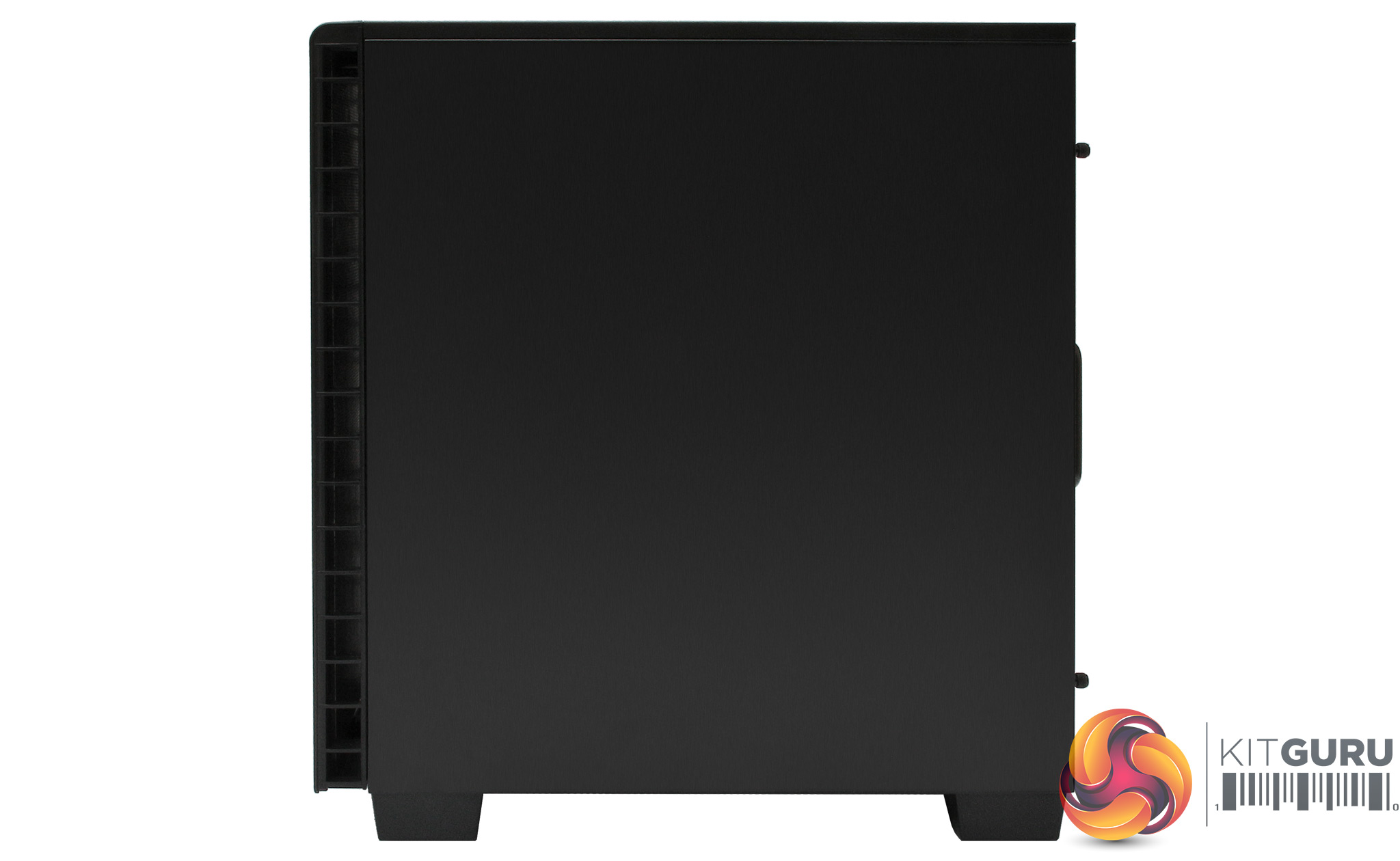
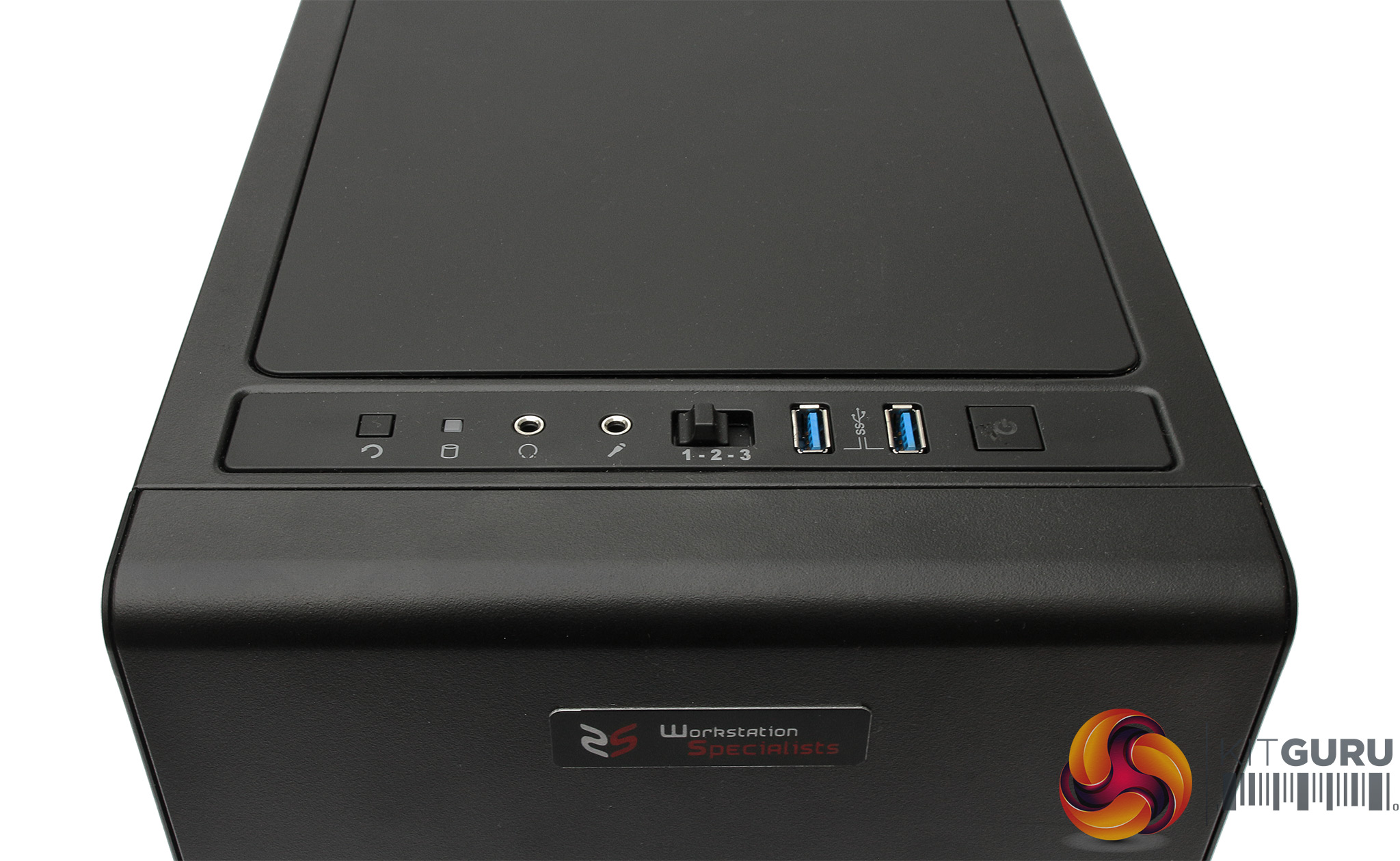
The front ports are actually on the top edge, with power and reset buttons either end. You get two USB 3.0 connections, plus headphone and microphone minijacks, and a switch to choose the cooling fan speed.
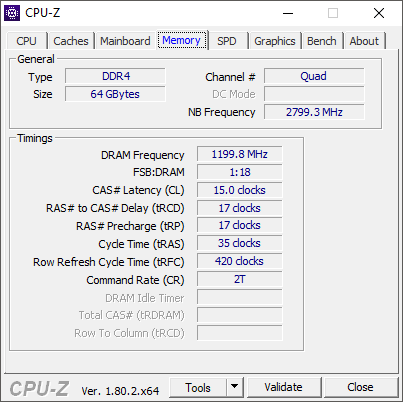
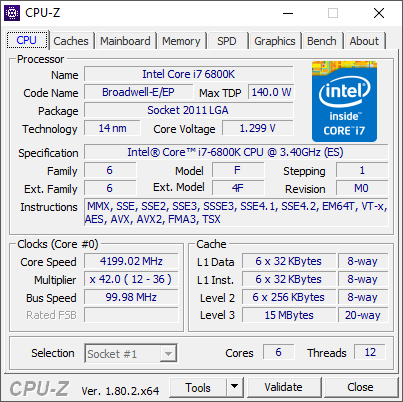
The Intel Core i7 6800K processor is a decent platform for a workstation that is aimed at GPGPU work. It's bottom of the Broadwell-E desktop range, offering six cores with Hyper-Threading, a nominal 3.4GHz clock speed, and 3.6GHz top Turbo mode. But Workstation Specialists has partnered the CPU with potent Corsair water cooling, allowing the processor to run at a permanent 4.2GHz across all cores, which will have a significant impact on performance for single- or multi-threaded applications.
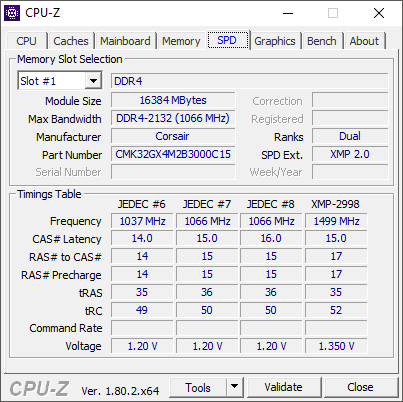
But it's also worth noting that this CPU has been superceded by the Skylake-X generation of Core i7s and i9s, whilst the Coffee Lake Core i7 8700K will offer six cores and much higher all-core overclocking. The Core i7 processor has been partnered with a very healthy 64GB of Corsair 3,000MHz DDR4 SDRAM.
This is supplied as four 16GB DIMMs, leaving four more memory slots free for upgrade to the motherboards 128GB maximum of unbuffered memory, although you can go up to 256GB with registered memory.
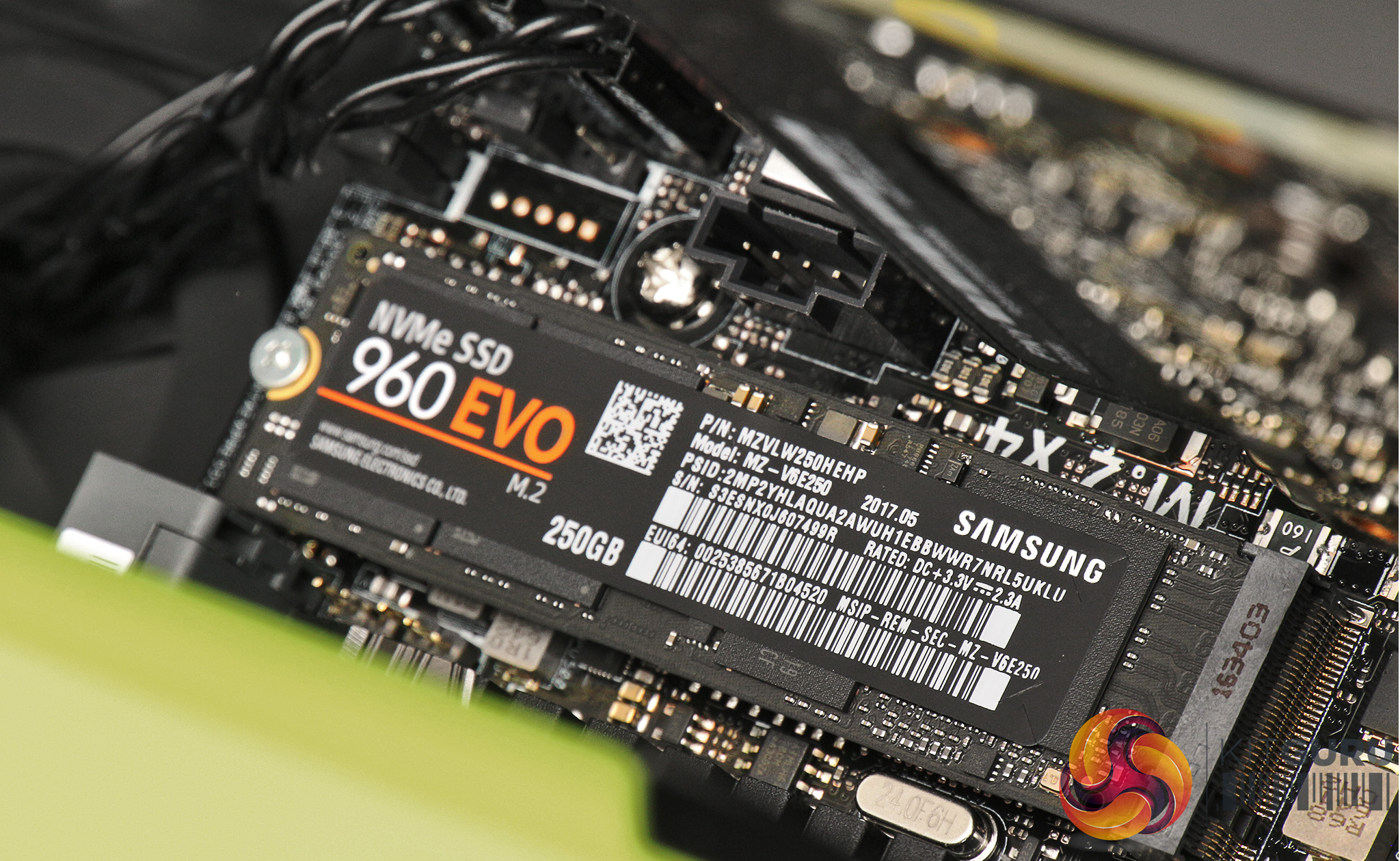
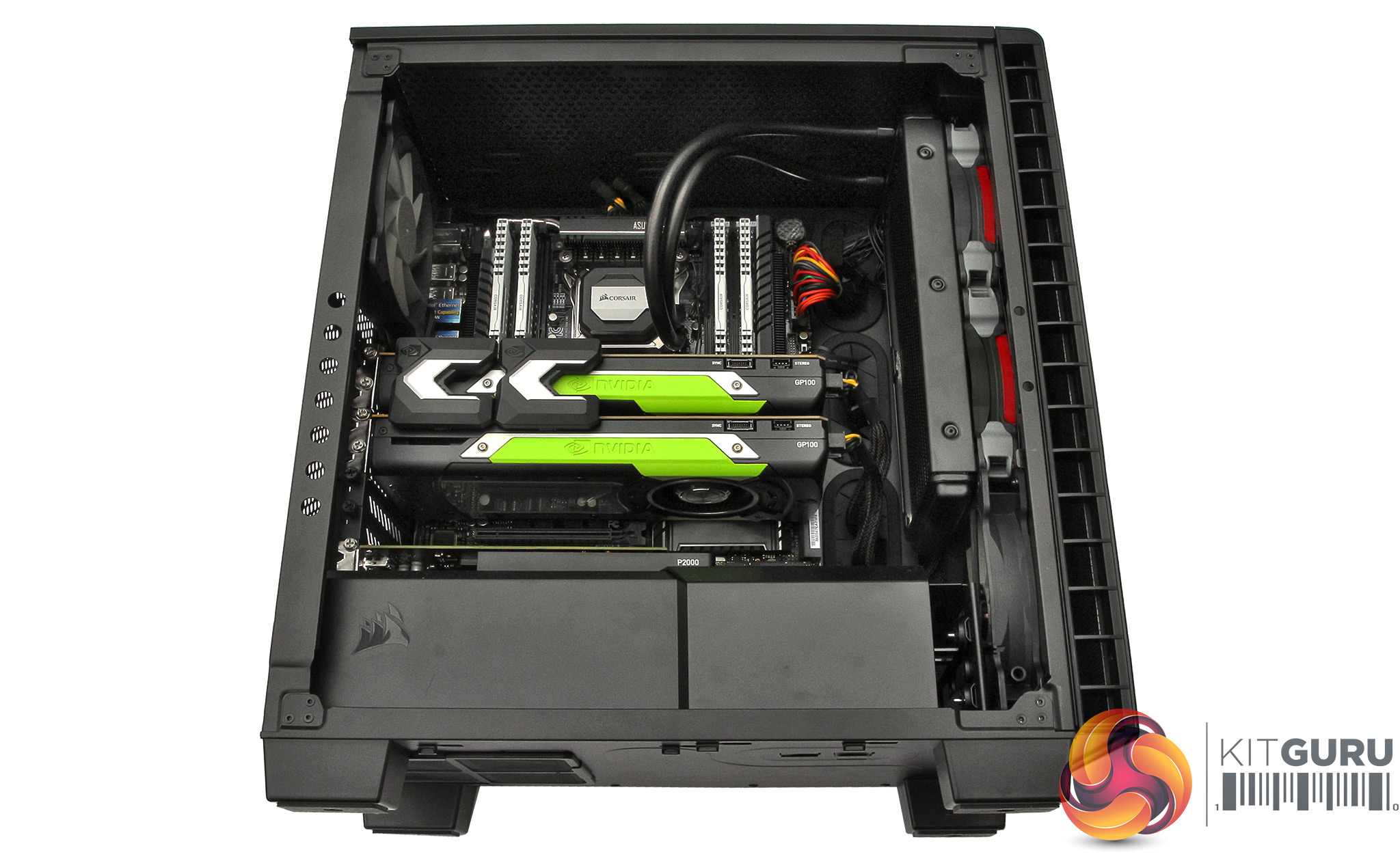
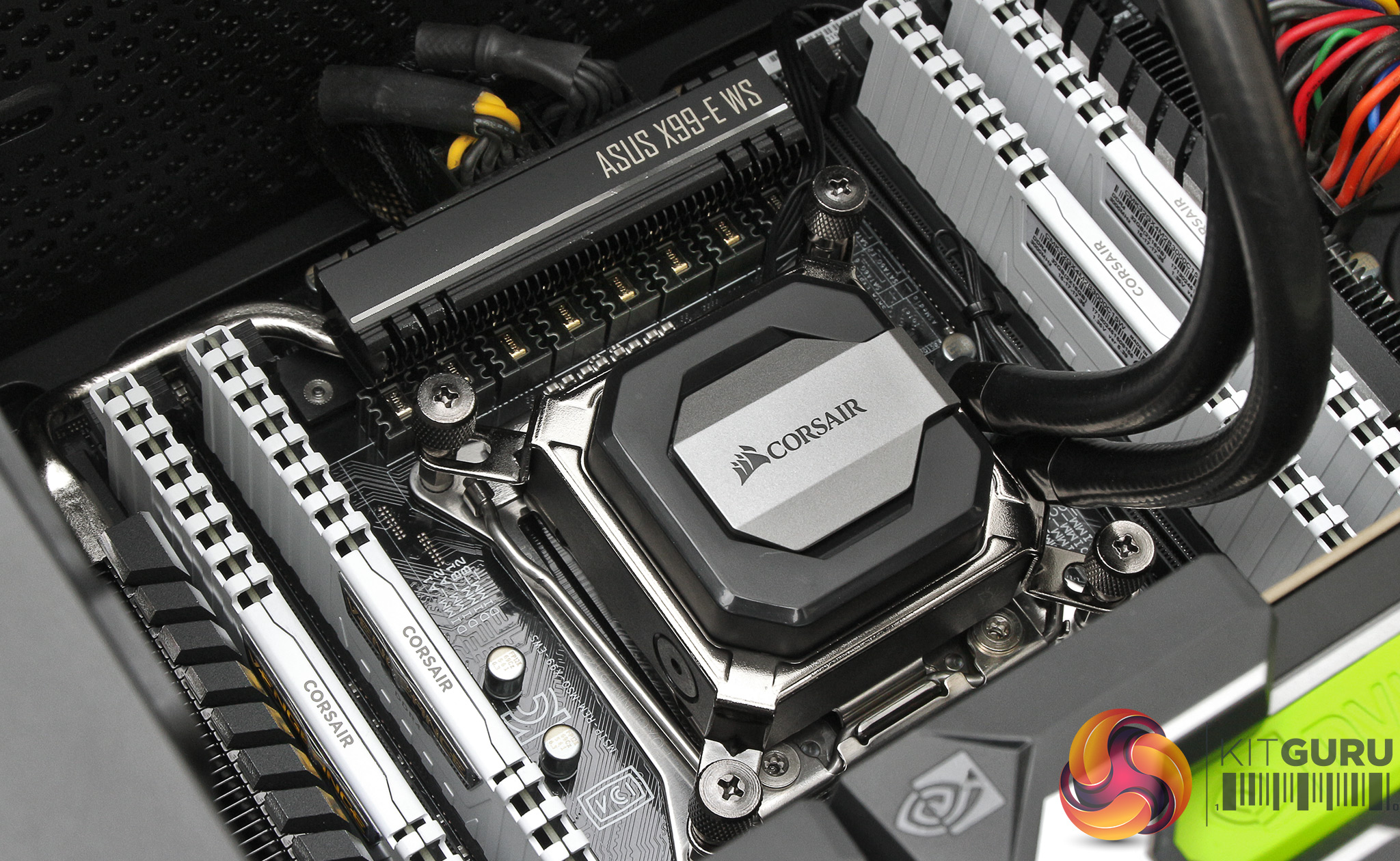
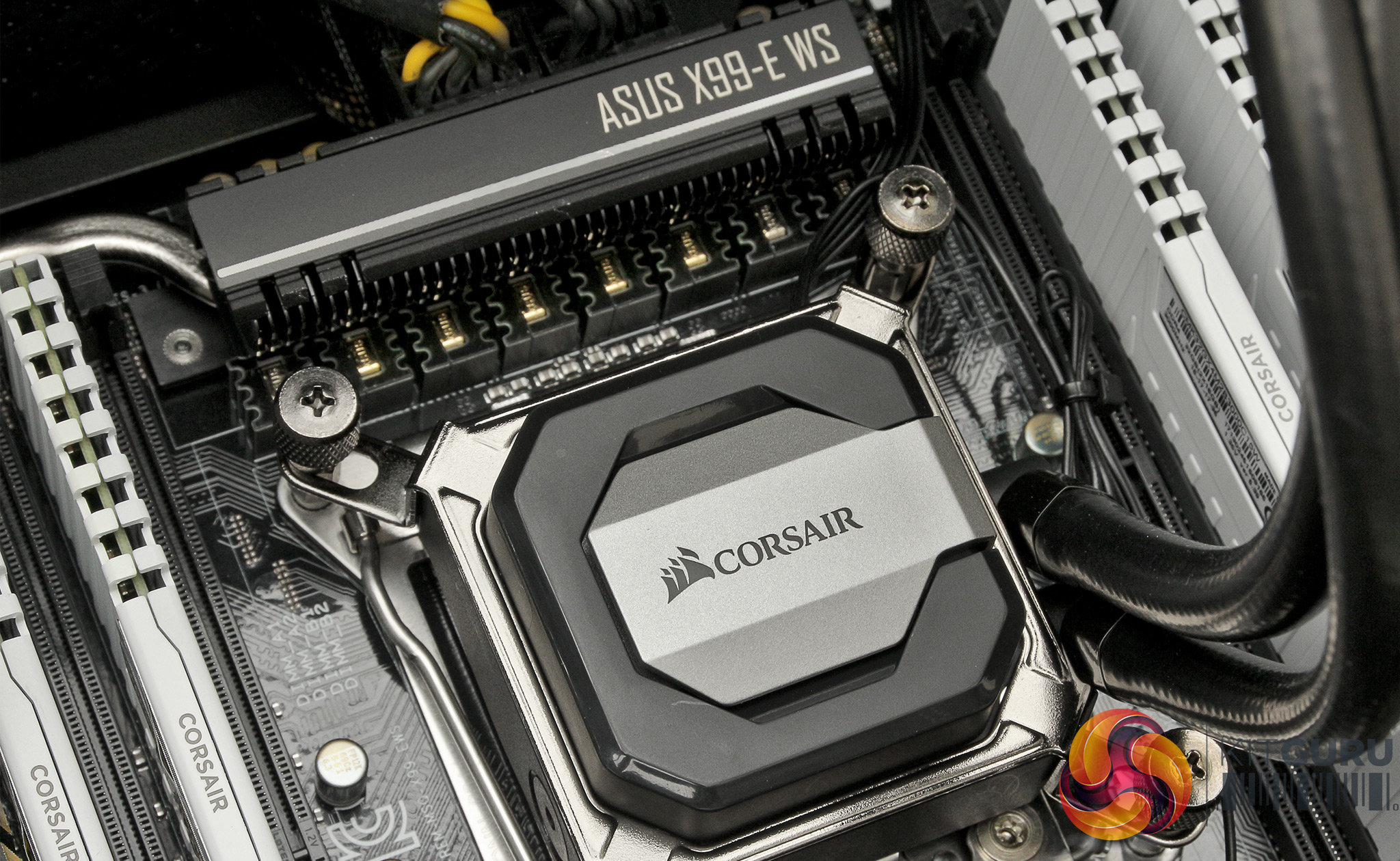
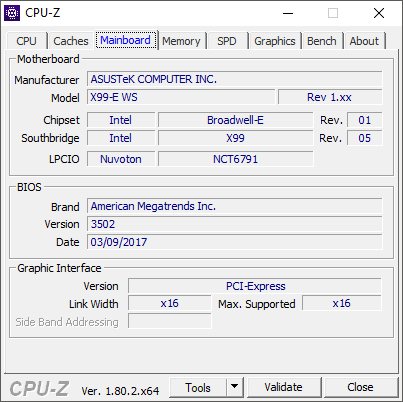
The processor and memory are installed in an ASUS X99-E WS motherboard, which is a pretty standard inclusion for Intel Socket 2011-v3 processors. As the name implies, it uses the Intel X99 chipset, with eight DIMM slots offering the maximum memory described above. It has seven full-sized x16 PCI Express slots, although if you have more than two graphics cards at least one of them will be running at x8, because the maximum number of lanes available from an Intel CPU is 40.
There's a single M.2 x4 socket, a single SATA Express, and eight SATA 6Gb/sec ports available from the Intel X99 chipset itself, plus an ASMedia SATA Express controller provides another SATA Express port, plus two eSATA ports.
However, this system only comes with a single 250GB Samsung 960 EVO M.2 NVMe SSD, and no conventional hard disks, because the focus is on the GPGPU capabilities.
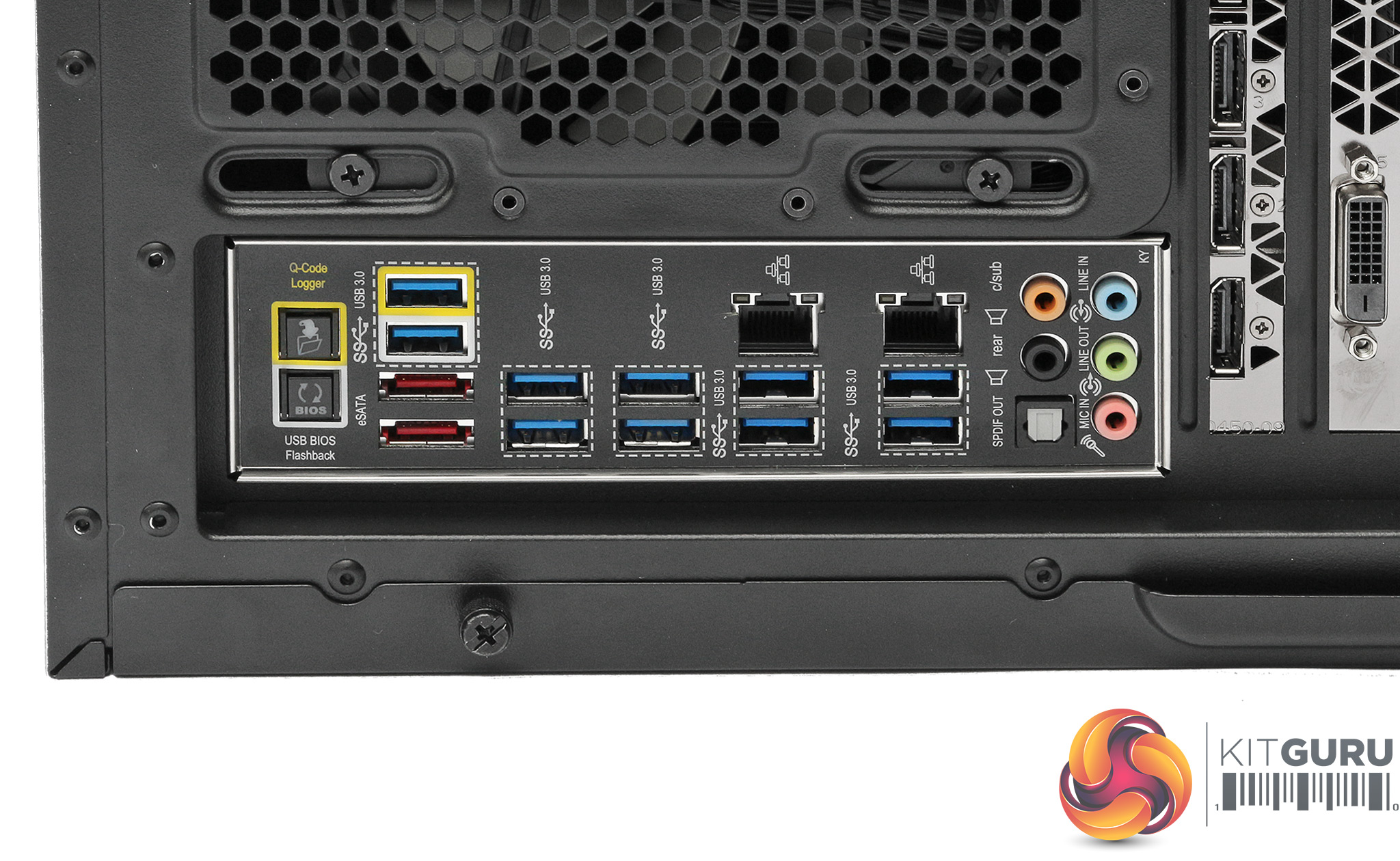
Aside from the front ports we described already, the rear backpanel hosts a plethora of connection options. There are two eSATA, two Gigabit Ethernet, and five minijacks for audio plus one more for optical S/PDIF.
Ten USB ports are provided, but whilst these are labelled USB 3.0 they are described by ASUS as USB 3.1 Gen 1. Before you get too confused or excited, these are actually the same thing – USB Type A ports capable of 5Gbits/sec.
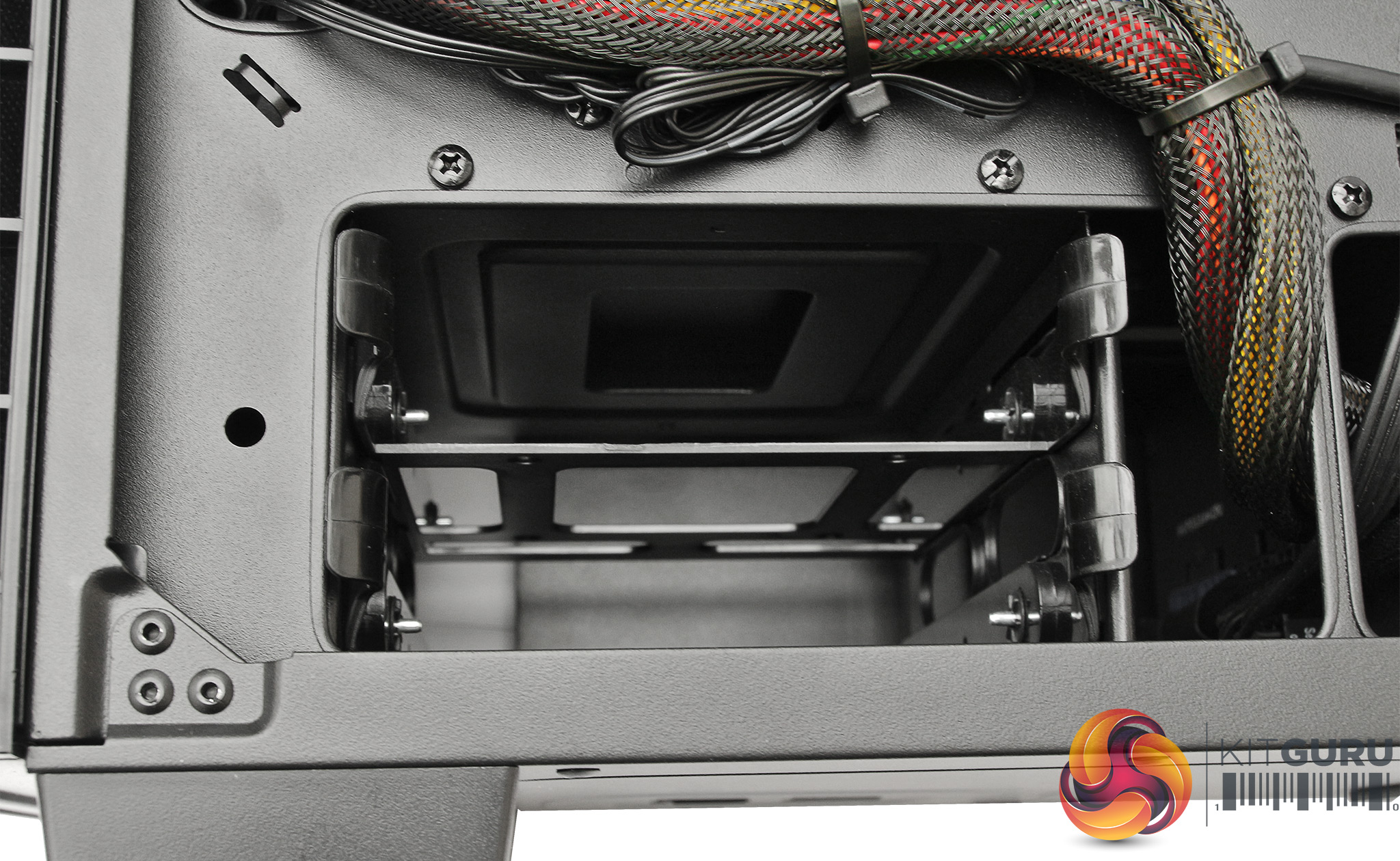
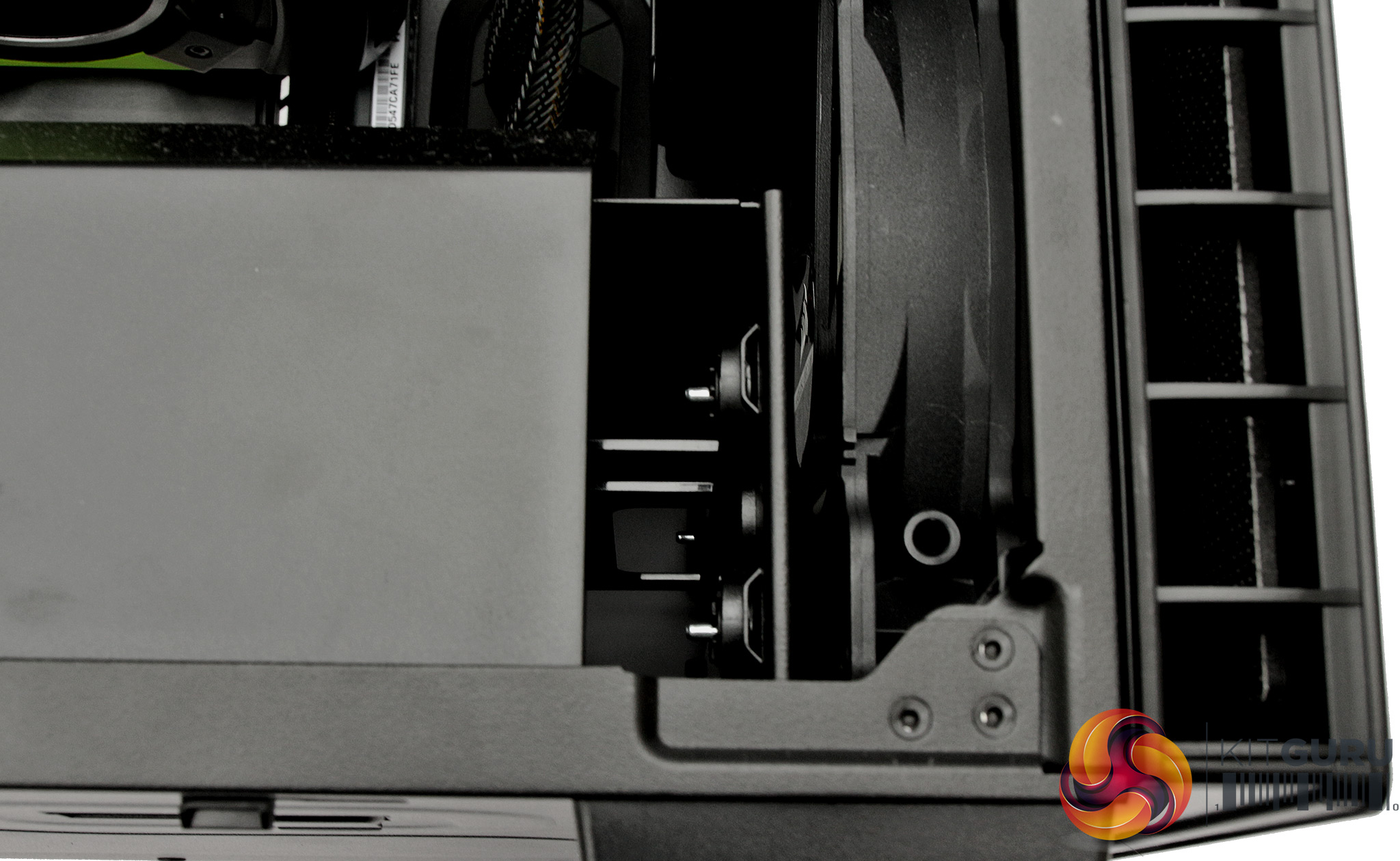
If you open up one side of the WS-X1100 to reveal the main components, you could be forgiven for thinking that there are no drive bays inside at all. But lurking at the bottom are a couple of 3.5in bays. These sit in front of the potent 1,200W 80-Plus Gold Certified power supply.
Open up the other side panel and the quick-release caddies for the two 3.5in bays are readily accessible. So there is some room for storage if you need it, and you could even consider a mirror or stripe of two drives, although no RAID option beyond that would be possible.
But the graphics are the real talking point of this system, so let's take a detailed look at the three cards supplied inside the WS-X1100.
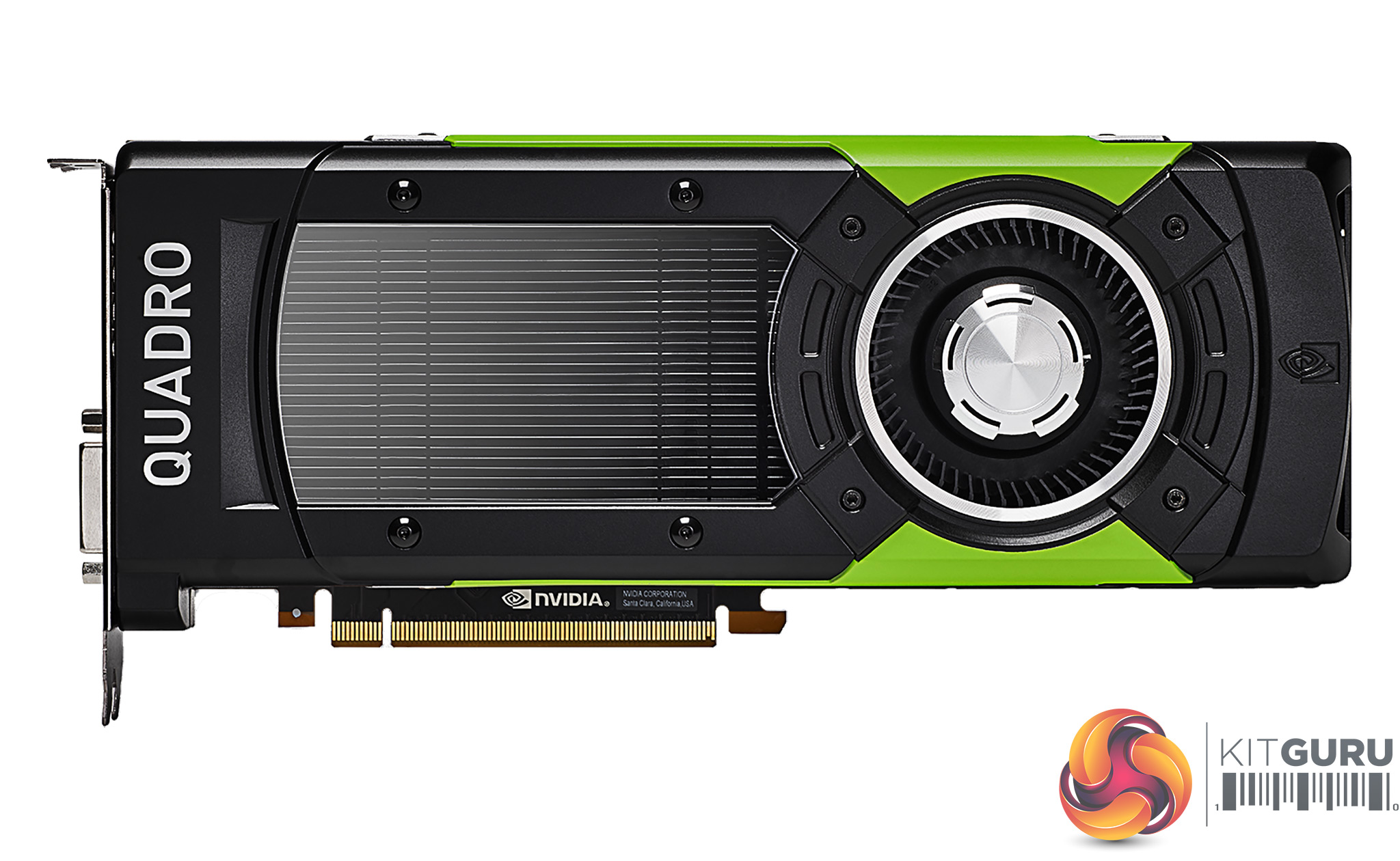
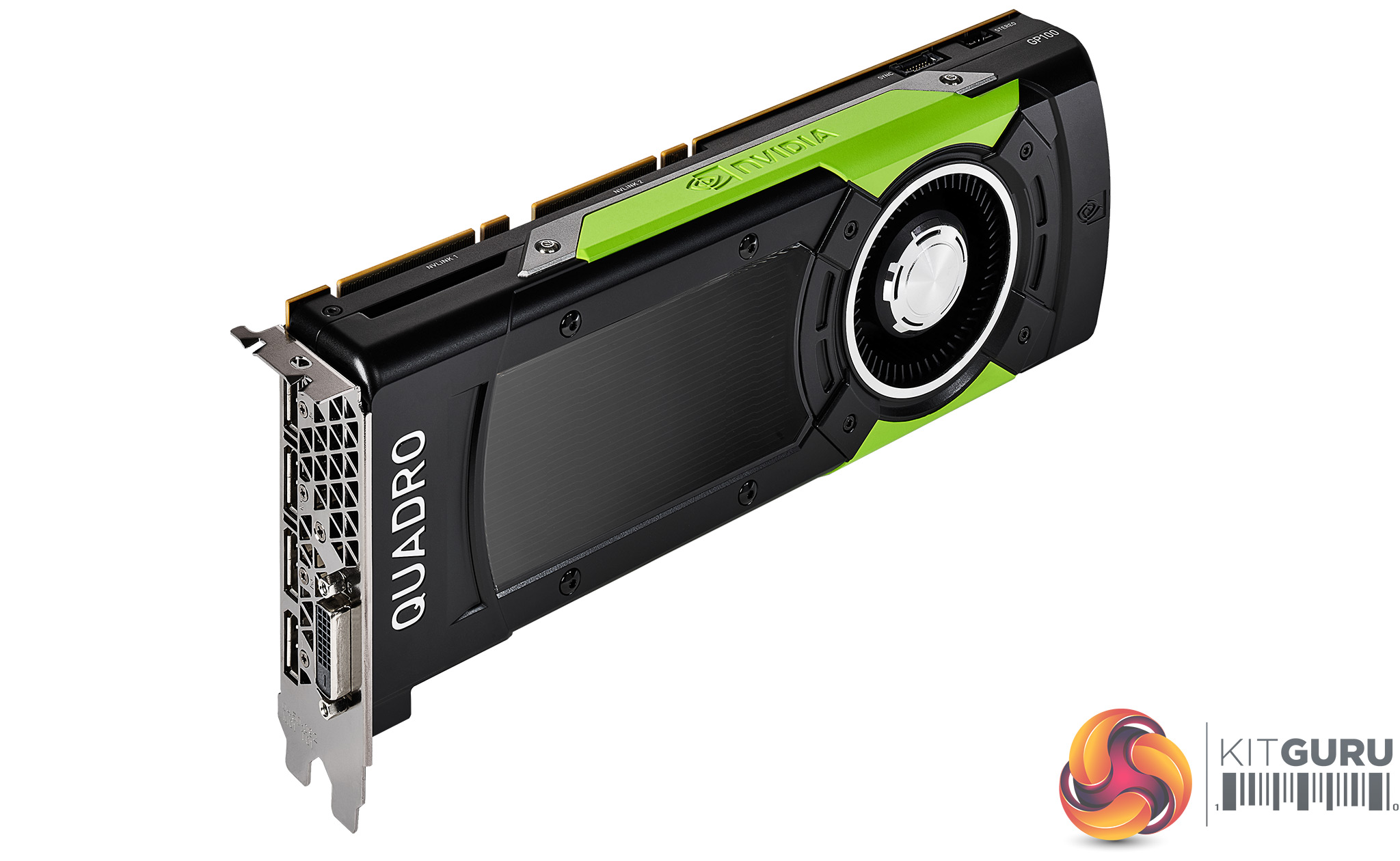
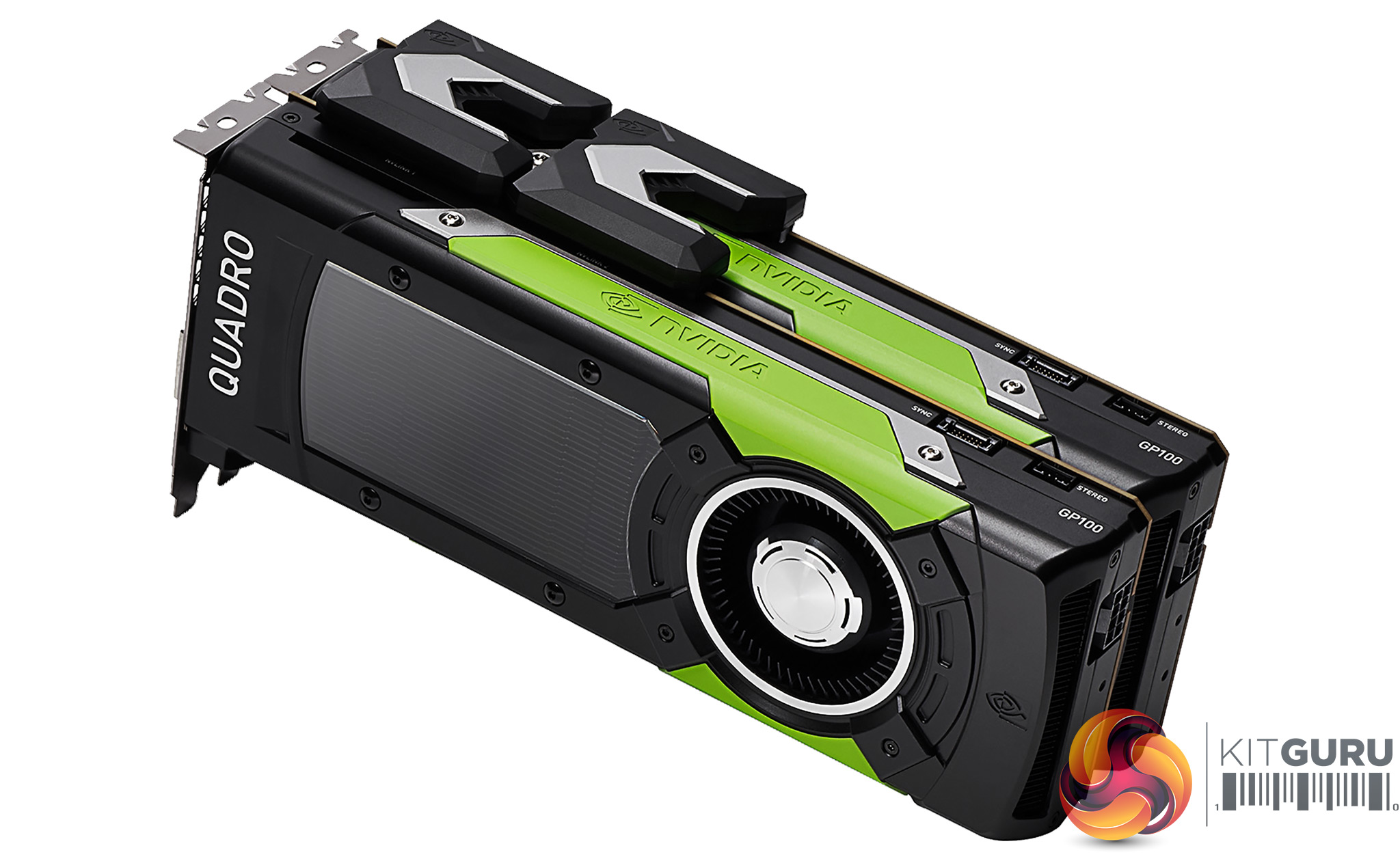
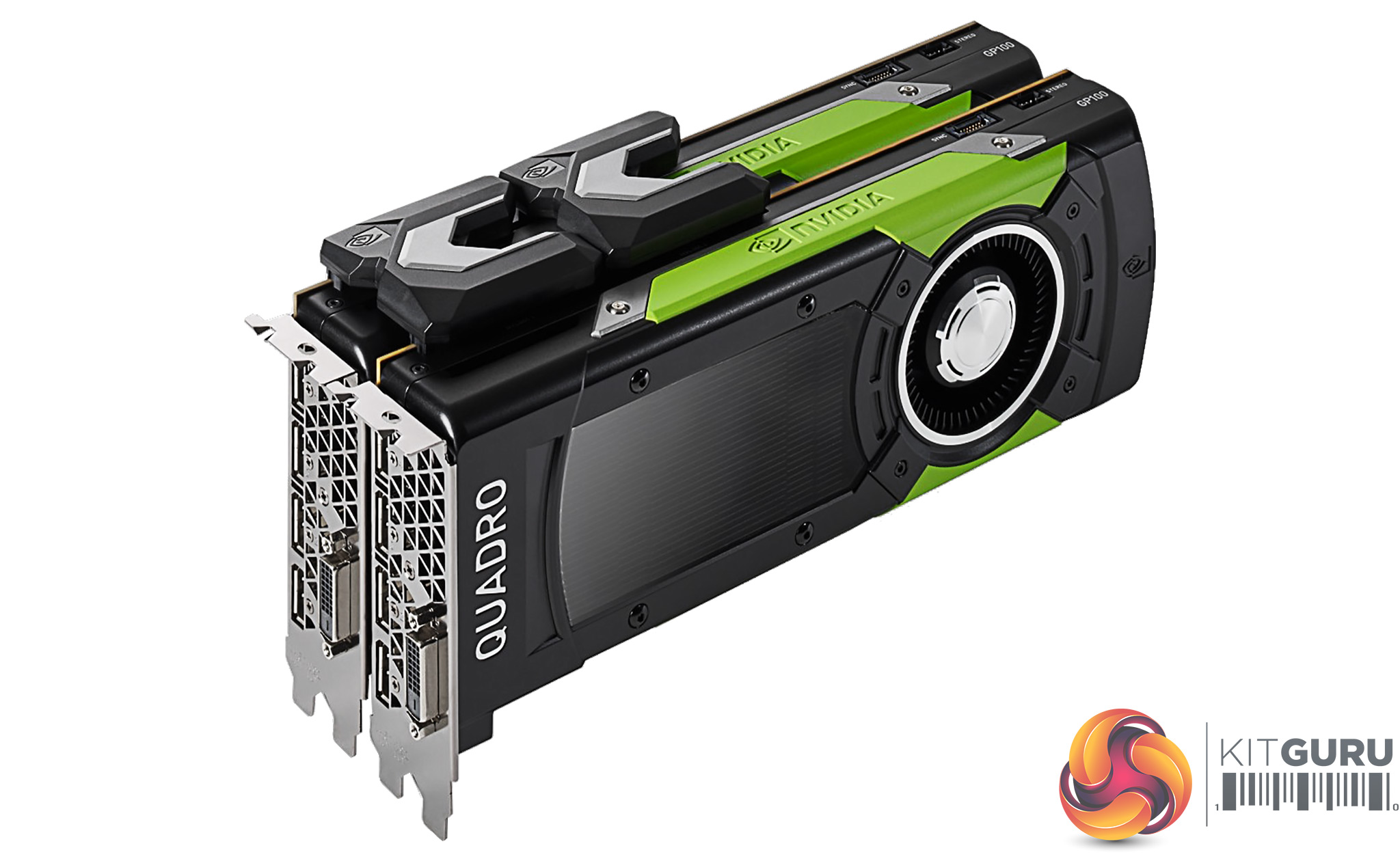
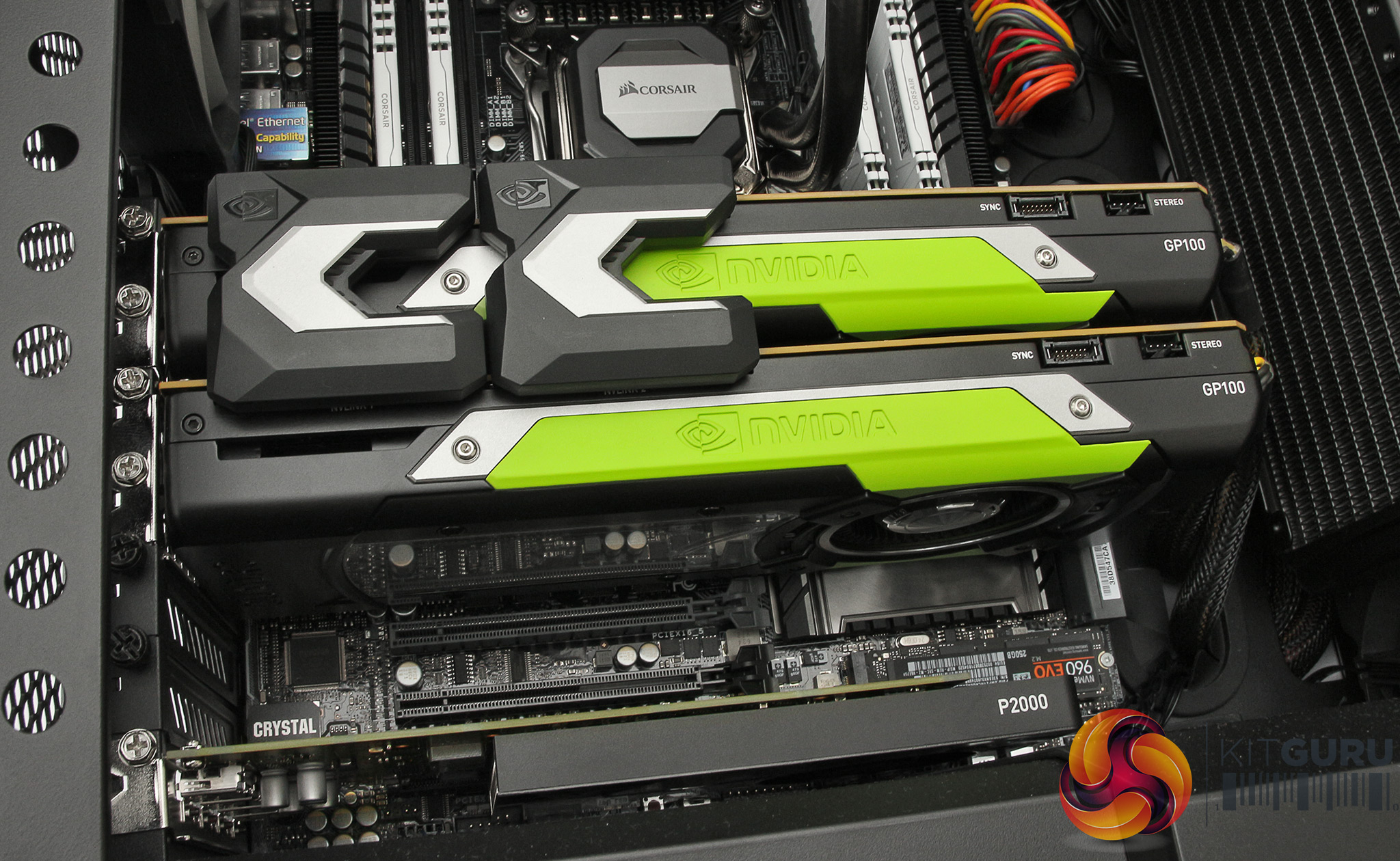
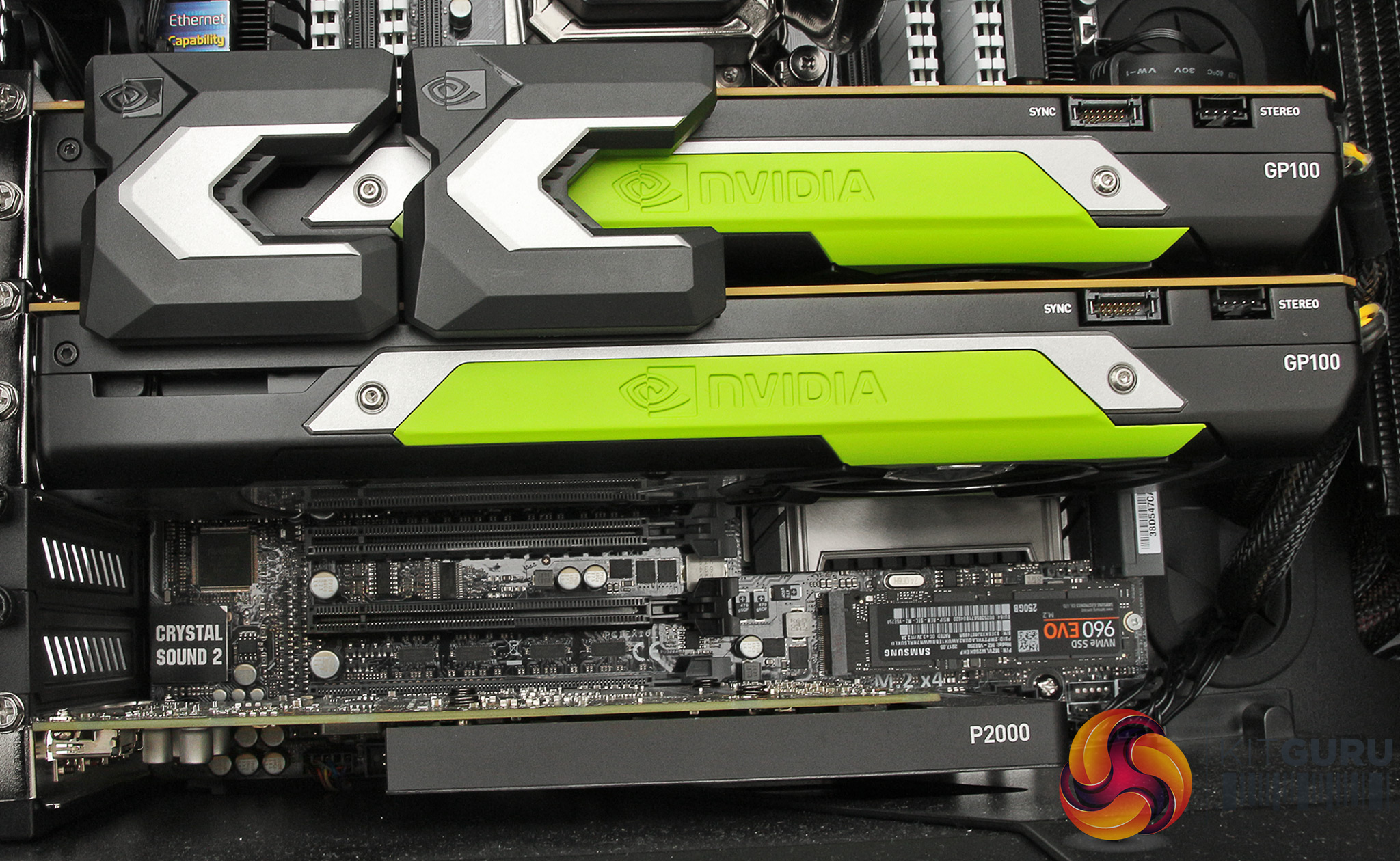
The NVIDIA Quadro GP100 is a monster card released alongside the Quadro P4000 and P2000. Superficially, it looks similar to the almost-as-expensive P6000, requiring two slots for installation, and three blanking plate slots if you install the included external stereo connector bracket.
The dual-slot format allows it to offer the same four full-sized DisplayPort connections and a DVI-I port. It's also based on the Pascal GPU generation, like the P6000. The GP100 consumes slightly less power than the P6000 – 235W rather than 250W. But this is still a thirsty card (although not quite so much as AMD's latest top-end Vega graphics cards).
In some respects, the GP100 is slightly less well endowed than the P6000, which is curious considering how much more it costs. For a start, although the total of 3,584 CUDA cores is huge – 1,024 more than the P5000, and exactly twice that of the P4000 – the P6000 actually boasts 3,840. You also only get 16GB of memory with the GP100, where the P6000 offers 24GB. So what are you getting for the £1,700 extra the GP100 costs over the P6000?
The answer lies in the High Bandwidth Memory we mentioned in the introduction to this review. Whereas the GDDR5X memory used in the P6000 uses a 384-bit bus, which is already pretty wide, the HBM2 used in the GP100 is on a 4,096-bit bus. However, although the bus is more than ten times wider, the memory architecture is different, so the bandwidth is not ten times greater. But it is still more than the P6000. Where the latter offers 480GB/sec of throughput, the GP100 offers 717GB/sec, which is also three times that of the P4000.
So the GP100 is specifically aimed at applications requiring maximum memory bandwidth, and you can further accentuate this by connecting two together using NVIDIA's NVLink (which was included in our Workstation Specialists test system). This pools the memory for use by both graphics cards, allowing them to share a 32GB pool of extremely fast memory.
NVLink 2.0 promises bandwidth 5 to 12 times greater than PCI Express Gen 3. The maximum theoretical bandwidth is 150GB/sec in each direction, so not as fast at the HBM2 memory itself but only five times slower, where PCI Express Gen 3 with 16 lanes only provides 32GB/sec.
This means that in a multi-card setup, if one GPU needs data already loaded into the other card's memory, it can load it directly over NVLink much more quickly than from system memory over PCI Express.
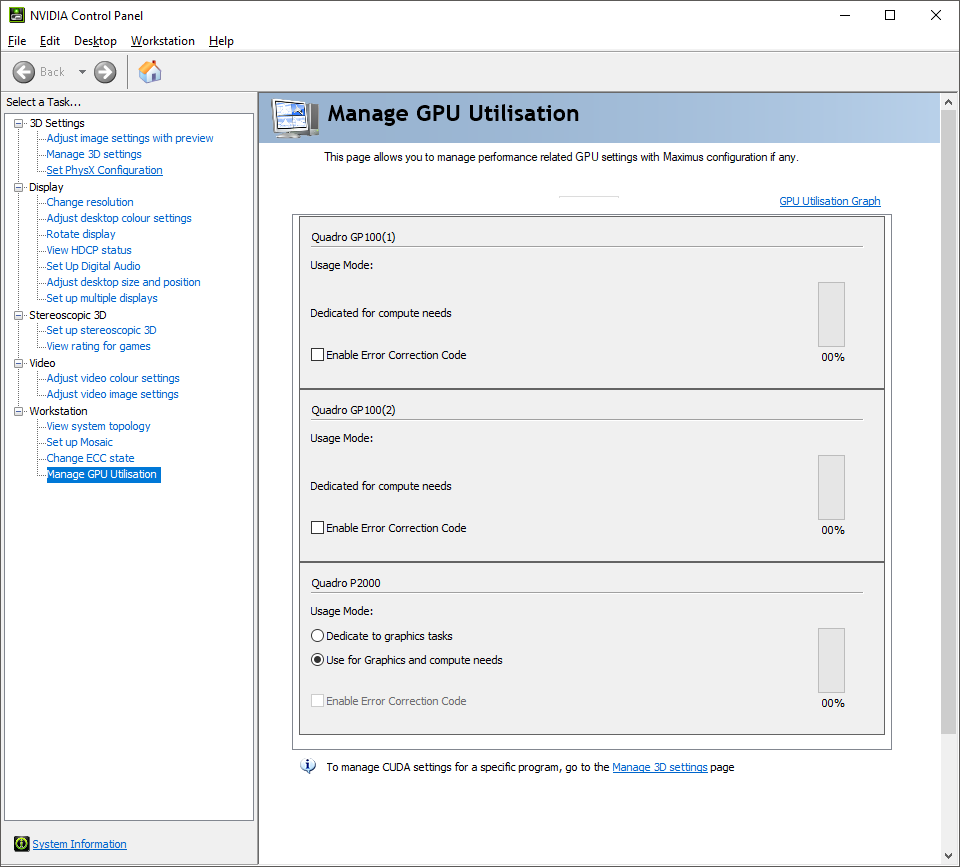
Our sample NVIDIA Quadro GP100s were configured exclusively for GPGPU work, as you can see from the NVIDIA Control Panel screenshot above. You can still plug monitor cables into them and these will work, but the NVIDIA Quadro P2000 will be doing the graphics acceleration and then sending the results to whichever card is attached to the screen over PCI Express, reducing performance.
In this configuration, the GP100s are intended to be very expensive, but very powerful, co-processors for CUDA- or OpenCL-based GPGPU work.
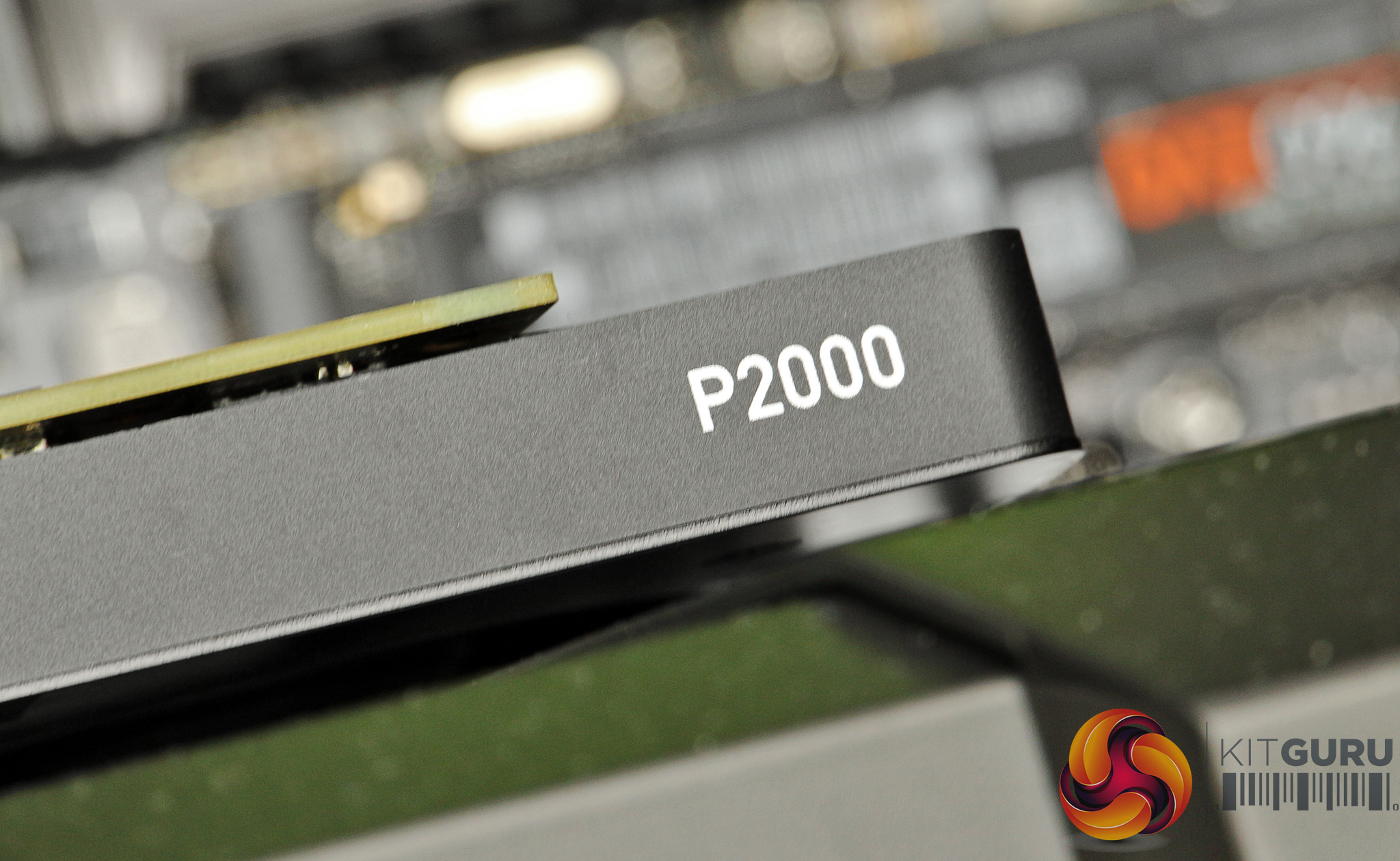
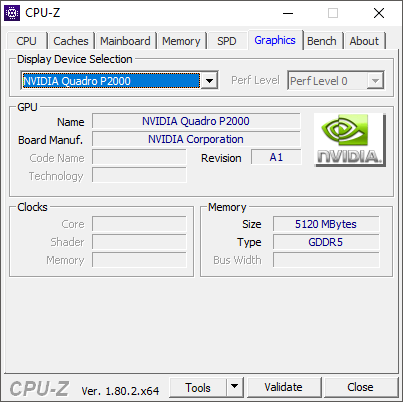
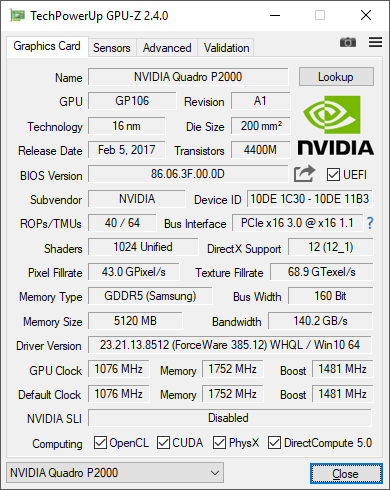
The Quadro P2000, despite being a mid-range card, is still pretty decent, with 1,024 CUDA cores running at 1,076MHz and 5GB of GDDR5 memory providing 140.2GB/sec of bandwidth. But it's a pale shadow compared to the GP100s, and is only there to provide graphics display and reasonable real-time 3D modelling acceleration.
So let's turn to look at where this system's strengths and weaknesses lie when it comes to performance.
We put the Workstation Specialists System through a suite of workstation benchmarks. For comparison, we pitted it against the Overclockers RENDA PW-E7F, Scan 3XS GW-HTX35 and Armari Magnetar V25R-RA750G2.
Software:
Cinebench R15
SPECviewperf 12.1
LuxMark 3.1
CrystalDiskMark
RENDA PW-E7F Specifications:
- Intel Core i7-5960X @ 4.2GHz
- 32GB DDR4 SDRAM @ 2667MHz
- ASUS X99-E WS Motherboard
- 256GB Samsung 850 Pro SATA III 6Gb/s SSD
- 2TB Seagate Barracuda SATA III 6Gb/s 7,200rpm HDD
- 8GB GDDR5 AMD FirePro W8100 Graphics
- EK-WB water cooling
- SuperFlower PSU
- Phanteks chassis
- Windows 8.1 Pro 64bit
- 5 Years, 3 Years Collect and Return, 2 Years Labour
Scan 3XS GW-HTX35 Specifications:
- 2x Intel Xeon E5-2687W V3 @ 3.1GHz
- 64GB Crucial ECC Registered DDR4 SDRAM @ 2,133MHz
- ASUS Z10PE-D8 WS Motherboard
- 512GB Samsung 850 Pro SATA III 6Gb/s SSD
- 2TB Seagate Barracuda 7200.14 SATA III 6Gb/s 7,200rpm HDD
- 12GB GDDR5 NVIDIA Quadro M6000 Graphics
- 2x 3XS customised Corsair H80 water cooling
- 1,000W Corsair RM PSU
- Fractal Design Define XL Titanium Grey chassis
- Windows 7 Professional 64bit
- 3 Years warranty, 1 Year Onsite, 2 Years RTB
Armari Magnetar V25R-RA750G2 Specifications:
- AMD Ryzen 7 1800X @3.6GHz
- 32GB Corsair Vengeance LPX DDR4 SDRAM @ 2,400MHz
- Biostar X370GTN Motherboard
- 512GB Samsung PM961 M.2 NVMe PCI Express SSD
- 32GB GDDR5 AMD Radeon Pro Duo Graphics
- Sealed AIO water cooling
- 750W Platinum Efficiency PSU
- Custom V25 Pristine White chassis
- Windows 10 Professional 64-bit
- 3 Years Warranty Parts and Labour, 1 Year Onsite, 2 Years RTB
CINEBENCH 15 is a cross-platform testing suite that measures hardware performance and is the de facto standard benchmarking tool for leading companies and trade journals for conducting real-world hardware performance tests. With the new Release 15, systems with up to 256 threads can be tested.
CINEBENCH is available for both Windows and OS X and is used by almost all hardware manufacturers and trade journals for comparing CPUs and graphics cards.
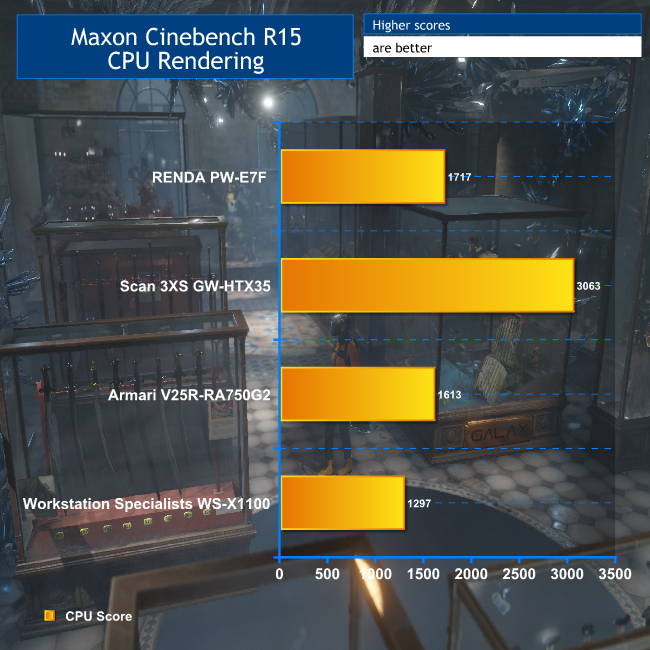
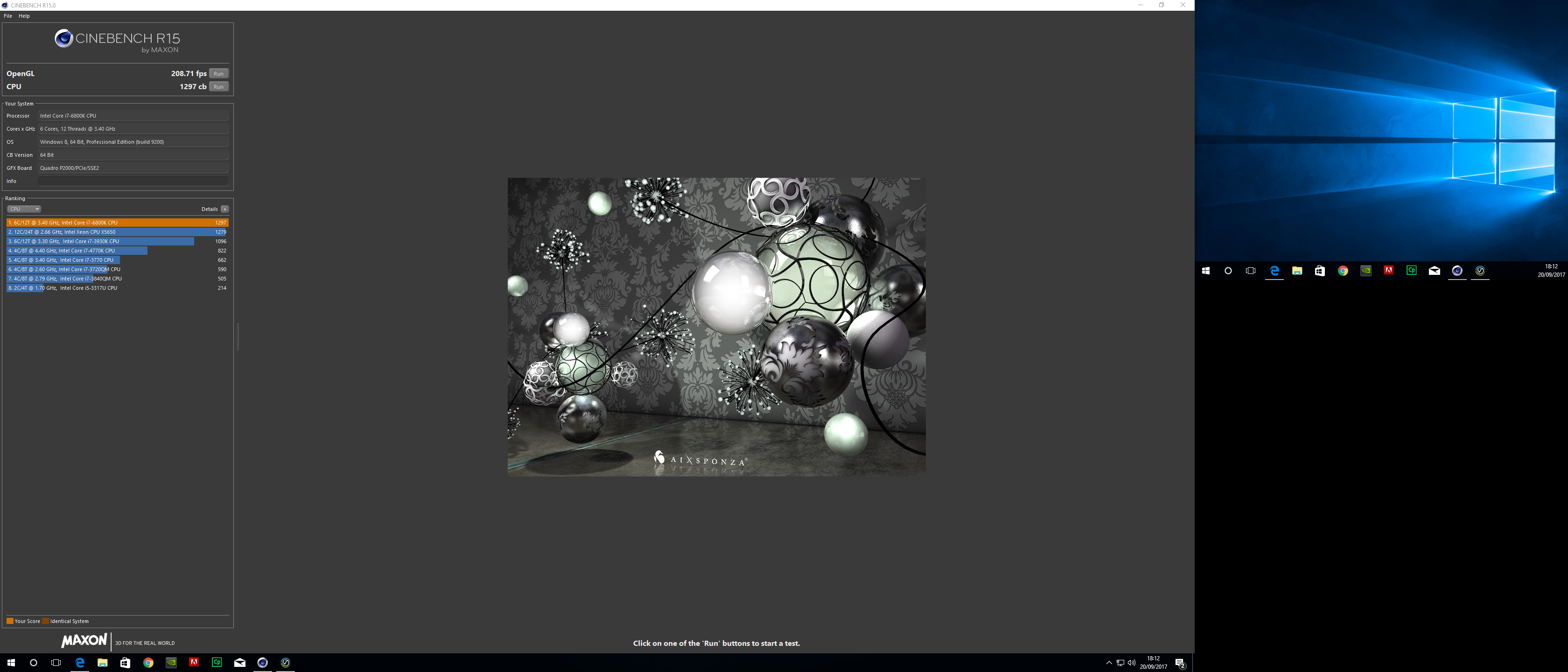
The CPU rendering portion of Maxon Cinebench R15 shows that the six-core Intel Core i7-6800K can't keep up with the eight-core (and greater) processors in the comparison systems, despite the 4.2GHz overclock. But that's not what this system is about anyway.
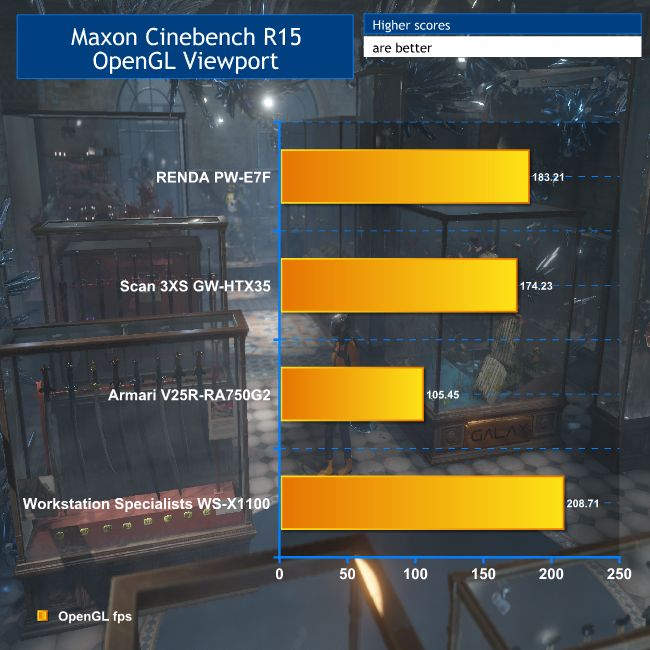
The Cinebench OpenGL results, on the other hand, reveal that the NVIDIA Quadro P2000 is pretty good for running Maxon Cinema 4D, beating the AMD Radeon Pro Duo in the Armari, the AMD FirePro W8100 in the RENDA, and even the NVIDIA Quadro M6000 in the Scan system. Note that the Quadro GP100s are playing no part in this test.
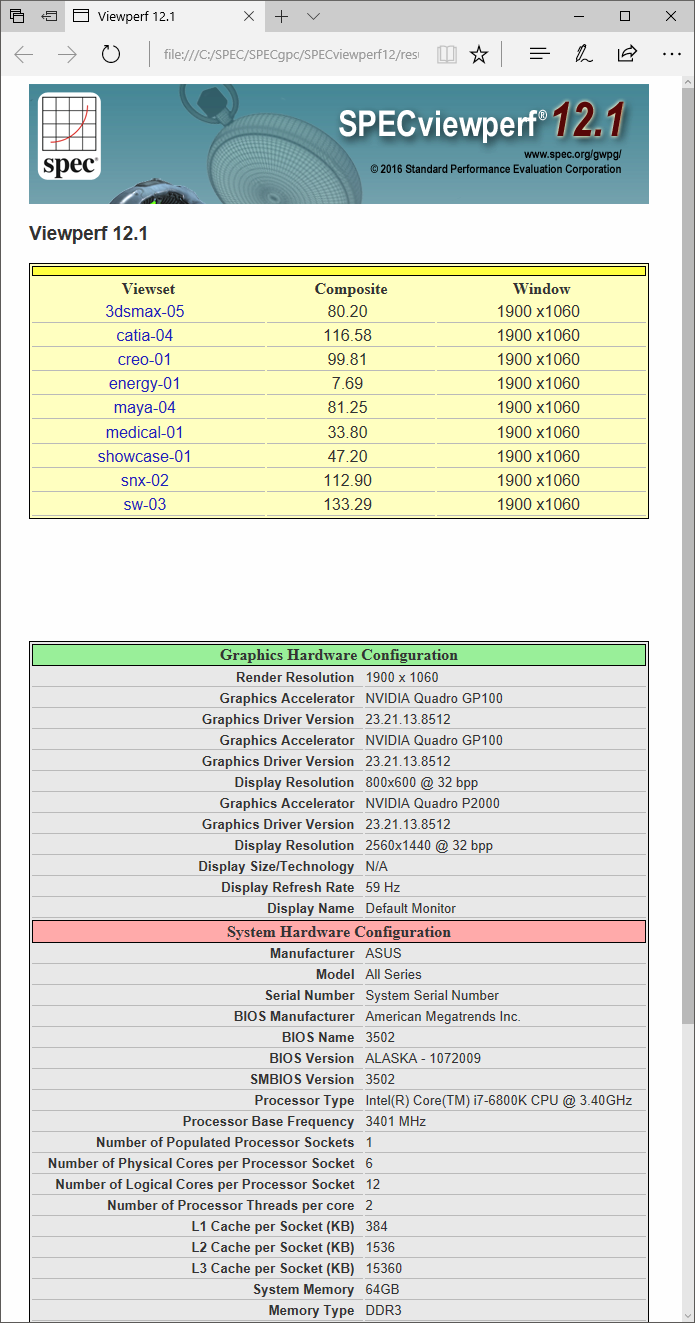
The SPECviewperf 12.1 benchmark is the worldwide standard for measuring graphics performance based on professional applications. The benchmark measures the 3D graphics performance of systems running under the OpenGL and Direct X application programming interfaces. The benchmark’s workloads, called viewsets, represent graphics content and behaviour from actual applications.
The latest version is SPECviewperf 12.1, released on August 24, 2016. SPECgpc members at the time of V12.1 release include AMD, Dell, Fujitsu, HP, Intel, Lenovo, NVIDIA, and VMware. SPECviewperf 12.1 features a new Autodesk 3ds Max viewset, Microsoft Windows 10 support, and GUI and reporting improvements.
SPECviewperf 12.1 has been tested and is supported under the 64-bit version of Microsoft Windows 7 and Windows 10. Results from SPECviewperf 12.1 remain comparable to those from V12.0.1 and V12.0.2.
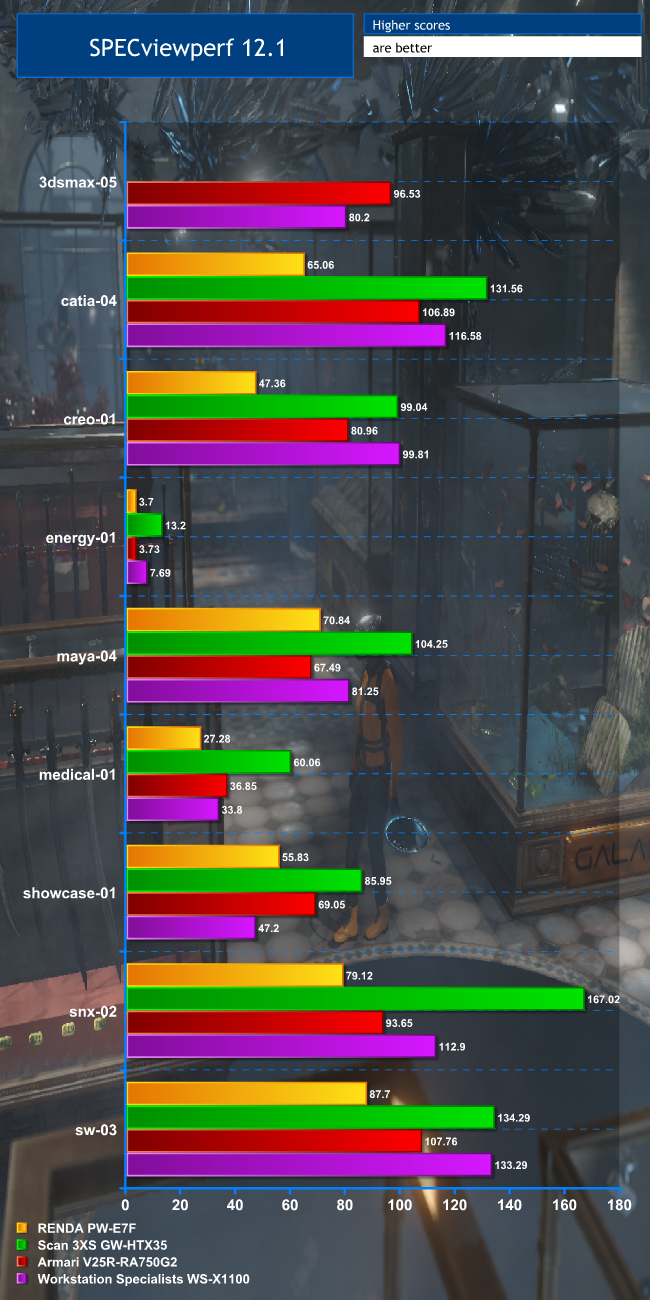
The Quadro P2000 acquits itself well in SPECviewperf 12.1. The results with the 3dsmax-05, medical-01 and showcase-01 viewset are behind the Armari Magnetar V25R's AMD Radeon Pro Duo, but otherwise the NVIDIA Quadro P2000 does extremely well, with results that come close to the Scan system's NVIDIA Quadro M6000 in creo-01 and sw-03. Even with catia-04 and maya-04, it's scarcely 20 per cent slower. Only snx-02 really lags far behind the previous-generation M6000.
Again, the NVIDIA Quadro GP100 cards are not playing a part in this test, however. So next let's turn to testing that does show off what they have to offer.
LuxMark 3.1
OpenCL is a platform for harnessing GPU power for activities other than real-time 3D rendering to screen, also known as GPGPU. Unlike NVIDIA's CUDA platform, OpenCL is open source and can be ported to anything with processing power. So drivers are available for CPUs as well, both from Intel and AMD.
A popular tool for testing OpenCL performance is LuxMark. We haven't run this on many workstations before, so we only have one comparison amongst our past reviews. We ran the Sala scene on CPU only, GPU only, and then both.
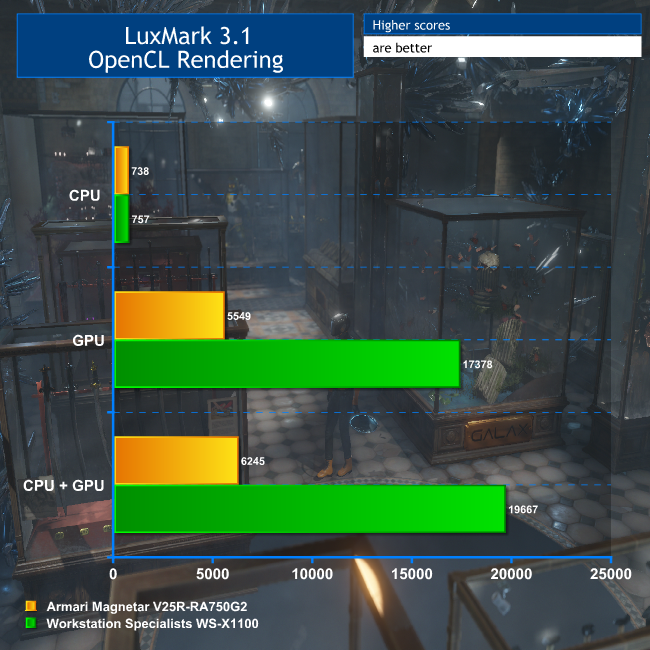
For this test, we only had results from the Armari Magnetar V25R for comparison. But as this system contained the AMD Radeon Pro Duo, a dual-GPU graphics card also tailored for GPGPU rendering, it makes a valid one to compare with, albeit much cheaper. In this test, the six-core Intel Core i7 6800K in the WS-X1100 is a little better for OpenCL than the eight-core AMD Ryzen 7 1800X in the Armari system.
But this is overshadowed by the results when the GPUs' OpenCL capabilities are brought to bear. The AMD Radeon Pro Duo is no slouch in this department, and for the money it's still a pretty valid option.
But the twin NVIDIA Quadro GP100 cards in the WS-X1100 blow it completely out of the water, providing more than three times the OpenCL grunt. For any application that can make real use of OpenCL acceleration, the NVIDIA Quadro GP100 has phenomenal performance on offer.
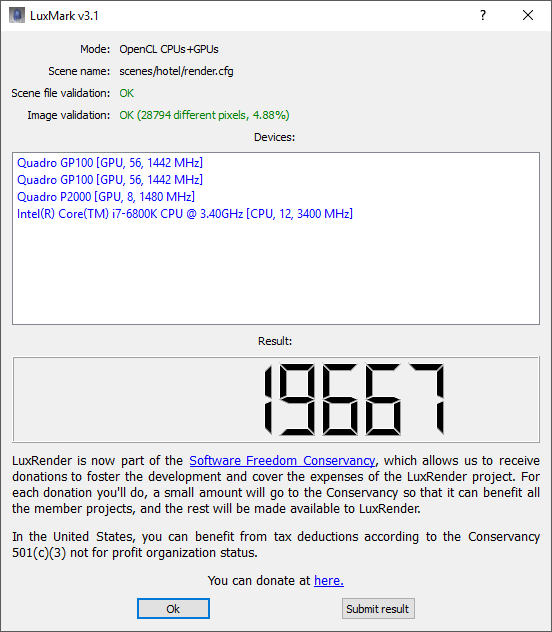
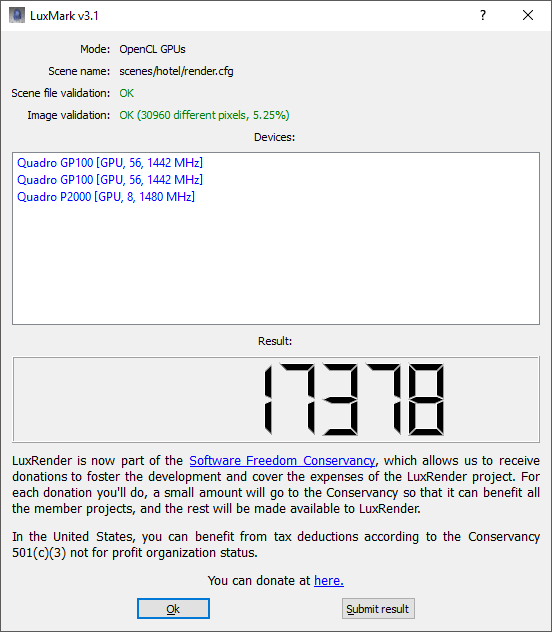
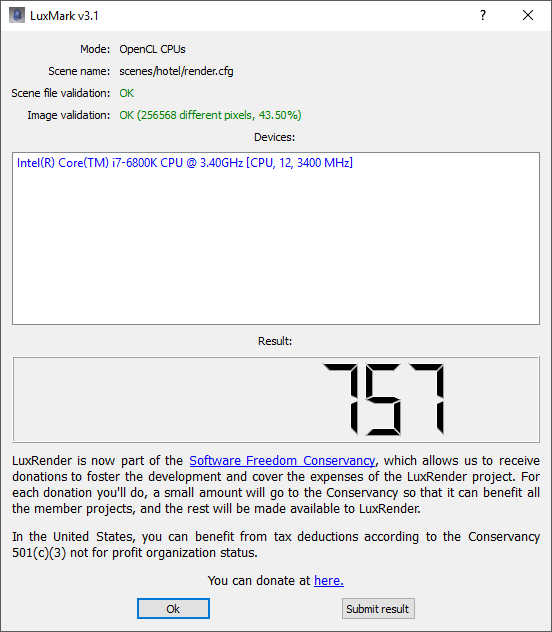
LuxMark is a synthetic benchmark – it doesn't correspond directly to an application actually used in a production environment. It also uses OpenCL, the GPGPU API that is openly available to all hardware with drivers to run it.
But NVIDIA has its own proprietary GPGPU API called CUDA, which stands for Compute Unified Device Architecture. This name makes it sound as generally available as OpenCL, but in fact only NVIDIA graphics cards support it.
Despite this proprietary nature, CUDA has arguably garnered more support than OpenCL to begin with. Adobe added CUDA acceleration to its effects filters and Mercury Playback Engine some years ago, with OpenCL added more recently. There are a number of CUDA-enhanced 3D renderers out there, such as Octane Render and Redshift.
The full list can be found on NVIDIA's website. But one of the most popular renderers, which plugs into a wide range of 3D content creation applications including all the main contenders, is V-Ray.
V-Ray Benchmark
V-Ray's application support is extensive, with plug-ins for Autodesk 3ds Max and Maya, Rhino, Maxon Cinema 4D, NUKE and Blender amongst others. You can learn more about it on the Chaos Group website. V-Ray has been used to render effects in a huge number of high-end productions, with recent notable examples being Fast & Furious 8: The Fate of the Furious and Game of Thrones. If you think Daenerys's dragons look good, even now one of them has (spoiler alert) joined the wrong side, then you have the quality of the V-Ray renderer partly to thank for that.
However, particularly useful for our needs here, there is a V-Ray benchmark that has been widely available for a while, based on the core V-Ray engine, including CPU and CUDA GPU support. It renders two different scenes, one on the CPUs only, one on the GPUs only. We ran this on the WS-X1100.
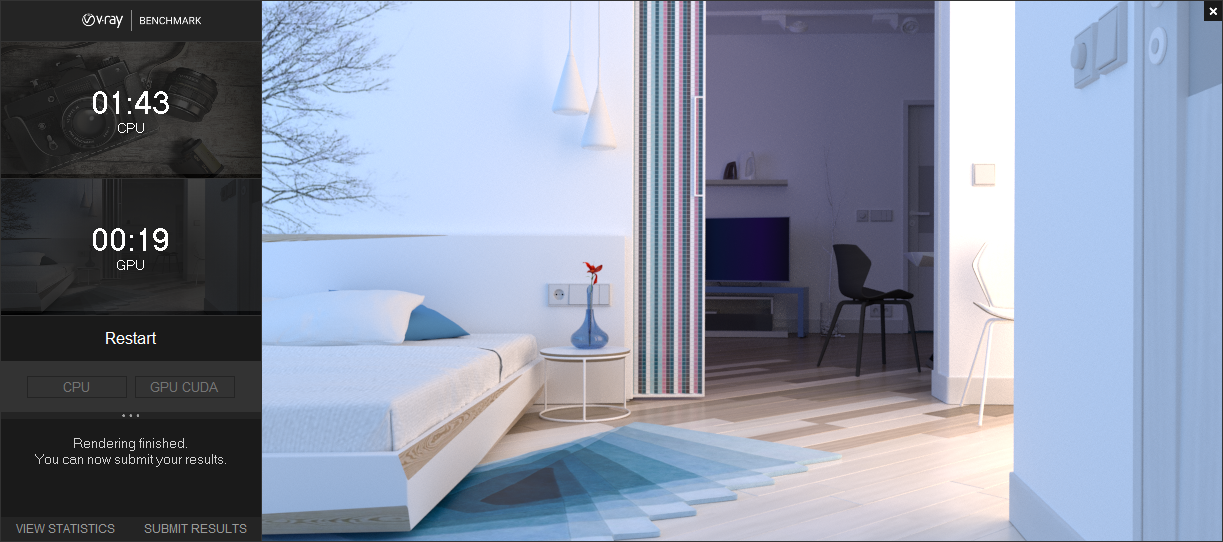
Out of context, these figures probably don't mean very much. But since this is a public benchmark that includes a facility to upload to the Chaos Group website, you can see all the CPU results and GPU results there.
The current top CPU score was obtained with a system sporting 192 cores, so naturally the WS-X1100 is nowhere in comparison. But the top GPU score was obtained with four NVIDIA Quadro GP100 cards, and at 14.359 seconds is only 32 per cent faster.
In fact, our result of 19 seconds would place the WS-X1100 in the current top 20 systems in the world for the V-Ray Benchmark. So this is a SERIOUSLY fast system for CUDA-based GPGPU work. If you're outputting 3D to a V-Ray renderer, the performance could well be worth the huge outlay.
Crystalmark is a useful benchmark to measure theoretical performance levels of hard drives and SSD’s. We are using V5.2.1 x64.
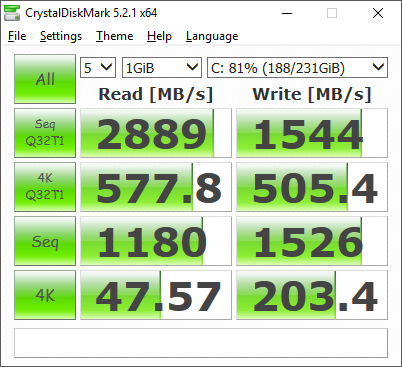
The WS-X1100 only comes with a single Samsung 960 EVO NVMe SSD, and as you can see from the scores above it's a quick drive. We've seen SSDs hit 3,500MB/sec reading and 2,300MB/sec writing, but this drive's performance isn't that far off and in everyday usage you won't notice much difference. All you need to know is it's very quick for booting and loading application software, although at 250GB capacity it is a little on the small side by today's standards.
The Workstation Specialists WS-X1100 is an even more specialised beast than the Armari Magnetar V25R-RA750G2 we looked at a few months ago. The astronomical price means that you would only really consider it for the use intended. Buying this system – or any system with the NVIDIA Quadro GP100 graphics card in it – is really pointless unless you are using applications that can take advantage of its strengths.
In reality, that will probably mean V-Ray rendering. For that purpose, it's amazingly powerful, spitting out finished results many times faster than a CPU alone or lesser graphics. The WS-X1100 on its own is a decent workstation, with a well built chassis. It's not as noisy as you might expect from a system with three graphics cards in it, as the airflow is very good. It has competent, if not outstanding modelling ability.
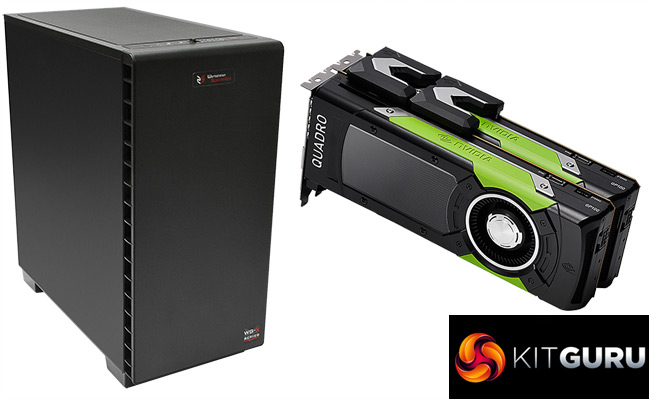
So, overall, it boils down to whether you can use the huge prowess of the hugely expensive NVIDIA Quadro GP100 graphics card. It does have a lot of CUDA or OpenCL performance available, but you really need to need that to make the price worthwhile.
Price: £17,976.78 inc VAT (Buy from Workstation Specialists HERE)
Discuss on our Facebook page, over HERE.
Pros:
- More GPGPU rendering performance than we've ever seen – by some margin.
- Decent everyday modelling capability.
- Excellent build quality.
- Not that noisy considering the GPU power inside.
Cons:
- The price.
Kitguru says: The Workstation Specialists WS-X1100 costs as much as a brand new premium hatchback, but its GPGPU rendering with V-Ray is in the top 20 in the world. You do have to pay for that privilege.


But can it run minecraft
https://uploads.disquscdn.com/images/d35af349501f359d6bd115b13674892c3cee26f1099902e01a6ea61eea2b39de.jpg
This is such a stupid choice of parts. #1 The X99 platform, there is both the x299, and the Xeon platform which would be more suitable. #2 The Corsair H100i, which should be at least the H115i or preferably an NZXT or EVGA CLC 280 cooler, both of which are significantly better and quieter. #3 the RAM should be ECC in a workstation build, further pointing towards Xeon/Epyc as a platform base rather than x99. #4 The PSU in a £17k build should be as good as possible, ie a titanium rated one such as the Corsair AXi 1500 or Silverstone Prime Titanium 1000, as saving £50 on installing a platinum PSU doesn’t make sense at this budget. #5 I really think that while the 960 evo is great, in a *17k* build, the pro is a much more sensible option, also 250gb is pathetic.
I see so much of these high end builds, which aren’t really thought through, when they really should be, if made by a professional company. Of course this PC is still *good*, as the components are excellent, but it is not *great* because the components are not appropriate for the budget and use scenario.
Edit, it’s a flipping 18k build and they’re using an out of date platform as a base and sub ideal components… wow.
( ͡° ͜ʖ ͡°)
Check these systems out instead: https://www.kitguru.net/desktop-pc/james-morris/armari-amd-ryzen-threadripper-1950x-versus-intel-core-i9-7980xe-shootout/
https://uk.pcpartpicker.com/user/davengerdann/saved/ I know how to build systems, thanks anyway.
Never said you didn’t… I was merely (and brazenly) directing you towards another article I wrote! ?
Dainel. Fuck if ever there was an elitist you made the dictionary definition. Kick the hell back dude. You’re in the Metaverse.